Build Chain
A build chain is a sequence of interconnected build configurations and pipelines linked by dependencies, where each member waits for its upstream to finish before starting.
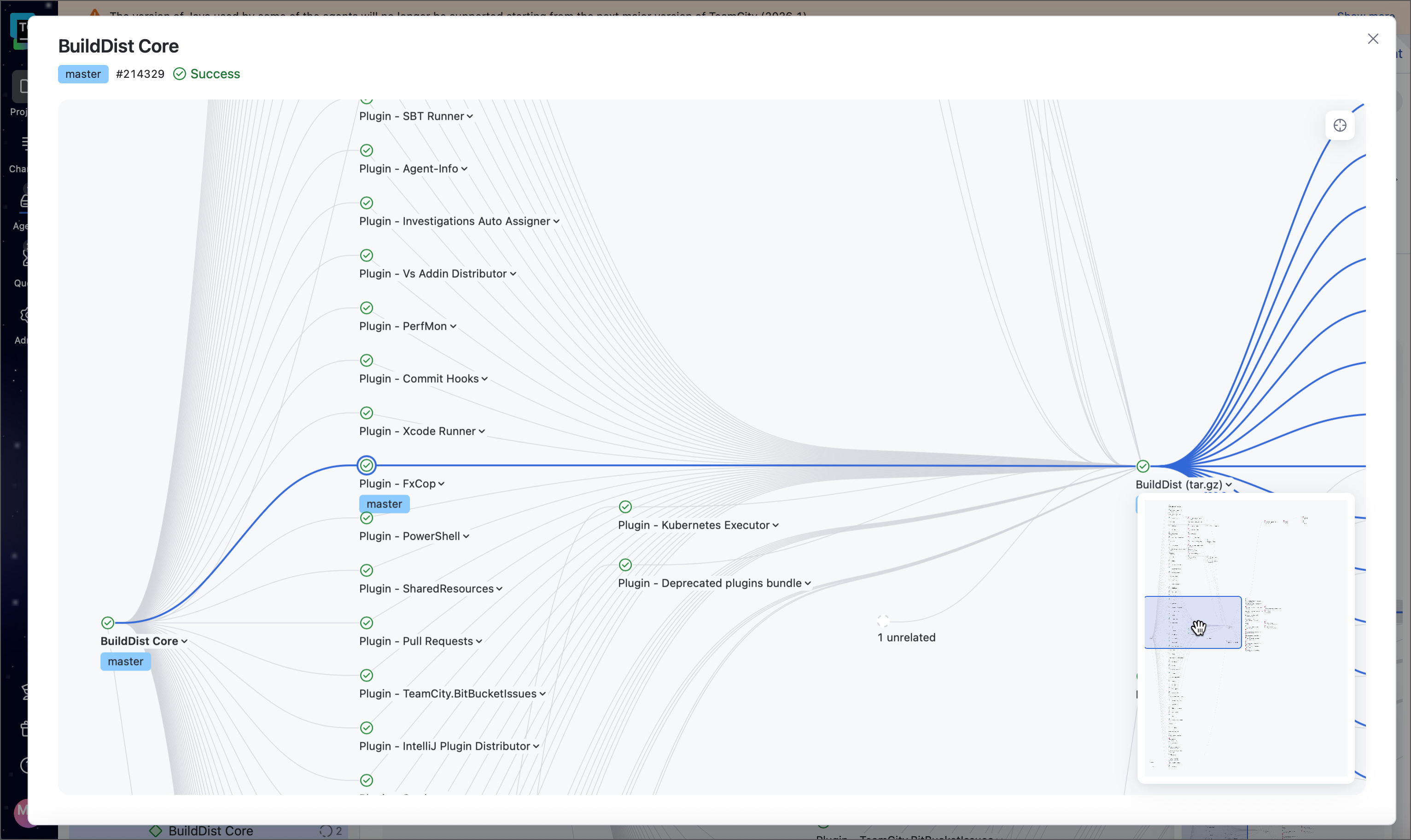
Technically, a build chain is a directed acyclic graph: it has a well-defined execution order and cannot contain cycles.
When to use build chains
Build chains are useful whenever multiple build configurations or pipelines need to run in a specific order and share the same state of the codebase. Two common scenarios:
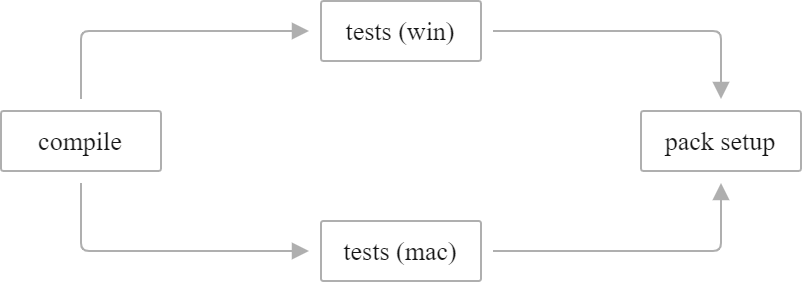
Multi-platform testing before release. Compile the project once, run tests simultaneously on different platforms, then produce a release build only if all tests pass.
Offloading a heavy test suite. A slow test suite is moved into its own configuration and linked back with a snapshot dependency, so it still runs on the same sources as the build it validates while gaining its own history, triggers, and agent requirements.
How a chain runs
When you trigger a downstream build, TeamCity does not just start the upstream and wait. It:
Resolves the entire chain transitively — all upstream objects, including those several levels deep.
Queues all chain members at once and calculates a single sources snapshot shared across all of them. Every member will run on code taken at the same point in time.
Runs the chain from upstream to downstream, starting each member as soon as all its direct dependencies have finished.
This shared-revision guarantee is the key difference between a build chain and a simple sequential trigger. It ensures that, for example, the "Deploy" step always operates on exactly the same binaries that the "Test" step validated.
Chain members
Both build configurations and pipelines can participate in a chain. Mixed chains — a pipeline depending on a build configuration, or vice versa — are fully supported.
- Build configurations
Classic TeamCity entities configured via the web UI or Kotlin DSL. Dependencies between build configurations are called snapshot dependencies and are set up on the Dependencies page of configuration settings.
- Pipelines
Newer YAML-based entities. Dependencies between pipelines, or between a pipeline and a build configuration, are called pipeline dependencies and are set up in the pipeline settings panel.
See Configuring Chain Dependencies for setup instructions for both types.
Upstream and downstream
Chain dependencies are always declared in the downstream object, pointing to the upstream one.
To create a "Build → Test → Deploy" chain, you open Deploy and add a dependency on Test, then open Test and add a dependency on Build — not the other way around.

Two effects follow from this model:
Upstream objects can always run independently — they have no dependencies themselves.
Triggering a downstream object automatically queues and runs all its upstream dependencies.
Chains can also fan out: if multiple objects each depend on the same upstream, they run in parallel once that upstream finishes, provided enough idle agents are available.
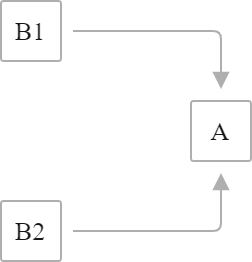
In TeamCity, downstream builds are also called dependent builds (since they depend on those that precede them), and upstream builds are called dependency builds.
Build chains vs finish build triggers
Build chains are the recommended way to link objects in TeamCity. They provide source revision synchronization, build reuse, and fine-grained execution control across both build configurations and pipelines.
Finish build triggers are an older, left-to-right push mechanism available only for build configurations. We recommend using build chains over finish build triggers for new setups.
Next steps
Configuring Chain Dependencies — link configurations and pipelines, and tune dependency behavior such as build reuse and revision synchronization
Pass Data in a Chain — transfer files and parameter values between chain members
Run Build Chains — trigger, stop, and partially run chains
Monitor Build Chains — inspect chain runs and rerun individual steps
Secure Chain Dependencies — protect configurations from unauthorized cross-project dependencies