Secure Chain Dependencies
Build chains can span multiple projects, which is powerful but introduces a risk: a configuration from one team can depend on — and therefore trigger and pull artifacts from — a configuration owned by another team.
The risk
If there are no restrictions, anyone with the Project viewer role for a project can create dependencies to its configurations from their own. This means external users can run your configurations or import their artifacts even without permission to run them directly.
Limiting visibility is not enough on its own. A project administrator who cannot see a target project in the UI can still create a dependency to it through versioned settings, as long as they know the configuration ID:
TeamCity offers three complementary controls to protect sensitive or resource-intensive configurations.
Project isolation
Project isolation is the primary enforcement mechanism. It is configured in the Project Isolation tab of project settings.
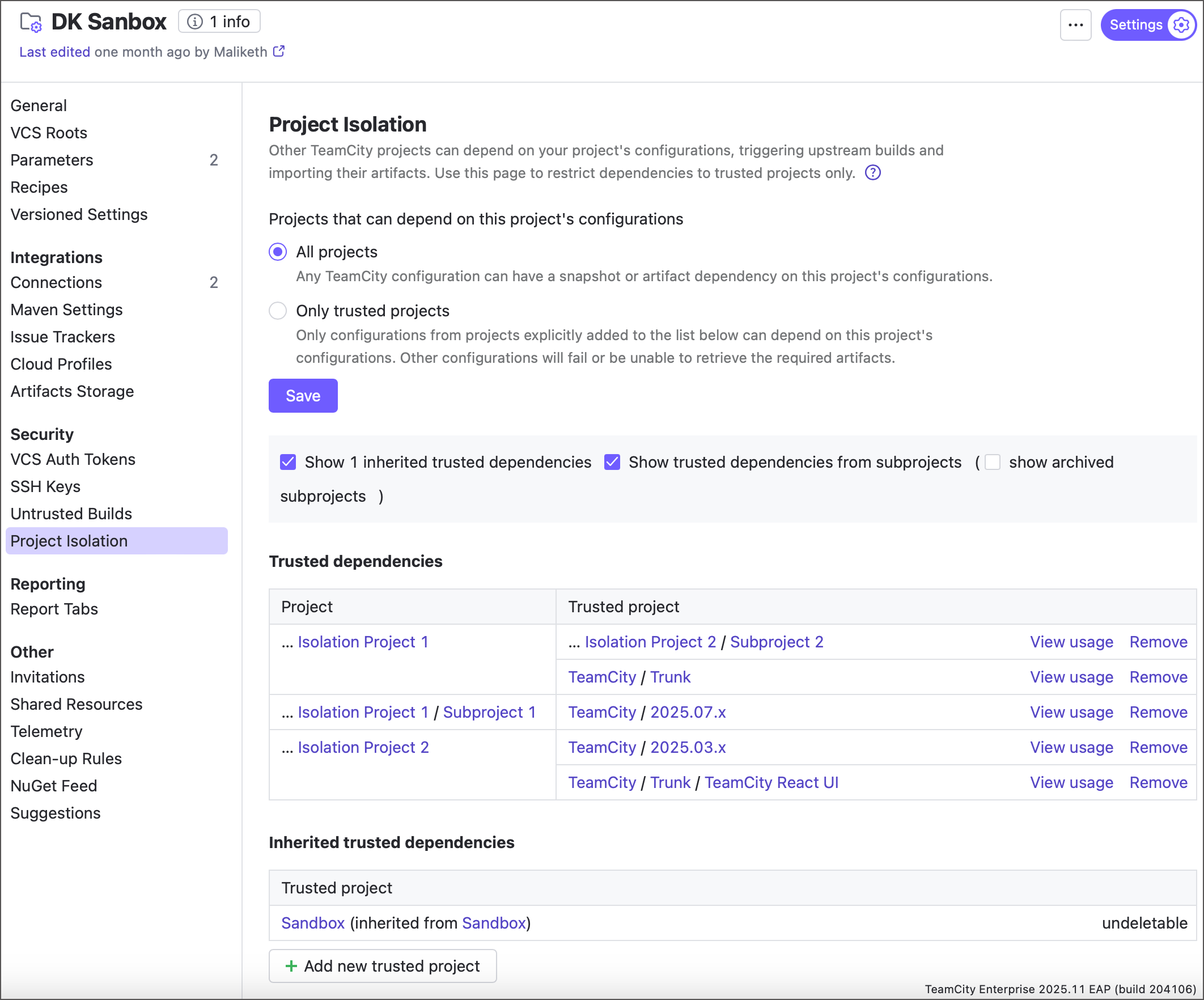
The Only trusted projects mode isolates a project and its subprojects, preventing configurations from outside that branch from depending on configurations inside it. Dependencies from untrusted external projects fail to start.
- Default trust relations
Within an isolated branch, all subprojects are mutually trusted — they can depend on each other freely, both top-down and bottom-up. Parents trust their descendants and vice versa.
Dependencies into the isolated branch from outside fail unless the external project is added to the allowlist. Dependencies out of the branch to non-isolated projects are always allowed.
You can tighten top-down trust by switching a subproject to Only trusted projects mode as well, which further isolates its own sub-branch.
- Trusted projects list
To let an external project depend on an isolated one, click Add new trusted project and add it to the list. Trust propagates to all direct and indirect children, so add trusted projects at the topmost project of the isolated branch to keep the setup maintainable.
The page separates trust relations declared on the current project from those inherited from parents.
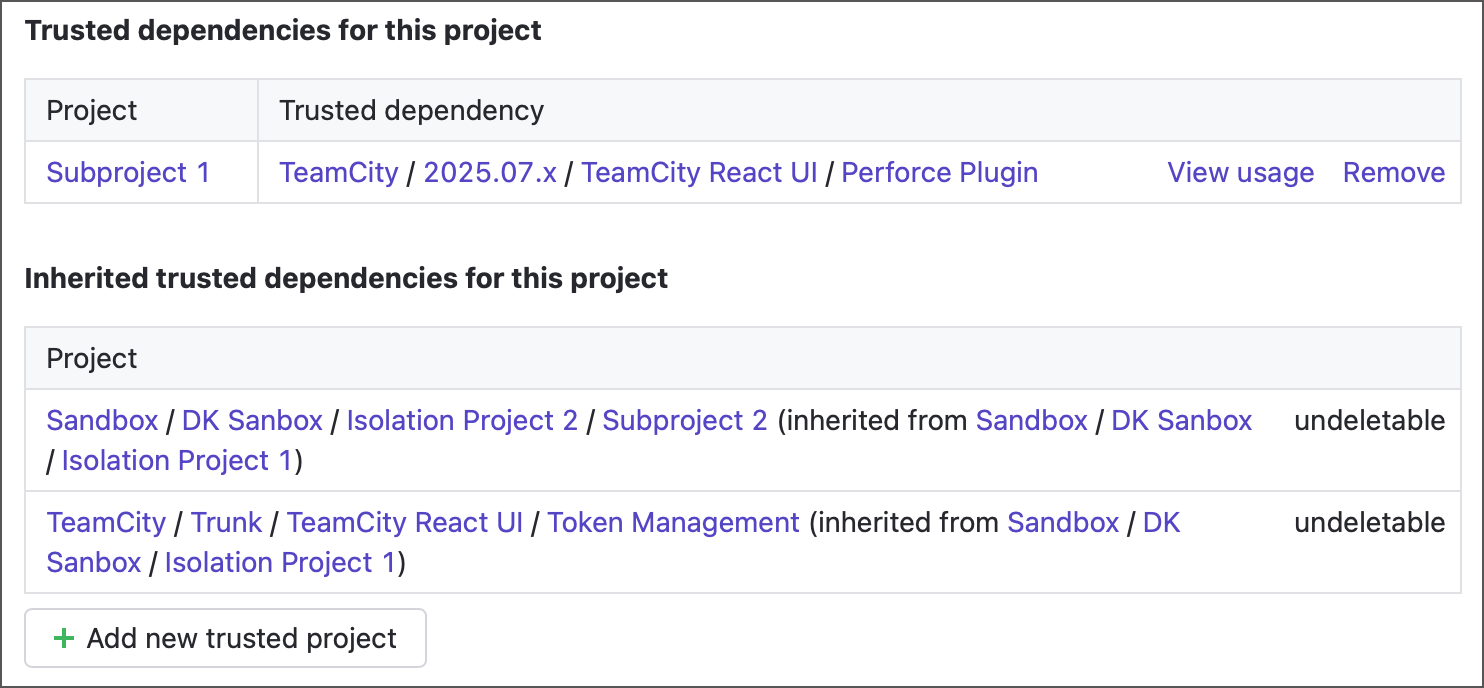
When switching a project to Only trusted projects mode, enable Add currently dependent projects to trusted to let TeamCity scan the hierarchy and pre-fill the allowlist. TeamCity detects only static snapshot and artifact dependencies; add dynamic ones (declared in branch-specific versioned settings or created via REST API) manually.
- Settings inheritance
If no parent enforces isolation, the project offers All projects and Only trusted projects modes. If a parent already enforces isolation, All projects is replaced by Inherit settings from a parent project.
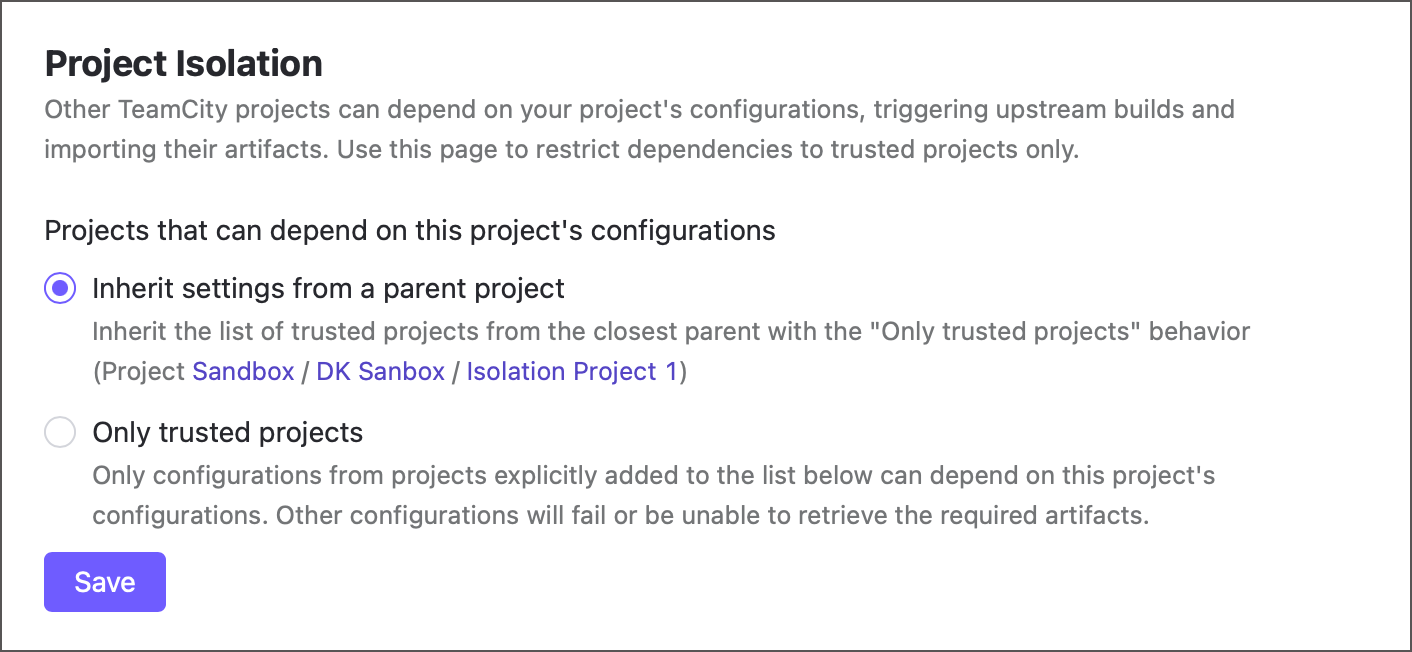
In inherited mode, a project trusts its descendants, its ancestors up to the isolating parent, and the projects in its parents' allowlists.
- Isolation and versioned settings
The trust mode and allowlist are not stored in versioned settings, and they remain editable in the UI even when Allow editing project settings via UI is disabled. This ensures trust policy can only be changed by project administrators through the UI, not through configuration files that regular developers may be able to edit.
Build approval
Build Approval is a complementary gate: external teams can still create dependencies to your configuration, but each triggered build stays in the queue until a designated reviewer approves it.
User permissions
Finally, set up strict user permissions. Keep in mind that the Project viewer role alone is enough to create dependencies to a project, and that limited UI visibility does not prevent dependency creation via versioned settings. For that reason, treat Project Isolation — not visibility — as the actual boundary.