Monitor Build Chains
TeamCity visualizes build chains in several places, letting you inspect chain runs, rerun individual steps, and continue partially finished chains. To trigger, stop, or otherwise control a chain run, see Run Build Chains.
Build chains tab
Once a chain has been triggered, a Build Chains tab appears on both the Project Home page and the Home pages of the participating build configurations. It lists all chains that include builds from the current project or configuration, sorted so that the chain with the most recently finished build is on top.
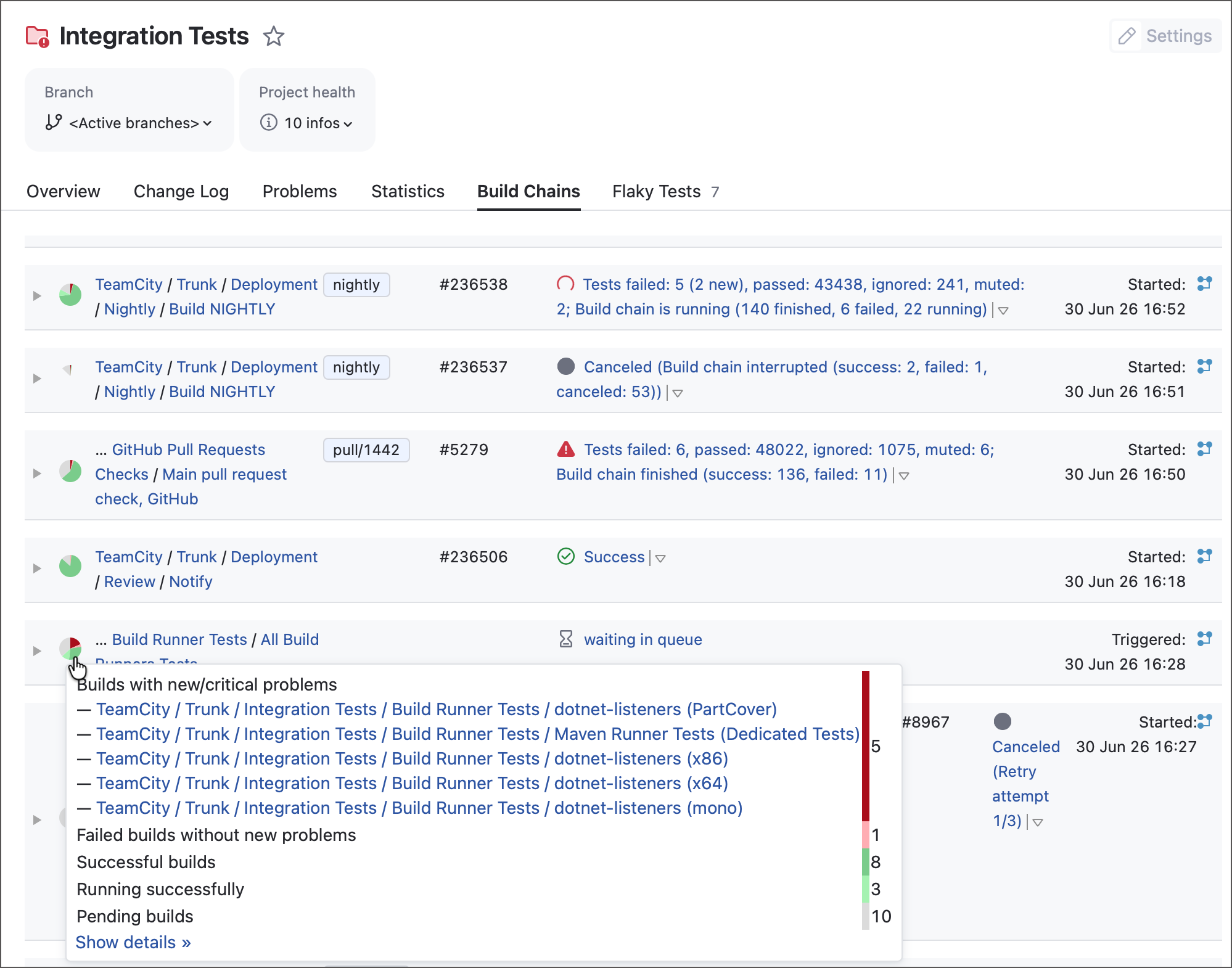
Each chain row shows a pie chart summarizing the statuses of its builds. Expand a chain to see:
Every build in the chain, ordered by execution (the first build to run is on the left).
The status of each build: not triggered, queued, running, or finished.
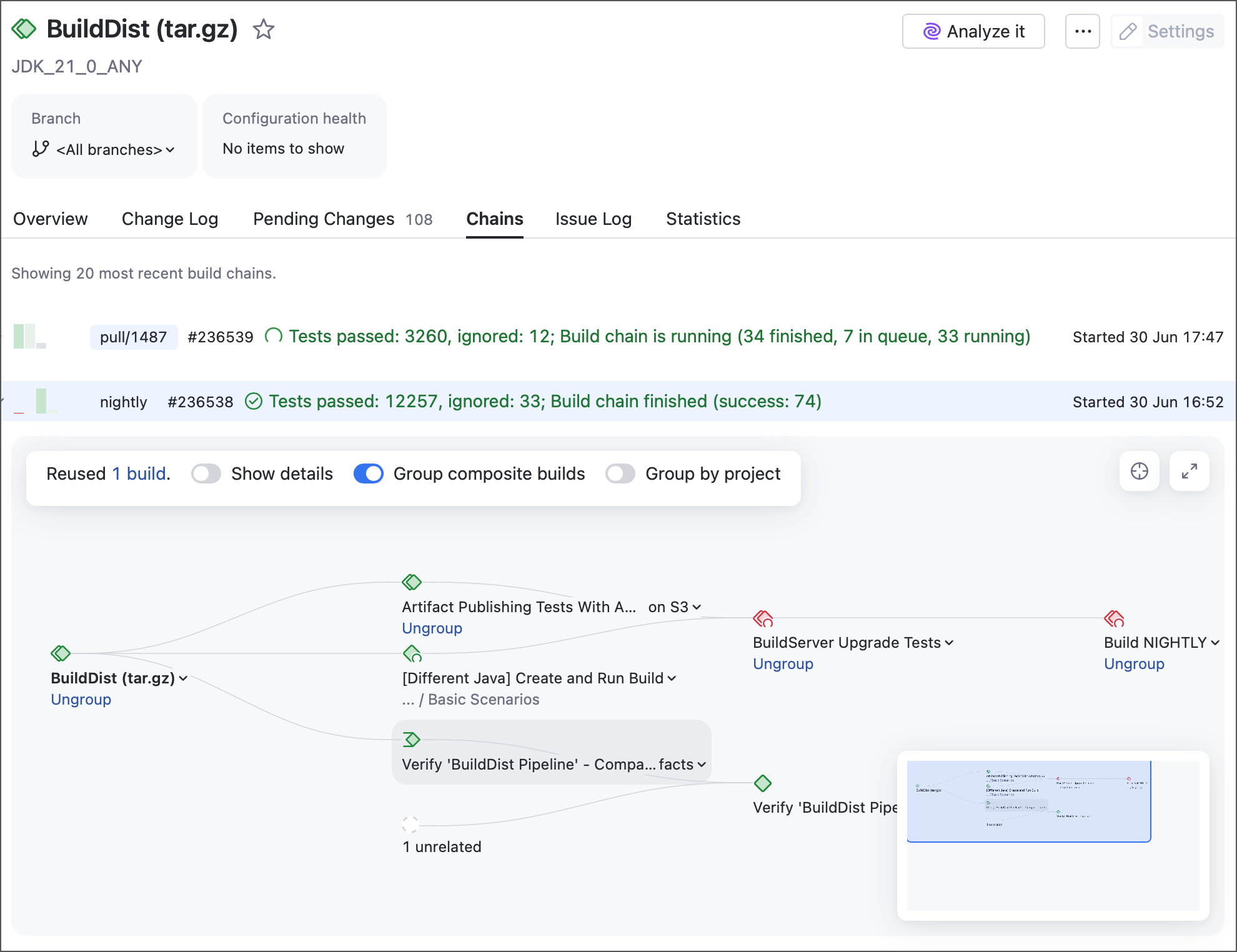
Clicking a build highlights it together with all its direct dependencies, transitively. The tab also offers Group by projects and Hide details display options, and a compact representation that merges chains sharing the same dependency builds.
From this tab you can:
Continue a chain that has "not triggered" builds — click Run to start the remaining builds on the existing chain revisions.
Rerun a build — open the custom build dialog with the chain revisions preselected.
Chain tab in build results
The Chain tab on a build's results page shows the directed graph for that specific run: which builds ran, which were reused from a previous chain, how long each took, and the overall chain duration. Use it to confirm, for example, that an upstream build was reused (its build number stays the same across reruns) rather than executed again.
Dependencies tab in build results
The Dependencies tab lists the build's direct and indirect dependency builds. For example, if A depends on B, and B depends on C and D, then C and D appear as indirect dependencies of A.
The tab also shows the artifacts each build delivered and downloaded, lets you group or ungroup builds, and highlights builds that were reused as suitable builds from earlier chains.
Clean-up
Build chains interact with clean-up in two ways worth knowing:
Chain builds are preserved by default. TeamCity does not clean up builds that are part of a chain unless you explicitly allow it. You can disable this protection per configuration in its clean-up settings.
Downloaded artifacts follow their consumer. Artifacts downloaded by a build are not cleaned up while that consuming build still exists. For a configuration with artifact dependencies, clean-up settings let you choose whether artifacts it downloaded from other builds can be cleaned early or kept.