Project Settings
When you enter an edit mode, TeamCity projects display a sidebar with settings grouped into categories.
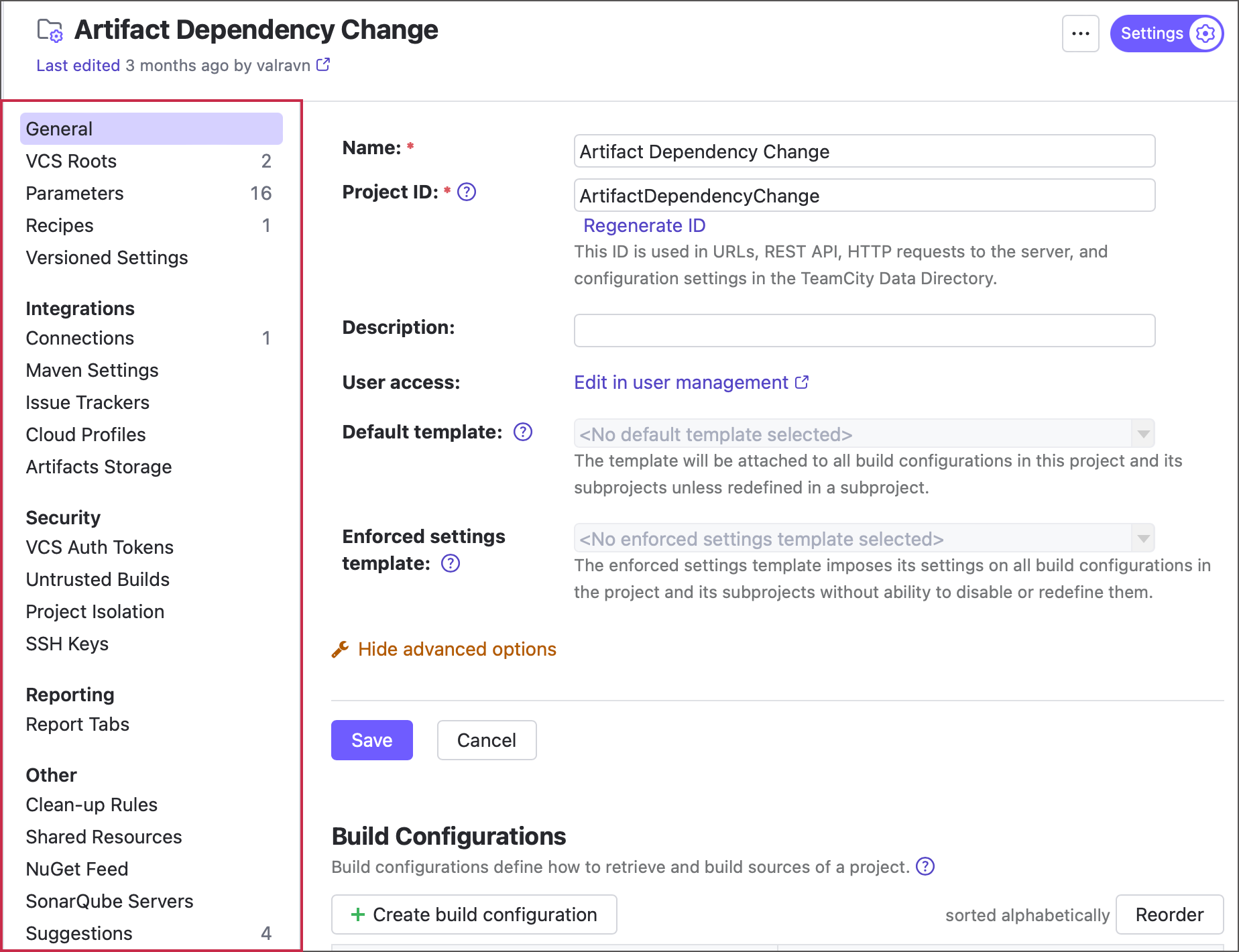
Note that some of these settings can be inaccessible to users with insufficient permissions.
General
This section lists basic project settings, such as its public description and name, as well as buttons that create child subprojects, build configurations, and pipelines.
For more information on template-related settings, see the Defining default template for project and Enforcing settings inherited from template sections.
VCS Roots
This section lists all VCS roots owned by this project, whether they are attached to any of the project configuration or not.
Related article: Configuring VCS Roots
Parameters
The Parameters tab allows you to create name-value pairs that are available to all configurations owned by this project and its subprojects.
Related articles: Configuring Build Parameters | Input and output parameters
Recipes
Recipes are custom configuration build steps that do not ship with TeamCity. Project administrators can add recipes by doing the following:
Extract a recipe from a regular build step.
Download a recipe created by TeamCity developers or community from the JetBrains Marketplace.
This section allows you to control whether the second option is available.
Related article: Working with Recipes
Versioned Settings
This section allows you to set up configuration-as-code: store all project and build configurations in a remote repository in Kotlin DSL or XML format.
Related articles: Storing Project Settings in Version Control | Kotlin DSL
Connections
A TeamCity connection is an entity that stores settings required to access resources on a 3rd-party service: a VCS hosting, a cloud hosting provider, an image registry, and so on. This section allows you to create connections available to all subprojects and build configurations owned by this project.
Related article: Configuring Connections
Maven Settings
This tab allows you to upload Maven settings that will be available for individual Maven build steps.
Related article: Maven Server-Side Settings
Issue Trackers
Integrations with issue trackers allow TeamCity to show links to corresponding issue tracker tickets when displaying new code changes. Jira, Bugzilla, YouTrack, GitHub, GitLab, Bitbucket (Cloud, Server, Data Center), and Azure DevOps Server (formerly TFS) are supported out of the box.
Related article: Integrating TeamCity with Issue Tracker
Cloud Profiles
This section lets you configure cloud-hosted build agents that start on demand and automatically stop when idle. These agents help you scale your TeamCity build server based on current workload.
You can also set up a Kubernetes Executor here, which works as an independent orchestrator for the TeamCity build queue.
Related articles: Host Build Agents in Cloud | Executor Mode: External Kubernetes Integration
SSL / HTTPS Certificates
The SSL / HTTPS Certificates tab allows you to upload certificates that TeamCity will consider as trusted when establishing HTTPS/SSL connections.
Related article: Uploading SSL Certificates
VCS Auth Tokens
This tab allows you to keep track of existing access tokens and utilize a configured OAuth connection to issue new ones. Use these tokens to set up authentication settings for objects that require access to a 3rd-party service: VCS roots, Commit Status Publishers, Pull Requests, and so on.
Related article: Manage Refreshable Access Tokens
Untrusted Builds
Adding VCS Triggers to build configurations allows them to automatically run builds that process new commits. However, if your configuration targets a public repository and the Pull Requests feature is configured, this setup can pose a security risk: TeamCity can automatically start builds that process malicious changes from external users.
This section lets you define detailed conditions to control which pull requests are safe to process automatically and which require manual approval from designated team members.
Related article: Untrusted Builds
Project Isolation
TeamCity build configurations can use two types of dependencies to interact with other configurations:
Configuring Chain Dependencies — link multiple configurations in a build chain, where a downstream build waits for an upstream build to complete.
Pass Data in a Chain — allow a configuration to use artifacts produced by another configuration.
These dependencies are set up in upstream configurations, which means administrators of other TeamCity projects can add dependencies on your configurations. If your project contains sensitive configurations that should not be triggered by or provide artifacts to external projects, use the Project Isolation settings to restrict access.
Related article: Secure Chain Dependencies
SSH Keys
This section allows you to upload (or generate new) private keys. These keys allow build configurations to check out repositories using SSH protocol.
Related article: SSH Keys Management
Report Tabs
If your reporting tool produces reports in HTML format, you can extend TeamCity with a custom tab to show the information provided by the third-party reporting tool.
Related article: Including Third-Party Reports in the Build Results
Usages Report
This tab is hidden by default and appears when you check which entities depend on a specific TeamCity object. It helps you see where the object is used and understand which parts of your CI workflow might be affected if you edit or delete it.
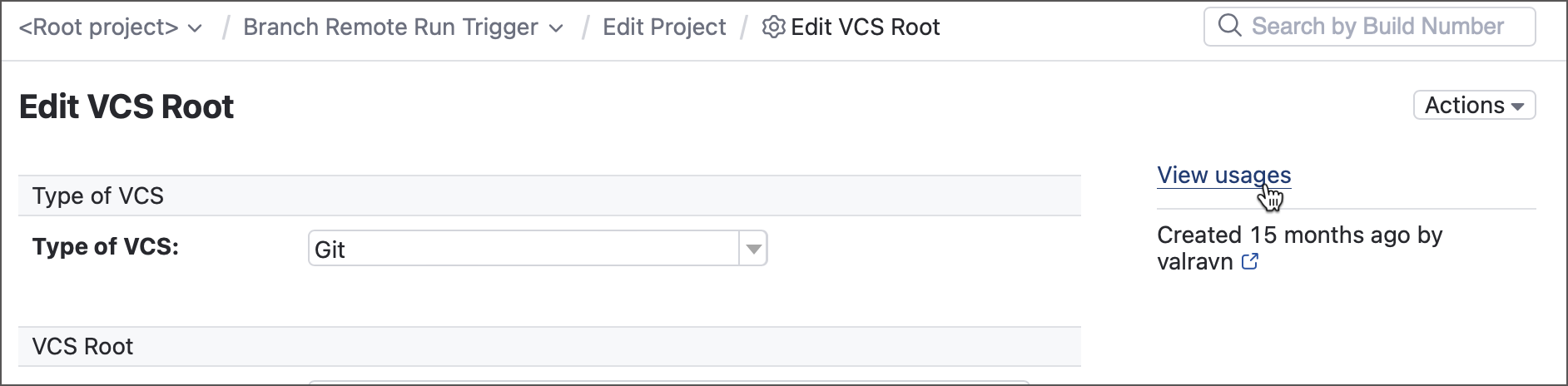
VCS roots — roots show the View usages link on their settings pages and inside the VCS Roots table. Click this link to view all build configurations to which this root is attached.
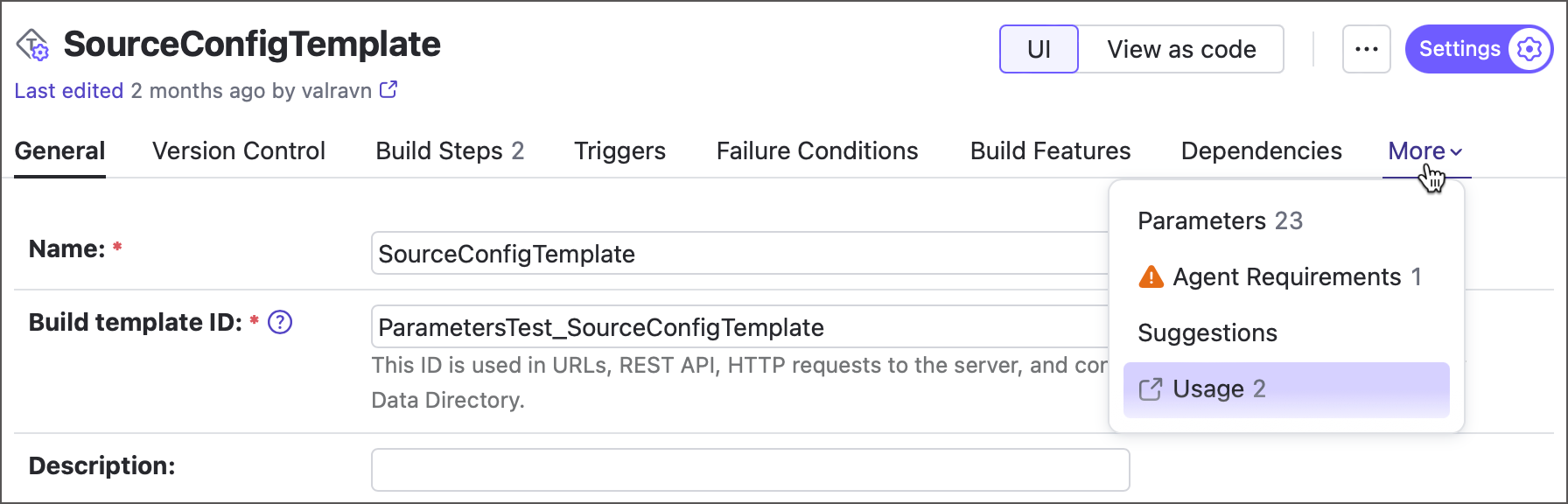
Templates — click the Usage tab of template settings to view all configurations that are based on this template, and all projects that use this template as a default one.
Build configurations — click the Usage tab of configurations settings to view all configurations dependent on this one. Dependent configurations are those that have snapshot and/or artifact dependencies on this configuration.
Related articles: Configuring VCS Roots | Build Configuration Template | Configuring Chain Dependencies
Clean-up Rules
TeamCity periodically performs a server-wide cleanup to remove outdated data: obsolete builds, their artifacts, build caches, and more. This scheduled activity is configured on the Admin | Clean-up Settings page. The Clean-up Rules section allows you to set up per-project rules that override global settings.
Related article: TeamCity Data Clean-Up
Shared Resources
The Shared Resources feature allows limiting concurrently running builds using an external (to the CI server) resource, for example, a test database, or a server with a limited number of connections.
Related article: Shared Resources
Suggestions
This tab shows automatic TeamCity suggestions that aim to resolve active health reports.
Related article: Server Health