What's New in TeamCity 2025.11
AI Assistant
TeamCity is a powerhouse packed with advanced features that let you shape CI/CD workflows to your exact needs. But this flexibility comes with a challenge: to get the most out of TeamCity, you need to be aware of its features and understand their inner workings. Concepts like reverse parameter dependencies or checkout rules can prove challenging to grasp.
To make TeamCity more approachable for everyone, we’ve launched the pipelines initiative, and are investing heavily in reimagining the familiar UX. Complementing these efforts, we are excited to introduce the TeamCity AI Assistant.
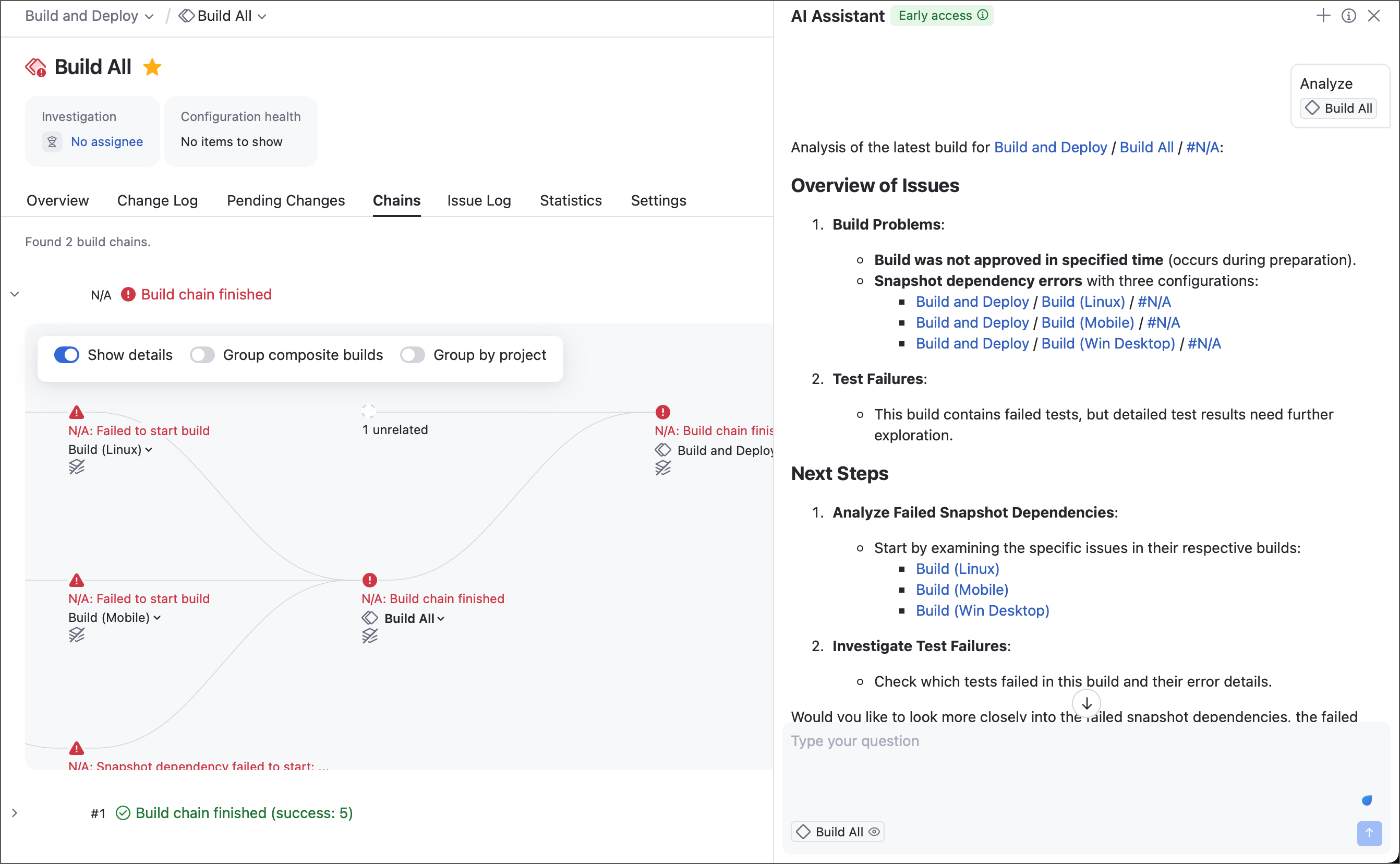
TeamCity AI Assistant aims to help both beginners and experts, from offering general guidance on TeamCity concepts to delivering troubleshooting insights for misconfigured or failing builds.
Learn more: AI Assistant
New Pipelines Features
See the TeamCity Pipelines Roadmap article for more information our pipeline-specific development plans.
New Build Steps
In version 2025.11, we're bringing the familiar .NET build step to pipelines. Instead of one single step with dozens of settings that depend on the selected step command, pipelines split this build step into a series of task-specific units.
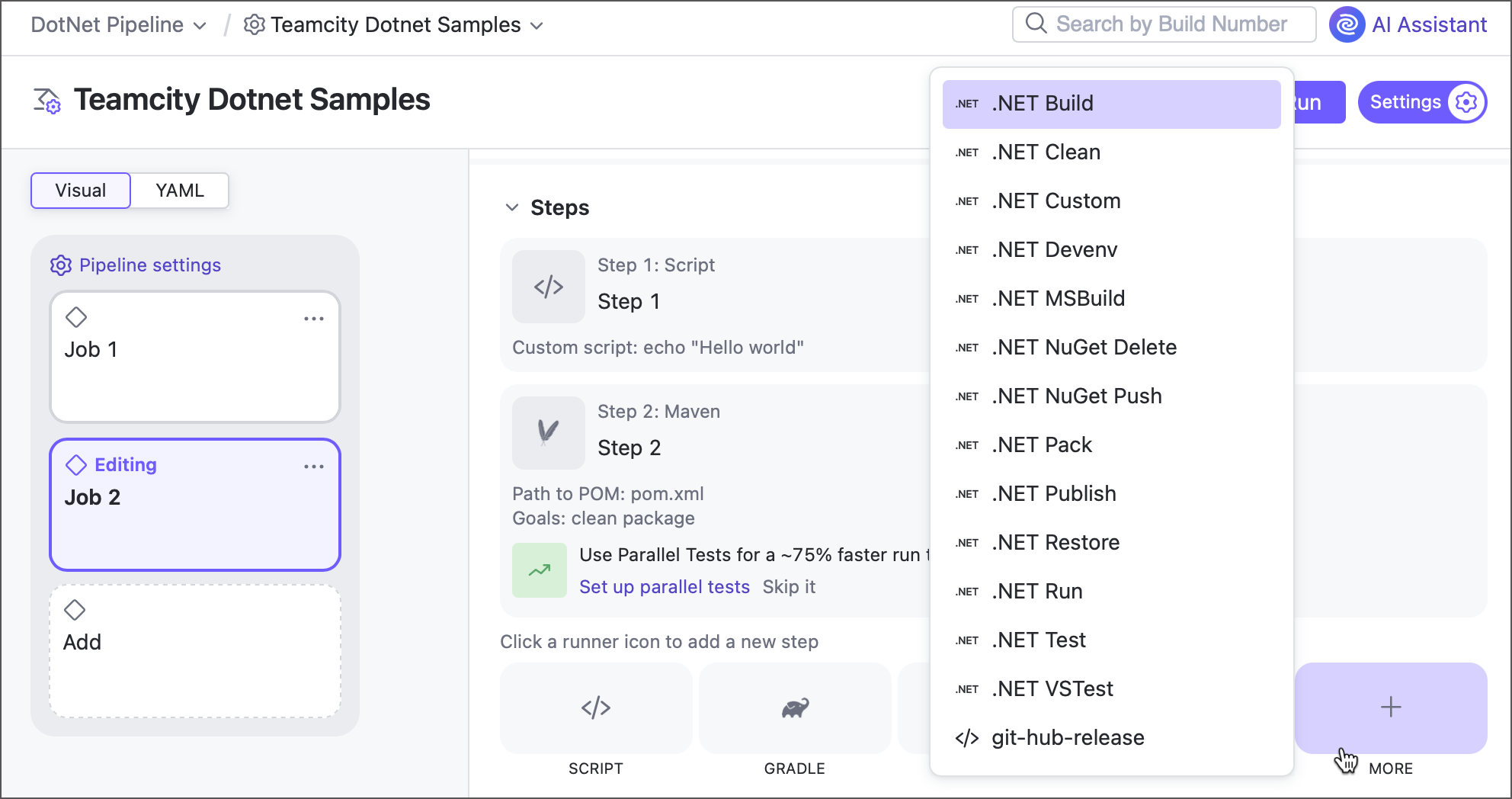
In addition to .NET, we are testing other build steps available in classic build configurations: Python, Xcode, Unity, and more. While not yet included in the official 2025.11 release, these build steps can be enabled on your TeamCity servers. Join our Slack channel or contact our support to request these currently hidden steps!
Learn more: .NET.
Project Registry Connections Support
Starting with version 2025.11, Docker and NPM connections owned by projects are available as integrations in pipeline and job settings.
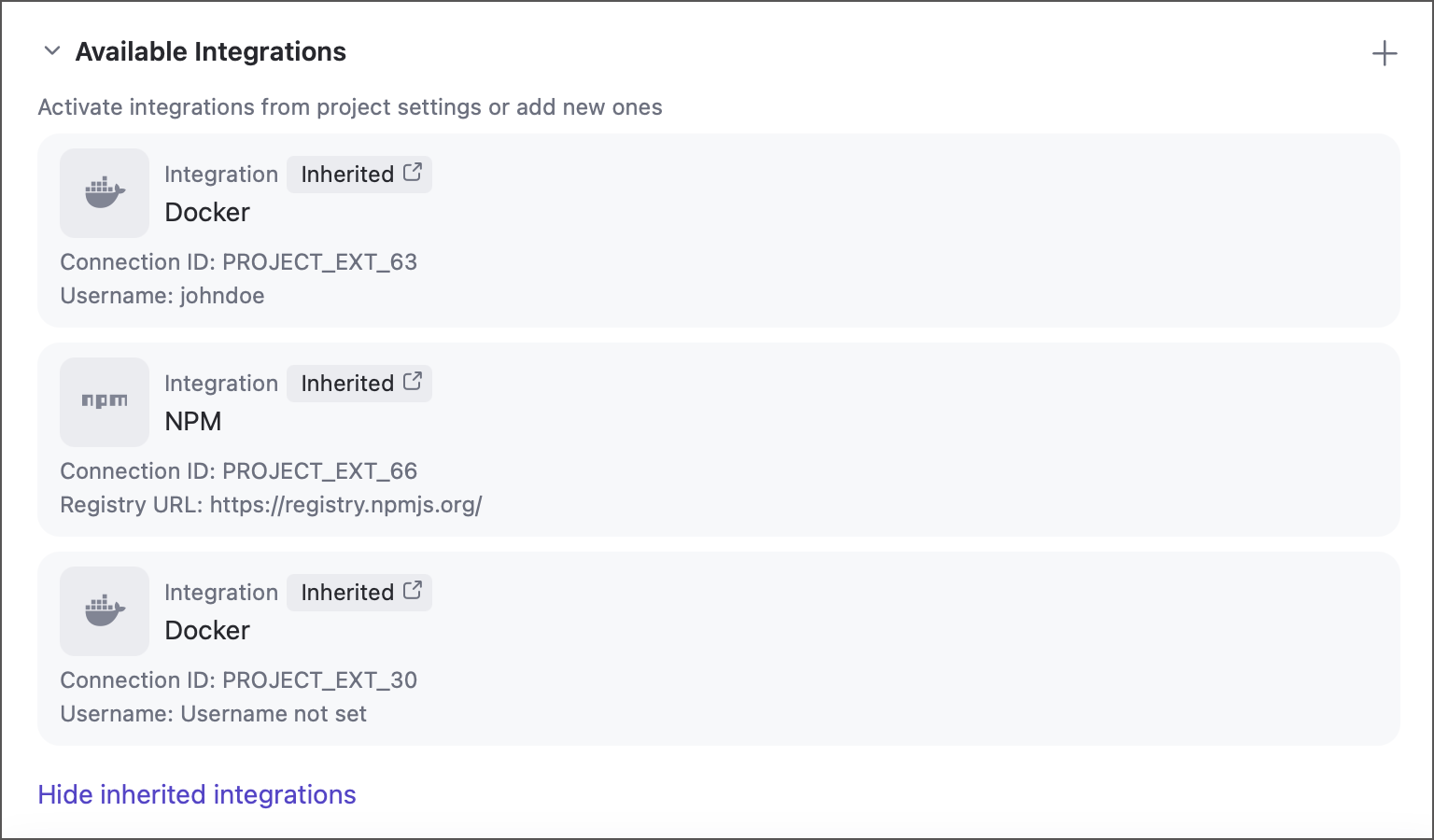
Learn more: Pipeline Settings.
Advanced Build and Test Actions
Starting with version 2025.11, pipelines support some of advanced features that was previously available only in build configurations. Users can now process build and test failures: assign investigations, mute irrelevant failures, and manually label as fixed issues that are expected to be resolved in future builds.

In addition, the run actions menu now includes options to pin, tag, and comment individual pipeline runs.

Learn more: Working with Build and Test Failures, Main Actions on Builds
Parameter Import
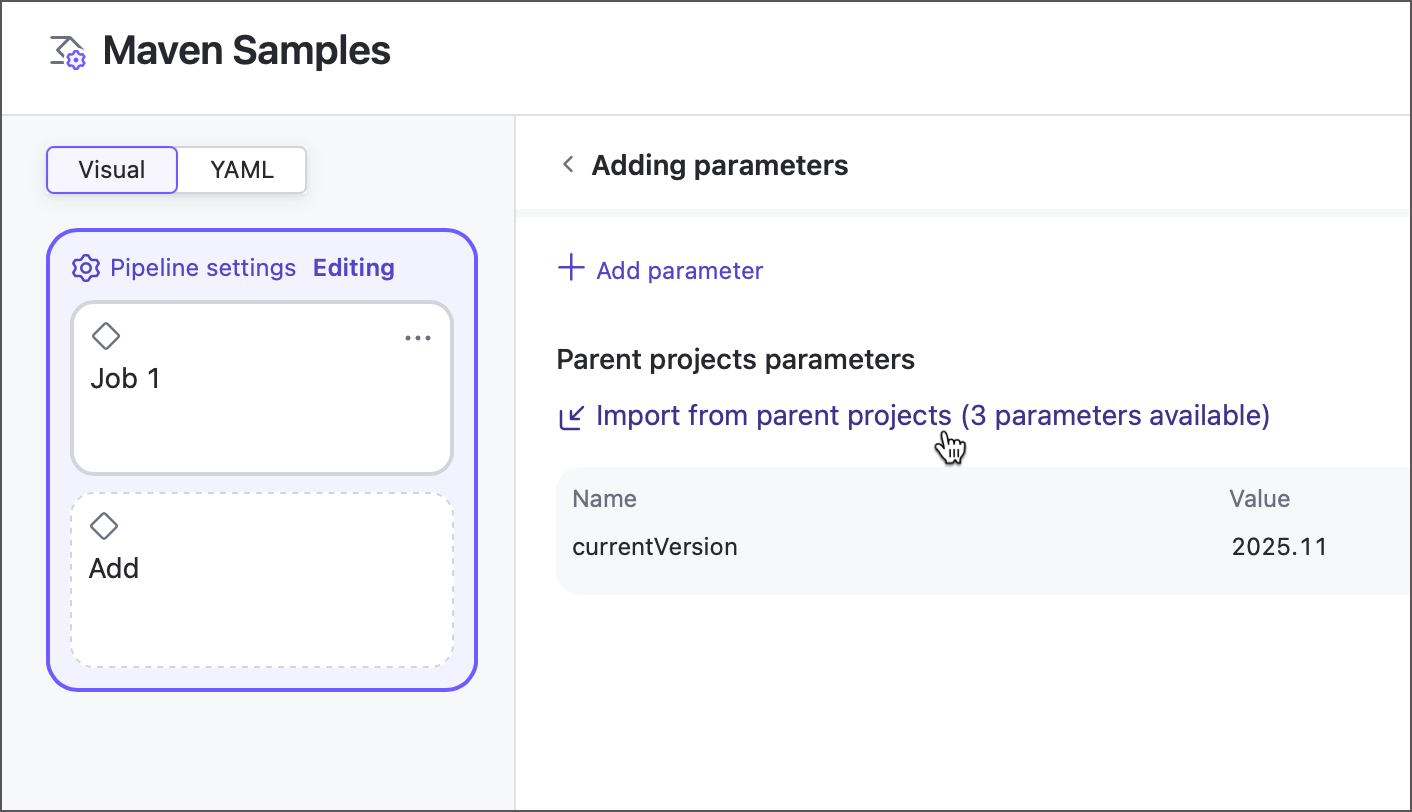
Previously, a parameter owned by a project could not be used inside pipelines. Referencing such parameters would result in an implicit agent requirement: only agents that provide a value for this parameter were eligible to run this pipeline.
Starting with version 2025.11, you can import any parameter from a direct or indirect project and use it as any other native pipeline parameter.
Learn more: Pipeline parameters, Configuring Build Parameters
UX Improvements
We strongly believe that simplicity leads to greater power: an intuitive, easy-to-use product reduces configuration errors and helps you find the right setup faster. The recent introduction of Pipelines has given fresh momentum to our ongoing effort to make TeamCity simpler and more enjoyable to use. Building on that progress, we’re excited to share another round of UI updates aimed at making your daily work in TeamCity smoother and more efficient.
Reimagined Creation Flows
Every new TeamCity journey starts with "New Project", "New Build Configuration", and "New Connection" pages (unless you are a Kotlin DSL or REST API expert!). In version 2025.11, we are rethinking these pages for a faster, more intuitive creation process. Whether you are reusing an existing connection, sharing a VCS root, or creating a build configuration without a repository, everything you need is right at your fingertips.
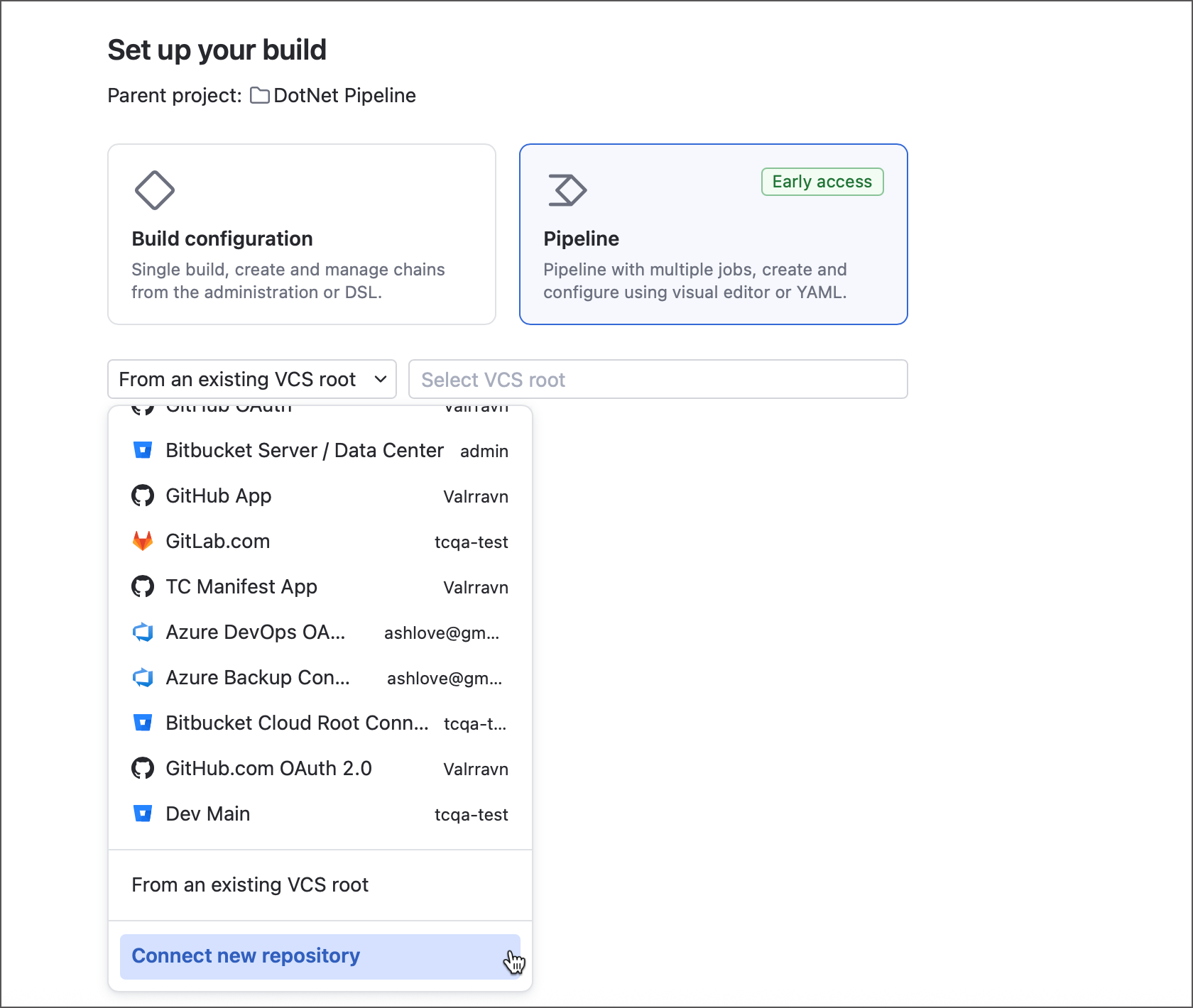
Learn more: Creating projects, Creating build configurations.
New Pipeline and Build Chain Viewer
Real-world CI/CD workloads often include dozens of build configurations and jobs that combine building, testing, and deployment tasks into a single flow. To make it easier to explore these complex workflows, TeamCity now offers an enhanced visualization that displays pipelines and build chains in a dedicated client that supports zoom and drag-and-drop, and features a minimap for easy navigation.

Miscellaneous Enhancements
We have updated our TeamCity License Agreement to align it with JetBrains’ standards (such as definitions, structure, etc.); it has been fully restructured to make it clearer, more user-friendly, and easier to navigate. There are no changes to TeamCity's business model or users’ rights to how to use TeamCity.
The only material change is an adjustment of our liability clause, which now follows JetBrains’ standard approach used across other JetBrains products.
Commit Status Publisher no longer posts intermediate failure statuses in the following cases:
Build Failure Conditions include the support test retry option.
Tests are run by the Gradle build step with the Gradle test retry plugin.
Tests are run by the
testorvstestcommand of the .NET build step with a Test retry count greater than zero.
TeamCity now posts only the final test status, determined after all required re-runs. This prevents VCS statuses from displaying false alarms for failures that are automatically resolved on retries.
The Miscellaneous section of the agent details page now includes the Dump memory snapshot on agent link that allows you to download an
.hprofmemory dump file.Parallel tests and Matrix build features now include the option to automatically place artifacts produced by virtual builds into separate folders. This prevents newer virtual builds from overriding artifacts with identical names produced by older batches.
Roadmap
See the TeamCity Roadmap and TeamCity Pipelines Roadmap articles to learn about future updates.
Update TeamCity Cloud
JetBrains maintains TeamCity Cloud servers, so no action is needed on your part. During an update, your instance is briefly unavailable. We will notify you beforehand via email.
If you do not see the latest features described here, your instance may not be upgraded yet. Contact our support team for assistance.
Your Feedback Matters
We place a high value on your feedback and encourage you to share your thoughts and suggestions. See this link for more information: Support and Troubleshooting.