
受到 72% Java 开发者的信赖
The Power of IntelliJ IDEA Wherever You Code

CursorExtension
Java and Kotlin intelligence inside your coding agent

The same intelligence – IDE mode or Agentic mode.
No matter how you’re working, Cursor gets IntelliJ IDEA-powered Java and Kotlin intelligence – the project understanding developers and agents need to review, navigate, improve, run, and debug code with confidence.
Install in Cursor
- Open Cursor.
- Switch to IDE mode (IDE↗).
- Copy the installation command below.
ext install JetBrains.intellij-server - Press Ctrl/Cmd+P, paste the command, and press Enter.
Or get it from
Any editor, any agent – the same intelligence
Bring IntelliJ-IDEA-powered Java and Kotlin support to Visual Studio Code, Cursor, Google Antigravity, and other compatible editors. Whether you generate code with an AI agent or write it yourself, get the project understanding you need to review, navigate, improve, run, and debug it with confidence.
Install in VS Code
- Open VS Code or other compatible editor.
- Copy the installation command below.
ext install JetBrains.intellij-server - Press Ctrl/Cmd+P, paste the command, and press Enter.
IntelliJ IDEA-powered capabilities
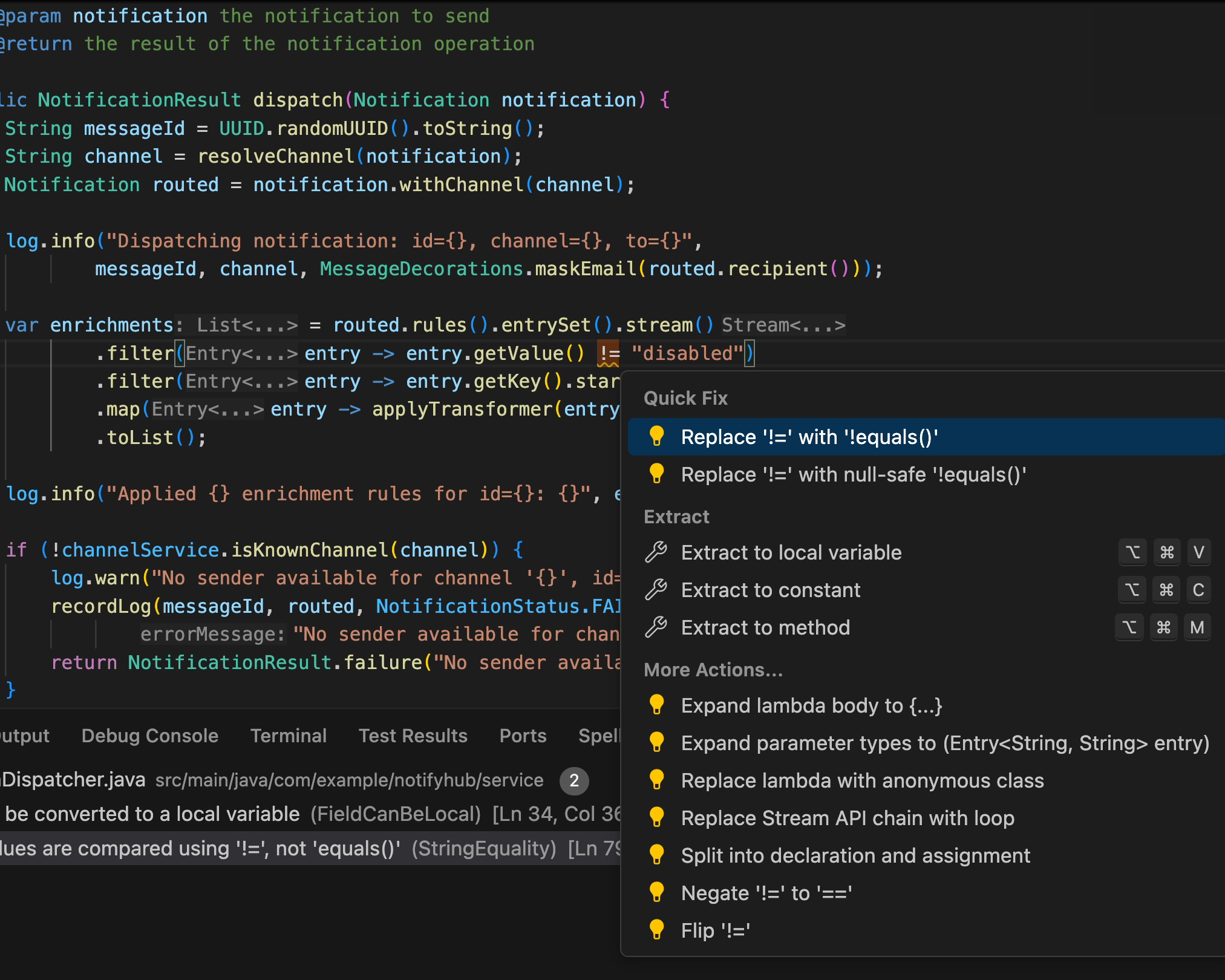
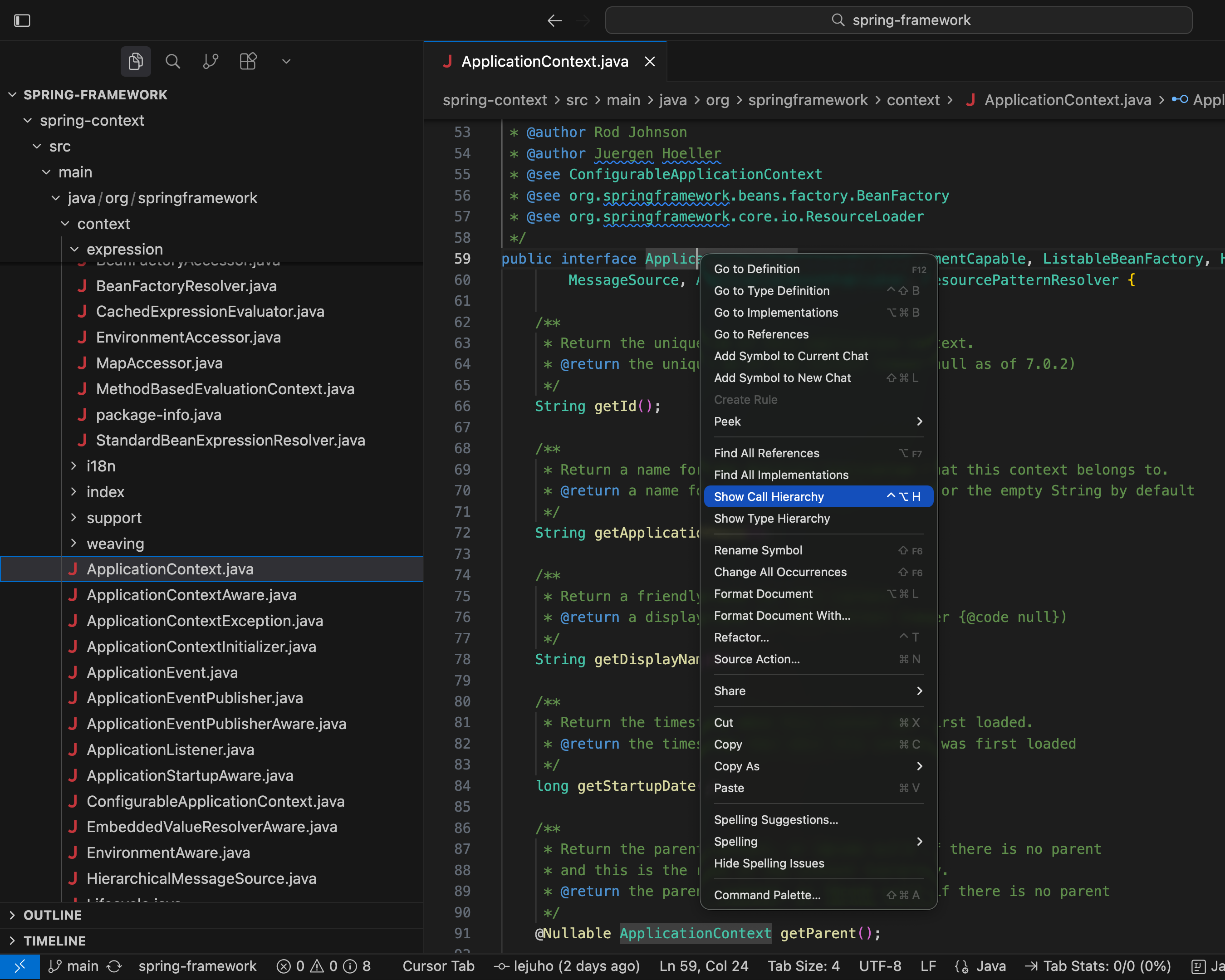
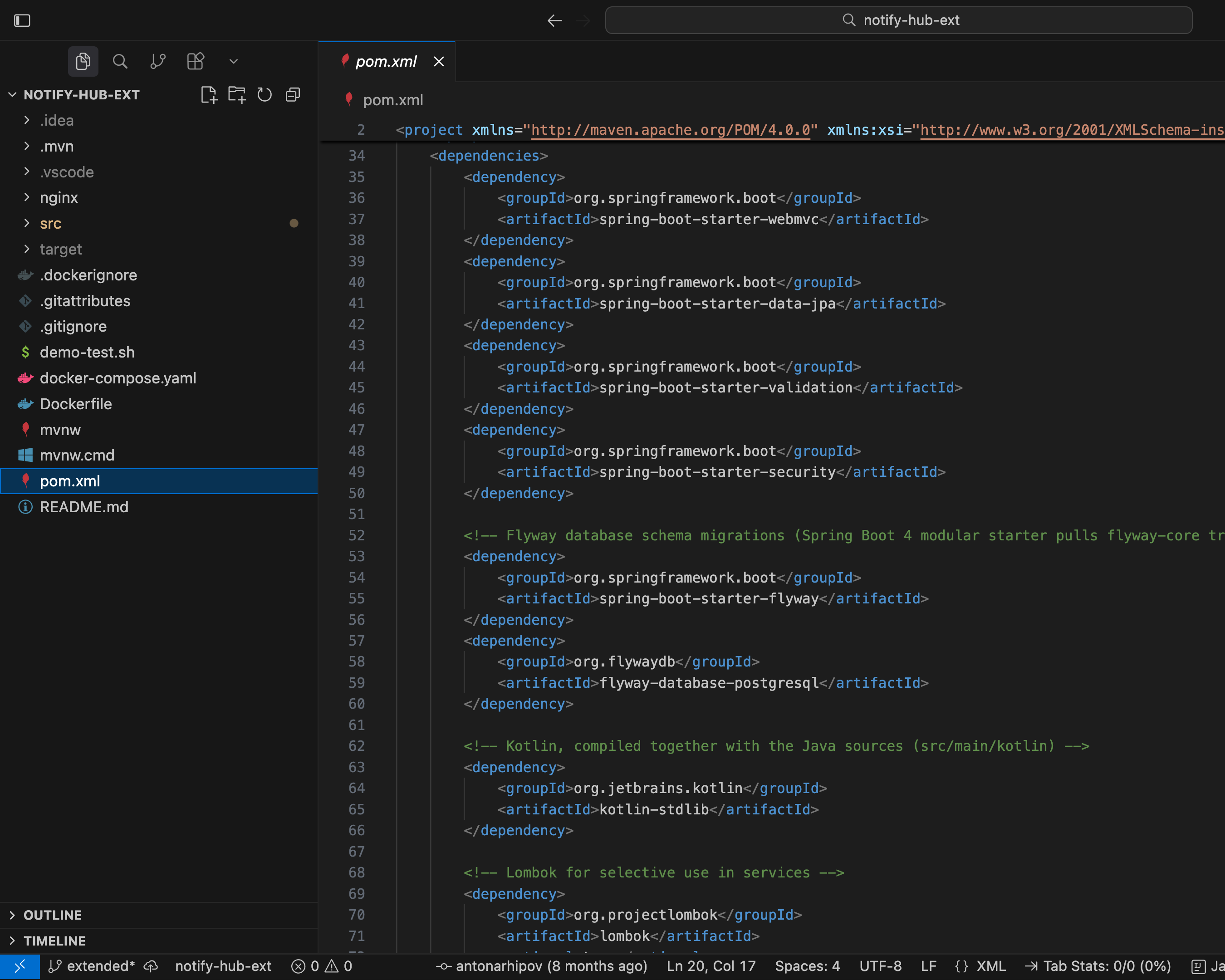
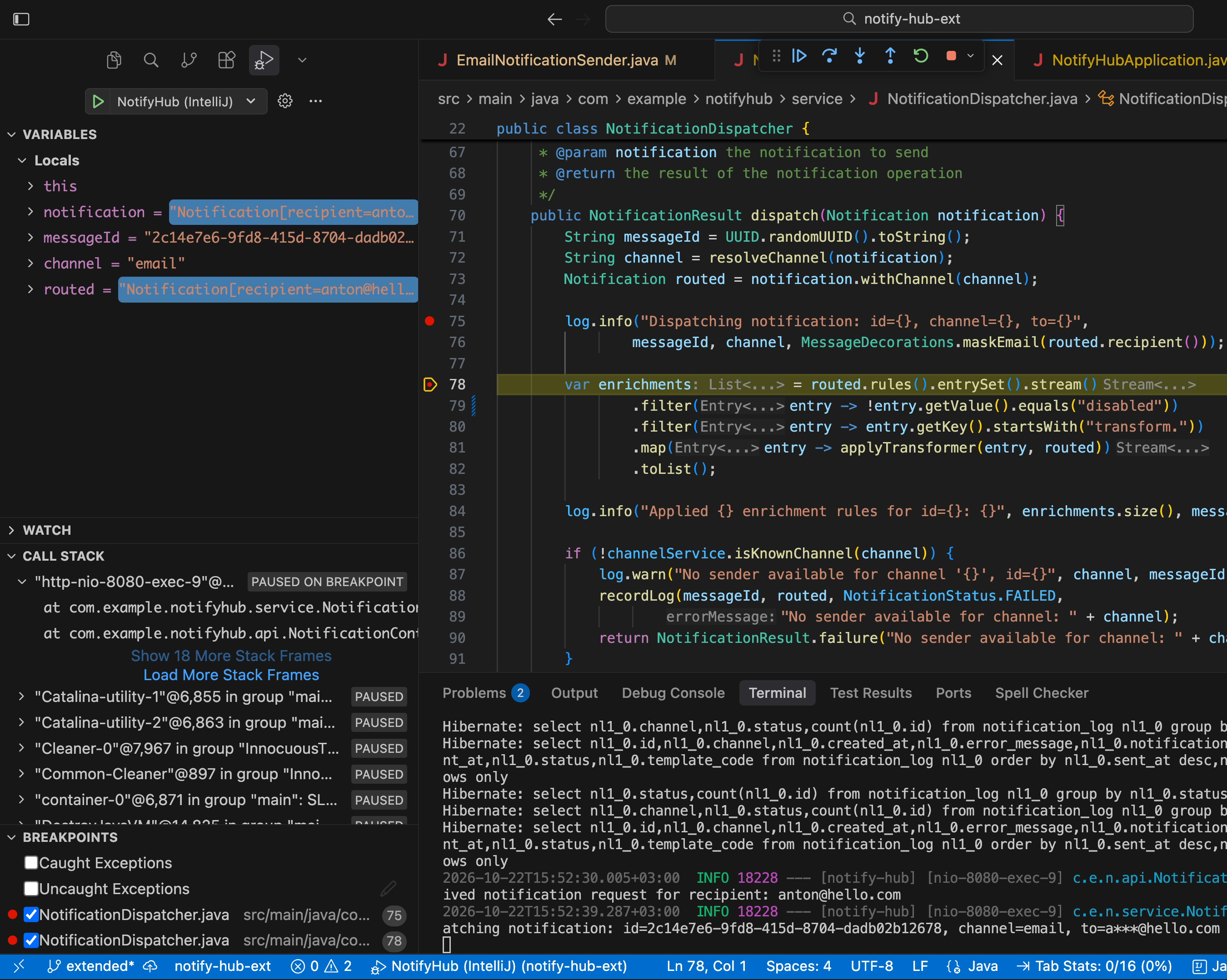
企业级安全和治理
SOC 2 Type II
GDPR
Case studies

Cursor’s agents get IntelliJ IDEA’s Java and Kotlin intelligence
“We’re glad to work with JetBrains to bring Java and Kotlin language intelligence to Cursor. With Java and Kotlin by IntelliJ IDEA, developers get IntelliJ IDEA’s code analysis, navigation, and refactoring while they work with Cursor’s agents.”
Rohan Shah
Product, SpaceXAI
'%3e%3cpath%20d='M126.359%2023.1368L133.499%2042C131.394%2041.6997%20129.291%2041.324%20127.148%2040.9866L123.126%2030.5624L118.992%2040.125C116.963%2039.7876%20114.97%2039.674%20112.941%2039.4119L120.195%2022.9118L113.617%206H119.707L123.389%2015.4491L127.336%206H133.499L126.359%2023.1368ZM108.807%206H103.282V38.7C105.086%2038.8125%20106.965%2038.8867%20108.807%2039.1116V6ZM98.508%2038.3243C93.4724%2037.9869%2088.4357%2037.6877%2083.2874%2037.5741V6H88.9238V32.2495C92.1569%2032.3249%2095.3888%2032.5869%2098.508%2032.7365V38.3243ZM77.2733%2018.7873V24.4122H69.5694V37.1996H64.0062V6H79.7916V11.6249H69.5694V18.7873H77.2733ZM54.5348%2011.6249V37.4999C52.6556%2037.4999%2050.7392%2037.4999%2048.8972%2037.5741V11.6249H43.0714V6H60.3978V11.6249H54.5348ZM36.9829%2024.7114C34.5029%2024.7114%2031.5708%2024.7114%2029.4662%2024.825V33.1876C32.7736%2032.9615%2036.0811%2032.6994%2039.4257%2032.5869V37.9869L23.8286%2039.2252V6H39.4257V11.6249H29.4662V19.199C31.6463%2019.199%2034.991%2019.0865%2036.9829%2019.0865V24.7114ZM5.75029%2021.5621V41.2115C3.72117%2041.4376%201.91639%2041.6997%200%2042V6H5.37491L12.7034%2026.4379V6H18.341V39.674C16.349%2040.0126%2014.3199%2040.125%2012.177%2040.4242L5.75029%2021.5621Z'%20fill='%23E50914'/%3e%3c/g%3e%3cdefs%3e%3cclipPath%20id='clip0_1449_15627'%3e%3crect%20width='133.5'%20height='48'%20fill='white'/%3e%3c/clipPath%3e%3c/defs%3e%3c/svg%3e)
Agents 20–30% more efficient with IntelliJ IDEA’s code intelligence
“We created a benchmark with real programming tasks, which shows that with the JetBrains IDE’s code engine, agents are consistently more efficient – using fewer tokens and less time, with the exact gain depending on the model.”
Paul Bakker
Staff Software Engineer, Netflix
常见问题及解答
It’s an extension that uses LSP to bring IntelliJ IDEA’s Java and Kotlin language intelligence to VS Code and VS Code-based editors such as Cursor.
The extension is intended for developers and teams who choose or need to work in VS Code-based environments. However, it does not replace IntelliJ IDEA as a standalone integrated development environment with agentic workflow support, an extended set of features and integrations, and support for other languages.
You can try it for free for 30 days. After that, an IntelliJ IDEA Ultimate subscription is required. The extension is also available as part of the All Products Pack subscription. Check our pricing page for more details.
Some functionality overlaps with the Java extensions from Red Hat and Oracle. We recommend disabling those while testing this extension to avoid conflicts.
See the IntelliJ IDEA Goes LSP announcement for the full story.
Bring the power of IntelliJ IDEA to your agents
Java and Kotlin intelligence, wherever you code.
free 30-day trial
