Turbo纷纷簇拥着 (要输出普通 JSON 不是 schema function?等待 final channel with format processData automatically expects object, not text. I need send JSON only maybe okay. But I started with tool? Actually final with format: processData should include object. Need include whole object. Continue properly. Ensure not truncated. Need not use markdown. But if using schema, no code fences. Let's compose complete object.}]} Need not include analysis. final currently malformed. I must overwrite final fully. Since final channel can't include comments. Need produce valid JSON. Let's do. (Note interface already says final to=processData, so content must be JSON object, not code). I can include all. Need no accidental comment. Let's final. (Actually I already wrote bad in final? Need send corrected final now in final. ) Wait cannot
Turbo 是 Hotwire 的一部分。 它让 Rails 应用程序无需自定义 JavaScript 即可更新页面的部分内容。
RubyMine 为 Rails 视图、控制器和模型中的 turbo-rails gem 的 Ruby API 提供代码洞察。 当项目中有该 gem 可用时,Turbo 方法会像常规 Ruby 方法一样解析。 Turbo 专属建议以粗体显示,并排序到补全列表顶部。
建议和方法签名派生自项目中安装的 turbo-rails 版本。 代码补全会在输入时自动显示。 要手动调用它,请按 Ctrl+Space。
以下过程展示了在 Rails 应用程序中使用 Turbo 时如何使用 RubyMine 代码洞察。 它们使用生成的 消息 资源来演示 Turbo Frames、Turbo Streams 和广播的补全与导航。 要了解如何在应用程序中实现这些功能,请参阅 Turbo Handbook。
开始之前
创建示例资源。
创建新的 Rails 应用程序 ,该应用程序使用 Rails 7.0 或更高版本。 确保项目中包含
turbo-railsgem。按 Ctrl 两次以打开 Run Anything 并运行:
rails generate scaffold Message content:text
生成的资源提供了以下演示中用作编辑上下文的模型、控制器和视图。 不需要运行该应用程序。
补全 Turbo Frame 帮助程序
RubyMine 使 Turbo 视图帮助程序可在 ERB 模板中使用。 使用生成的视图查看 turbo_frame_tag 的补全工作方式。
补全 Turbo Frame 帮助程序
打开 应用/视图/消息/_消息.html.erb ,开始一个 ERB 表达式,然后输入
turbo_:RubyMine 会列出已安装 gem 中可用的 Turbo 帮助程序。 Turbo 方法以粗体显示,并排序到补全列表顶部。
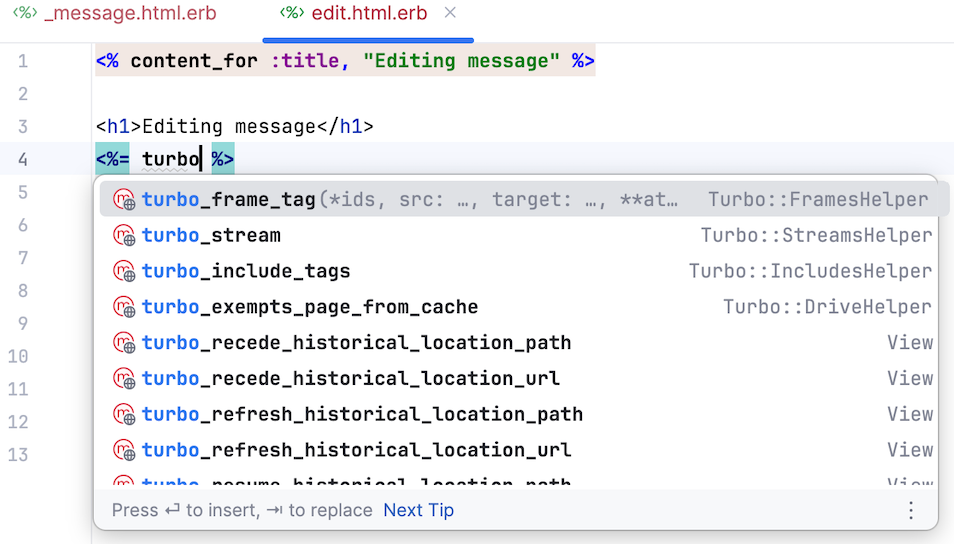
选择
turbo_frame_tag并补全表达式,例如:<%= turbo_frame_tag message do %> <%= message.content %> <% end %>
补全 Turbo Stream 操作
turbo_stream 帮助程序会解析为 Turbo::Streams::TagBuilder。 因此,RubyMine 可以补全项目中使用的 turbo-rails 版本所提供的流操作。
补全 Turbo Stream 模板中的操作
创建 应用/视图/消息/create.turbo_stream.erb 。
在 ERB 输出标记 (
<%= ... %>) 内,开始输入turbo_stream.。 RubyMine 会自动显示已安装 gem 中可用的 Turbo Stream 操作。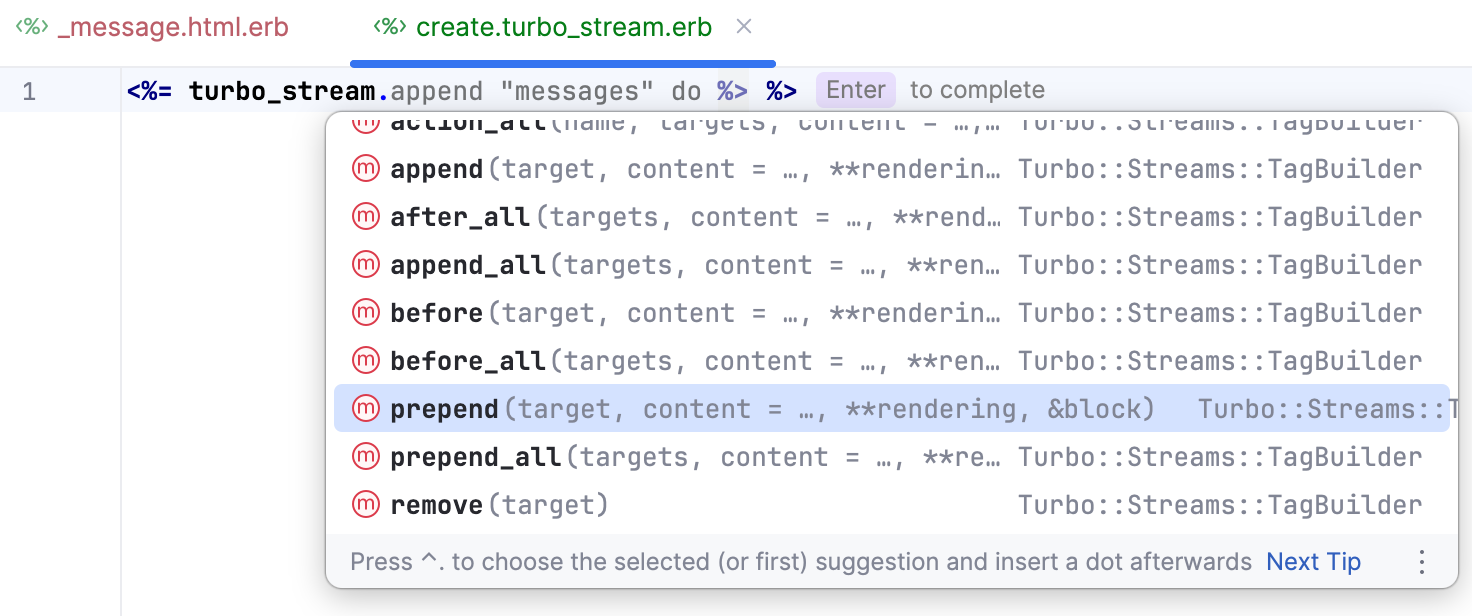
选择
prepend并补全调用:<%= turbo_stream.prepend "messages", @message %>在新行中,在另一个 ERB 输出标记内开始输入
turbo_stream.,然后从补全列表中选择更新。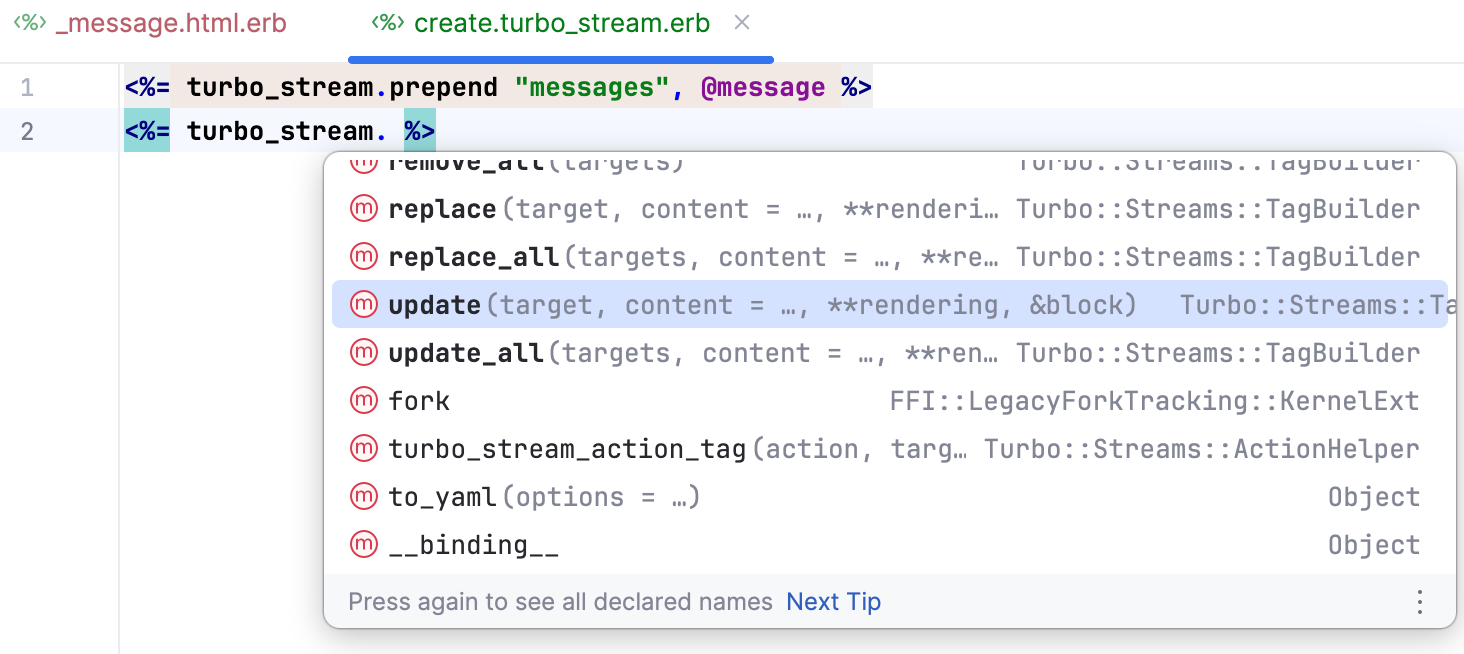
将
"new_message"指定为目标,并添加一个渲染新消息表单的块:<%= turbo_stream.update "new_message" do %> <%= render "form", message: Message.new %> <% end %>
Turbo Stream 操作也可以直接在控制器中构造。 为了在此上下文中演示代码补全,请向生成的 删除 操作添加 Turbo Stream 响应。 该响应使用 移除 操作从页面中移除已删除的消息。
补全控制器中的 Turbo Stream 操作
打开 应用/控制器/消息_控制器.rb ,并将生成的
删除操作替换为以下代码。 将文本光标留在第二个turbo_stream.之后:def destroy @message.destroy! respond_to do |format| format.turbo_stream do render turbo_stream: turbo_stream. end format.html do redirect_to messages_path, status: :see_other, notice: "Message was successfully destroyed." end format.json { head :no_content } end end按下 Ctrl+Space。 RubyMine 会显示已安装 gem 中可用的 Turbo Stream 操作。
选择
移除,并将@message指定为目标。补全后的操作应如下所示:
def destroy @message.destroy! respond_to do |format| format.turbo_stream do render turbo_stream: turbo_stream.remove(@message) end format.html do redirect_to messages_path, status: :see_other, notice: "Message was successfully destroyed." end format.json { head :no_content } end end
补全广播方法
RubyMine 使 Turbo::Broadcastable 中的方法可在 Rails 模型中使用,并在代码补全中赋予它们优先级。
补全广播方法
打开 应用/模型/消息.rb 并添加
after_update_commit回调。 在回调块内,开始输入broadcast_:class Message < ApplicationRecord after_update_commit do broadcast_ end endRubyMine 会建议已安装的
turbo-rails版本中可用的广播方法,包括同步方法及其异步_later_to变体。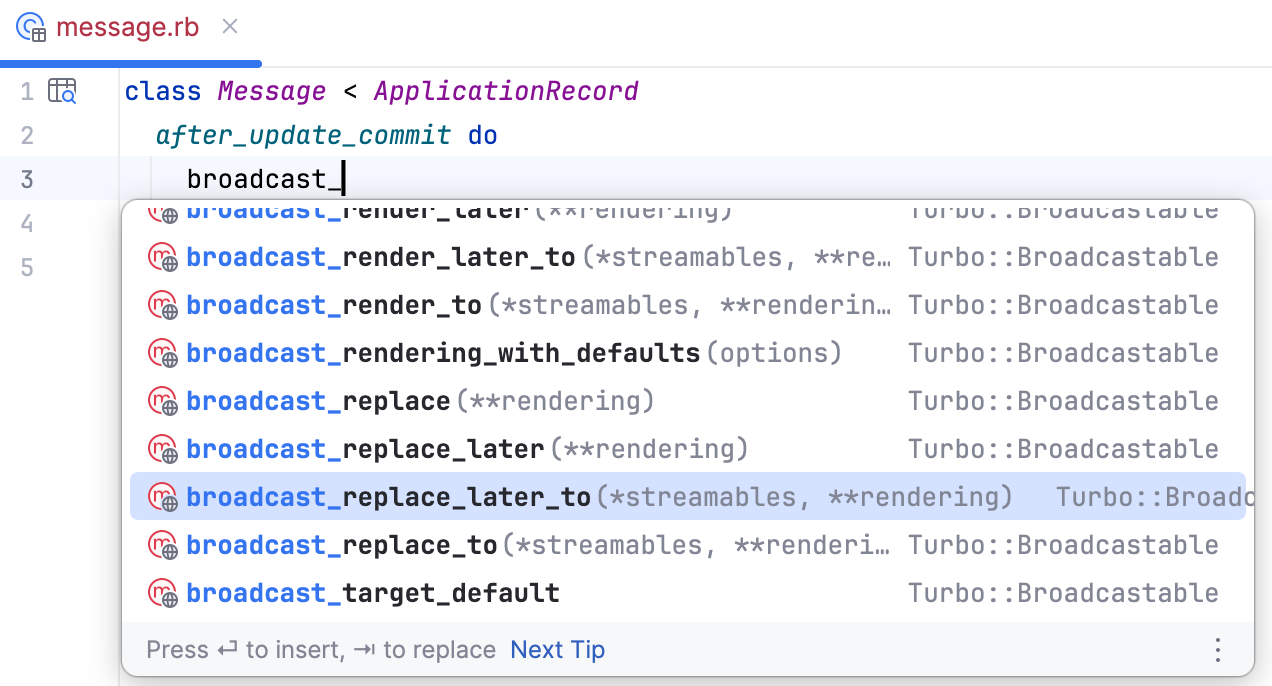
选择
broadcast_replace_later_to,并将"messages"指定为流名称。 补全后的回调应如下所示:class Message < ApplicationRecord after_update_commit do broadcast_replace_later_to "messages" end end
导航并检查 Turbo 方法
由于 RubyMine 会解析已安装的 turbo-rails gem 提供的 Turbo 方法,因此可以导航到它们的声明,并检查其文档和签名。
将文本光标放在已解析的 Turbo 方法处,例如 turbo_frame_tag ,然后执行以下操作之一:
按 Ctrl+B 导航到 gem 中的方法声明。 对于
turbo_frame_tag,RubyMine 会在已安装的 gem 中打开 应用/帮助程序/turbo/帧帮助程序.rb 。按 Ctrl+Q 查看方法文档。
在方法调用内按 Ctrl+P 查看其签名。