创建 Web 应用程序元素
Web 应用程序的元素和部署设置在 Web 模块部署描述符 web.xml 中定义,该描述符在您 启用模块的 Web 应用程序支持时自动创建。
为了与用户界面保持一致,模块部署描述符也称为 Assembly Descriptors。
您可以使用编辑器,并利用 IntelliJ IDEA 代码辅助功能来编辑源代码。
定义 Web 应用程序元素的模板
IntelliJ IDEA 未提供创建 servlets、listeners 和 filters 的默认模板。 不过,您可以自行定义这些模板。
Servlets 作为 Web 应用程序的一部分,通过 <servlet> 和 <servlet-name> 元素在 web.xml Web 应用程序部署描述符中创建和配置。
按 Ctrl+Alt+S 打开设置,然后选择 。
在 文件 选项卡上,点击
 以创建新的文件模板。
将新模板命名为
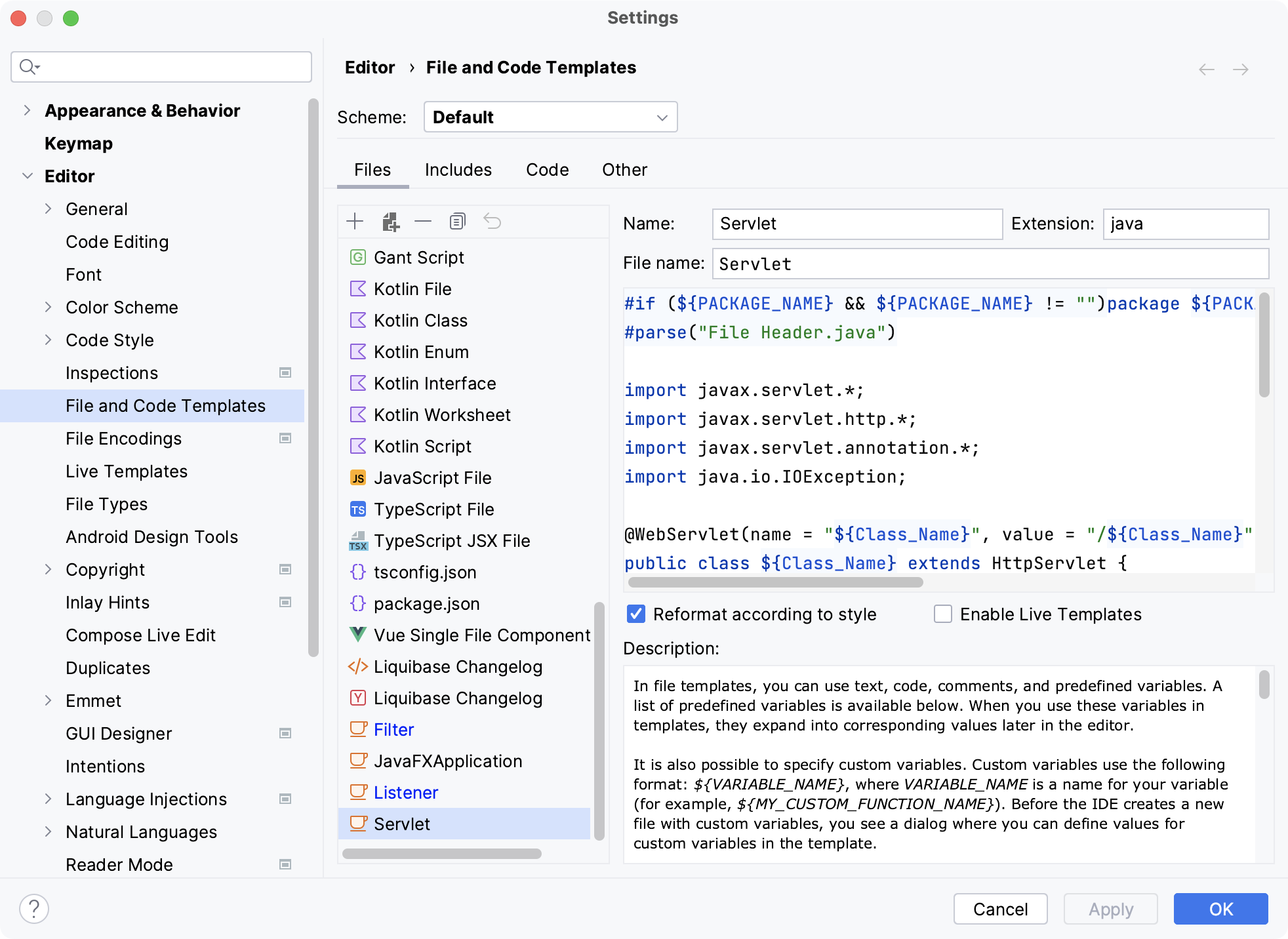
Servlet,并将Servlet指定为文件名。 请确保扩展名为java。请将以下代码粘贴为模板主体:
#if (${PACKAGE_NAME} && ${PACKAGE_NAME} != "")package ${PACKAGE_NAME};#end #parse("File Header.java") import javax.servlet.*; import javax.servlet.http.*; import javax.servlet.annotation.*; import java.io.IOException; @WebServlet(name = "${Class_Name}", value = "/${Class_Name}") public class ${Class_Name} extends HttpServlet { @Override protected void doGet(HttpServletRequest request, HttpServletResponse response) throws ServletException, IOException { } @Override protected void doPost(HttpServletRequest request, HttpServletResponse response) throws ServletException, IOException { } }应用更改并关闭对话框。
Servlet 元素定义了 servlet 的名称并指定了实现它的已编译类。 或者,您可以指定 JSP,而不是指定 servlet 类。
Servlet 元素还包含初始化属性的定义。
请注意,您可以在编辑器中使用注解,将与调用 servlet 的 URL 集相关联的 URL 模式映射到 servlet。
侦听器接收与 Web 应用程序相关的任何事件的通知,例如 Web 应用程序的部署/卸载、HTTP 会话的激活/停用,以及应用程序/会话属性的添加、删除和替换。
按 Ctrl+Alt+S 打开设置,然后选择 。
在 文件 选项卡上,点击
以创建新的文件模板。将新模板命名为
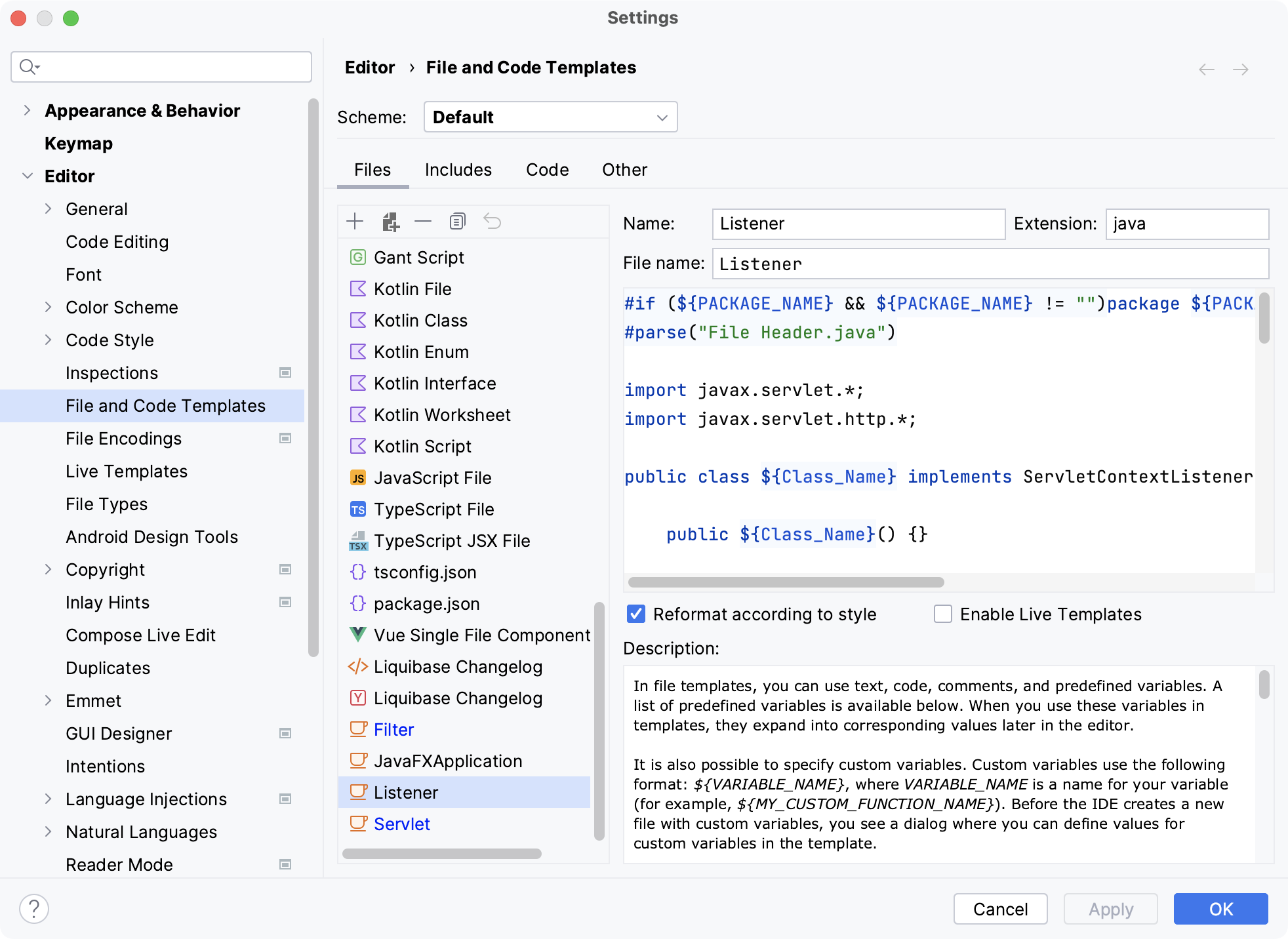
Listener,并将Listener指定为文件名。 请确保扩展名为java。请将以下代码粘贴为模板主体:
#if (${PACKAGE_NAME} && ${PACKAGE_NAME} != "")package ${PACKAGE_NAME};#end #parse("File Header.java") import javax.servlet.*; import javax.servlet.http.*; public class ${Class_Name} implements ServletContextListener, HttpSessionListener, HttpSessionAttributeListener { public ${Class_Name}() {} @Override public void contextInitialized(ServletContextEvent sce) { /* This method is called when the servlet context is initialized(when the Web application is deployed). */ } @Override public void contextDestroyed(ServletContextEvent sce) { /* This method is called when the servlet Context is undeployed or Application Server shuts down. */ } @Override public void sessionCreated(HttpSessionEvent se) { /* Session is created. */ } @Override public void sessionDestroyed(HttpSessionEvent se) { /* Session is destroyed. */ } @Override public void attributeAdded(HttpSessionBindingEvent sbe) { /* This method is called when an attribute is added to a session. */ } @Override public void attributeRemoved(HttpSessionBindingEvent sbe) { /* This method is called when an attribute is removed from a session. */ } @Override public void attributeReplaced(HttpSessionBindingEvent sbe) { /* This method is called when an attribute is replaced in a session. */ } }应用更改并关闭对话框。
按 Ctrl+Alt+S 打开设置,然后选择 。
在 文件 选项卡上,点击
以创建新的文件模板。将新模板命名为
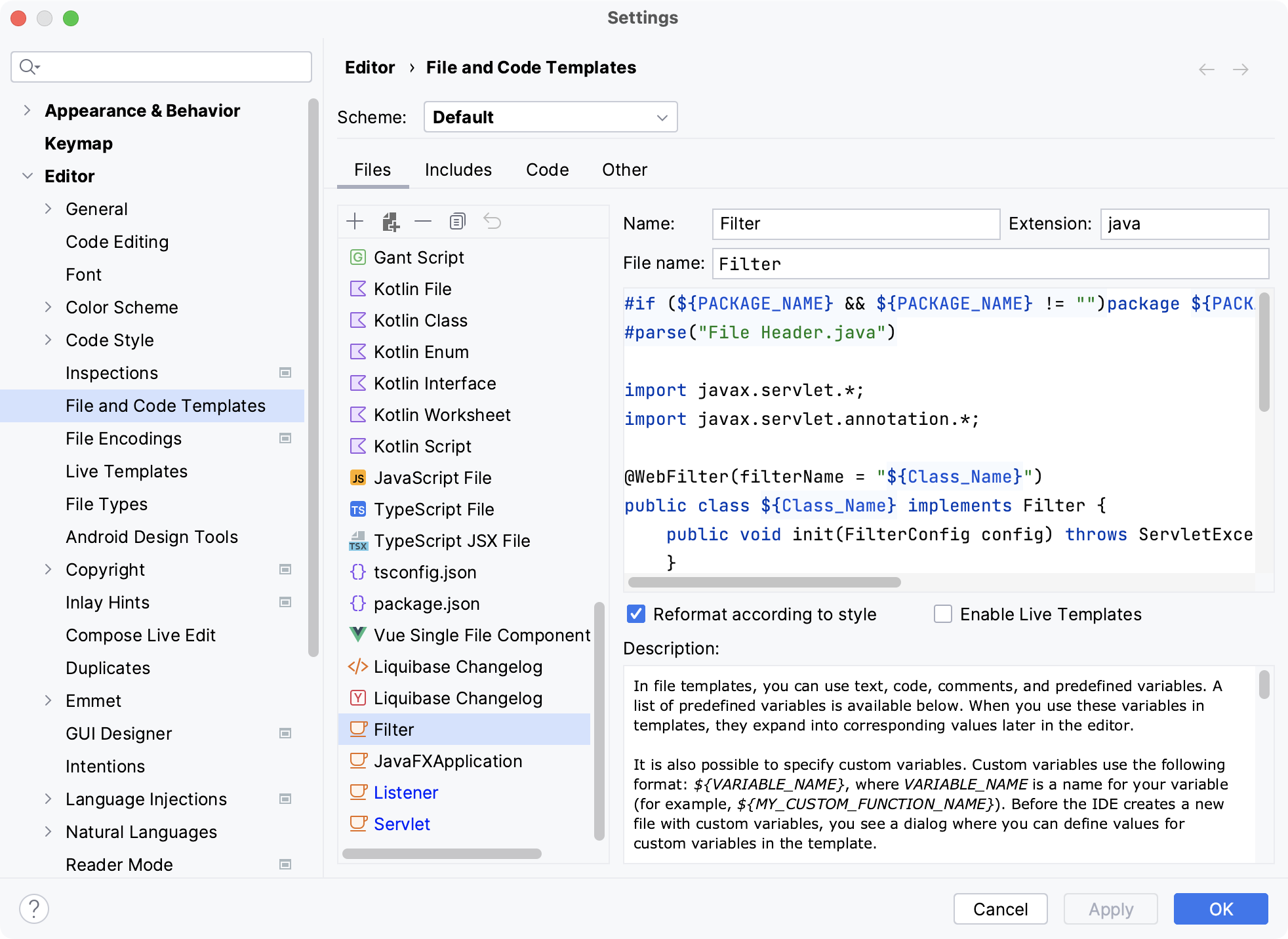
过滤器,并将过滤器指定为文件名。 请确保扩展名为java。请将以下代码粘贴为模板主体:
#if (${PACKAGE_NAME} && ${PACKAGE_NAME} != "")package ${PACKAGE_NAME};#end #parse("File Header.java") import javax.servlet.*; import javax.servlet.annotation.*; @WebFilter(filterName = "${Class_Name}") public class ${Class_Name} implements Filter { public void init(FilterConfig config) throws ServletException { } public void destroy() { } @Override public void doFilter(ServletRequest request, ServletResponse response, FilterChain chain) throws ServletException, IOException { chain.doFilter(request, response); } }应用更改并关闭对话框。
添加元素
在添加新元素之前,请确保您已经为其 创建了文件模板。
在 项目 工具窗口(Alt+1 或 ),右键点击 包所在的 Web 模块并选择 Servlet、 过滤器 或 Listener。
为新元素命名并点击 OK。