Rename refactoring
This refactoring allows you to change the name of any symbol or project in your solution. All references to and usages of the symbol will be updated automatically.
In contrast to other refactorings, Rename has its own dedicated shortcut and menu entry.
Rename any symbol
To rename a symbol and all its usages in the current solution, set the caret at it and press F2 or choose from the context menu (you can start either at the declaration or at any usage).
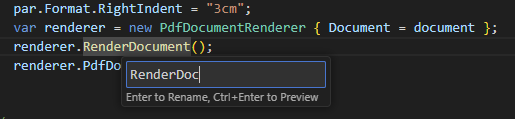
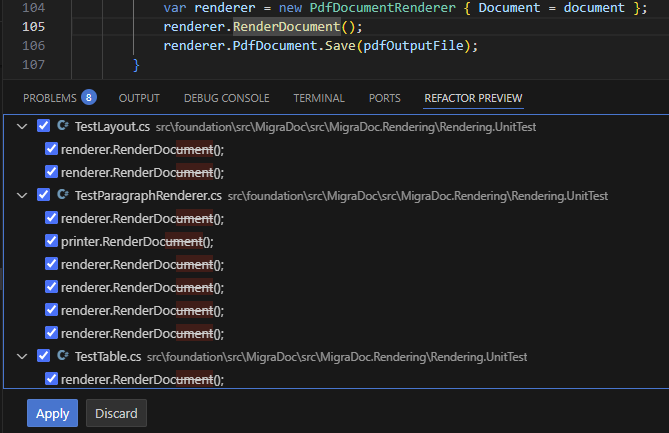
After typing a new name, you can either apply the rename or preview the changes:
If the new name of the symbol conflicts with an existing one, a conflict dialog will appear. This dialog will highlight the conflicts and provide options to either cancel the renaming or proceed with it, accepting the conflicting state.
Rename types and files
When renaming a type defined in a file with the same name, ReSharper will rename the file as well.
You can also start the Rename refactoring from the solution explorer — select a file and press F2 or choose Rename from the context menu. If the file contains a type with the same name, the type and all of its usages will be renamed too.