提取字段
Extract Field 重构允许您声明一个新字段并用所选表达式对其进行初始化。 原始表达式被字段的用法替换。
就地提取字段
将文本光标放置在您想要提取到字段中的代码部分。
按 Ctrl+Alt+F 或转到主菜单中的 。
请选择您要作为字段引入的表达式。
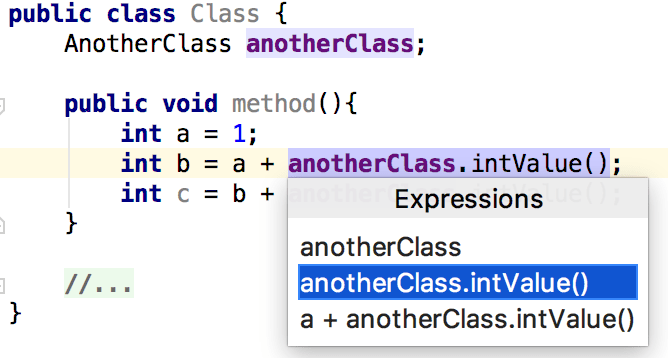
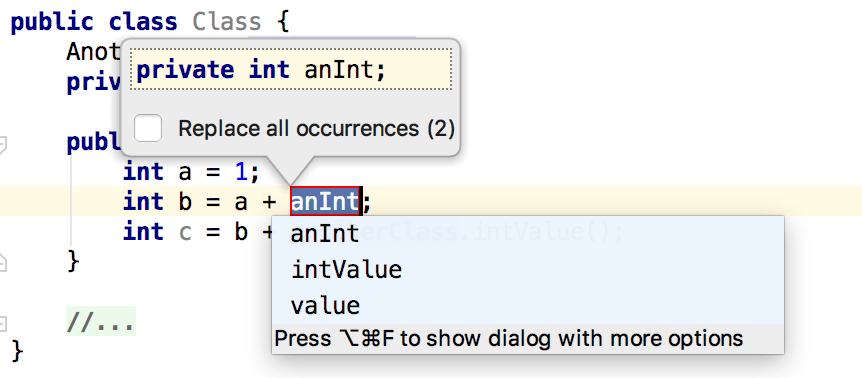
如果 IntelliJ IDEA 在您的代码中检测到多个出现,它允许您指定要替换的出现。
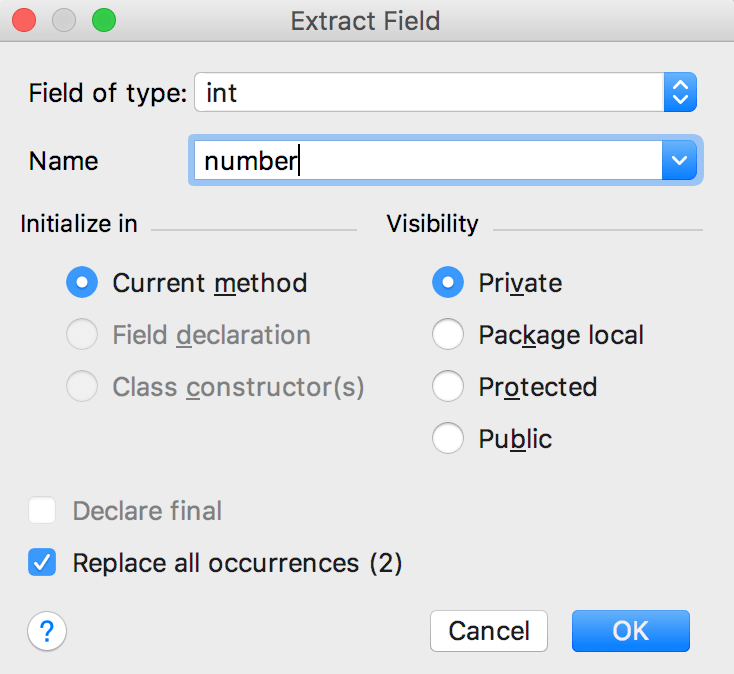
您可以按 Ctrl+Alt+F 两次以打开 提取字段 对话框,在那里,您可以指定其他详细信息,如可见性选项或为您的变量初始化的选项。
示例
让我们将 anotherClass.intValue(); 变量提取到字段中。 因此,IntelliJ IDEA 将所选变量名更改为 number 并将其声明为 private int number 字段。
之前 | 之后 |
|---|---|
public class Class {
AnotherClass anotherClass;
public void method() {
int a = 1;
int b = a + anotherClass.intValue();
int c = b + anotherClass.intValue();
}
}
|
public class Class {
public AnotherClass anotherClass;
private int number;
public void method() {
int a = 1;
number = anotherClass.intValue();
int b = a + number;
int c = b + number;
}
}
|
2026年 7月 14日