Darwin Information Typing Architecture
Project and Configuration Settings
Open project settings and navigate to the tab-name settings tab. Open configuration settings and navigate to the configuration-tab-name settings tab.
Project Features
Open the tab-name settings tab and click the button-name button.
Connections
Click Add Connection. Note that connections can be used only in their parent projects and their subprojects. If you want a connection to be available globally, add it to the Root project.
Select "connection-type" in the Connection Type drop-down menu. Ensure the Enable unique callback URL setting is enabled to generate a unique ID added to your callback URL. This setting bolsters the security of your setup by mitigating the risk of mix-up attacks: attacks utilizing malicious authorization servers that impersonate real auth servers to trick a victim client into leaking an authorization code (token). Using the unique-url-sample URL format ensures an attacker cannot hand-craft an address acknowledged by TeamCity.
Click Test connection to verify TeamCity can access your resources, and save your new connection.
Auth Methods
Refreshable access tokens are short-lived tokens acquired by TeamCity from a required VCS provider via existing OAuth connections (as opposed to static PAT tokens issued manually by users on a VCS hosting side). See the following article for more information on generating and using refreshable tokens: Manage Refreshable Access Tokens.
K8S
Specify the URL of the Kubernetes API server.
Enter the content of the CA certificate for your cluster.
Specify a required Kubernetes namespace. Leave empty to use the default namespace.
Select the required authentication strategy. Depending on the selected strategy, the set of additional options will vary. Refer to the Kubernetes documentation for details on available options.
Specify the URL of your proxy server in the protocol://address:port format.
Enter the proxy server credentials.
Specify the hosts that should be available directly, without routing through the proxy server. Typically, these are internal resources from your local network. Use comma to separate multiple entries; for example: http://localhost,*.mydomain.com.
Docker
Java
Maven
Maven 2.x has reached end of life and is no longer supported by Apache (see the official EOL announcement). Accordingly, TeamCity 2026.1 and later will also drop support for Maven 2. Builds using this version may still run, but advanced features such as test reporting and incremental building will no longer be available.
Please switch your Maven build steps to any custom or bundled Maven 3.x version to use a fully supported Maven version.
Encryption
Steps
This build step can run inside a container deployed by Docker or Podman.
Classic build configuration steps display a set of properties that allow you to specify the image name, platform, and additional run arguments. The Pull image explicitly ensures TeamCity pulls an image from the target container every time this step runs.
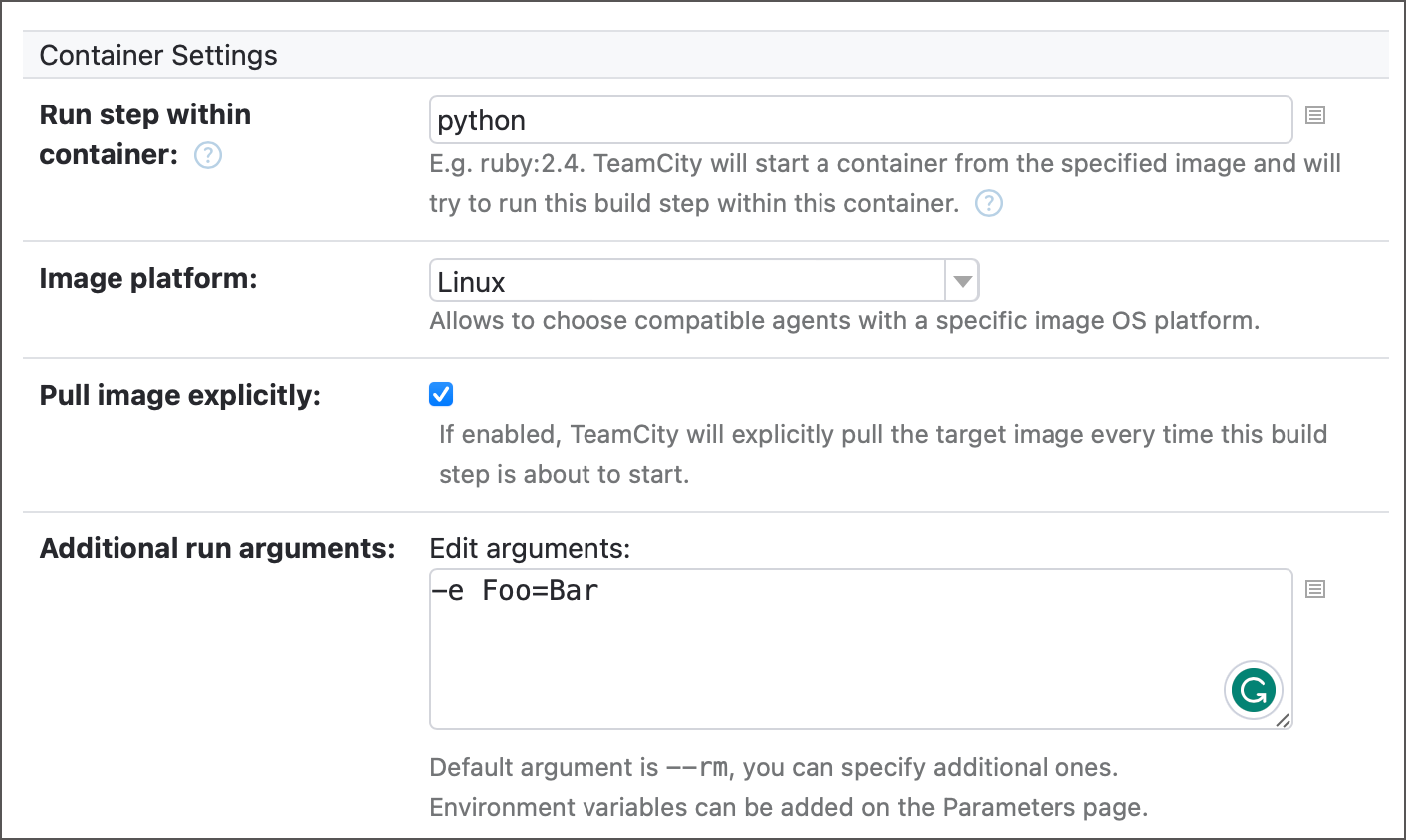
To point TeamCity to a registry where it should look for the specified image, add Docker/Podman connection to your project. By default, this connection allows TeamCity to pull images from Docker Hub in anonymous mode, but you can set it up for any container registry.
See the following article for more information: Container Wrapper.
Toggle Run in Docker on to run a step inside a container. When enabled, this element displays two options.
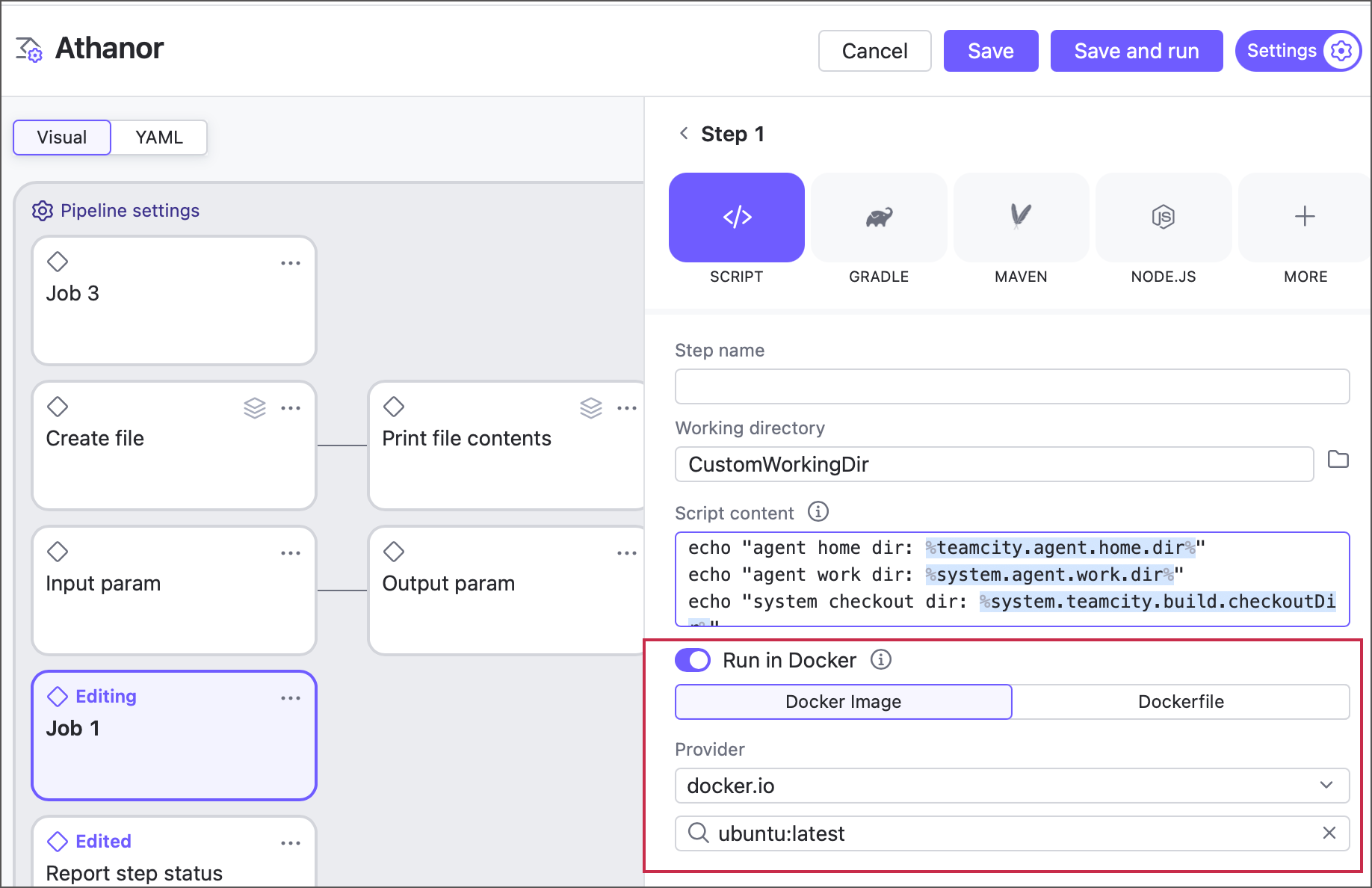
Docker image — allows you to pull an image from a Docker or Podman registry. By default, TeamCity can pull Docker Hub images in anonymous mode. For other cases (private images, custom image registries, non-anonymous mode that ensures you do not violate Docker Hub rate limits), configure a Docker integration on a pipeline or job level.
Dockerfile — allows you to build a custom image from a Dockerfile.
The directory where the build step starts. By default, this is the same root directory where the agent checks out remote sources. See this topic for more information: Build Working Directory.
The following snippets illustrate a customized build step in both YAML (only pipelines) and Kotlin DSL formats.