Agentic debugging
Bundled skills help AI agents use IDE tools more effectively by providing predefined workflows instead of forcing the agent to figure out the correct sequence of actions on its own. RubyMine includes the rubymine-debugger skill, which lets compatible AI agents use the IDE's debugging capabilities autonomously.
Instead of manually stepping through code and inspecting runtime state yourself, you can describe the problem in natural language and let the agent perform much of the investigation for you. Using the RubyMine debugger, agents can launch or continue debug sessions, set breakpoints, inspect variables and call stacks, evaluate expressions, and analyze application behavior at runtime. This helps them identify issues that are challenging to understand from source code and logs alone.
Make sure the debugger skill is enabled
Open the Settings dialog Ctrl+Alt+S and go to .
Find
rubymine-debuggerunder Bundled kills and verify the Enable skill checkbox is selected.Click OK.
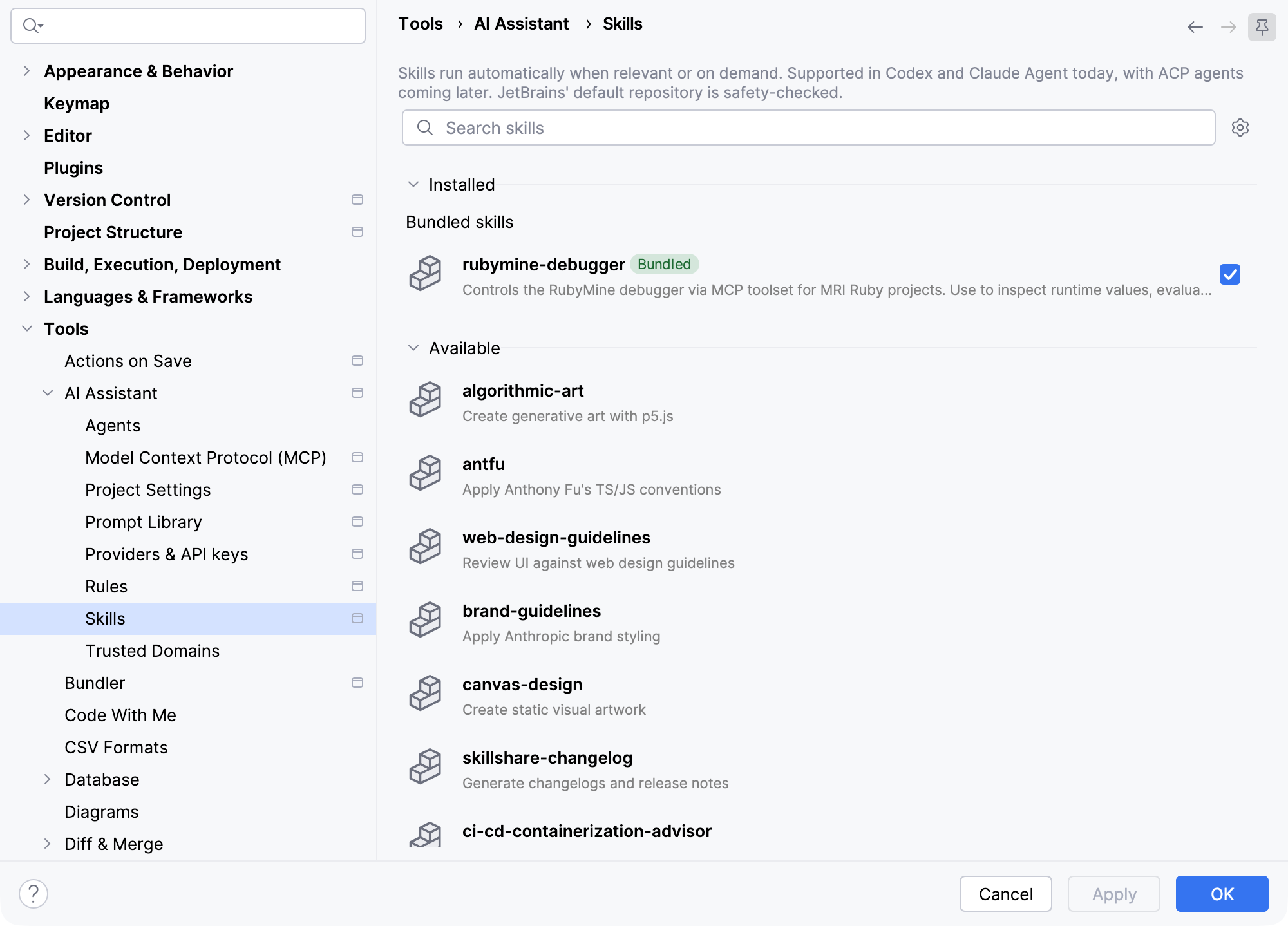
Debug your code with an agent using the enabled skill
Click the AI Chat icon on the toolbar on the right side of the editor to open the AI Chat tool window.
Describe the problem you want to investigate in natural language and ask the agent to debug your code. For example:
Debug why the create action in PostsController saves a post even when the title is blank.Click the Send icon or press Enter.
The agent will launch the
rubymine-debuggerskill.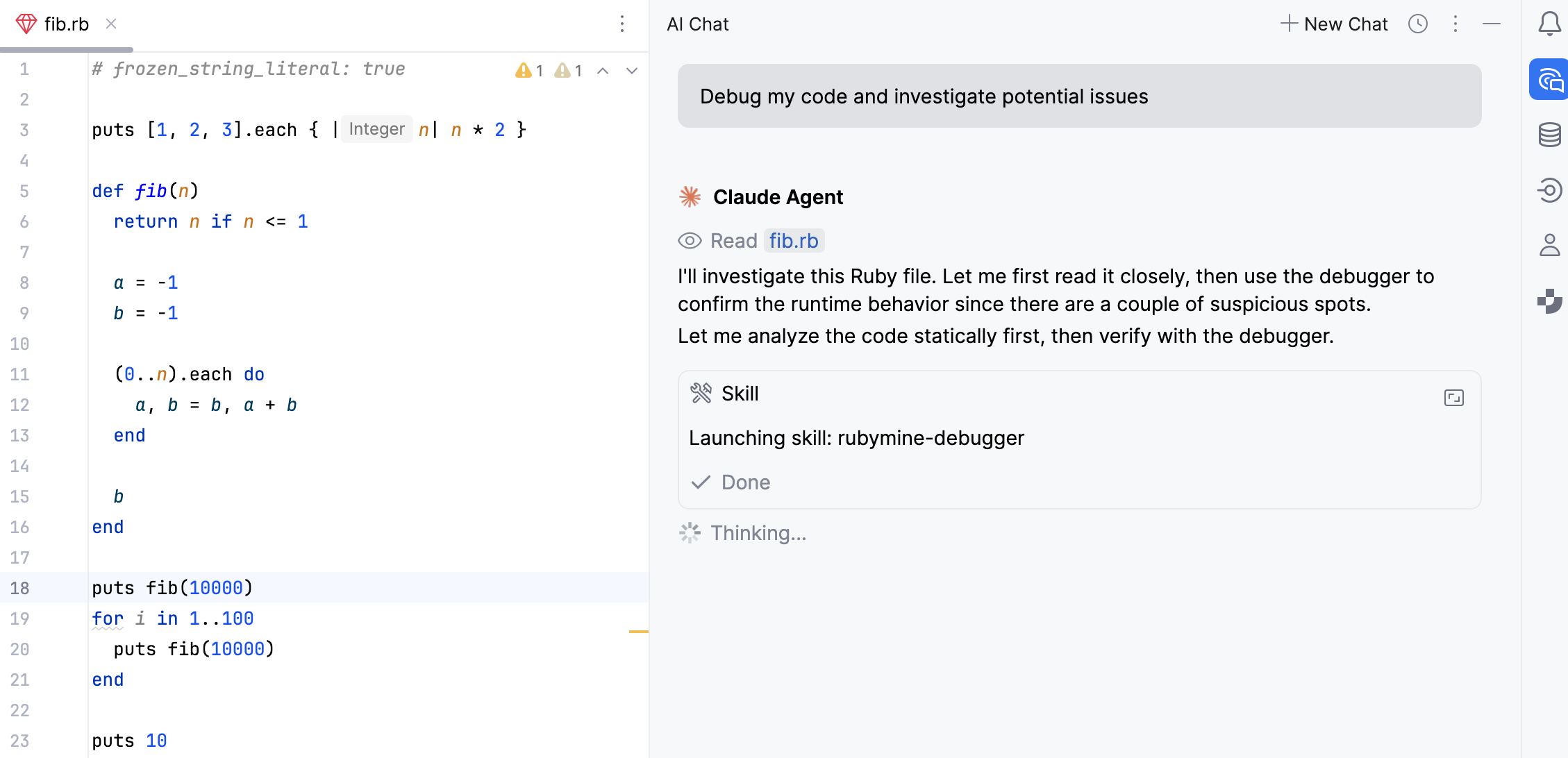
The agent uses the debugger as part of its investigation workflow. It can set breakpoints, launch or continue a debug session, inspect variables and the call stack, and evaluate expressions to analyze the application behavior at runtime, and then report what it finds.