Turbo
Turbo is part of Hotwire. It enables Rails applications to update parts of a page without requiring custom JavaScript.
RubyMine provides code insight for the Ruby API of the turbo-rails gem in Rails views, controllers, and models. When the gem is available in the project, Turbo methods resolve like regular Ruby methods. Turbo-specific suggestions are shown in bold and sorted to the top of the completion list.
The suggestions and method signatures are derived from the version of turbo-rails installed in the project. Code completion appears automatically as you type. To invoke it manually, press Ctrl+Space.
The following procedures show how to use RubyMine code insight when working with Turbo in a Rails application. They use a generated Message resource to demonstrate completion and navigation for Turbo Frames, Turbo Streams, and broadcasting. To learn how to implement these features in an application, refer to the Turbo Handbook.
Before you start
Create the example resource
Create a new Rails application that uses Rails 7.0 or later. Make sure that the
turbo-railsgem is included in the project.Press Ctrl twice to open Run Anything and run:
rails generate scaffold Message content:text
The generated resource provides the model, controller, and views used as editing contexts in the following demonstrations. You do not need to run the application.
Complete Turbo Frame helpers
RubyMine makes the Turbo view helpers available in ERB templates. Use a generated view to see how completion works for turbo_frame_tag.
Complete a Turbo Frame helper
Open app/views/messages/_message.html.erb, start an ERB expression, and type
turbo_:RubyMine lists the Turbo helpers available in the installed gem. Turbo methods are shown in bold and sorted to the top of the completion list.
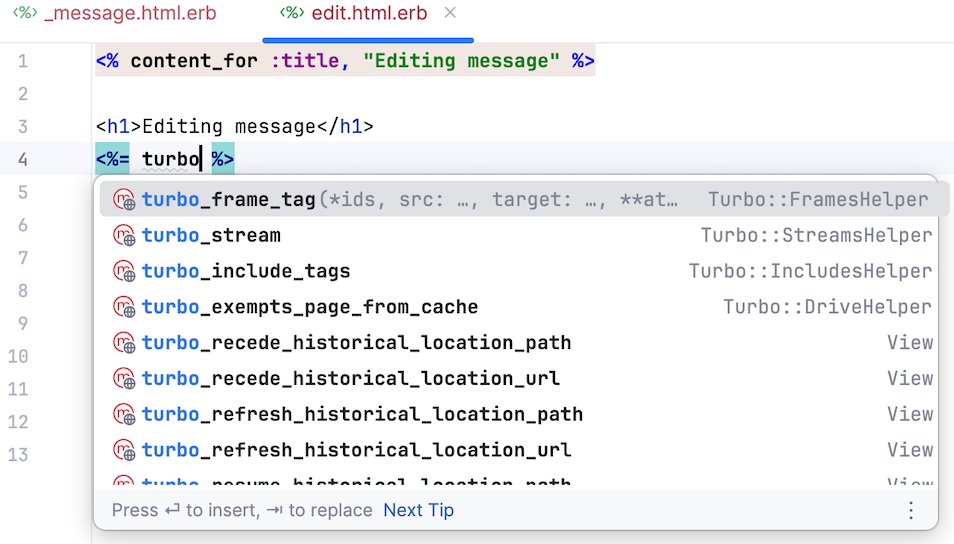
Select
turbo_frame_tagand complete the expression, for example:<%= turbo_frame_tag message do %> <%= message.content %> <% end %>
Complete Turbo Stream actions
The turbo_stream helper resolves to Turbo::Streams::TagBuilder. RubyMine can therefore complete the stream actions supplied by the version of turbo-rails used in the project.
Complete actions in a Turbo Stream template
Create app/views/messages/create.turbo_stream.erb.
Inside an ERB output tag (
<%= ... %>), start typingturbo_stream.. RubyMine automatically displays the Turbo Stream actions available in the installed gem.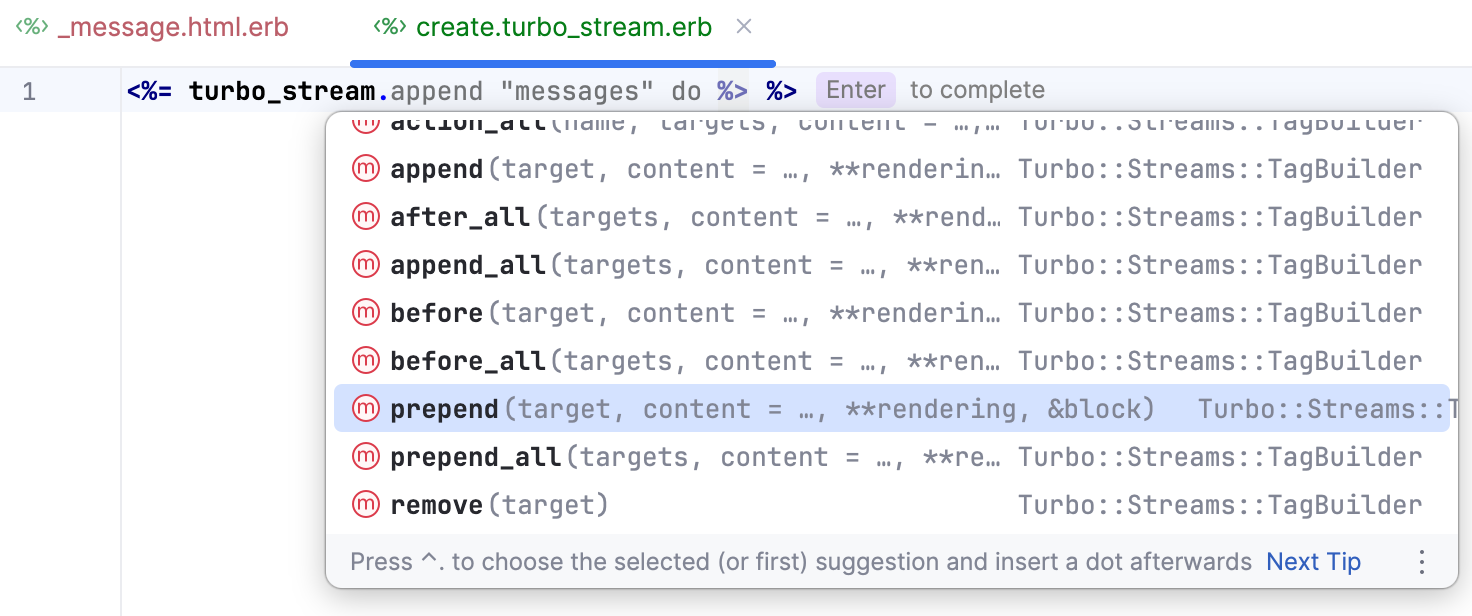
Select
prependand complete the call:<%= turbo_stream.prepend "messages", @message %>On a new line, start typing
turbo_stream.inside another ERB output tag and selectupdatefrom the completion list.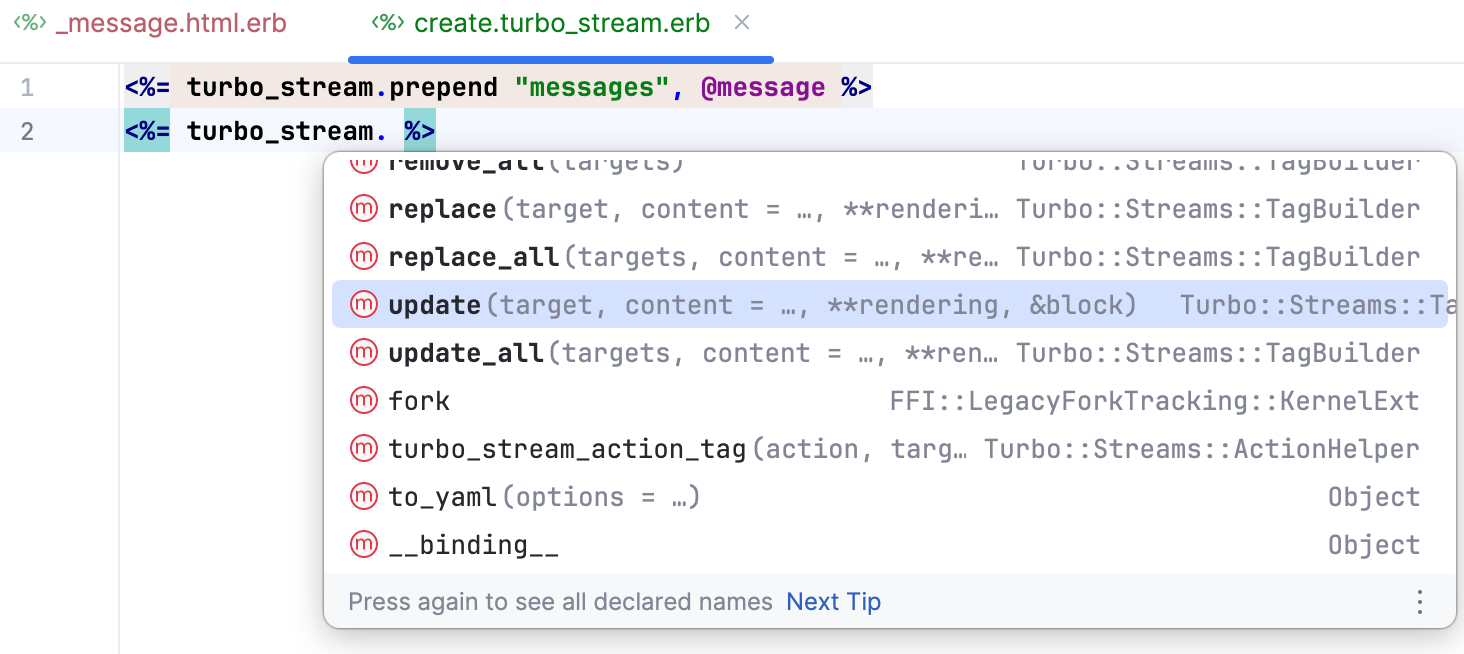
Specify
"new_message"as the target and add a block that renders a new message form:<%= turbo_stream.update "new_message" do %> <%= render "form", message: Message.new %> <% end %>
Turbo Stream actions can also be constructed directly in a controller. To demonstrate code completion in this context, add a Turbo Stream response to the generated destroy action. The response uses the remove action to remove the deleted message from the page.
Complete a Turbo Stream action in a controller
Open app/controllers/messages_controller.rb and replace the generated
destroyaction with the following code. Leave the caret after the secondturbo_stream.:def destroy @message.destroy! respond_to do |format| format.turbo_stream do render turbo_stream: turbo_stream. end format.html do redirect_to messages_path, status: :see_other, notice: "Message was successfully destroyed." end format.json { head :no_content } end endPress Ctrl+Space. RubyMine displays the Turbo Stream actions available in the installed gem.
Select
removeand specify@messageas the target.The completed action should look as follows:
def destroy @message.destroy! respond_to do |format| format.turbo_stream do render turbo_stream: turbo_stream.remove(@message) end format.html do redirect_to messages_path, status: :see_other, notice: "Message was successfully destroyed." end format.json { head :no_content } end end
Complete broadcasting methods
RubyMine makes the methods from Turbo::Broadcastable available in Rails models and gives them priority in code completion.
Complete a broadcasting method
Open app/models/message.rb and add an
after_update_commitcallback. Inside the callback block, start typingbroadcast_:class Message < ApplicationRecord after_update_commit do broadcast_ end endRubyMine suggests the broadcasting methods available in the installed version of
turbo-rails, including synchronous methods and their asynchronous_later_tovariants.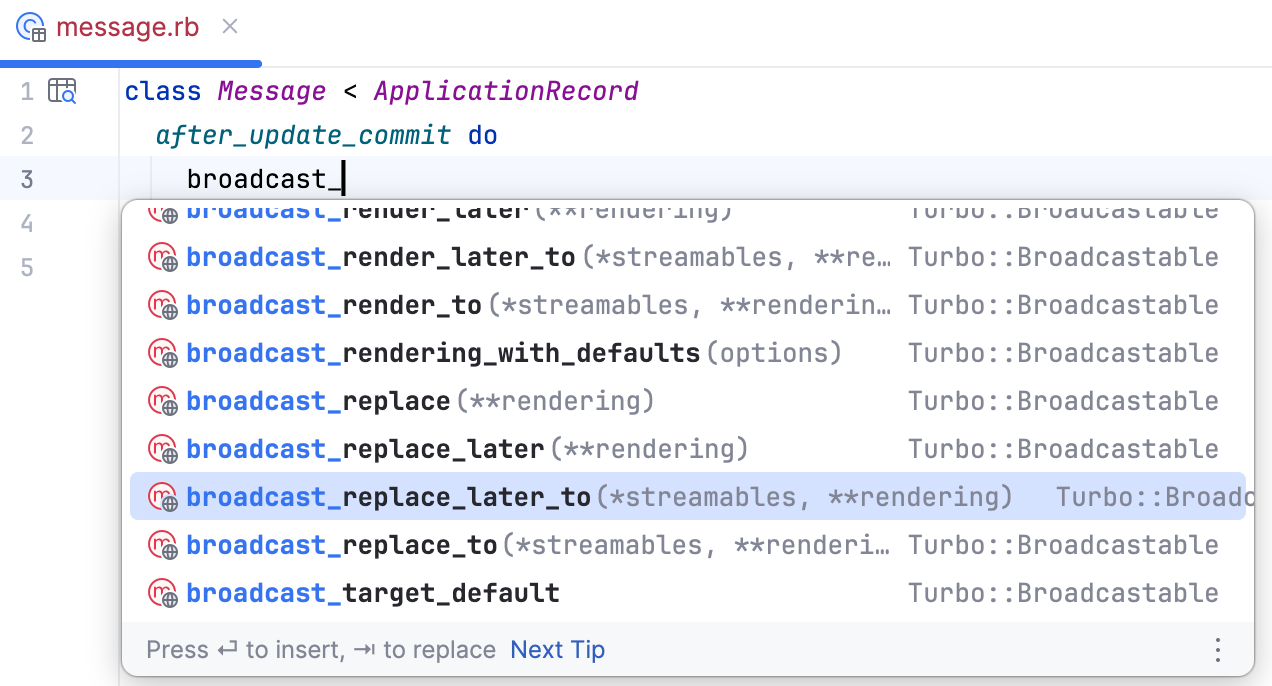
Select
broadcast_replace_later_toand specify"messages"as the stream name. The completed callback should look as follows:class Message < ApplicationRecord after_update_commit do broadcast_replace_later_to "messages" end end
Navigate and inspect Turbo methods
Because RubyMine resolves Turbo methods provided by the installed turbo-rails gem, you can navigate to their declarations and inspect their documentation and signatures.
Place the caret at a resolved Turbo method, such as turbo_frame_tag, and do one of the following:
Press Ctrl+B to navigate to the method declaration in the gem. For
turbo_frame_tag, RubyMine opens app/helpers/turbo/frames_helper.rb inside the installed gem.Press Ctrl+Q to view the method documentation.
Press Ctrl+P inside a method call to view its signature.