Stimulus
Stimulus is part of Hotwire. It adds JavaScript behavior to HTML by connecting elements to JavaScript controllers through data attributes.
RubyMine provides code insight for Stimulus controllers and their data attributes in HTML and ERB templates. When Stimulus is available in the project through the stimulus-rails gem or the @hotwired/stimulus package, identifiers in these attributes resolve to declarations in Stimulus controllers like regular code references.
Completion suggestions are derived from the controllers in app/javascript/controllers and from their static targets, static values, and static classes declarations. Code completion appears automatically as you type. To invoke it manually, press Ctrl+Space.
This topic demonstrates how RubyMine connects Stimulus declarations in JavaScript with their usages in ERB templates. The procedures use a generated Messages controller and a clipboard Stimulus controller. For an introduction to Stimulus itself, refer to the Stimulus Handbook.
Before you start
Create the example controllers
Create a new Rails application that uses Rails 7.0 or later. Make sure that the
stimulus-railsgem is included in the project.Press Ctrl twice to open Run Anything and run:
rails generate controller Messages indexOpen Run Anything for each of the following commands and run them separately:
rails generate stimulus clipboardrails generate stimulus counterrails generate stimulus visibilityStart the Rails server and open
/messages/indexin a browser.
Complete a controller identifier
A controller identifier in a data-controller attribute refers to the corresponding JavaScript controller. RubyMine resolves this connection and suggests the controllers available in the project.
Open app/views/messages/index.html.erb and replace its contents with the following code:
<h1>Clipboard</h1> <div data-controller=""> <p>Hello from Stimulus</p> <button type="button">Copy</button> <span></span> </div>Place the caret between the quotation marks in the
data-controllerattribute. RubyMine automatically displays the available Stimulus controller identifiers. If the list does not appear, press Ctrl+Space.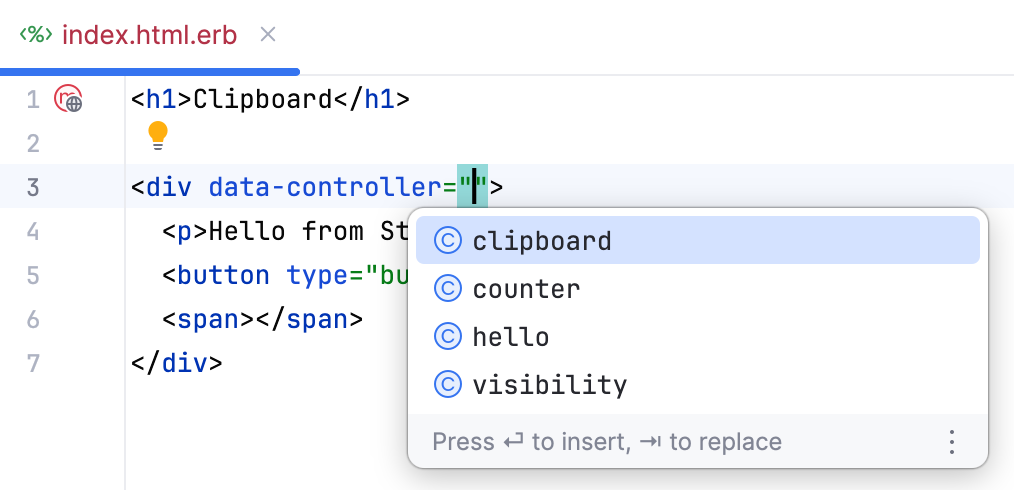
Select clipboard. The opening tag should now look as follows:
<div data-controller="clipboard">
Declare and connect targets and an action
A Stimulus controller declares targets and action methods in JavaScript. RubyMine uses these declarations to complete the corresponding data attributes in an ERB template.
In this procedure, you will declare two targets and one action in the clipboard controller. You will then use completion to connect the HTML elements in app/views/messages/index.html.erb to those declarations.
Open app/javascript/controllers/clipboard_controller.js and replace the generated controller with the following code:
import { Controller } from "@hotwired/stimulus" export default class extends Controller { static targets = ["source", "status"] copy() { } }The controller declares the
sourceandstatustargets and exposes thecopyaction. RubyMine uses these declarations to provide completion in HTML and ERB templates.Return to app/views/messages/index.html.erb and start typing
data-in the openingptag.Select data-clipboard-target, suggested by RubyMine based on the controller connected to the enclosing
div.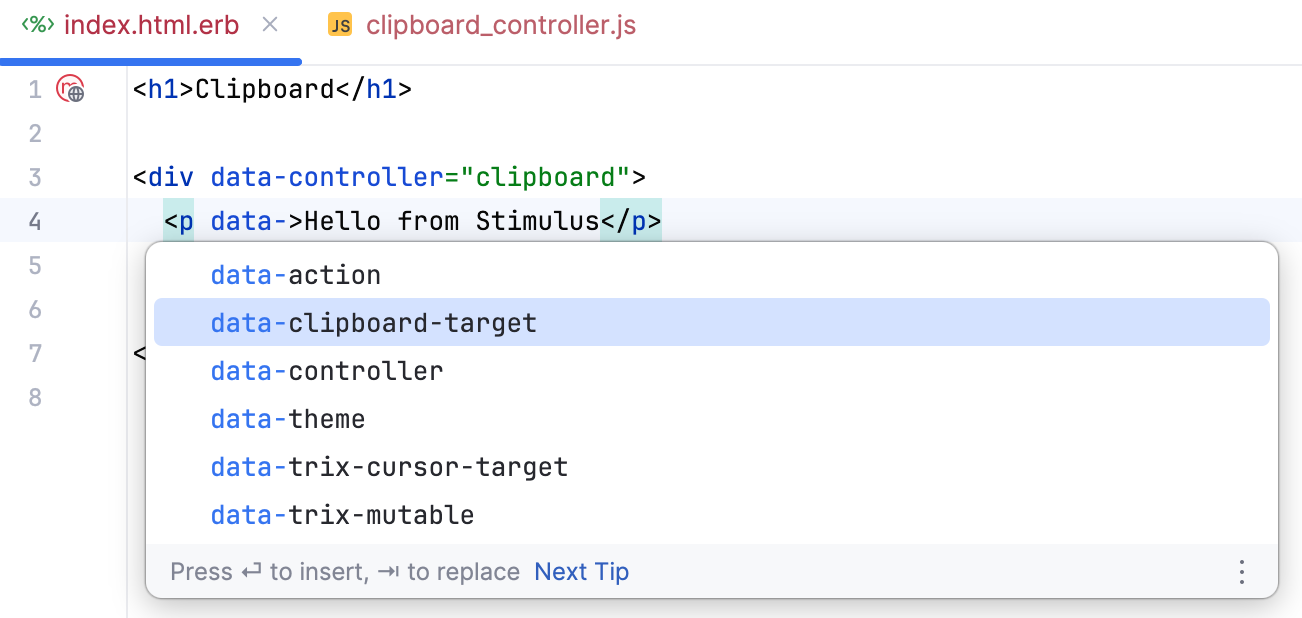
Invoke completion inside the attribute value. RubyMine suggests the names from the controller's
static targetsarray.Select source.
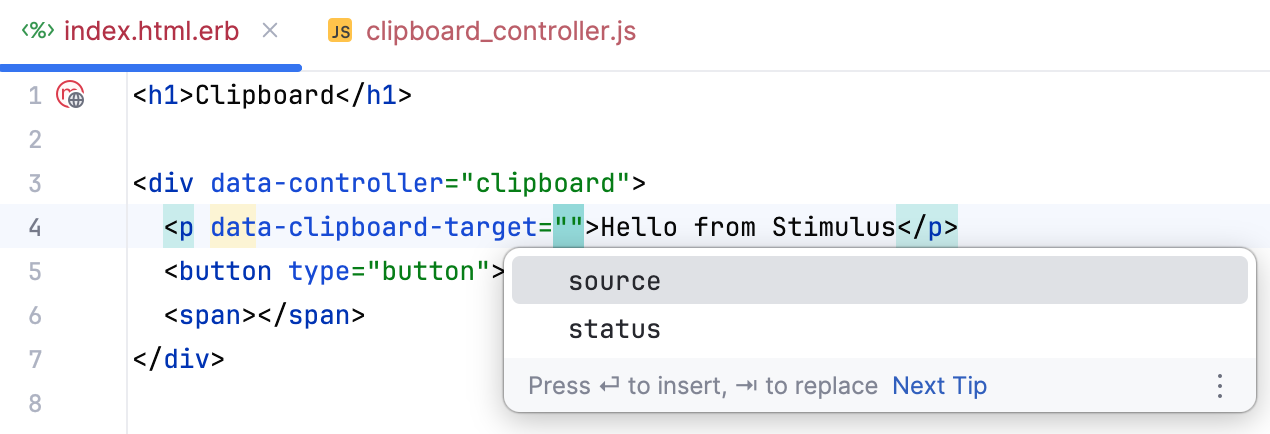
Repeat the step above to add the same attribute to the
spanelement and select status as its value. The line should look like this:<span data-clipboard-target="status"></span>In the opening
buttontag, add adata-actionattribute and typeclick->clipboard#to invoke code completion.RubyMine suggests the action methods declared in the
clipboardcontroller.Select copy.
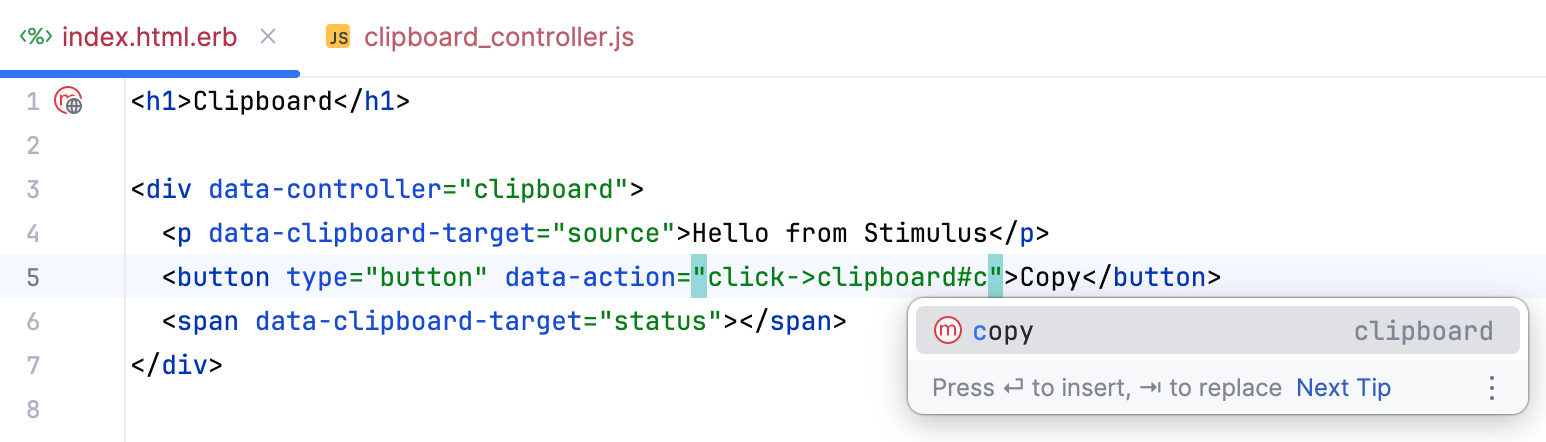
The complete app/views/messages/index.html.erb file should now look as follows:
<h1>Clipboard</h1> <div data-controller="clipboard"> <p data-clipboard-target="source">Hello from Stimulus</p> <button type="button" data-action="click->clipboard#copy">Copy</button> <span data-clipboard-target="status"></span> </div>
Complete target properties
For every name in the static targets declaration, Stimulus provides corresponding JavaScript properties. RubyMine adds these derived properties to completion inside the controller.
In this procedure, you will implement the copy action. It uses the browser Clipboard API to copy text from the source target and then displays a confirmation in the status target.
Open app/javascript/controllers/clipboard_controller.js and change the empty
copymethod to an asynchronous method:async copy() { }Inside the method, enter:
await navigator.clipboard.writeText(this.sAt this point, the completion list includes the
sourceTargetandstatusTargetproperties derived from thestatic targetsdeclaration.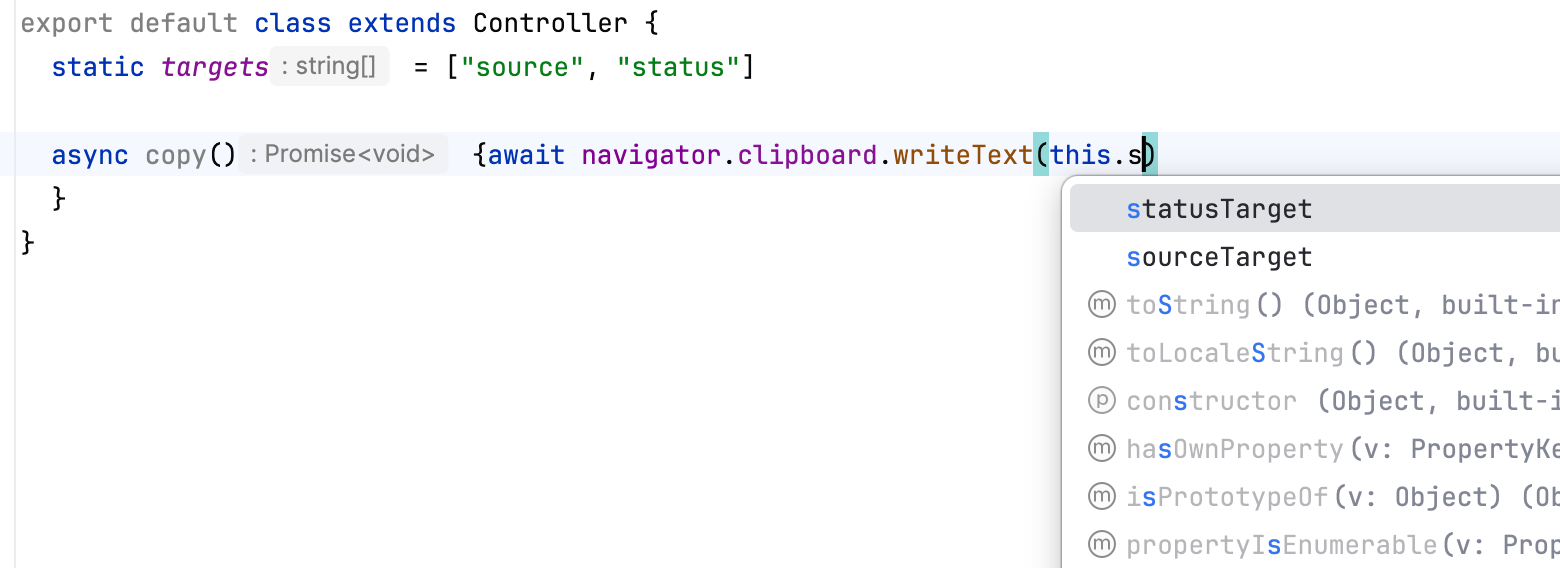
Select sourceTarget and complete the expression with
.textContent:await navigator.clipboard.writeText(this.sourceTarget.textContent)On the next line, enter
this., select statusTarget from the invoked code completion, and assign the confirmation text to itstextContentproperty. This property is derived from thestatusname instatic targets.The complete controller should now look as follows:
import { Controller } from "@hotwired/stimulus" export default class extends Controller { static targets = ["source", "status"] async copy() { await navigator.clipboard.writeText(this.sourceTarget.textContent) this.statusTarget.textContent = "Copied" } }
Declare and use a value and a CSS class
From static values and static classes declarations, RubyMine derives the corresponding data attributes for ERB templates and properties for JavaScript code.
Open app/javascript/controllers/clipboard_controller.js and add the
valuesandclassesdeclarations after the existingtargetsdeclaration:import { Controller } from "@hotwired/stimulus" export default class extends Controller { static targets = ["source", "status"] static values = { message: String } static classes = ["success"] async copy() { await navigator.clipboard.writeText(this.sourceTarget.textContent) this.statusTarget.textContent = "Copied" } }The controller now declares a value named
messageand a logical CSS class namedsuccess. These names provide the source declarations for completion in the next steps.Open app/assets/stylesheets/application.css and add the CSS class that will indicate a successful copy operation:
.copied { color: green; }Return to app/views/messages/index.html.erb and in the opening
divtag that containsdata-controller="clipboard", start typingdata-clipboard-.RubyMine suggests attributes derived from the controller declarations, including
data-clipboard-message-valueanddata-clipboard-success-class.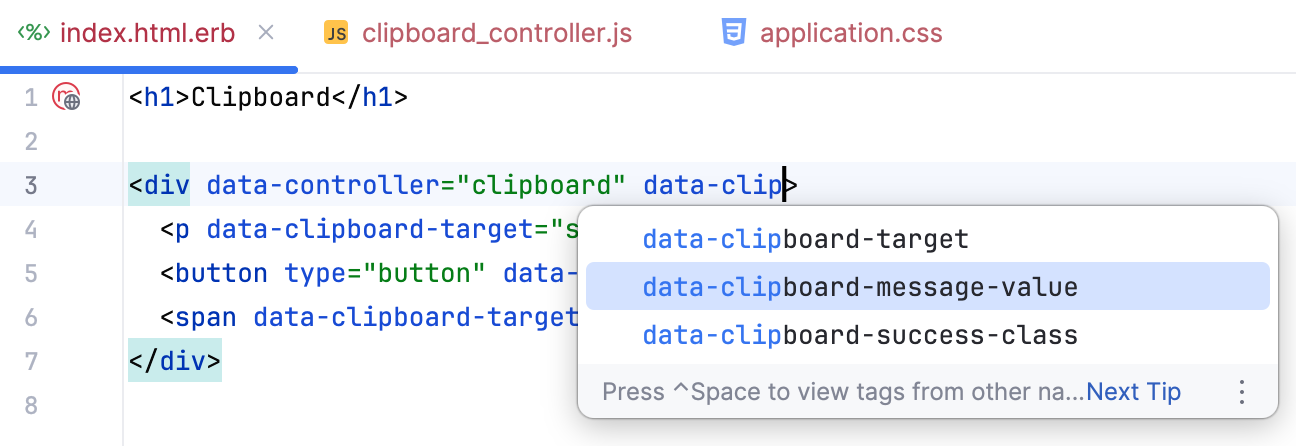
Select both attributes and specify their values. The complete view should now look as follows:
<h1>Clipboard</h1> <div data-controller="clipboard" data-clipboard-message-value="Copied" data-clipboard-success-class="copied"> <p data-clipboard-target="source">Hello from Stimulus</p> <button type="button" data-action="click->clipboard#copy">Copy</button> <span data-clipboard-target="status"></span> </div>The two attributes connect the
messageandsuccessdeclarations to the valuesCopiedandcopiedin this template.Return to app/javascript/controllers/clipboard_controller.js and replace the hardcoded
"Copied"string withthis.From the invoked code completion list, select messageValue, which RubyMine derives from the
messageentry instatic values.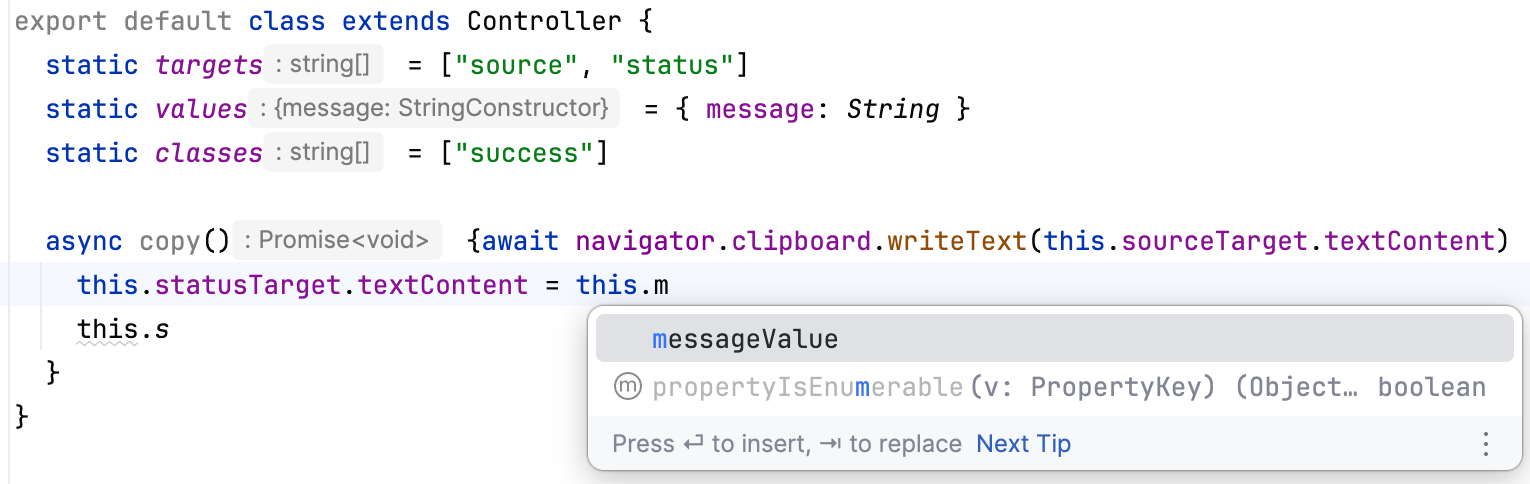
On the next line, enter
this.statusTarget.classList.add(this.to invoke code completion again.Select successClass, which RubyMine derives from the
successentry instatic classes:this.statusTarget.classList.add(this.successClass)The first completed property supplies the confirmation text. The second supplies the CSS class applied to the status element.
The complete controller should now look as follows:
import { Controller } from "@hotwired/stimulus" export default class extends Controller { static targets = ["source", "status"] static values = { message: String } static classes = ["success"] async copy() { await navigator.clipboard.writeText(this.sourceTarget.textContent) this.statusTarget.textContent = this.messageValue this.statusTarget.classList.add(this.successClass) } }Reload
/messages/indexand click Copy. The page displays the value fromdata-clipboard-message-valueand applies the CSS class specified bydata-clipboard-success-class.
Navigate to Stimulus declarations
RubyMine resolves target names and action descriptors in ERB templates to their declarations in Stimulus controllers.
In app/views/messages/index.html.erb, do one of the following:
Place the caret at
sourceorstatusin adata-clipboard-targetattribute and press Ctrl+B. RubyMine navigates to the corresponding name in thestatic targetsdeclaration.Place the caret in the
clipboard#copyaction descriptor and press Ctrl+B. RubyMine opens app/javascript/controllers/clipboard_controller.js and navigates to thecopymethod.
Rename a Stimulus action
Because action descriptors resolve to controller methods, renaming a method updates its usages in templates. You do not need to find and edit the descriptors manually.
In app/javascript/controllers/clipboard_controller.js, place the caret at the
copymethod and press Shift+F6.In the Rename dialog, enter
copyTextand click Refactor.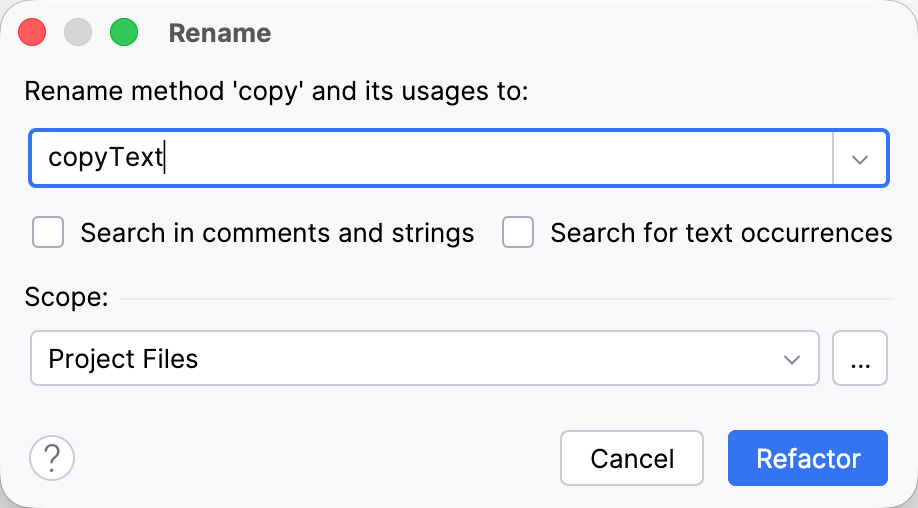
In the Refactoring Preview tool window, review the code that this renaming will update in the affected app/views/messages/index.html.erb file and click Refactor.
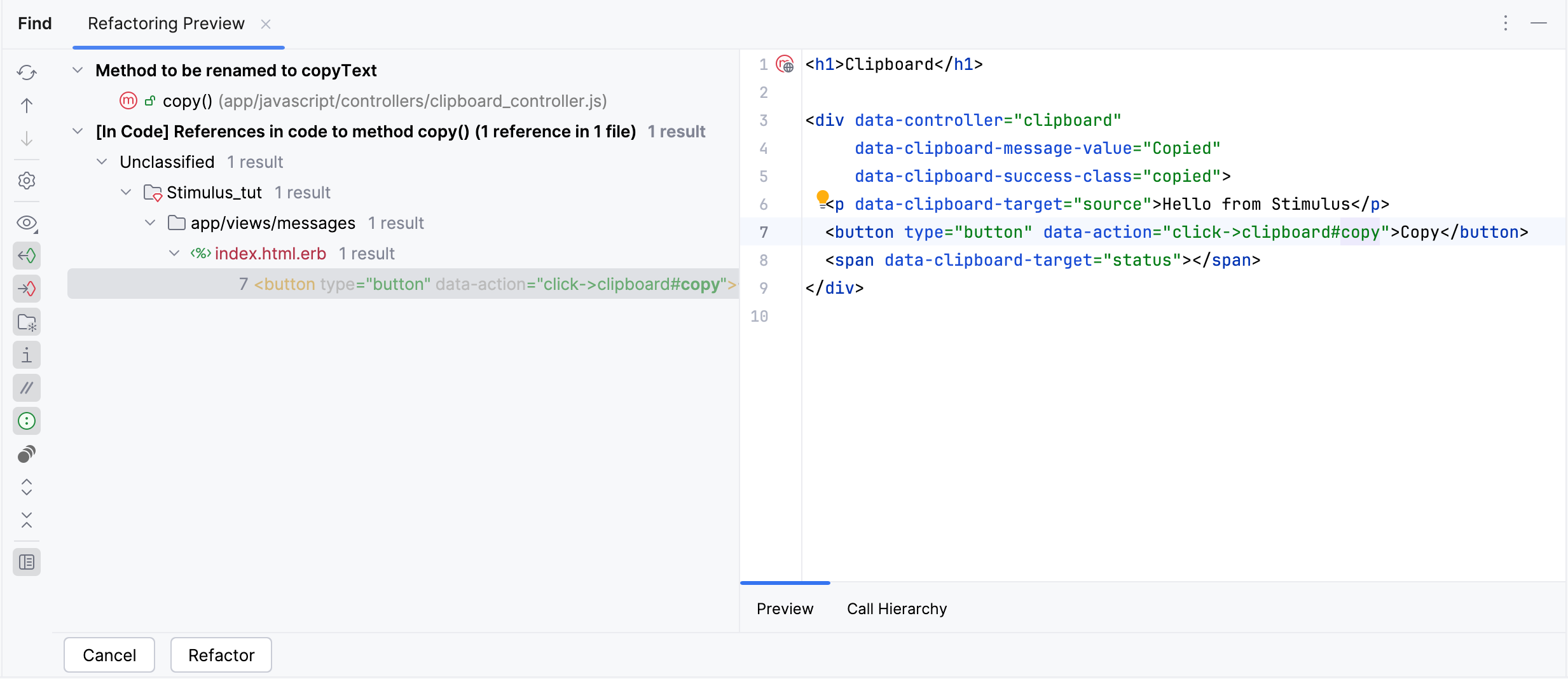
RubyMine renames the method and updates the descriptor in app/views/messages/index.html.erb from
clipboard#copytoclipboard#copyText.