Nuxt
With JetBrains Rider, you can use the Nuxt framework to develop your Vue.js applications. The recommended way to set up a Nuxt app in JetBrains Rider is to use the New Project wizard with a dedicated Nuxt template.
Before you start
Download and install Node.js, version 20 or later.
Make sure a local Node.js runtime is configured in your project: open the Settings/Preferences dialog (Ctrl+Alt+S) and go to . The Node runtime field shows the default project Node.js runtime. Learn more from Configuring a local Node.js interpreter.
Make sure the JavaScript and TypeScript, JavaScript Debugger, and Vue.js required plugins are enabled on the Settings | Plugins page, tab Installed. For more information, refer to Managing plugins.
Create a project from the command line
Open your command-line shell or the embedded Terminal (Alt+F12) and type:
npm create nuxt@latest <project-name>or
yarn create nuxt@latest <project-name>or
pnpm create nuxt@latest <project-name>The wizard asks you some questions. After you answer them, a Nuxt project is initialized in the current folder and is ready to use in JetBrains Rider.
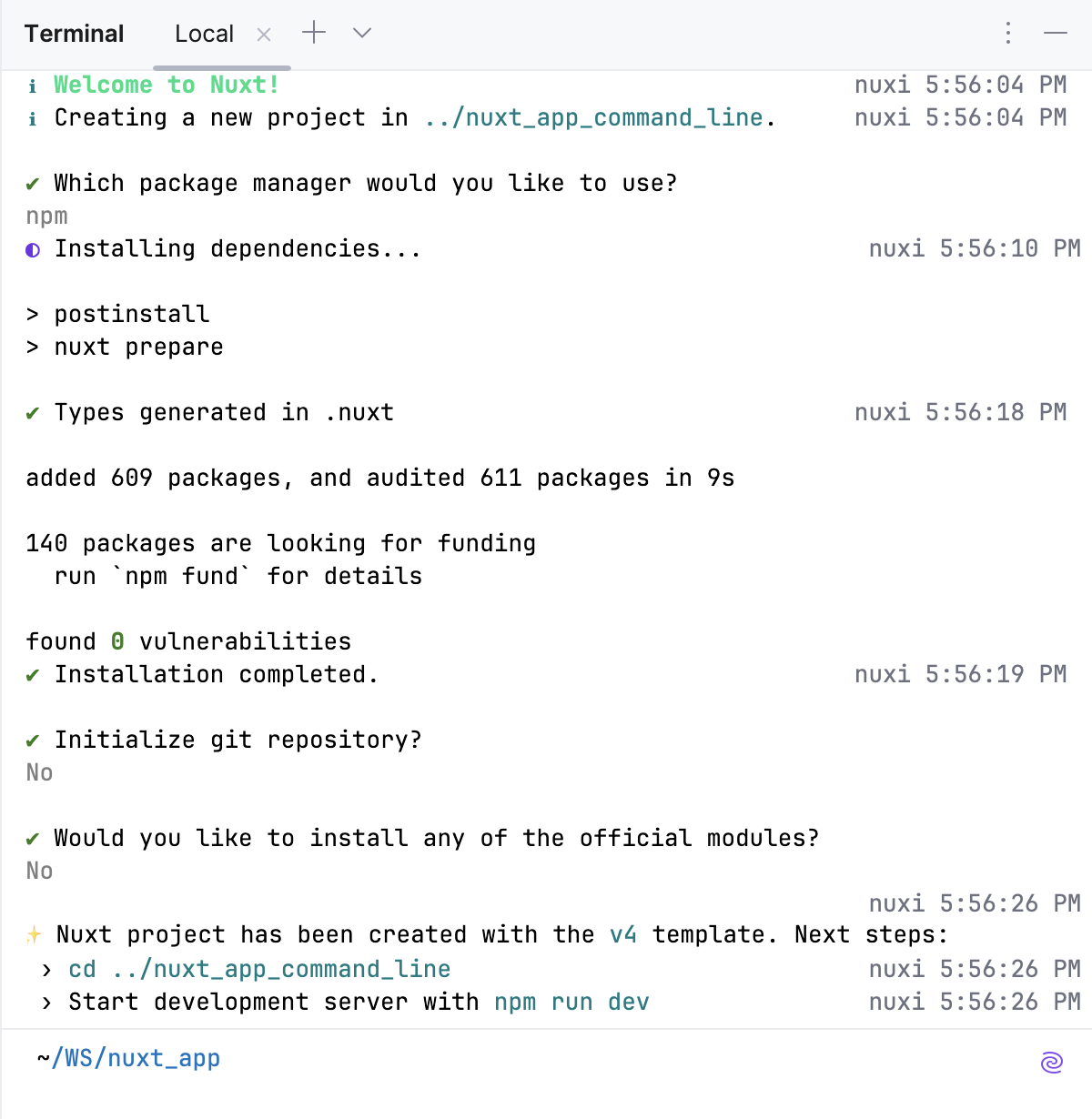
Learn more from the Nuxt official website.
Nuxt-aware coding assistance
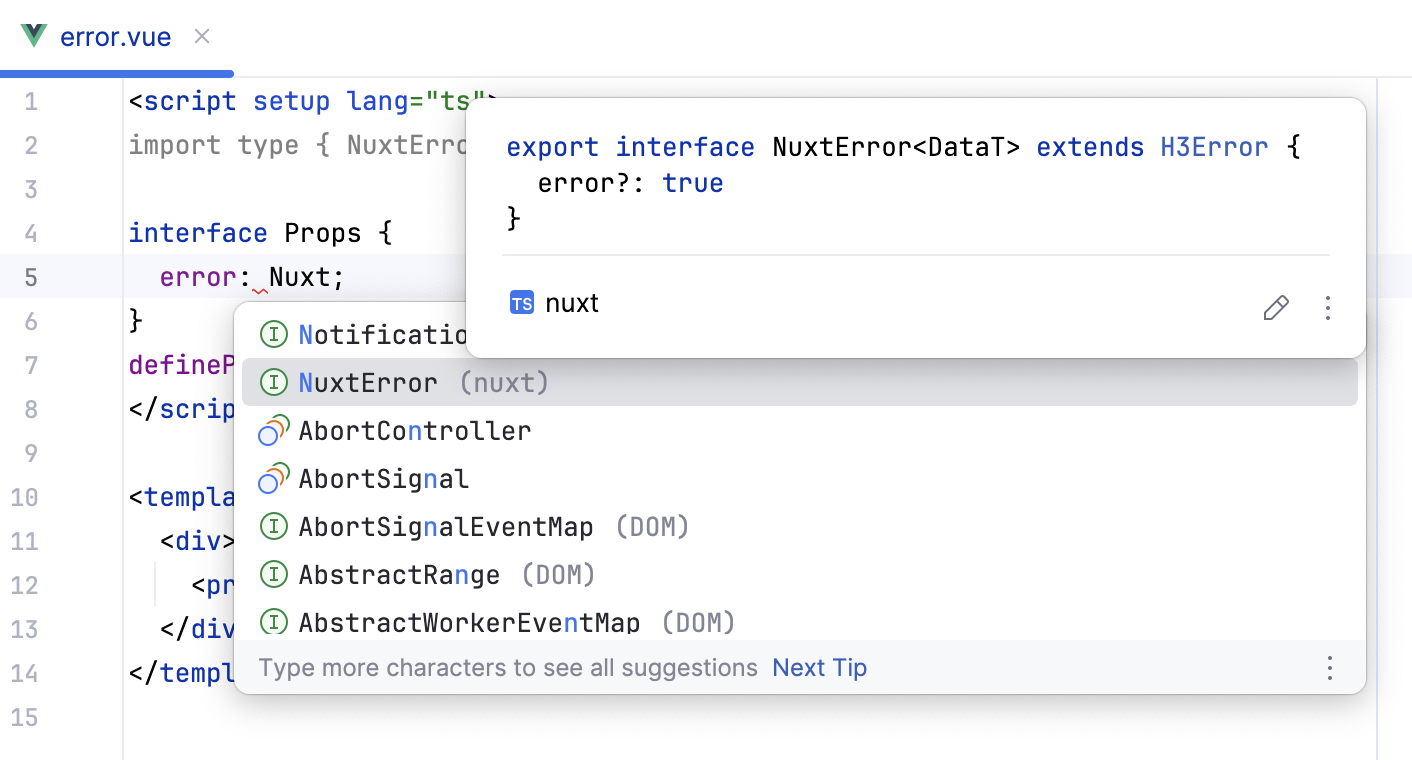
JetBrains Rider suggests code completion and shows quick documentation for all core Nuxt components.
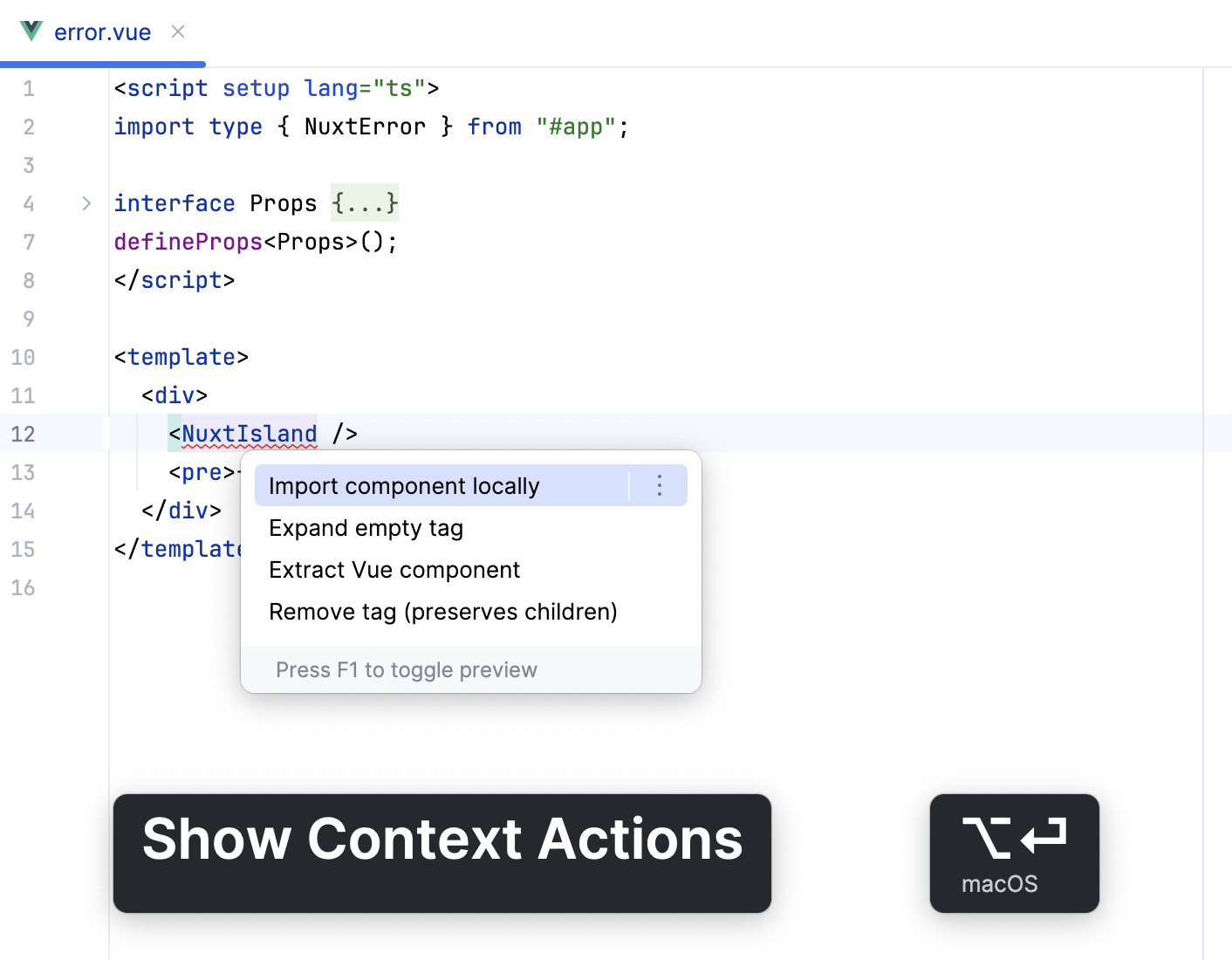
JetBrains Rider also suggests importing missing import statements for Nuxt components (Alt+Enter.
Edit nuxt.config.ts
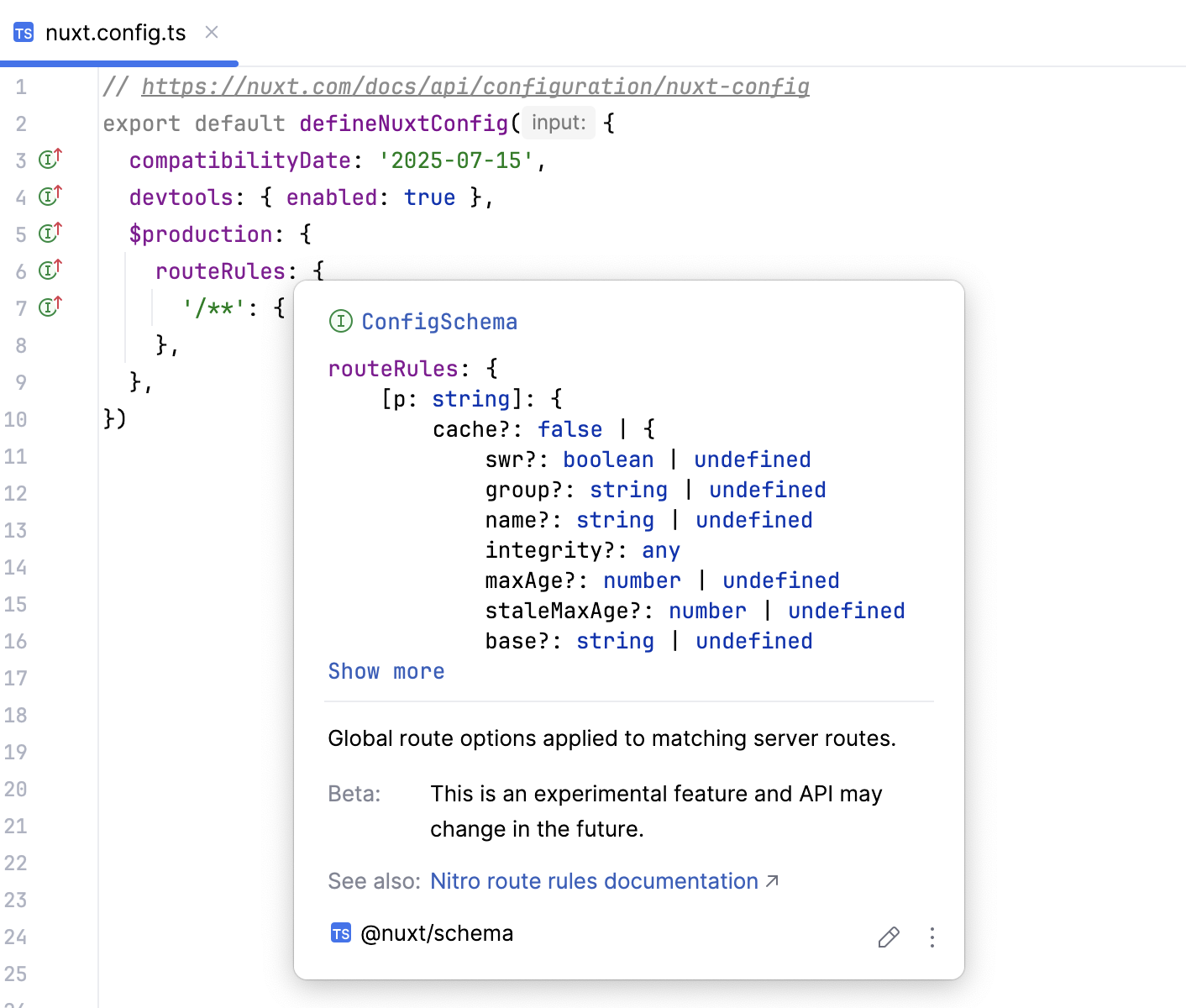
JetBrains Rider provides proper completion suggestions for the nuxt.config.ts configuration file.
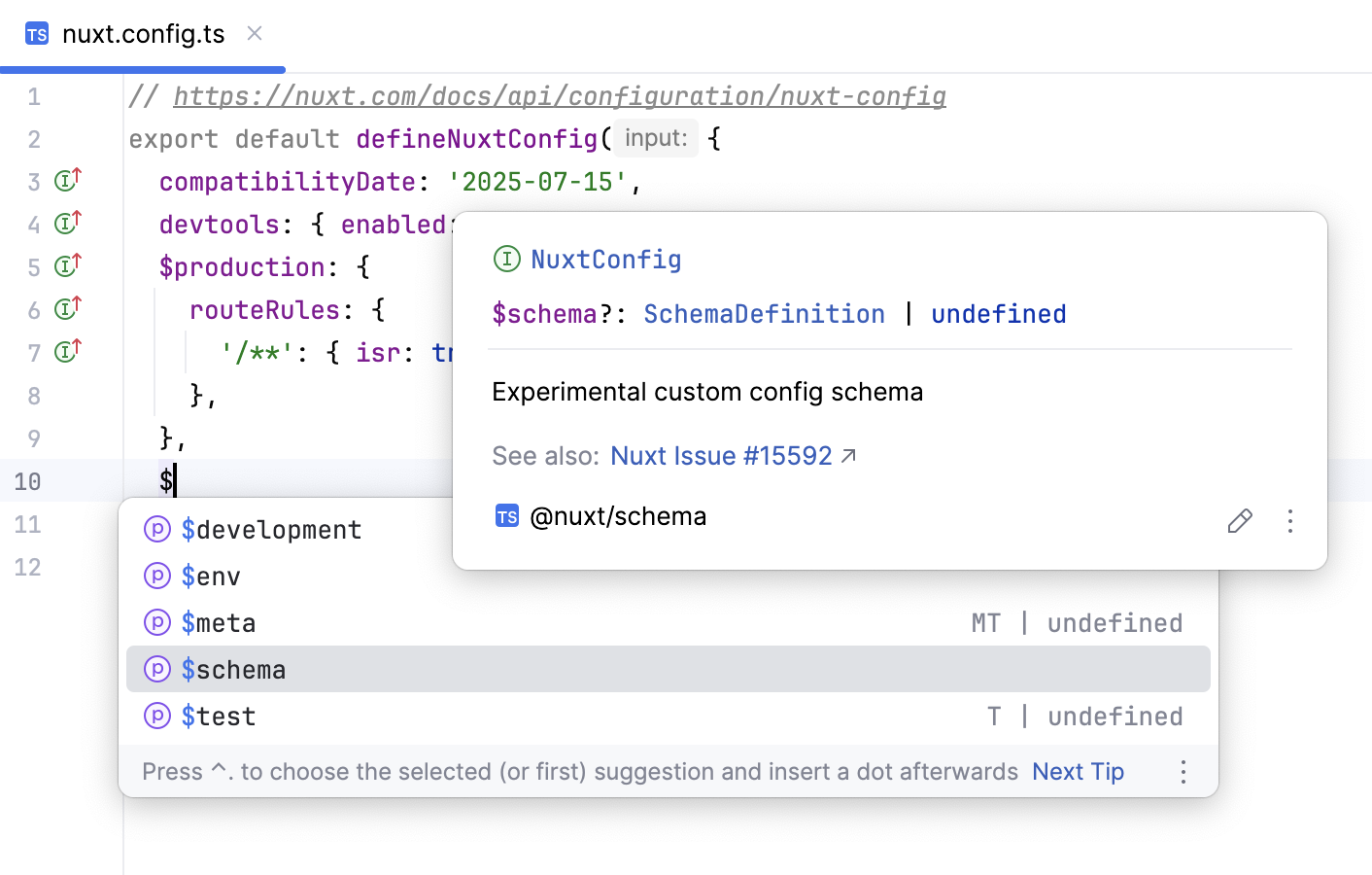
On hover, you’ll also see the Documentation popup showing the type information for the Nuxt options used in the file.
Type checking
Nuxt 4 is fully typed of the box. With earlier Nuxt versions, you need the @nuxt /types package to get better code completion.
Learn more from the Nuxt official website.
Install the @nuxt/types package
If you’re using a Nuxt version from 2.9.0 onwards and don’t have the
@nuxt/typespackage installed, JetBrains Rider notifies you about it and suggests installing it as a development dependency. Click the Install @nuxt/types as dev dependency link in the notification popup.
If you close the popup, you can still install
@nuxt/typesby clicking the Install @nuxt/types as dev dependency link in the Event Log tool window ().Alternatively, open your command-line shell or the embedded Terminal (Alt+F12) and type:
npm install --save-dev @nuxt/types