Work with unit tests in current document
Discover tests in the current document
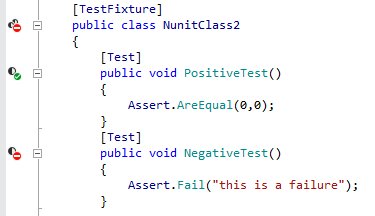
ReSharper for Visual Studio Code discovers unit test classes and single unit tests of all supported frameworks right in the editor and adds the corresponding action indicators next to each item in the editor:
Run and debug tests in the current document
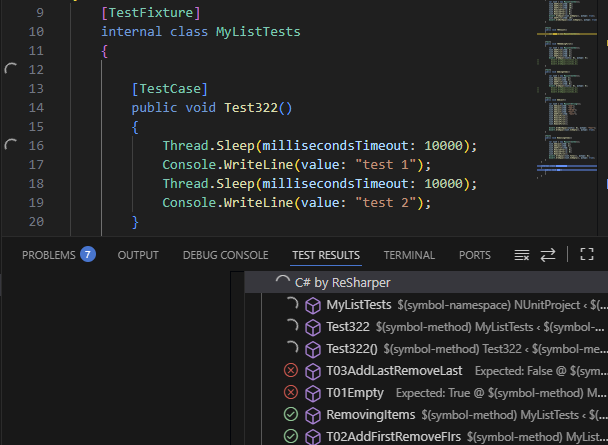
To run and debug a single test or all tests in a test class, click the action indicator next to the corresponding item in the editor.
You will see the execution progress, results, and output in the Test Results panel:
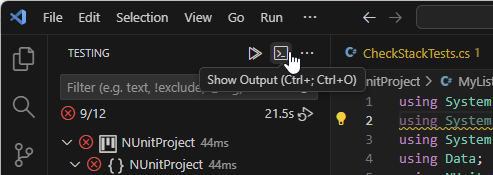
If you close the Test Results panel, you can later reopen it by clicking Show Output in the Testing window:
Inlay hints for test data attributes
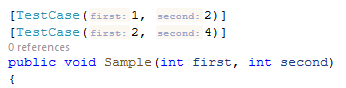
To help you understand how the arguments of test data attributes are used in test methods, ReSharper for Visual Studio Code displays parameter name hints for the following attributes:
NUnit's
TestCaseattribute,xUnit's
InlineDataattribute,InlineAutoDataattribute fromAutoFixture.NUnit3andAutoFixture.Xunit2.