Coverage Configuration dialog
This dialog allows selecting a run configuration and configuring related preferences when you start a coverage run for an external application.
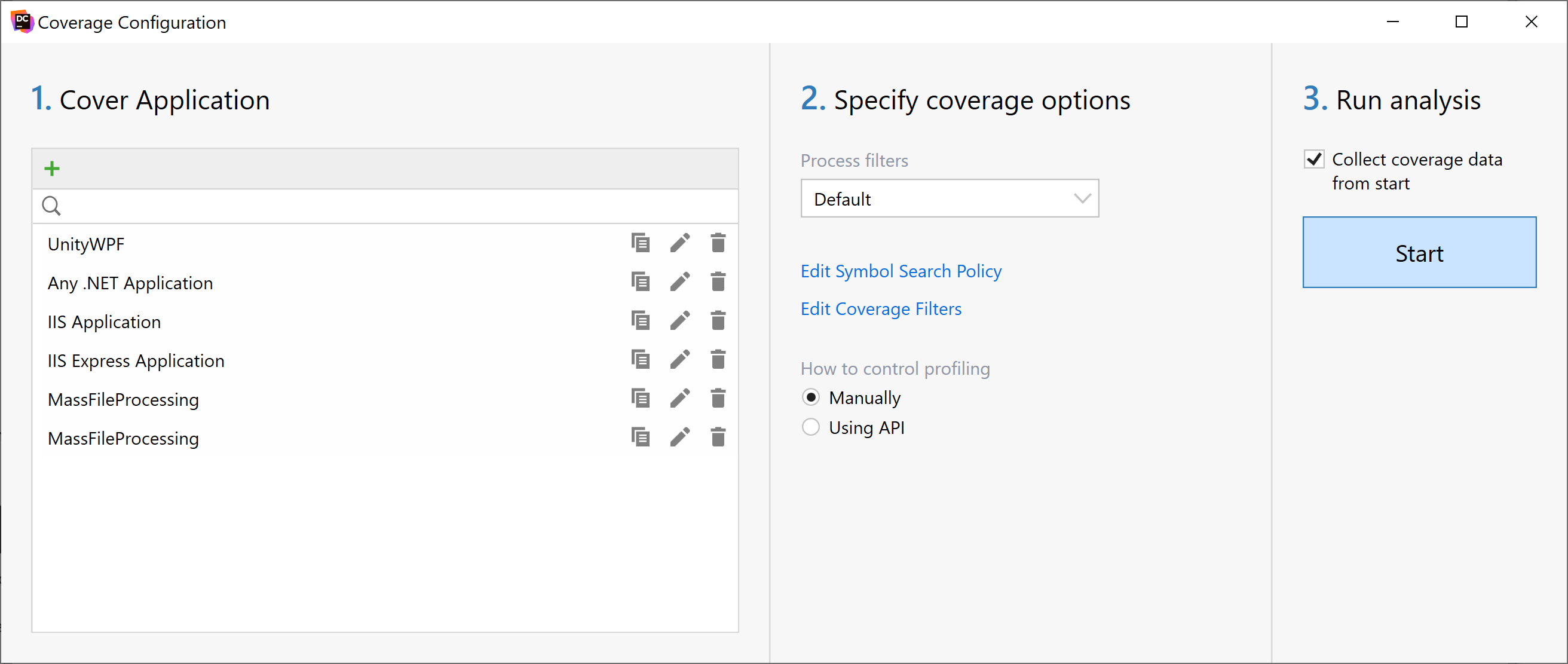
The window contains the following controls:
Add | Click to create a new run configuration. The run configuration specifies how dotCover should run the application you want to analyze. For example, for a standalone application, the run configuration includes the path to the application executable file and application command-line arguments. |
Process filters | Use this list to select existing or add new coverage filters. |
Edit Symbol Search Policy | Click this button to open the Edit Symbol Search Policy dialog and specify where to search for PDB information. 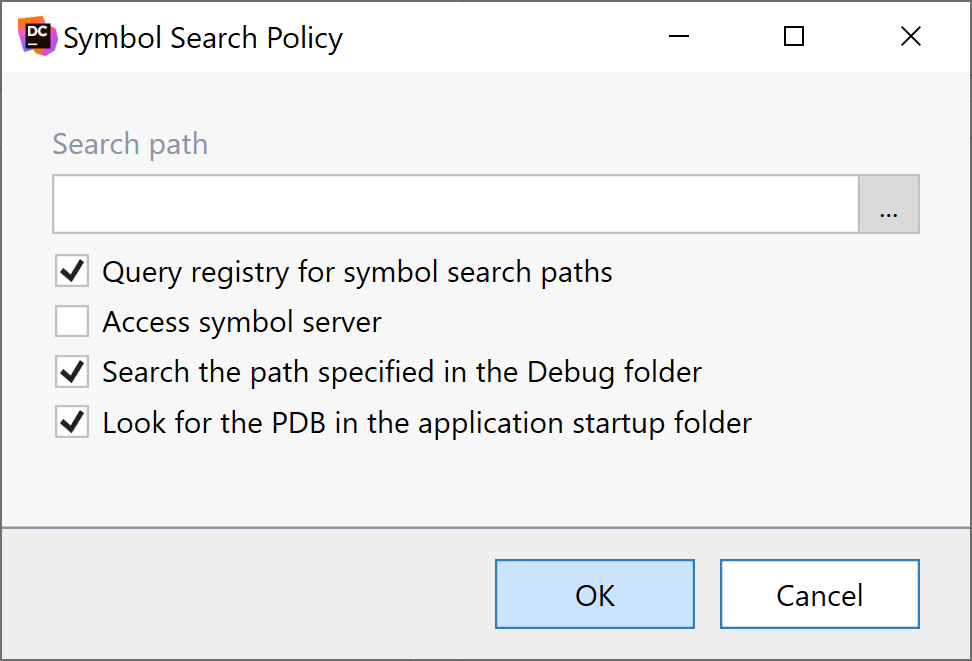 |
How to control profiling | Select how you want to control the session: Manually using the buttons of the Coverage Controller or using the API calls from the analyzed application. |
Collect coverage data from start | Select this checkbox to start recording coverage right after the target application is started under control of dotCover |
Application type: .NET and .NET Core Applications
Application | Specify the path to the executable (.exe) or library (.dll) file of the profiled application. |
Advanced options | |
Arguments | Optional. Specify command-line arguments if needed. |
Working directory | Optional. Specify working directory. If the working directory is not specified, it will be automatically set to the path that contains the application executable file. |
Cover child processes | Optional. Select this checkbox if you want to analyze coverage of child processes. |
Application type: Web Application on IIS Server (IIS)
Open URL | Optional. Select this checkbox if you want to specify explicitly an URL and a Web browser that should open after IIS Server starts. |
Application type: Windows Services
Service | Select a target .NET service from the list of installed services. |
Advanced options | |
Arguments | Optional. Specify command-line arguments if necessary. |
Start dependent services | Optional. Select this checkbox if you want to start services that depend on the target service. |