Providers & API keys
Use this page to configure access to models from third-party AI providers and locally hosted models.
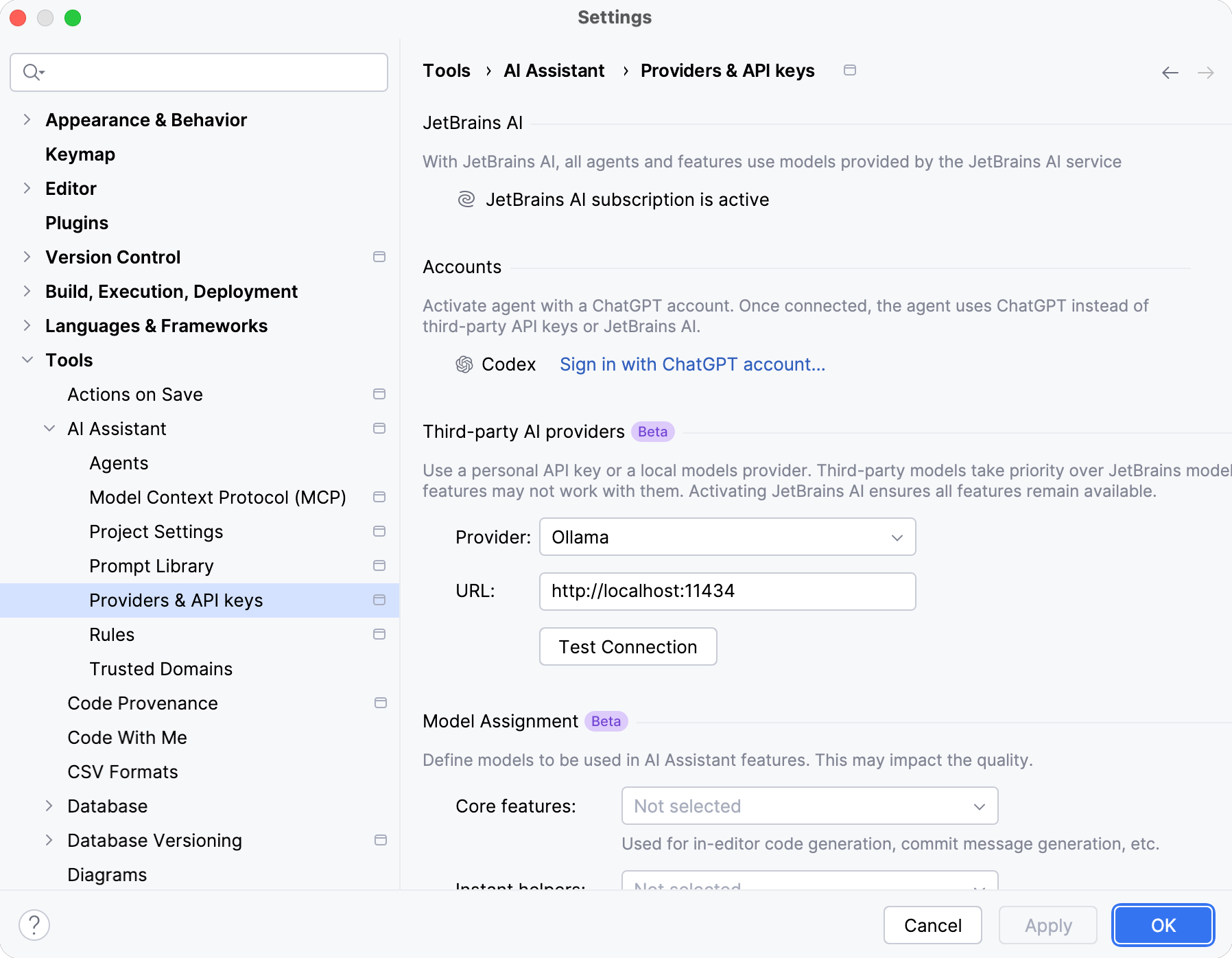
JetBrains AI
Item | Description |
|---|---|
Activate JetBrains AI | If you are using AI Assistant with models from third-party AI providers and want to additionally activate JetBrains AI to ensure full functionality, or if you previously logged out of JetBrains AI and need to log back in, click the Activate JetBrains AI button. |
For additional information, refer to Activate JetBrains AI.
Accounts
Item | Description |
|---|---|
Sign in with ChatGPT account | If you want to authenticate with your ChatGPT account to use the Codex agent, click the Sign in with ChatGPT account button. This allows you to use the agent, but other AI Assistant features remain unavailable. |
Log out | If you want to log out of your ChatGPT account, click Log out. |
For additional information, refer to Authenticate with a ChatGPT account.
Third-party AI providers
Item | Description |
|---|---|
Provider | Select the third-party AI provider (Anthropic, OpenAI, OpenAI-compatible, LM Studio, or Ollama) whose custom models you want to use. |
API Key | Specify the API key to access the models provided by the selected third-party AI provider. |
URL | Specify the URL of the provider’s API endpoint. This can point to a local server (for example, |
Tool calling | Specify whether the model supports calling tools configured through the Model Context Protocol (MCP). Available only for OpenAI-compatible providers. |
For additional information, refer to Use third-party and local models.
Model Assignment
Item | Description |
|---|---|
Core features | Select the custom model that must be used for in-editor code generation, commit message generation, as a default model in chat, and other core features. |
Instant helpers | Select the custom model that must be used for lightweight features, such as chat context collection, chat title generation, and name suggestions. |
Completion model | Select the custom model that must be used for inline code completion. Works only with Fill-in-the-Middle (FIM) models. |
Context window | Specify the size of the model context window for local models. This setting determines how much context the model can process at once. A larger window allows more context, while a smaller one reduces memory usage and may improve performance. By default, the context window is set to 64 000 tokens. For additional information, refer to Assign models to AI Assistant features. |
For additional information, refer to Assign models to AI Assistant features.