文件导航
RubyMine 提供工具和操作,让您可以快速定位并打开项目文件。
使用“选择中”弹出窗口导航
您可以在 Project 工具窗口中自动定位文件。
如果编辑器中打开了文件,请按 Alt+F1 打开 在…中选择 弹窗。
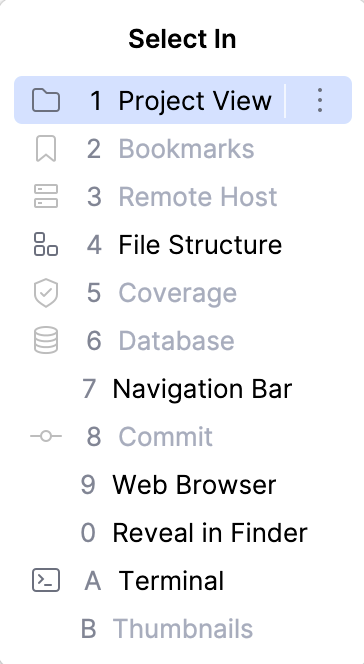
在弹出窗口中,选择 项目视图 并按下 Enter。 RubyMine 在 Project 工具窗口中定位您的目标。
使用导航栏导航到文件
请使用 导航栏 作为查找项目路径的便捷工具。
按 Alt+Home 激活导航栏。
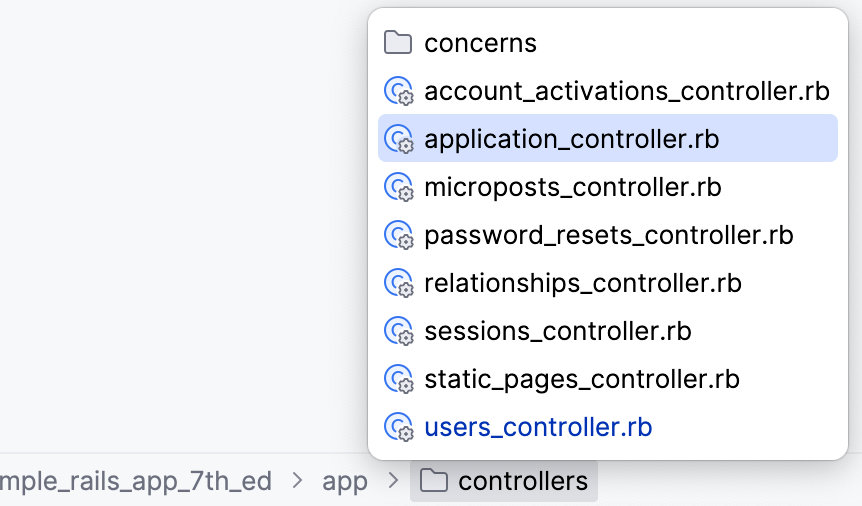
使用箭头键或鼠标指针定位所需文件。
双击选中的文件,或按 Enter 在编辑器中打开它。
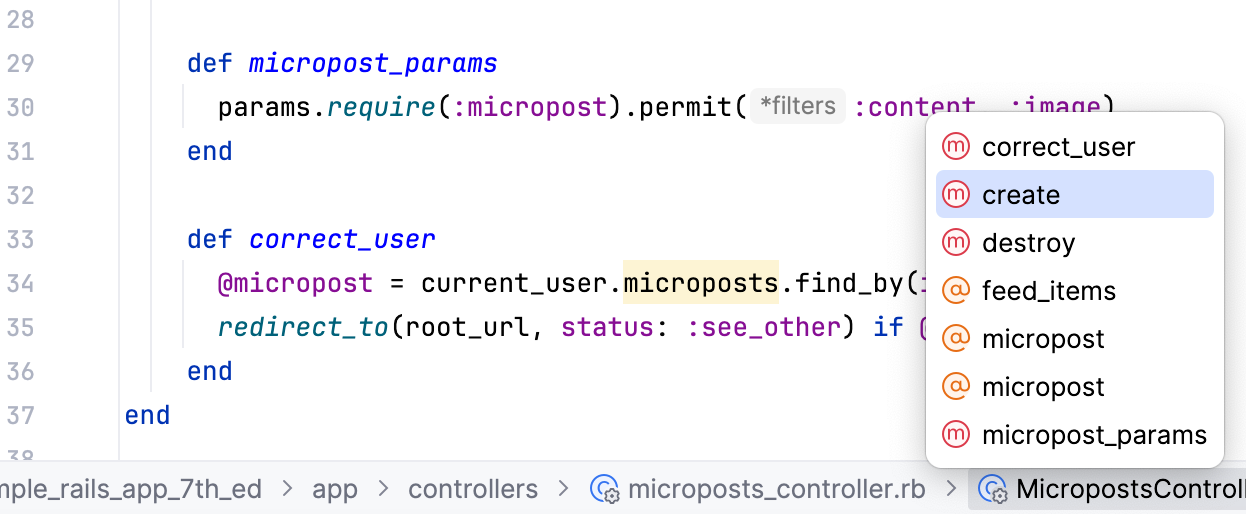
您可以单击导航栏中的 class 或接口以查看 方法 列表。 单击列出的某个 方法 可快速在编辑器中导航至该方法。
访问文件位置
您可以快速导航至当前正在编辑的文件的位置。
按 Ctrl+Alt+F12 ,或右键点击编辑器中的任意位置,并从上下文菜单中选择 。
浏览文件路径
您可以从当前正在编辑的文件路径访问目录中的任意位置。
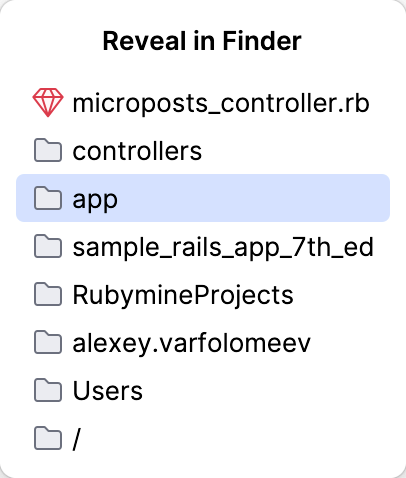
按 Ctrl+Alt+F12 ,或右键点击编辑器中的任意位置,并从上下文菜单中选择 。
在 在 Finder 中显示 弹窗中,选择要导航的位置并按 Enter。
2026年 7月 14日