C/C++ Unreal Blueprint 内联提示
可见性 | Use the selector to choose how inlay hints for type conversions should be displayed in the editor: choose 默认 to apply the general visibility preference from the page of JetBrains Rider 设置 , choose 始终显示 or 从不显示 to always show or hide hints, or choose 推送到提示 to hide the hints by default but show them when you press and hold Ctrl . |
蓝图类 | 如果您的游戏中有派生的 Blueprint 类,您可以直接在代码编辑器中看到相应的提示。 要获取所有继承者的列表,请右键单击提示并从上下文菜单中选择派生类选项,或在 C++ 类上调用 查找用法。 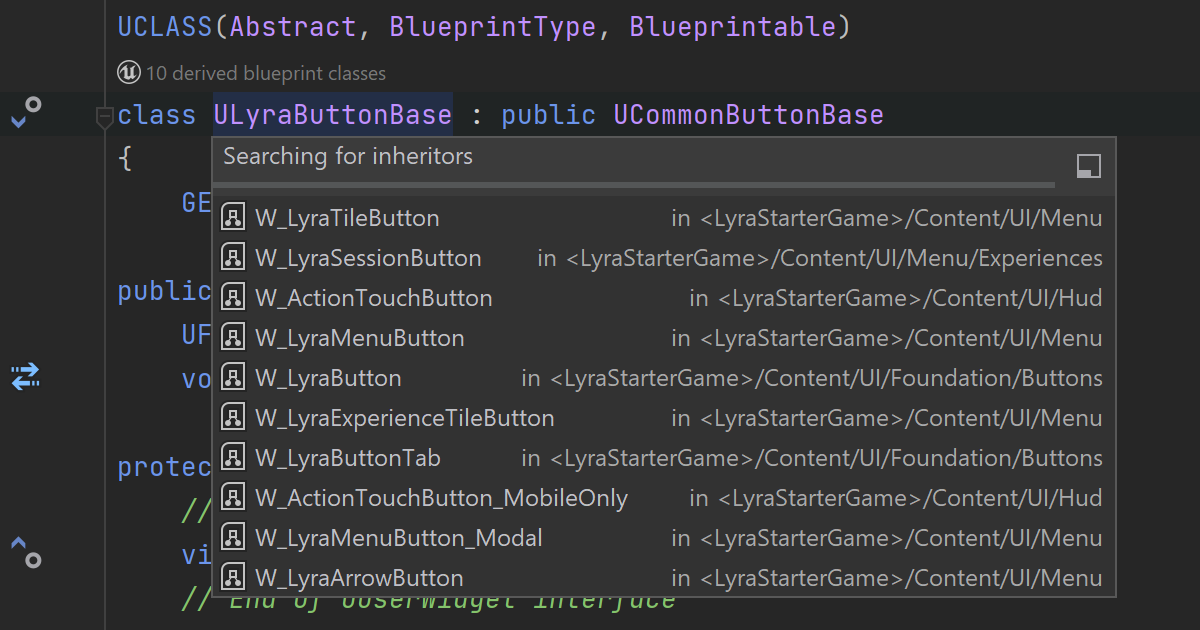 |
蓝图函数 | 您可以从提示的上下文菜单中获取有关在 Blueprints 中实现的 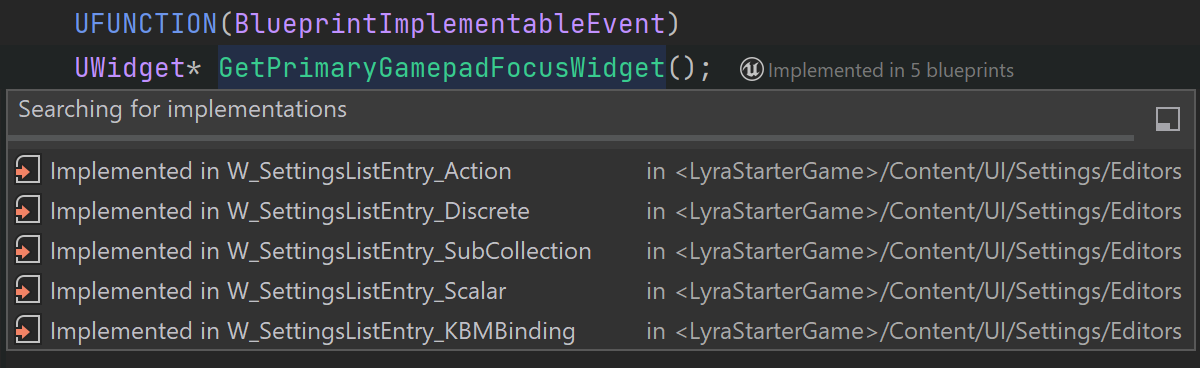 |
蓝图属性 | 您可以快速检查 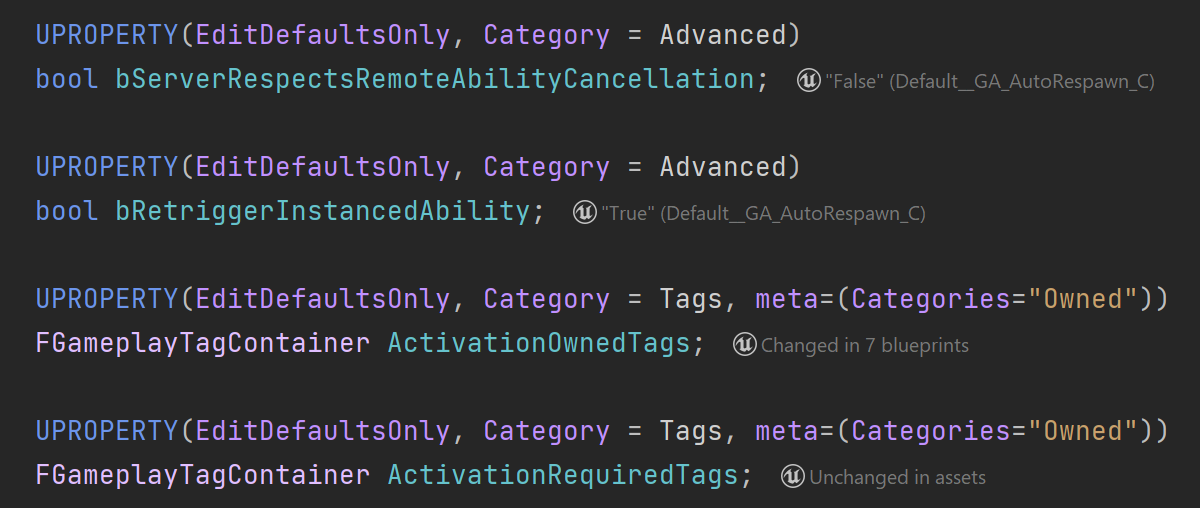 |
最后修改日期: 2025年 9月 26日