使用 Testify 工具包
这个 github.com/stretchr/testify 包是一个最受欢迎的的 Go 库,用于编写单元测试。 它提供了一组工具,如断言、模拟和套件,使编写 Go 测试更容易。 使用 Testify,您可以将套件和方法运行为常规测试函数。 有关此工具包的更多信息,请参阅 GitHub 上 Testify 的描述。
在本教程中,我们将在 main.go 文件中为以下应用程序生成和使用测试:
package math
// Add returns the sum of two integers.
func Add(a, b int) int {
return a + b
}
为 package 生成测试
打开要为其生成测试的 Go 文件。
在主菜单中,点击 。
在 生成 弹出窗口中,选择 包的测试。
IntelliJ IDEA 创建了一个包含表格测试模板的 _test.go 文件。
请修改生成的测试以使用 testify 工具包。 请考虑以下测试代码片段。
package math
import (
"github.com/stretchr/testify/assert"
"testing"
)
func TestAdd(t *testing.T) {
type args struct {
a int
b int
}
tests := []struct {
name string
args args
want int
}{
{"add positives", args{1, 2}, 3},
{"add negatives", args{-1, -2}, -3},
{"add positive and negative", args{-1, 1}, 1},
{"add zeros", args{0, 0}, 0},
}
for _, tt := range tests {
t.Run(tt.name, func(t *testing.T) {
result := Add(tt.args.a, tt.args.b)
assert.Equal(t, tt.want, result, "they should be equal")
})
}
}
IntelliJ IDEA 已自动添加以下导入声明: "github.com/stretchr/testify/assert"。
同步缺失的依赖项
点击缺失的 import 声明。
按 Alt+Enter 并选择 修复缺失的依赖项。
使用 testify 运行测试
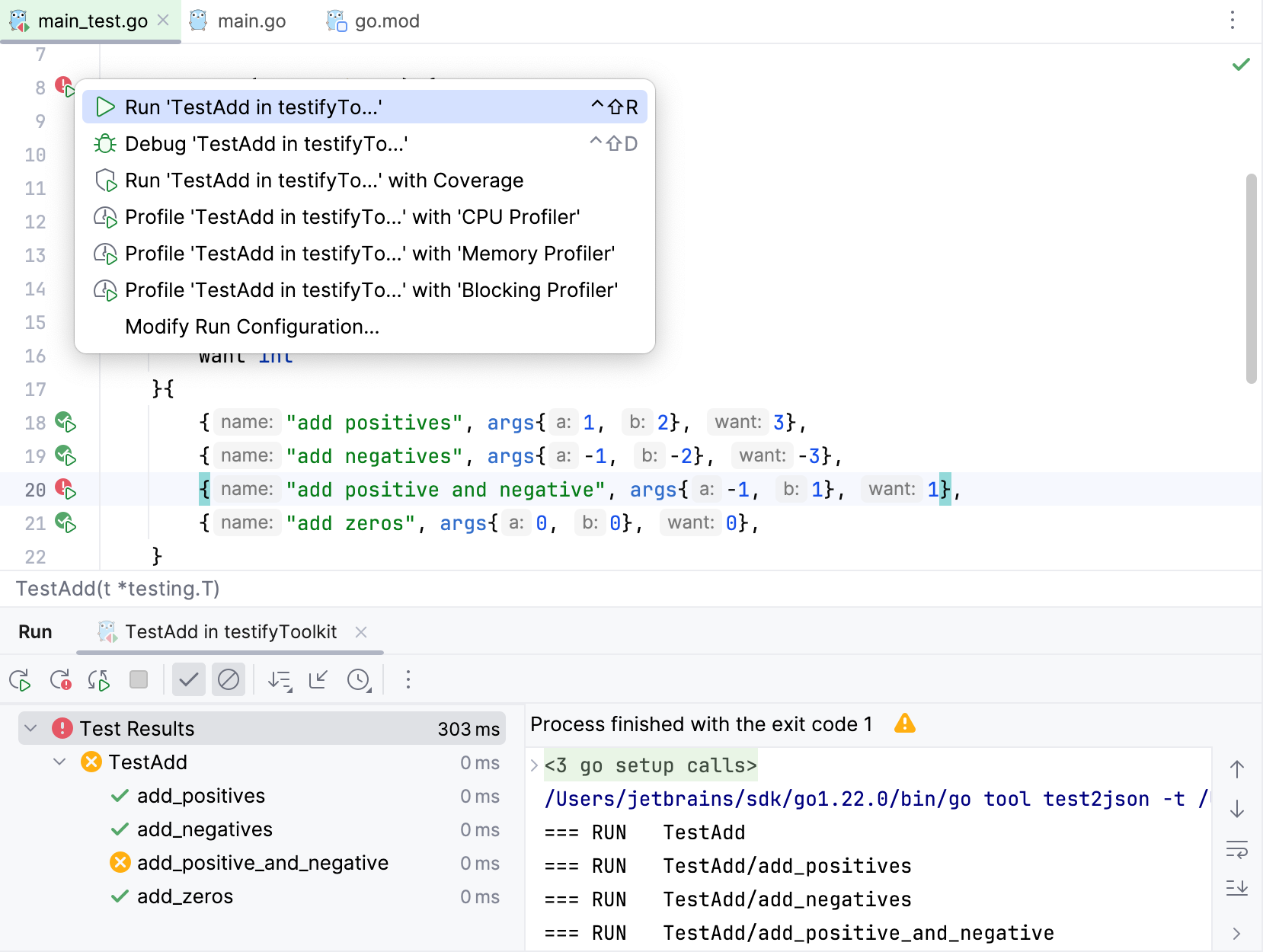
点击 运行测试 图标
 然后选择 运行<configuration>。
您还可以根据需要运行单个表格测试。
比较预期值和实际值
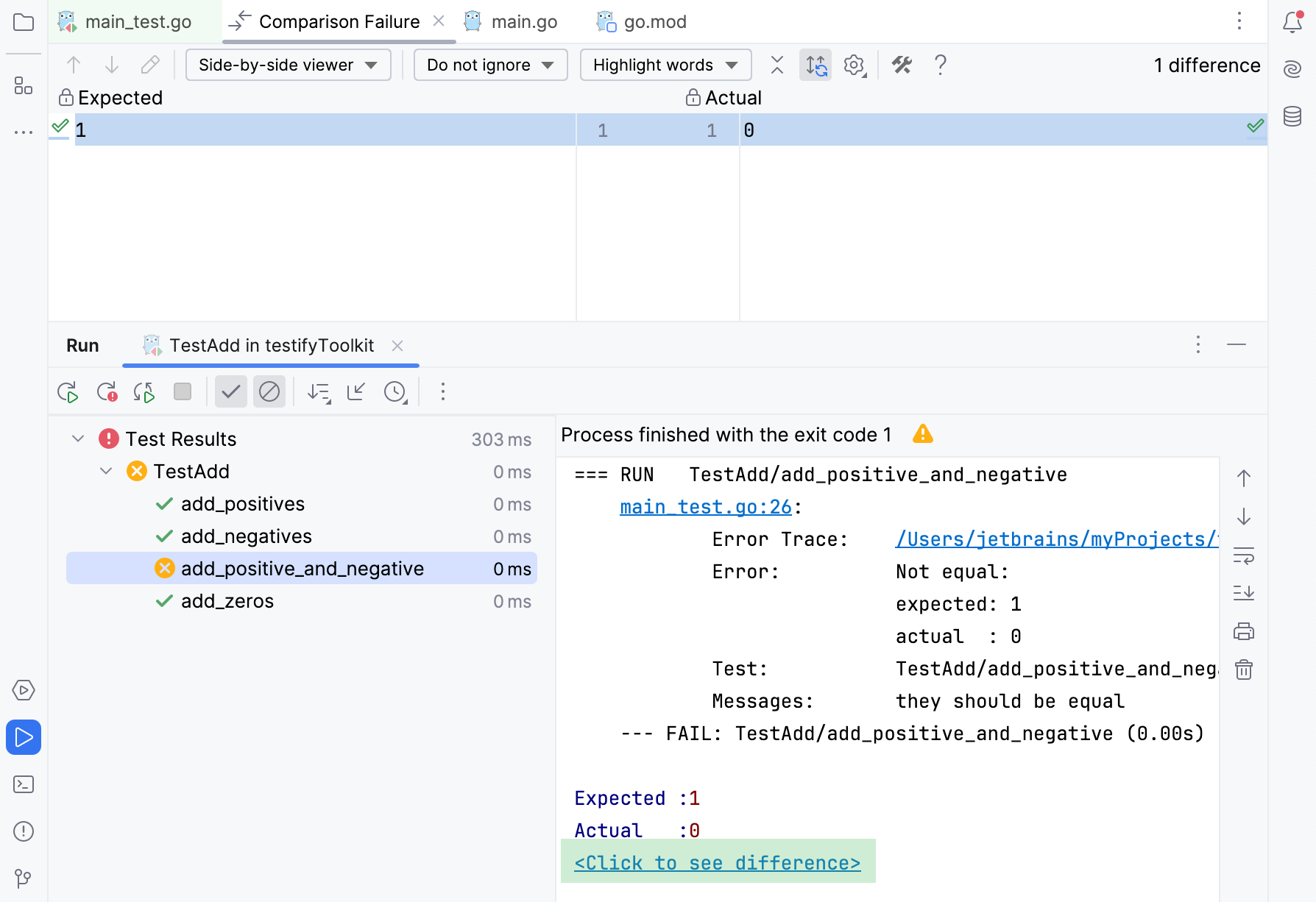
对于断言失败的测试,您可以比较预期值和实际值。
对于断言失败的测试,您可以比较预期值和实际值。 要查看差异,请点击 点击查看差异 链接,位于 运行 窗格中。
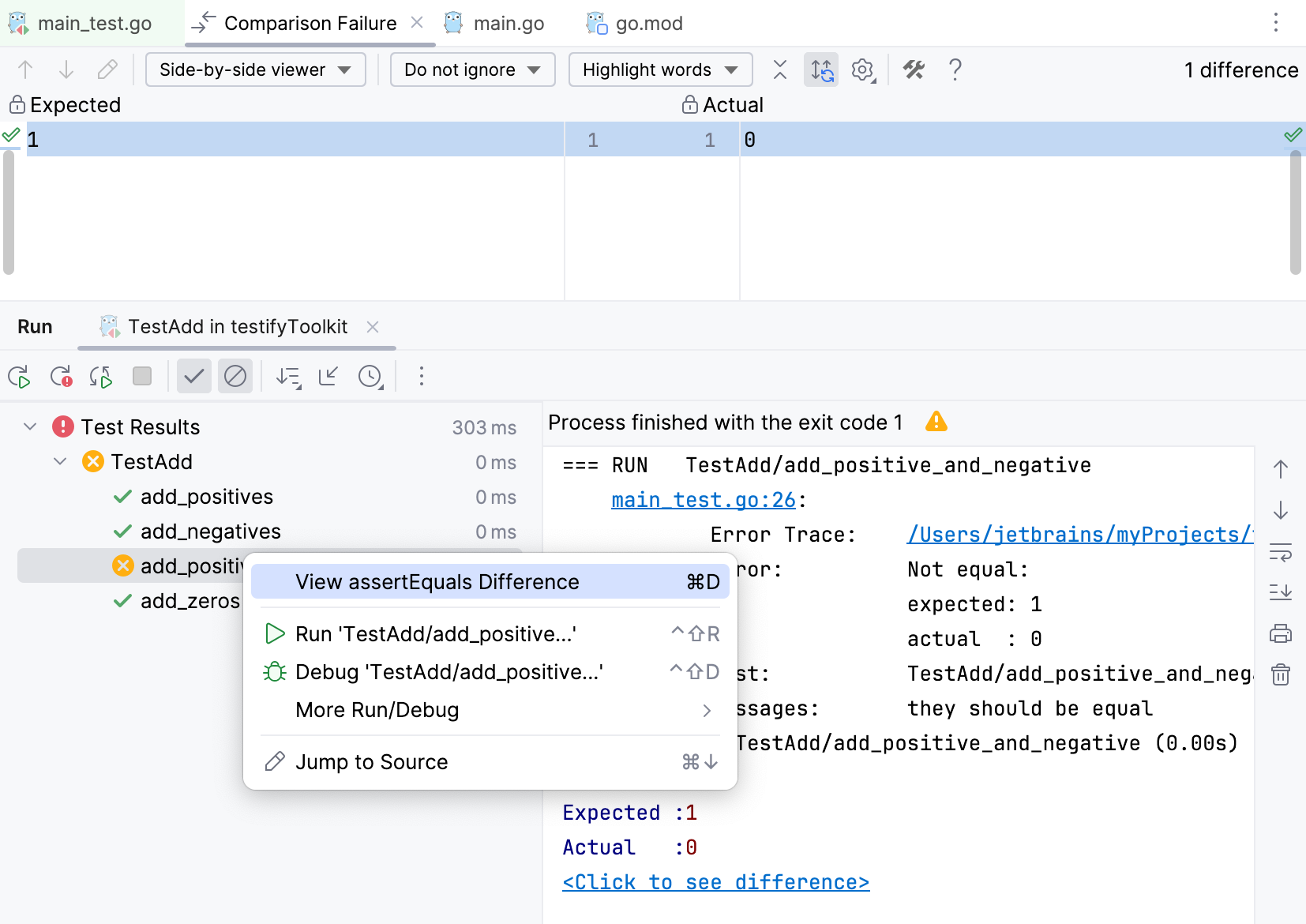
右键点击失败的测试并选择 查看差异。 或者按 Ctrl+D。
2026年 7月 14日