Spring Boot REST API 教程,第 4 部分:在 H2 中存储数据并打包 JAR 从 Spring Boot REST API 教程,第 3 部分:上传和下载文件 继续。 用 H2 数据库替换内存中的映射,以便照片在重启后仍然存在,然后打包应用程序并在 IntelliJ IDEA 外部运行。
创建项目时,已将 H2 和 Spring Data JDBC 添加为项目依赖项。 H2 是一个以 Java 库形式编写的数据库,它在应用程序内部运行。 Spring Data JDBC 将对象映射到数据库行,并为仓库操作提供 SQL。
H2 可以将数据保留在内存中,但这样会在关闭时丢失照片,就像当前的映射一样。 改为将其指向一个文件,然后定义一个表,其列对应照片字段。
在 application.properties 中,添加基于文件的数据源并启用架构初始化:
spring.datasource.url=jdbc:h2:file:~/photos-demo-db
spring.sql.init.mode=always
jdbc:h2:file: 指示 H2 使用本地文件, ~ 表示主目录,因此 ~/photos-demo-db 是该文件的路径。
spring.sql.init.mode=always 指示 Spring Boot 在启动时运行 schema.sql 。
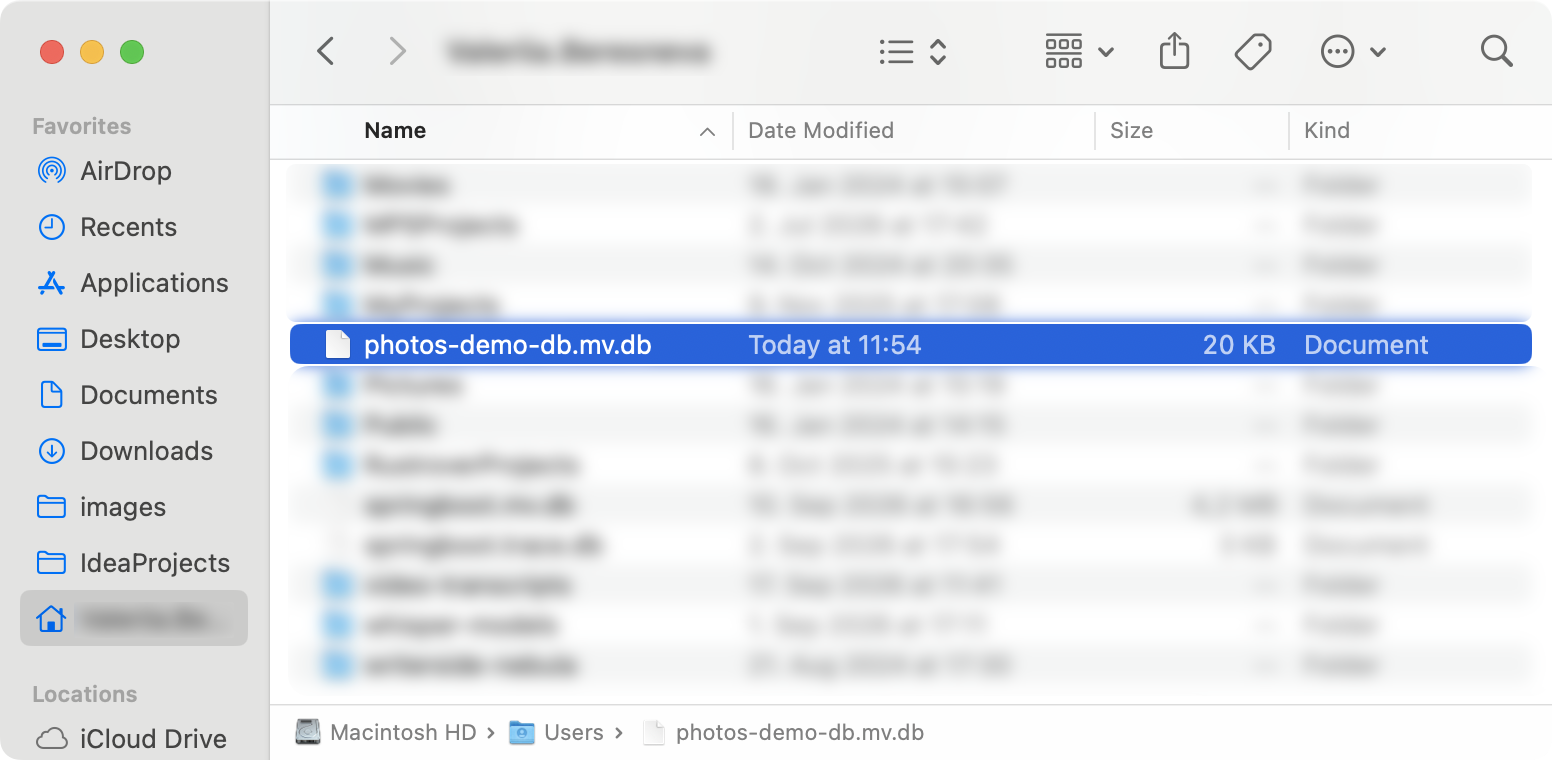
重启应用程序以检查文件是否已创建。 在 Finder 或 Explorer 中打开主目录。
H2 会将 .mv.db 追加到你提供的名称后面,因此文件是 photos-demo-db.mv.db 。
这一个文件就是整个数据库。 可以复制它并在另一台已安装 Java 的计算机上打开,但不要忘记先停止应用程序。
数据库中还没有表。 Spring Boot 可以在启动时创建它们,并且有多种方式可以实现。 本教程使用一个由 Spring 在启动时运行的 SQL 文件。
在 src/main/resources 中,创建一个名为 schema.sql 的新文件:
create table if not exists photos (
id bigint generated by default as identity primary key,
file_name varchar(255),
content_type varchar(255),
data blob
);
这些列与 Photo 上的字段匹配。 数据库生成标识符, blob 存储图像字节。
if not exists 允许重复启动,但在编辑架构时不会更新现有表。 在本教程中,若要重新创建表,请停止应用程序并从主目录中删除 photos-demo-db.mv.db 。 这会移除所有已存储的照片。
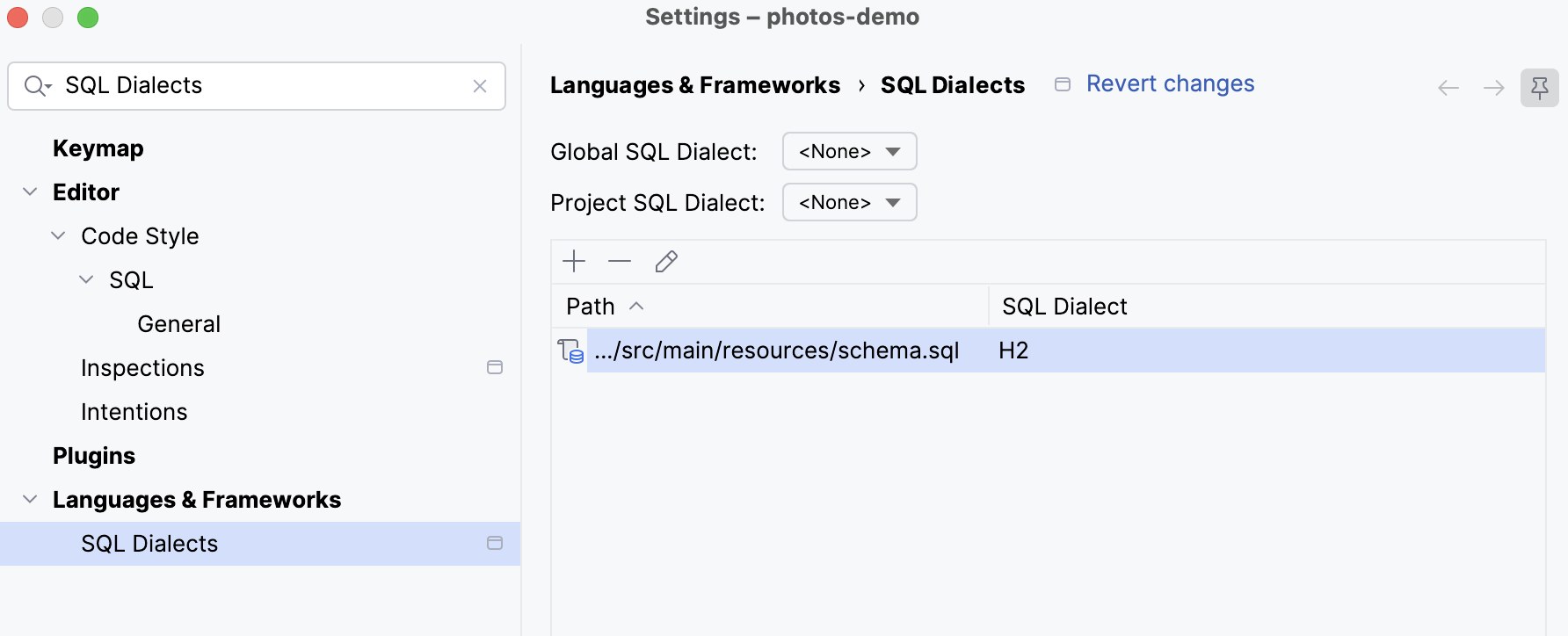
若要配置 SQL 辅助功能,请打开 。 点击 添加 ,在文件选择器中选择项目目录,并将其 SQL 方言设置为 H2 。
设置方言后,IntelliJ IDEA 会在输入时高亮显示语句中的错误,包括缺失的分号。
创建 Spring Data JDBC 仓库 架构定义照片的存储位置。 仓库为 Java 代码提供读取和写入它们的操作。 Spring Data 使用模型映射在 Photo 和表中的行之间进行转换。
创建一个 repository 软件包,放在 service 旁边,并添加一个名称为 PhotosRepository 的 接口 :
public interface PhotosRepository extends CrudRepository<Photo, Integer> {
}
CrudRepository 提供用于保存、查找和删除照片的方法。 其类型形参指定模型和标识符类型。 无需编写实现类:Spring 会为此接口创建一个实现,并为这些操作提供 SQL。
在 Photo 中,添加映射注解(@Table("PHOTOS") 和 @Id ),并将标识符(id )字段、getter 和 setter 更改为 Integer。 保持无实参构造函数和其他访问器不变:
@Table("PHOTOS")
public class Photo {
@Id
private Integer id;
private String fileName;
private String contentType;
@JsonIgnore
private byte[] data;
public Integer getId() {
return id;
}
public void setId(Integer id) {
this.id = id;
}
// no-argument constructor and the other accessors unchanged
}
使用 org.springframework.data.annotation.Id 和 org.springframework.data.relational.core.mapping.Table 作为导入。
@Table("PHOTOS") 与 H2 的大写表名称匹配, @Id 标识主键。 其他字段按名称映射: fileName 变为 file_name, contentType 变为 content_type。
用仓库替换内存中的映射 控制器已经向服务请求照片。 现在更改服务获取它们的位置:每个映射操作都变为一次仓库调用。 当仓库保存新照片时,数据库会生成其标识符,替换之前由服务生成的 UUID。
在 PhotosService 中,移除映射字段,并添加仓库字段和构造函数:
@Service
public class PhotosService {
private final PhotosRepository photosRepository;
public PhotosService(PhotosRepository photosRepository) {
this.photosRepository = photosRepository;
}
}
Spring inject 仓库实现,就像 inject 服务到控制器中一样。
将服务方法替换为这些仓库调用:
public Iterable<Photo> get() {
return photosRepository.findAll();
}
public Photo get(Integer id) {
return photosRepository.findById(id).orElse(null);
}
public void remove(Integer id) {
photosRepository.deleteById(id);
}
public Photo save(String fileName, String contentType, byte[] data) {
Photo photo = new Photo();
photo.setFileName(fileName);
photo.setContentType(contentType);
photo.setData(data);
return photosRepository.save(photo);
}
仓库方法的返回值类型与映射操作不同。 findAll() 返回 Iterable ,因此服务也公开该类型。 findById() 返回 Optional ,其中可以包含照片,也可以为空。 调用 orElse(null) 可让控制器中现有的缺失照片检查继续工作。
deleteById() 不返回任何内容,因此 remove() 无法再返回已删除的照片。 下一个过程会根据这些签名更改调整控制器。
save() 返回带有数据库生成标识符的已保存照片,因此服务不再分配 UUID。
更新控制器方法 在 PhotosController 和 DownloadController 中,将每个 @PathVariable String id 更改为 @PathVariable Integer id。
在 PhotosController 中,更新列表端点以返回 Iterable:
@GetMapping("/photos")
public Iterable<Photo> get() {
return photosService.get();
}
响应仍然是 JSON 数组。
更新删除端点,使其调用服务而不检查返回值:
@DeleteMapping("/photos/{id}")
public void delete(@PathVariable Integer id) {
photosService.remove(id);
}
删除缺失的照片现在返回 200 而不是 404,因为仓库删除操作不会报告该照片是否存在。
检查照片在重启后是否仍然存在 上传并列出照片会检查仓库调用。 重启会增加持久性检查:应用程序必须在内存状态消失后从数据库文件中检索照片。
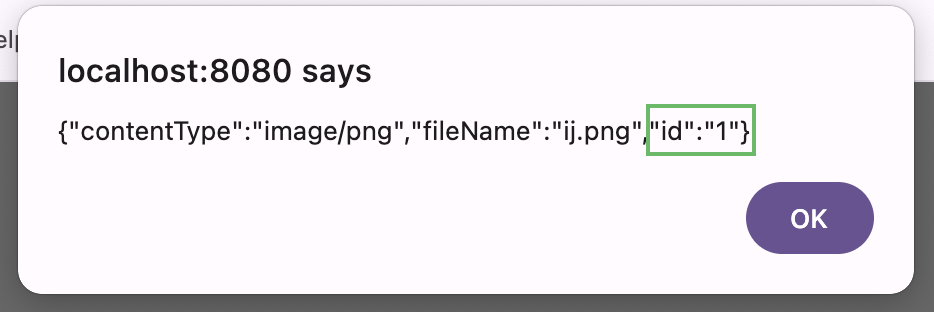
重启应用程序并从 http://localhost:8080/upload.html 上传图像。 响应包含由数据库分配的数字标识符。
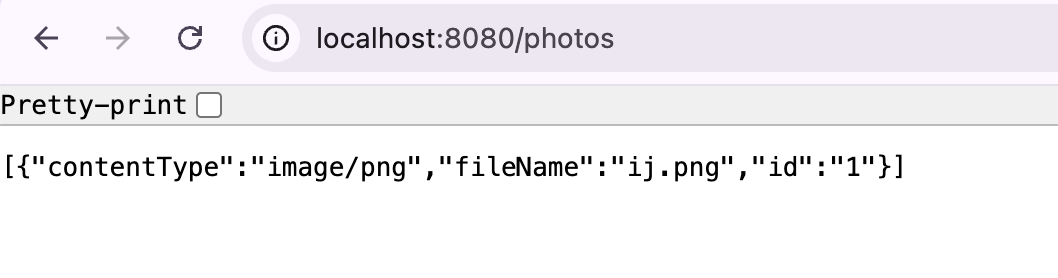
停止应用程序,再次启动它,然后打开 http://localhost:8080/photos。 该照片仍然列出,因为它现在位于文件中,而不是位于新进程创建的空映射中。
在 http://localhost:8080/download/<id> 使用其标识符下载已存储的图像。
将应用程序打包为可执行 JAR 到目前为止,你一直从 IntelliJ IDEA 启动应用程序。 打包会生成一个可执行 JAR,其中包含代码、依赖项和嵌入式 web 服务器。 它可在 IDE 外部使用兼容的 Java 运行时运行,而无需安装单独的应用程序服务器。
在 IntelliJ IDEA 中停止应用程序,以释放端口 8080 和数据库文件。 Maven 构建会运行打开同一数据库的测试,因此如果应用程序仍在运行,可能会因为数据库文件被锁定而导致构建失败。
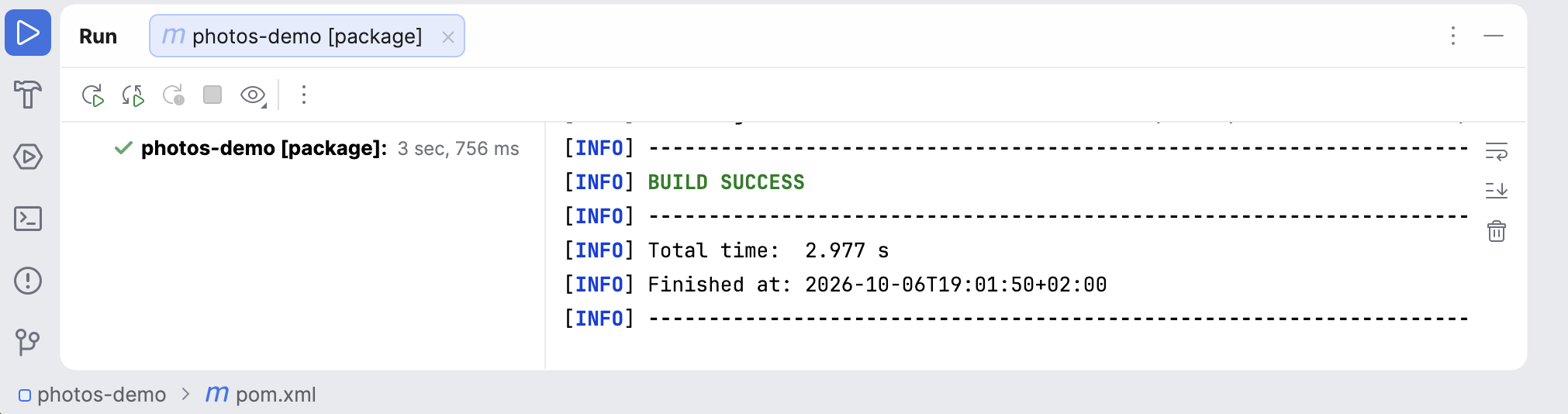
打开 Maven 工具窗口,展开 ,然后双击 package 。 等待构建成功。
IntelliJ IDEA 运行构建,并在 运行 工具窗口中报告进度。 留意确认构建成功的行 — package 阶段会先编译代码并运行测试,因此测试失败会在此处停止构建。
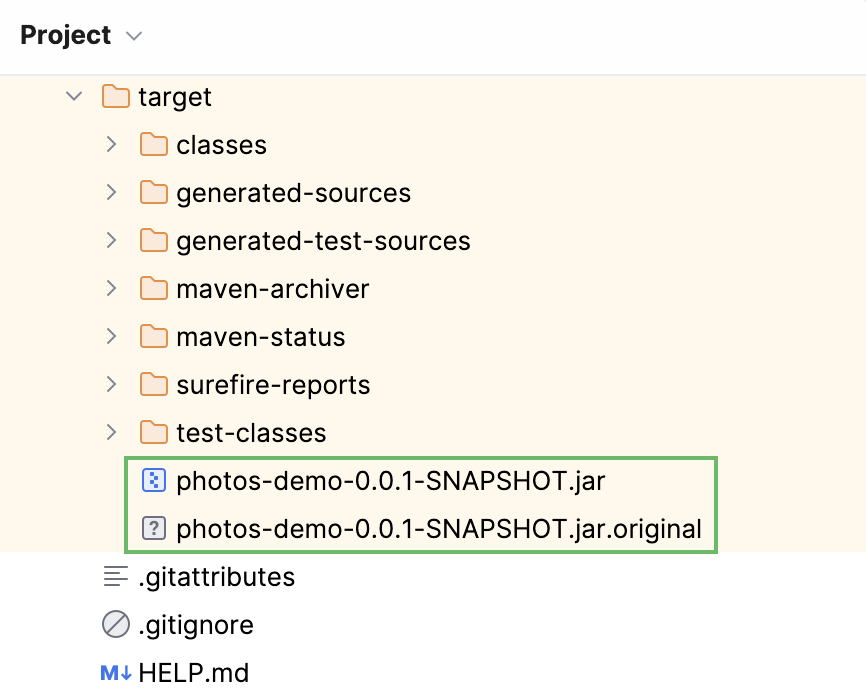
在 target 目录中找到 photos-demo-0.0.1-SNAPSHOT.jar 。
使用这个可执行 JAR; .jar.original 文件是不含捆绑依赖项的原始归档。
在终端中,切换到 target 目录并运行:
java -jar photos-demo-0.0.1-SNAPSHOT.jar
打开 http://localhost:8080/photos。 上传的照片仍然列出,因为此进程使用主目录中的同一个数据库文件。 将 JAR 复制到另一台计算机会转移应用程序,但不会转移此数据库。
检查代码 如果应用程序未按预期工作,请将文件与下面的代码进行比较。 未列出 PhotosDemoApplication ,因为 Spring Initializr 生成它后它不会再更改。
package com.jetbrains.photos.demo.model;
import com.fasterxml.jackson.annotation.JsonIgnore;
import org.springframework.data.annotation.Id;
import org.springframework.data.relational.core.mapping.Table;
@Table("PHOTOS")
public class Photo {
@Id
private Integer id;
private String fileName;
private String contentType;
@JsonIgnore
private byte[] data;
public Photo() {
}
public Integer getId() {
return id;
}
public void setId(Integer id) {
this.id = id;
}
public String getFileName() {
return fileName;
}
public void setFileName(String fileName) {
this.fileName = fileName;
}
public String getContentType() {
return contentType;
}
public void setContentType(String contentType) {
this.contentType = contentType;
}
public byte[] getData() {
return data;
}
public void setData(byte[] data) {
this.data = data;
}
}
package com.jetbrains.photos.demo.repository;
import com.jetbrains.photos.demo.model.Photo;
import org.springframework.data.repository.CrudRepository;
public interface PhotosRepository extends CrudRepository<Photo, Integer> {
}
package com.jetbrains.photos.demo.service;
import com.jetbrains.photos.demo.model.Photo;
import com.jetbrains.photos.demo.repository.PhotosRepository;
import org.springframework.stereotype.Service;
@Service
public class PhotosService {
private final PhotosRepository photosRepository;
public PhotosService(PhotosRepository photosRepository) {
this.photosRepository = photosRepository;
}
public Iterable<Photo> get() {
return photosRepository.findAll();
}
public Photo get(Integer id) {
return photosRepository.findById(id).orElse(null);
}
public void remove(Integer id) {
photosRepository.deleteById(id);
}
public Photo save(String fileName, String contentType, byte[] data) {
Photo photo = new Photo();
photo.setFileName(fileName);
photo.setContentType(contentType);
photo.setData(data);
return photosRepository.save(photo);
}
}
package com.jetbrains.photos.demo.web;
import com.jetbrains.photos.demo.model.Photo;
import com.jetbrains.photos.demo.service.PhotosService;
import org.springframework.http.HttpStatus;
import org.springframework.web.bind.annotation.DeleteMapping;
import org.springframework.web.bind.annotation.GetMapping;
import org.springframework.web.bind.annotation.PathVariable;
import org.springframework.web.bind.annotation.PostMapping;
import org.springframework.web.bind.annotation.RequestPart;
import org.springframework.web.bind.annotation.RestController;
import org.springframework.web.multipart.MultipartFile;
import org.springframework.web.server.ResponseStatusException;
import java.io.IOException;
@RestController
public class PhotosController {
private final PhotosService photosService;
public PhotosController(PhotosService photosService) {
this.photosService = photosService;
}
@GetMapping("/")
public String hello() {
return "Hello World";
}
@GetMapping("/photos")
public Iterable<Photo> get() {
return photosService.get();
}
@GetMapping("/photos/{id}")
public Photo get(@PathVariable Integer id) {
Photo photo = photosService.get(id);
if (photo == null) {
throw new ResponseStatusException(HttpStatus.NOT_FOUND);
}
return photo;
}
@DeleteMapping("/photos/{id}")
public void delete(@PathVariable Integer id) {
photosService.remove(id);
}
@PostMapping("/photos")
public Photo create(@RequestPart("data") MultipartFile file) throws IOException {
return photosService.save(file.getOriginalFilename(), file.getContentType(), file.getBytes());
}
}
package com.jetbrains.photos.demo.web;
import com.jetbrains.photos.demo.model.Photo;
import com.jetbrains.photos.demo.service.PhotosService;
import org.springframework.http.ContentDisposition;
import org.springframework.http.HttpHeaders;
import org.springframework.http.HttpStatus;
import org.springframework.http.MediaType;
import org.springframework.http.ResponseEntity;
import org.springframework.web.bind.annotation.GetMapping;
import org.springframework.web.bind.annotation.PathVariable;
import org.springframework.web.bind.annotation.RestController;
import org.springframework.web.server.ResponseStatusException;
@RestController
public class DownloadController {
private final PhotosService photosService;
public DownloadController(PhotosService photosService) {
this.photosService = photosService;
}
@GetMapping("/download/{id}")
public ResponseEntity<byte[]> download(@PathVariable Integer id) {
Photo photo = photosService.get(id);
if (photo == null) {
throw new ResponseStatusException(HttpStatus.NOT_FOUND);
}
HttpHeaders headers = new HttpHeaders();
headers.setContentType(MediaType.valueOf(photo.getContentType()));
headers.setContentDisposition(
ContentDisposition.builder("attachment")
.filename(photo.getFileName())
.build());
return new ResponseEntity<>(photo.getData(), headers, HttpStatus.OK);
}
}
spring.application.name=photos-demo
spring.servlet.multipart.max-file-size=100MB
spring.servlet.multipart.max-request-size=100MB
spring.datasource.url=jdbc:h2:file:~/photos-demo-db
spring.sql.init.mode=always
create table if not exists photos (
id bigint generated by default as identity primary key,
file_name varchar(255),
content_type varchar(255),
data blob
);
<!DOCTYPE html>
<html lang="en">
<head>
<meta charset="UTF-8">
<title>Photo Upload</title>
</head>
<body>
<h2>Photo Upload</h2>
<input id="fileupload" type="file" name="fileupload"/>
<button id="upload-button" onclick="uploadFile()">Upload</button>
<script>
async function uploadFile() {
let formData = new FormData();
formData.append("data", fileupload.files[0]);
await fetch("http://localhost:8080/photos", {
method: "POST",
body: formData
}).then(result => result.text())
.then(text => alert(text));
}
</script>
</body>
</html>
总结和后续步骤 你已经使用 Spring Boot 构建了一个照片共享 REST API。 在本教程的四个部分中,你已:
在 IntelliJ IDEA 中 创建 并 运行 了 Spring Boot 项目。
添加了用于 列出 、 检索 和 删除 照片的 REST 端点。
通过 共享服务和构造函数注入 ,将照片存储与请求处理分离。
添加了 文件上传 和一个 下载端点 ,该端点返回带有原始文件名称的图像。
使用 Spring Data JDBC 将 照片存储 在 H2 中,并 检查 它们在应用程序重启后是否仍然存在。
使用 Maven 构建 了可执行 JAR,并在 IDE 外部运行了应用程序。
要继续开展该项目,请在 测试驱动开发教程 中学习如何编写和运行测试,并使用 Git 基础教程 跟踪更改。
有关配置和扩展 Spring Boot 应用程序的更多信息,请参阅 Spring Boot 文档 。
2026年 11月 3日
 添加 ,在文件选择器中选择项目目录,并将其 SQL 方言设置为 H2。