
Introducing the AWS Toolkit for Rider
Video walkthrough.
The AWS team provides a powerful and maintained Rider plugin for working with AWS. This video provides a walkthrough. Though it is from a few years ago, the concepts remain similar. Let's summarize what it covers.
Install plugin and dependencies
To get started, first install the AWS Toolkit Plugin:
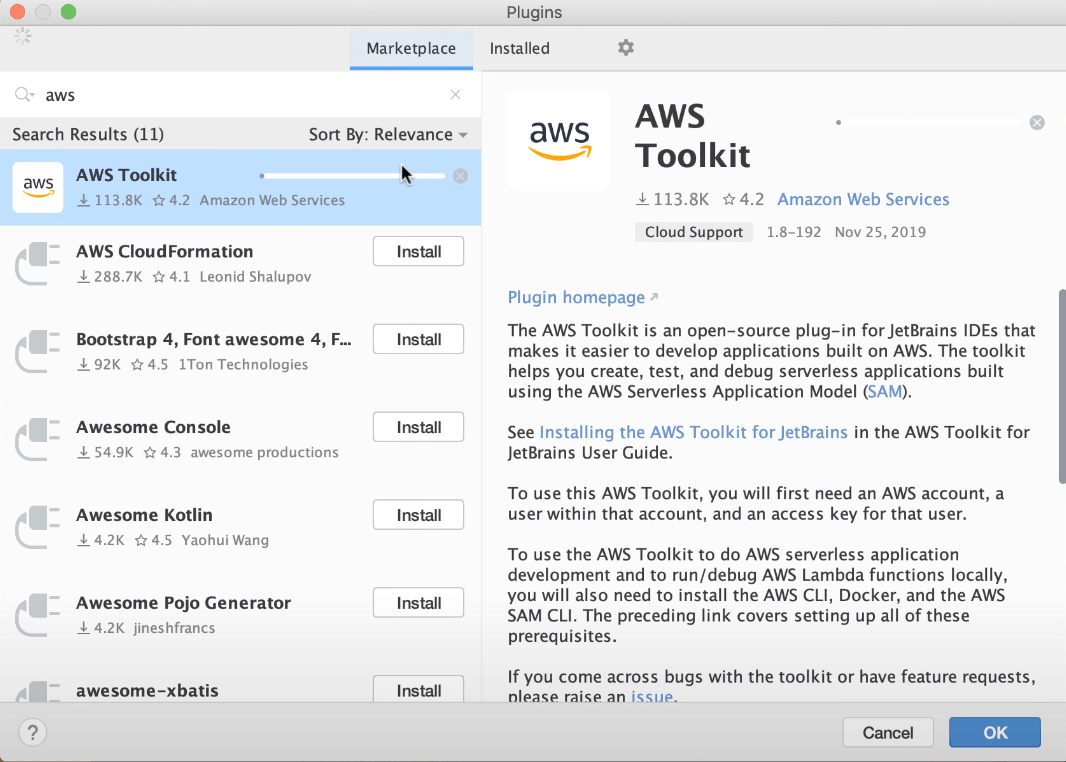
The plugin presumes you have the necessary tools installed on your computer. First, the AWS and SAM CLI packages. And of course, a compatible installation of .NET Core.
Finally, Docker is used in the plugin's toolchain (and in AWS), so make sure you have a local installation.
Working with AWS Lambda
Rider project templates make it easy to get started in certain technologies. The AWS Toolkit
plugin provides a project template for AWS Serverless Application:
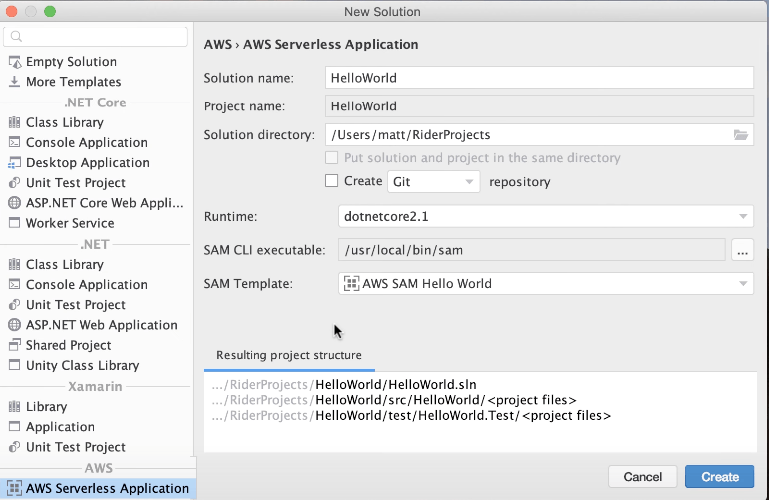
This template gives you a great starting point: a README, test project for doing in-IDE testing, example CloudFormation YAML file, and more.
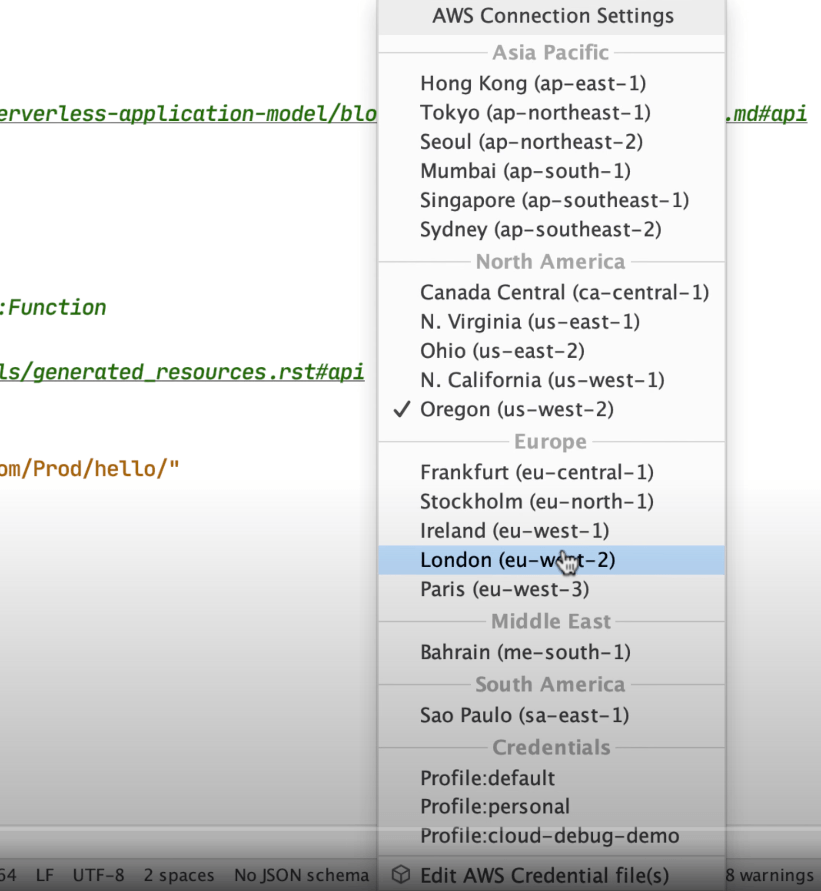
The plugin also adds a status bar widget where you can supply credentials and connection information:
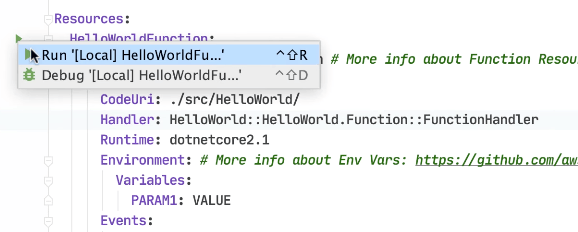
When it's time to run a lambda resource, gutter icons make it easy for running or debugging. This creates a run configuration where you can specify inputs to the lambda. Running (or debugging) then uses AWS tooling to build the application and create Docker image.
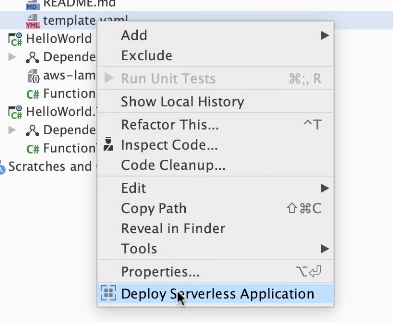
Deployments are simple: right-click on template.yaml and choose Deploy serverless application:
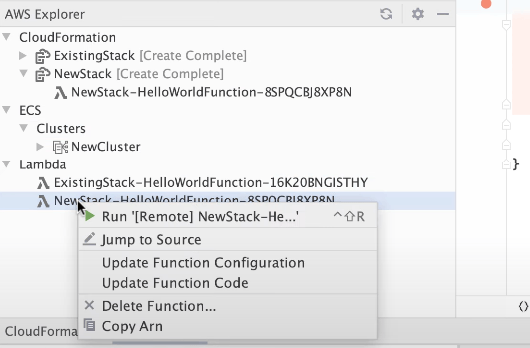
Once deployed, use AWS Explorer to work with your CloudFormation stacks and deployed lambdas.
Cloud Debugging
AWS Toolkit supports debugging in the cloud for non-production environments.
Choose a role that AWS will use to set up cloud debugging. Once the service is configured, you will spot a new service in the AWS Explorer:
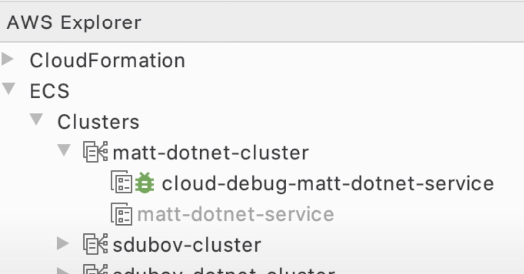
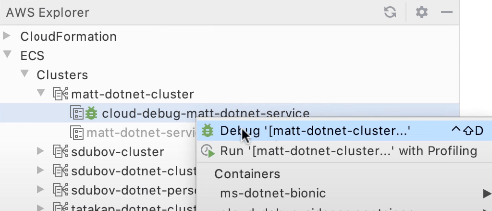
When you debug the service, a new run/debug configuration will be created. This syncs local project with the remote debug target.
Conclusion
This video covered getting started with the AWS Toolkit plugin and credential/connection management, working with lambdas, and cloud debugging. Check out the JetBrains AWS page for more information.