YouTrack Helpdesk Now Includes Customer Groups
YouTrack Helpdesk now supports customer groups, helping B2B support agents tailor the support experience to different clients. Support teams can manage tickets by company, team, or organization, maintain different SLAs, assign support agents to specific groups, and apply customer-specific rules. Multiple reporters from the same group can share tickets, follow updates, comment, and stay informed without agents having to manually add each person.
Other updates in this release include improvements to Whiteboards, redesigned Gantt charts for project planning, enhanced MCP connections for AI tools, new import options for teams moving from ClickUp or Asana, and more apps on JetBrains Marketplace.
Customer groups in YouTrack Helpdesk
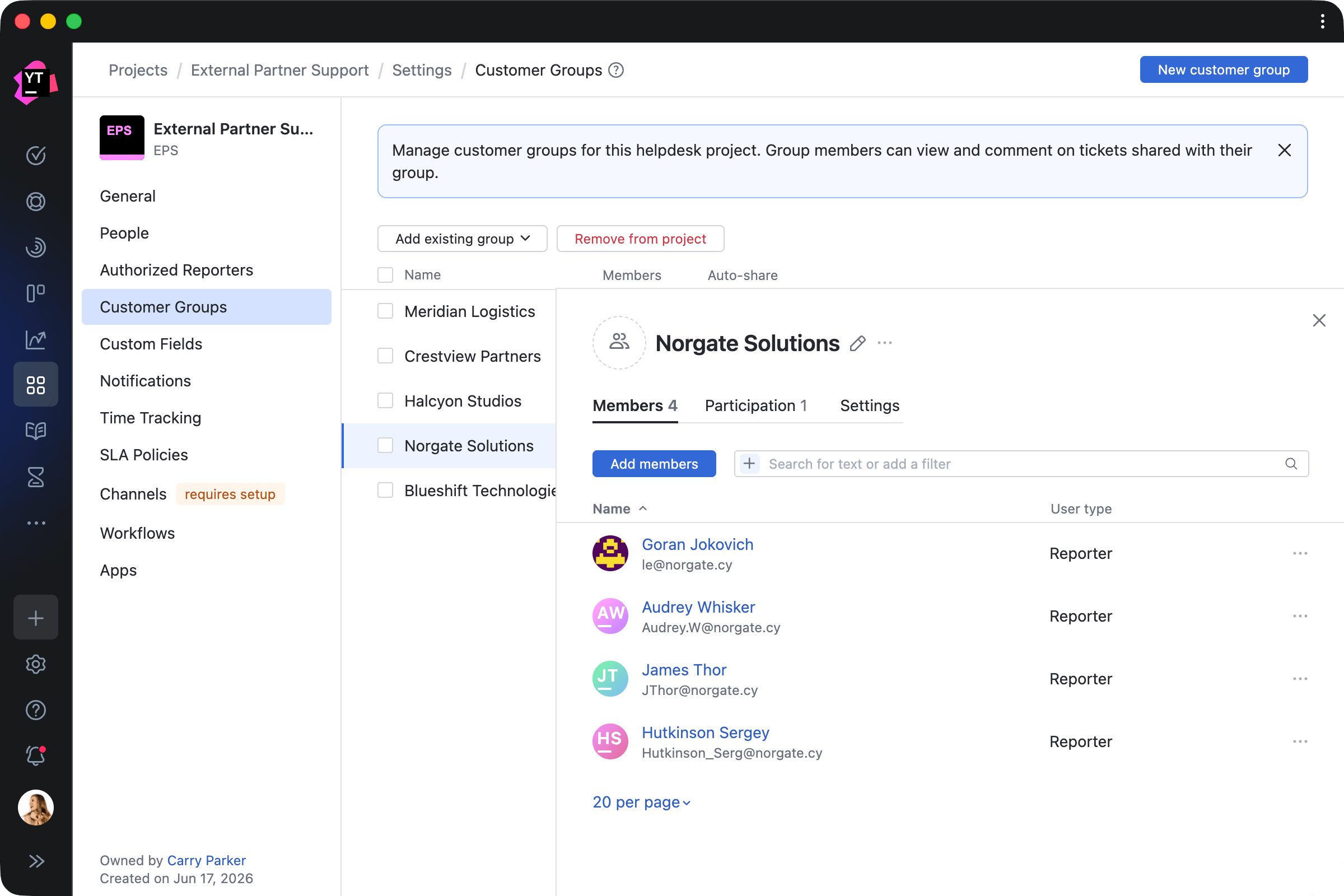
YouTrack Helpdesk helps teams support external customers and manage internal service desks. With customer groups, you can now organize requests by company, team, or organization, and tailor the support experience to each group individually.
Support teams can add reporters to groups manually or automatically based on email domains. For each customer group, agents can apply specific SLAs, appoint dedicated support teams, and introduce other customer-specific rules.
Reporters in the same group can view tickets across their organization, follow progress, comment when their input is needed, and stay informed, without agents having to manually share requests with every stakeholder.
Unlimited reporters and 3 agents for free
Whiteboards with auto-layout and widgets
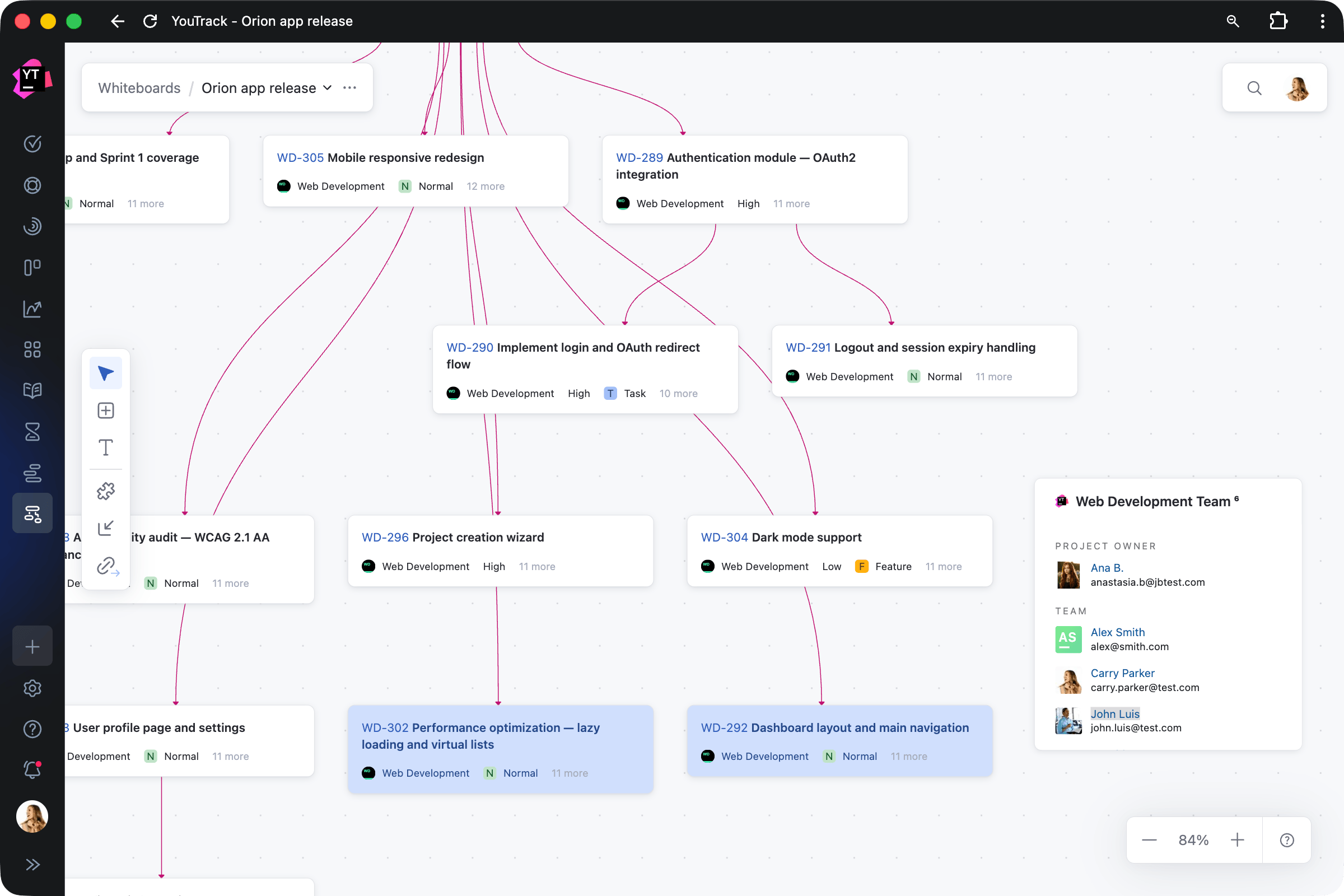
Whiteboards now help you visualize and organize project content more clearly. You can auto-arrange brainstormed ideas or project items into structured layouts based on card dependencies. When a board gets messy, auto-layout can help turn scattered notes into actionable plans.
You can also add interactive widgets to keep important information close at hand. Additional improvements make everyday work smoother, including the ability to resize text, multi-card commands, undo and redo actions, and more.
Redesigned Gantt charts
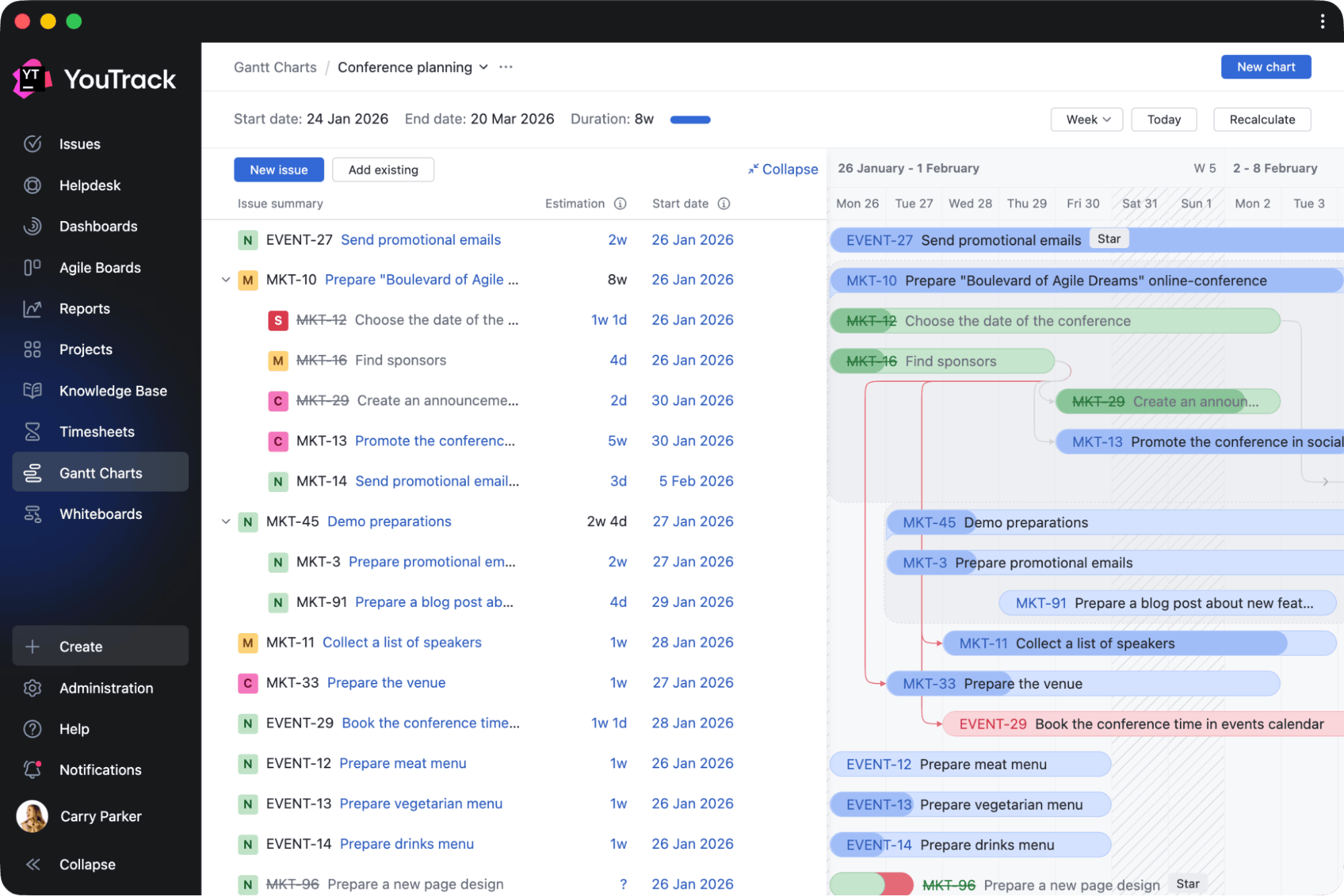
Teams can now plan and track projects more easily with redesigned Gantt charts. The updated experience makes it easier to navigate timelines, monitor progress, and manage dependencies. Improved performance lets you apply changes faster, even in complex projects. Additional improvements let you create tasks directly from the timeline, add backlog items using search, and quickly access frequently used charts.
Simpler, more secure MCP connections for your AI stack
What our customers say

Alan Fuller
Product Developer and Business Owner, Fullworks
"YouTrack MCP server integration with Claude Code allows our AI agents to create, update, and close tasks as part of our software development life cycle. It's become the backbone of how we ship."

Artem Filimonchyk
Head of Technical Care, Gurtam
“Connecting AI agents to YouTrack through MCP made task management a natural part of everyday work. Our team can create structured tasks from simple prompts, while agents help review requests, monitor backlog health, prepare changelogs, and more. Setup was fast, and adoption was broad.”
YouTrack doesn't require teams to adopt a specific AI workflow. If you're building your own AI ecosystem, the Model Context Protocol (MCP) is becoming a standard for connecting AI agents with the tools and context they need. This YouTrack release brings improvements to MCP connections, making them easier to set up and more secure to use.
Administrators can now configure MCP access without asking users to create permanent tokens. Instead, users can connect their AI tools to YouTrack by signing in with their YouTrack account.
By connecting AI tools to YouTrack through MCP, you can bring project and knowledge base context into your AI workflows, create agent skills for working with tasks, build autonomous customer support processes, and more. These workflows can span everything from desktop applications like ChatGPT to terminal-based agents like Claude Code.
New import options from ClickUp or Asana
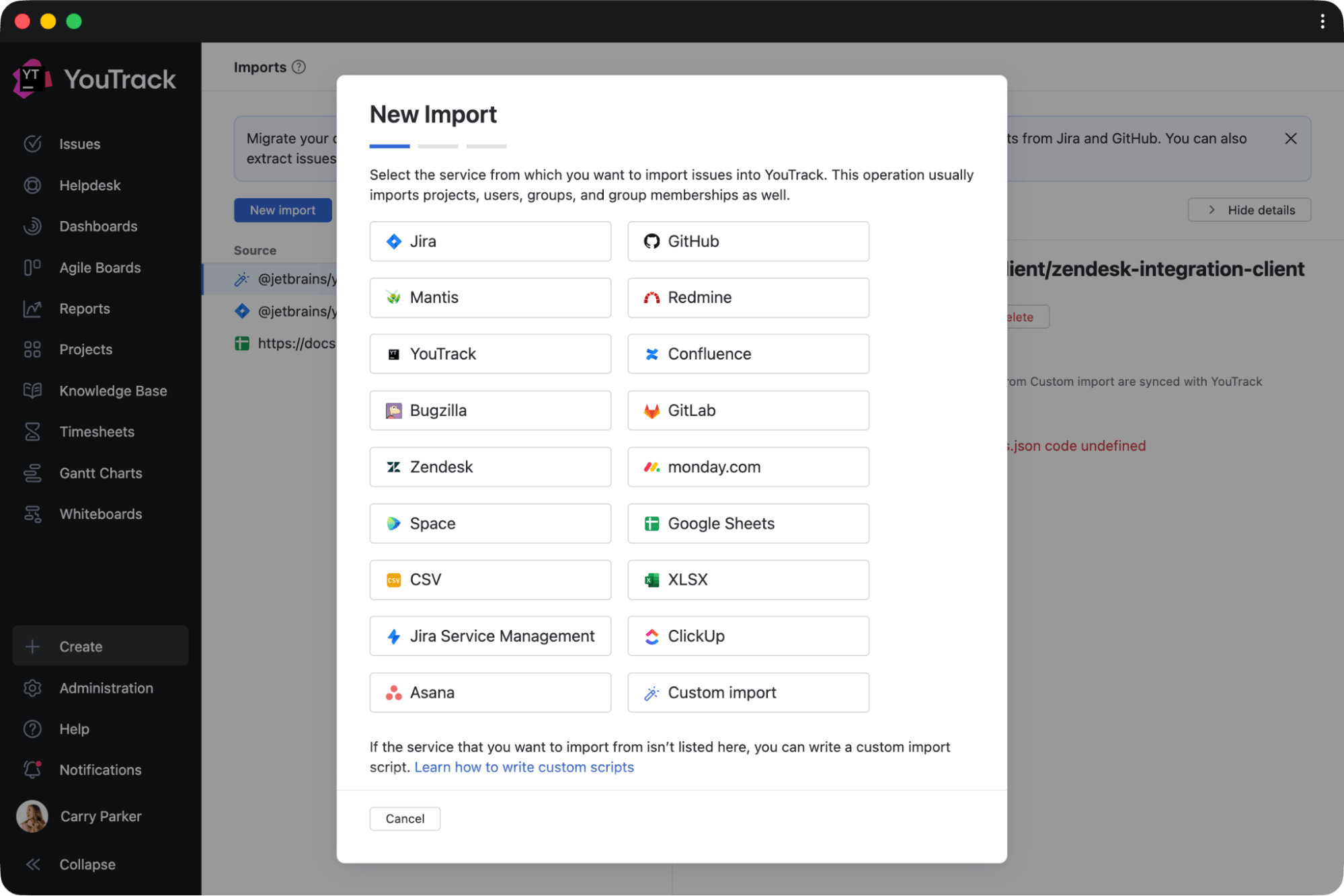
You can now move to YouTrack using built-in import tools. New import options for ClickUp and Asana bring projects, tasks, users, comments, attachments, and other work data into YouTrack. Continuous import keeps your data synchronized between systems during migration, making it easier to transition at your own pace without disrupting ongoing work.
YouTrack app updates
Enhancements for app creators
Whether you're building apps for your own team or publishing them on JetBrains Marketplace, the new Enhanced Developer Experience toolkit makes development easier. New TypeScript support lets you start projects with npm create @jetbrains/youtrack-app@0.0.12, while the new @jetbrains/youtrack-workflow-types package provides TypeScript typings for YouTrack workflow environments.
New YouTrack apps
The YouTrack app ecosystem continues to grow, with more apps created by YouTrack Certified Partners and independent developers. Here are a few highlights from JetBrains Marketplace to enhance the YouTrack experience for planning, QA, time tracking, documentation, and more.
Apps for sprint planning
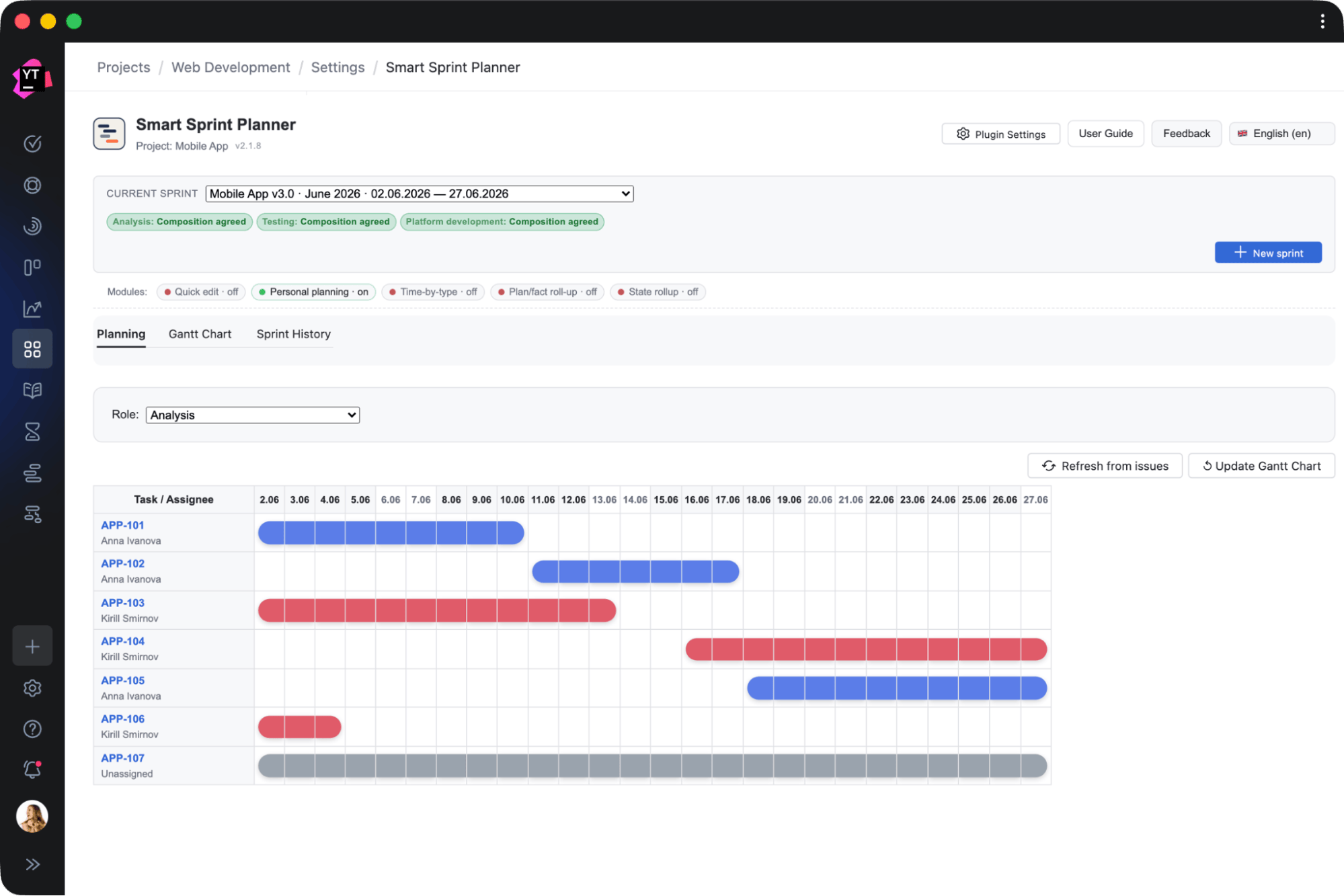
Smart Sprint Planner by Letsrollamigo
Plan complex sprints across multiple functional areas, visualize timelines, and track resources by work type during the sprint.
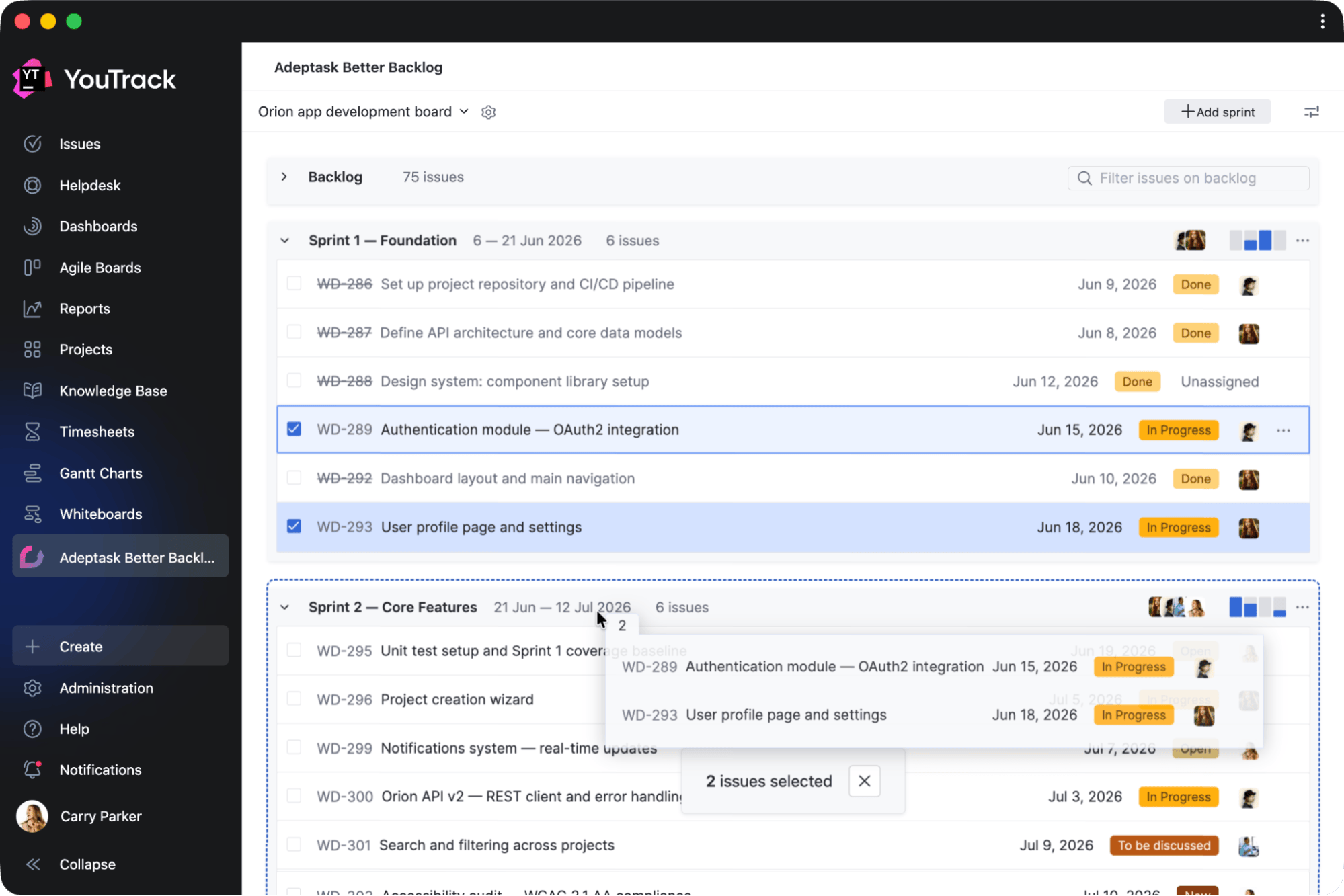
Better Backlog by Adeptask
Add a dedicated planning view to organize backlog items, move work into sprints, and track sprint progress.
Apps for testing and QA
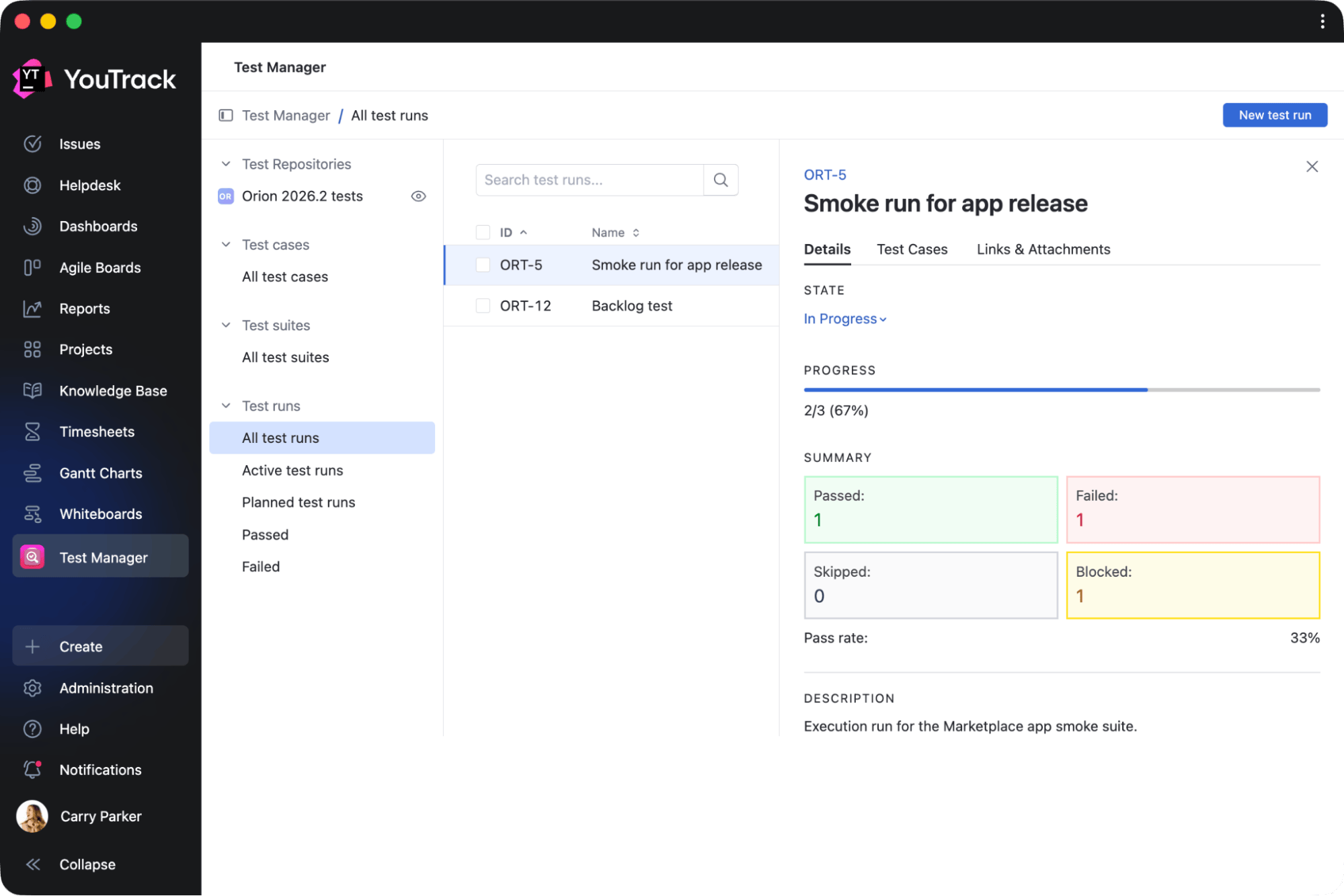
Test Manager by twenty20
Manage manual testing directly in YouTrack. This app lets you create tasks for test suites, cases, steps, and runs, so you can keep testing work in YouTrack without switching tools.
Apps for time tracking
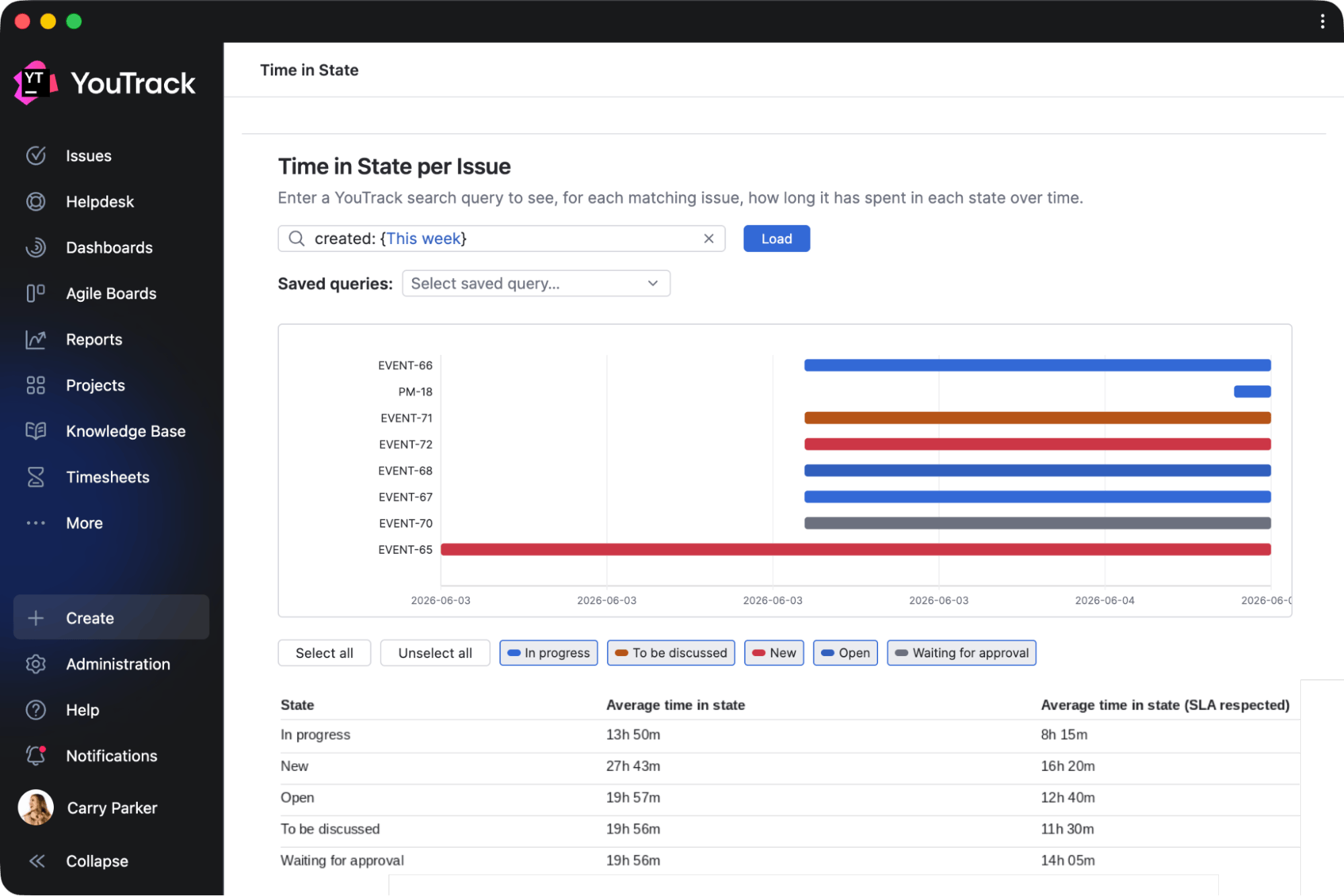
Time in State Basic by msp AG
Identify bottlenecks by analyzing how long tasks and tickets spend in each workflow state, and review reaction or resolution SLA timing configured by administrators.
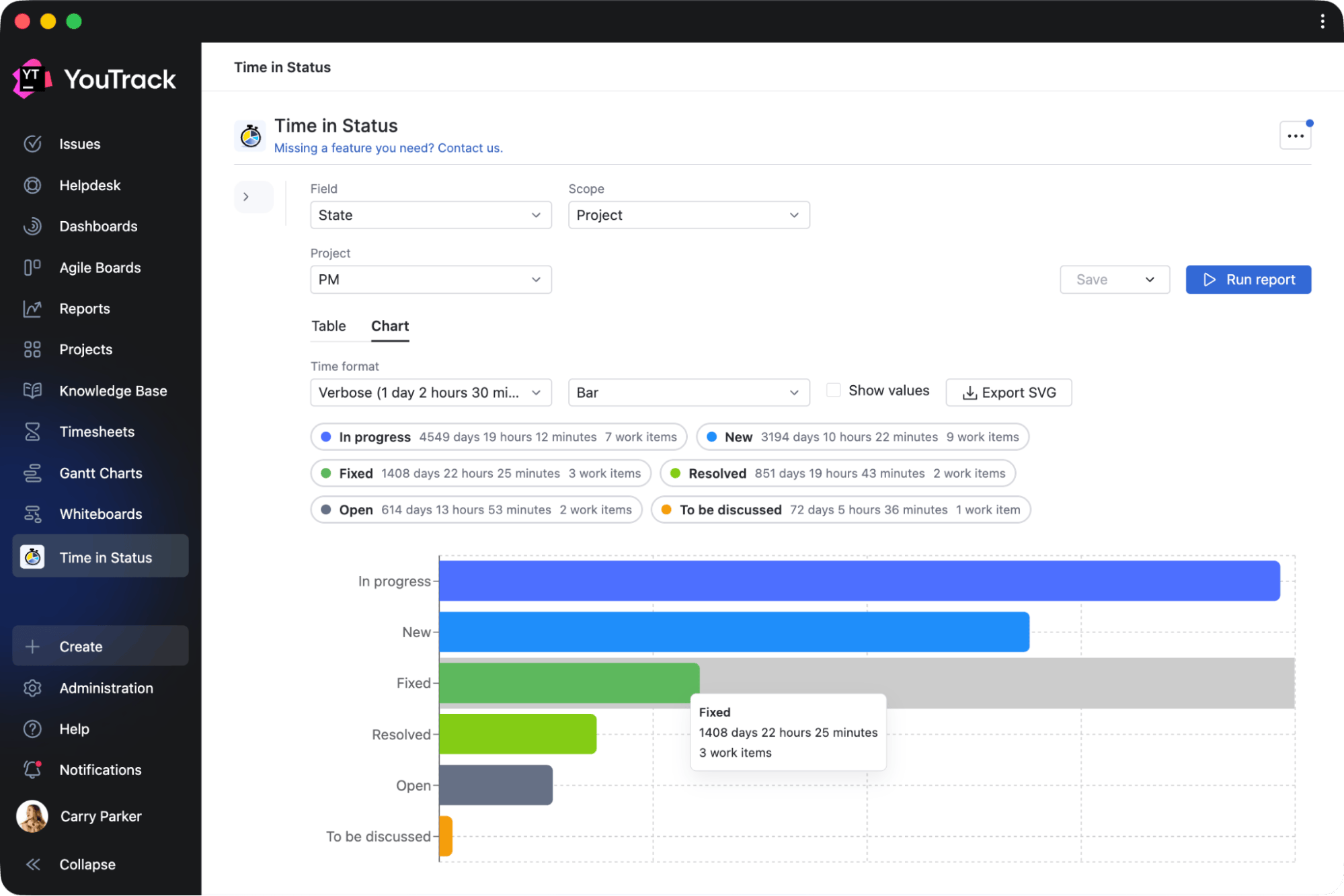
Time in Status by Appfero
Get detailed reports on status duration across projects, sprints, assignees, and reporters, helping you better understand workflow efficiency.
Apps for extending task content
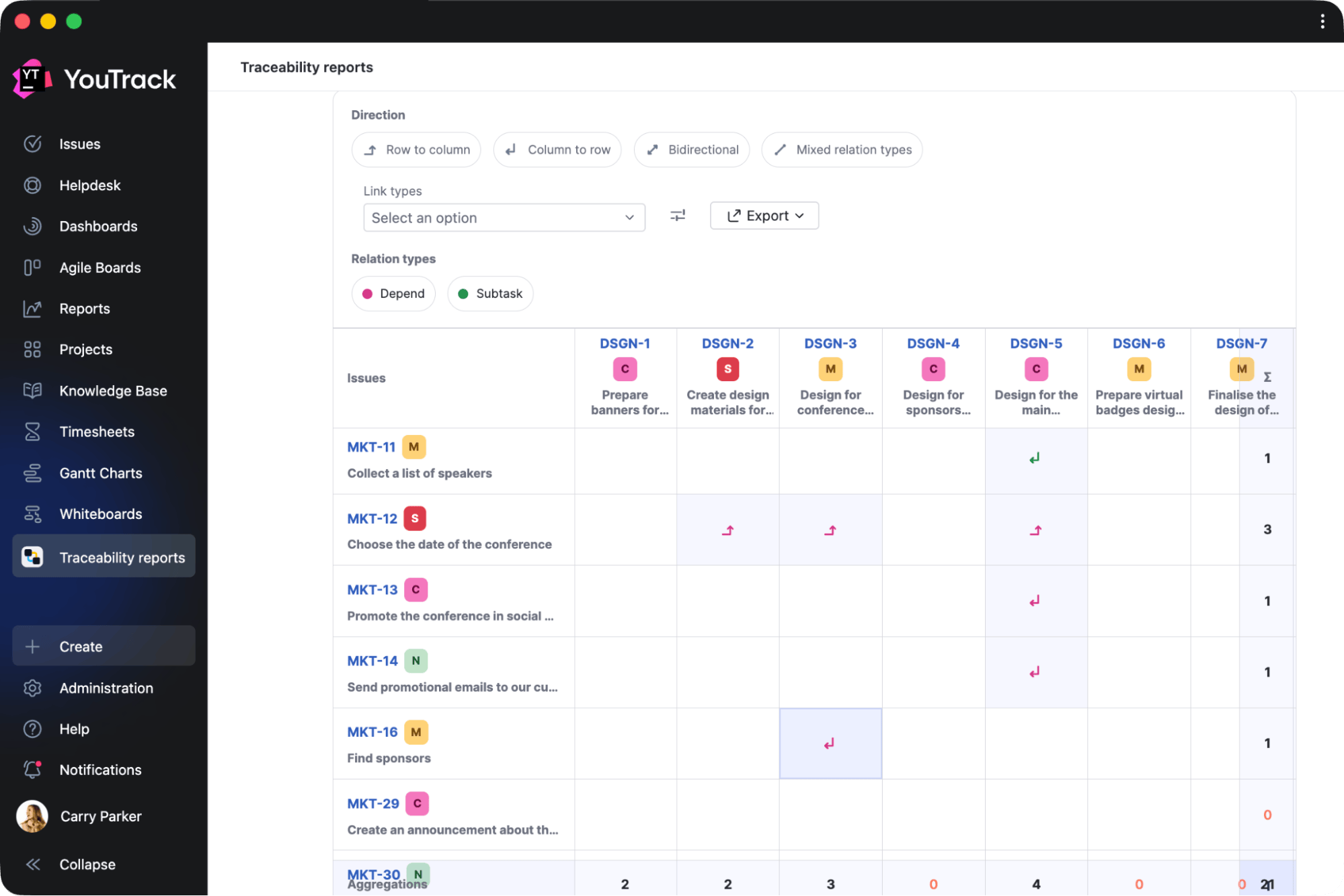
Advanced Linked Issues and Traceability by Appfero
Analyze linked work, build traceability reports across projects, compare linked tasks in a matrix, and export results to CSV or XLS.
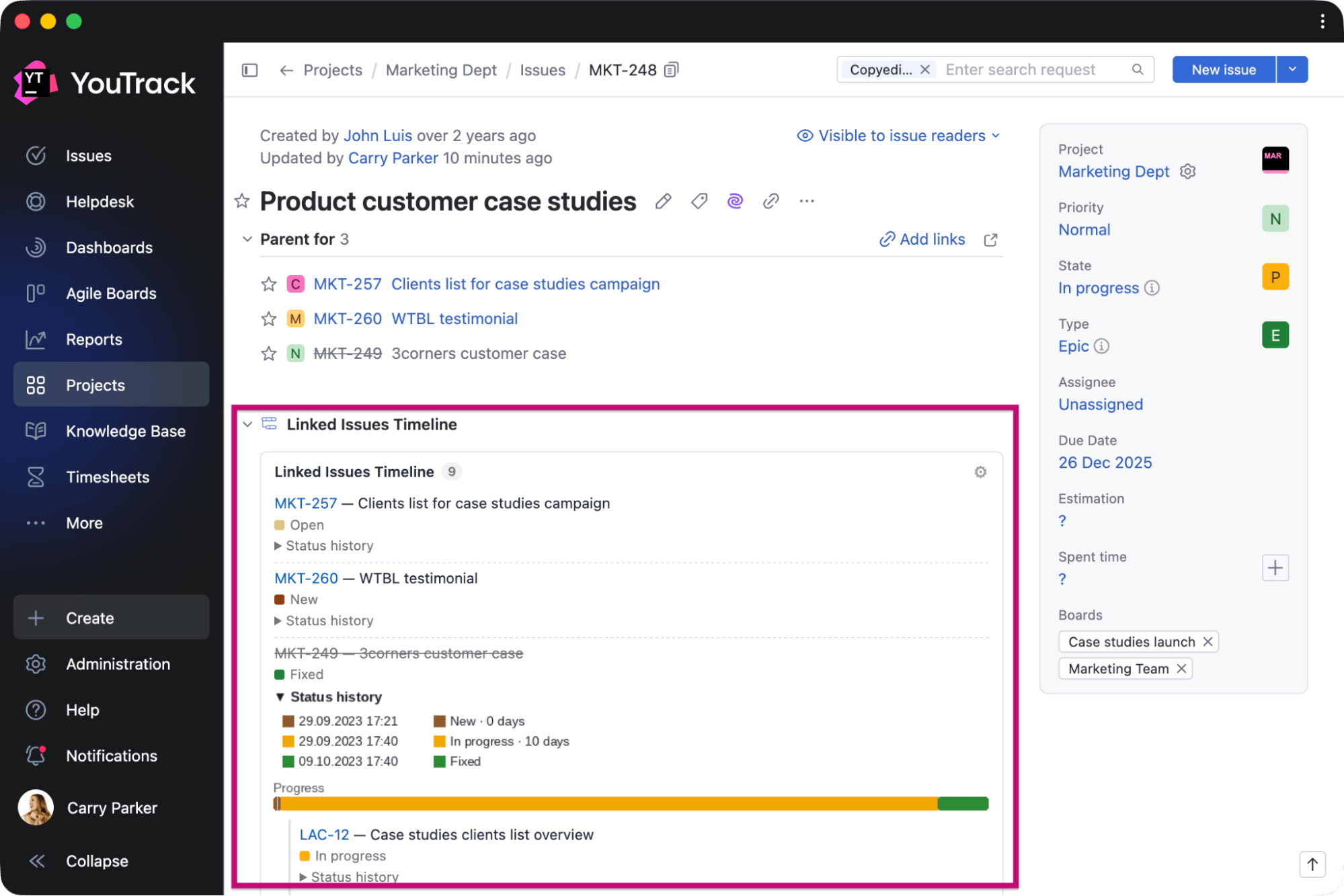
Linked Issues Timeline by Andrei Iasnikov
Visualize related work directly from a task or ticket. View linked items, status history, and progress timelines without opening every linked issue individually.
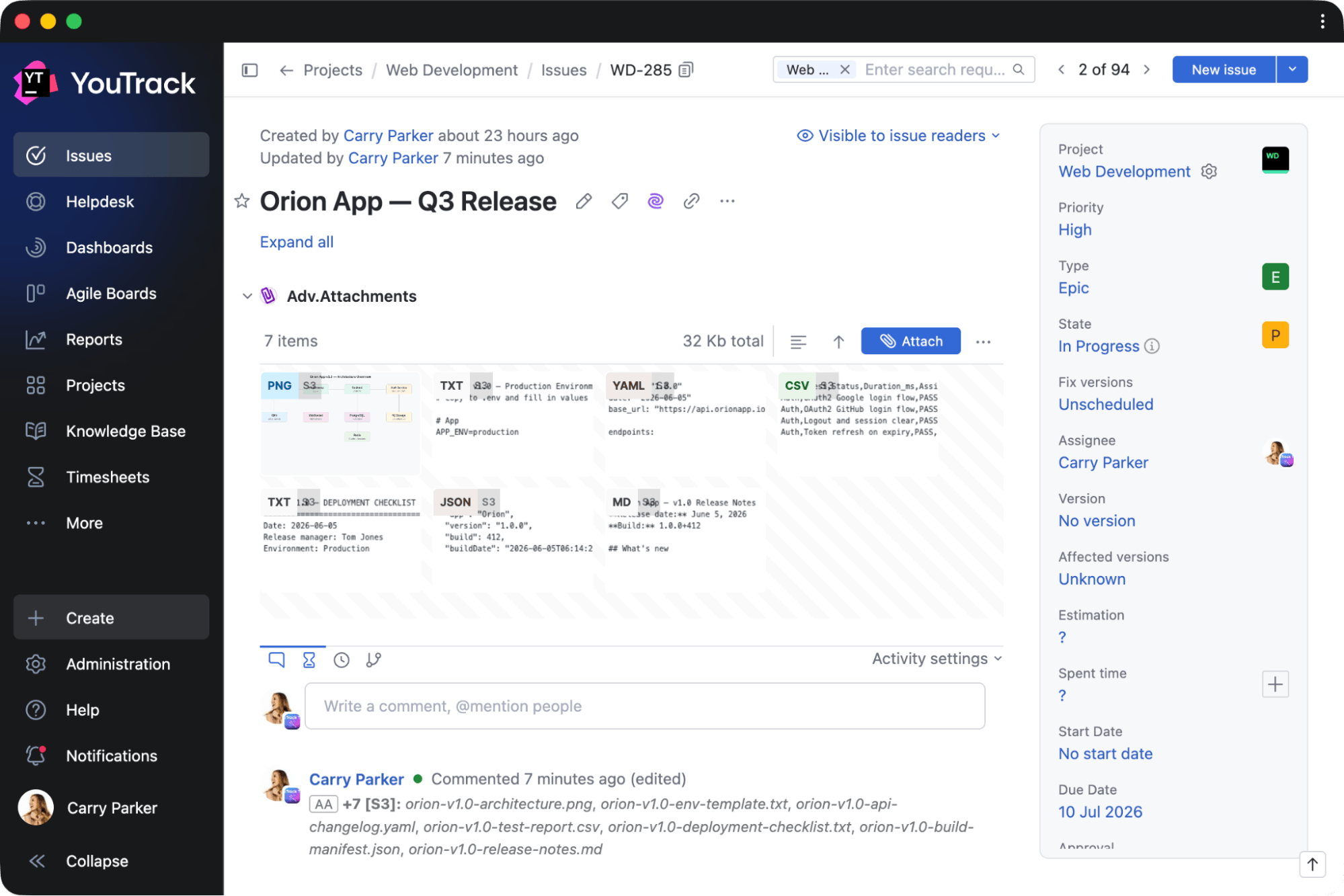
Adv.Attachments by mag1.cc
Manage attachments more conveniently with file previews and support for both YouTrack attachments and S3-hosted files.
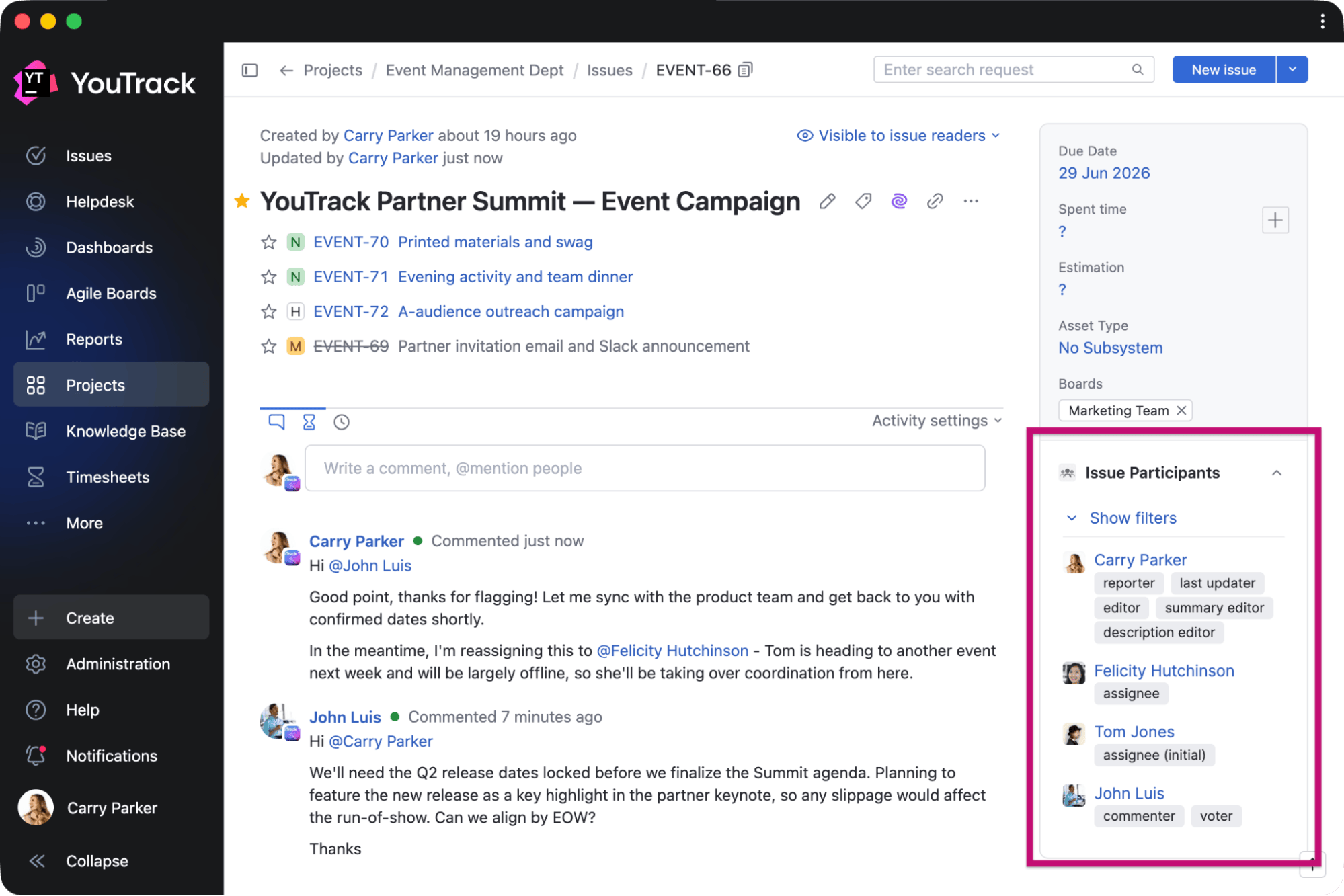
Issue Participants by Maksim Fedorov
Benefit from a dedicated view of everyone involved in a task or ticket, grouped by role and activity.
Apps for Knowledge Base
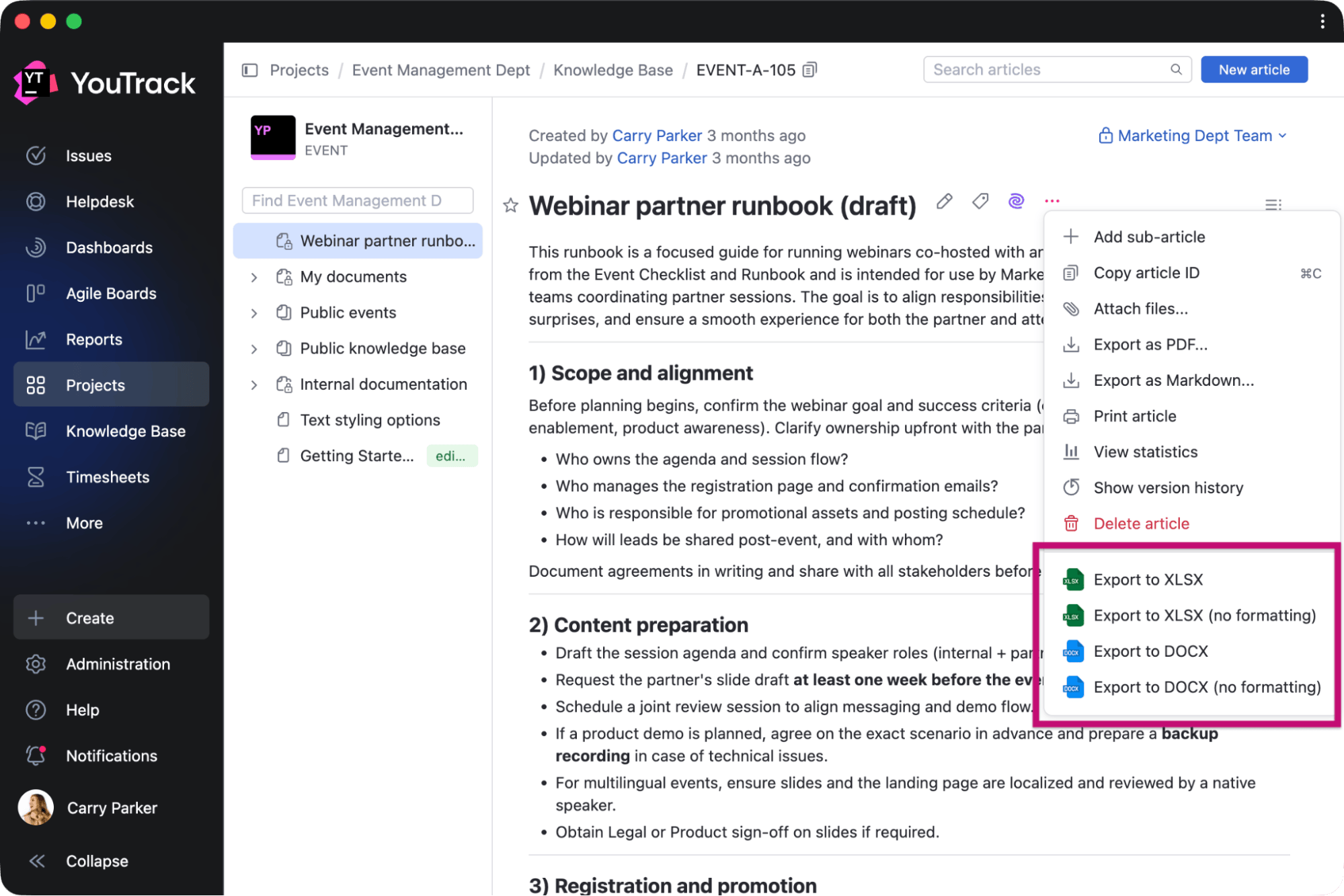
Adv.DocExporter by mag1.cc
Export Knowledge Base articles and tables to DOCX and XLSX formats for sharing outside YouTrack.
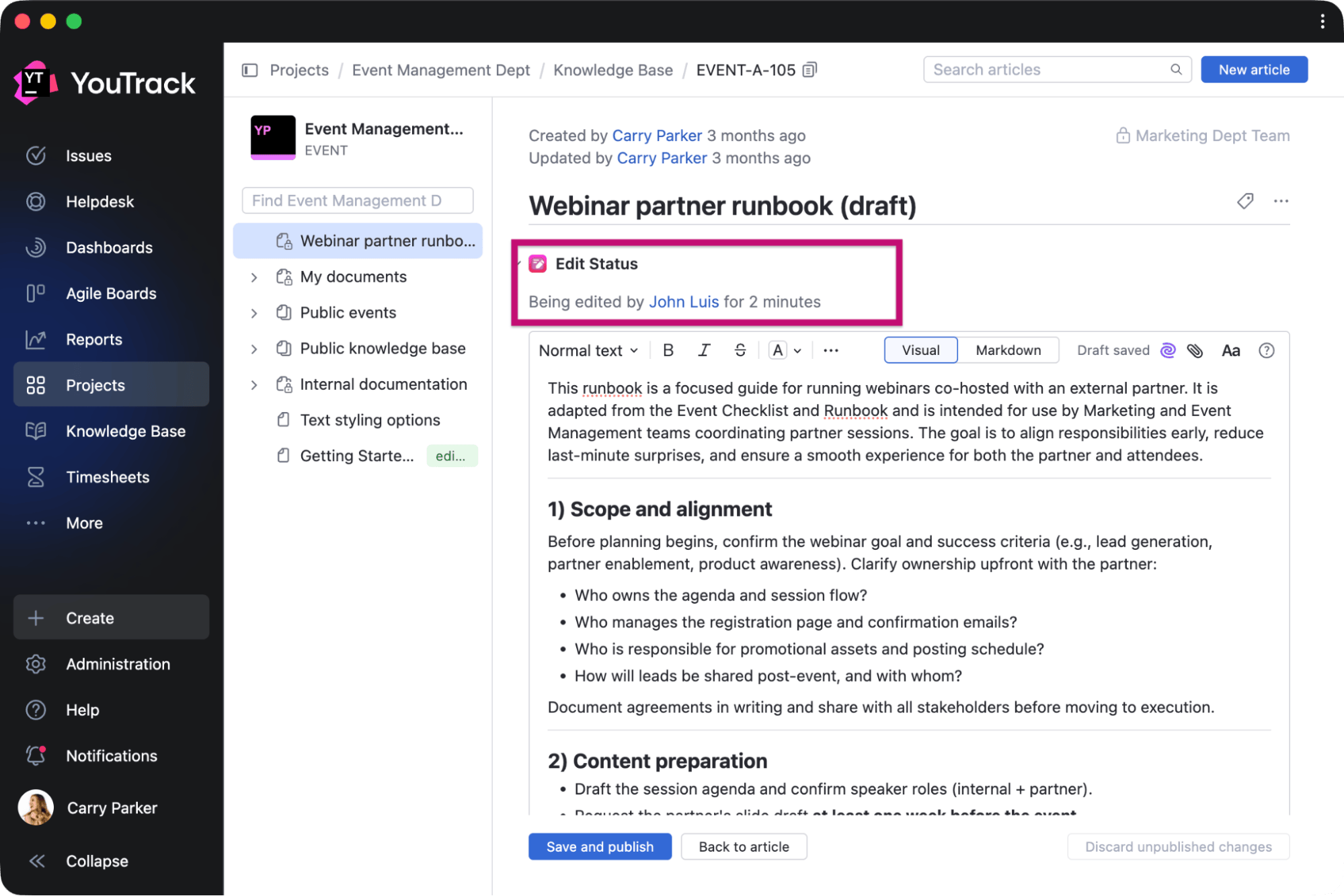
Edit in Progress by twenty20
Avoid editing conflicts thanks to statuses showing when an article is currently being edited and by whom.
Apps for third-party integrations
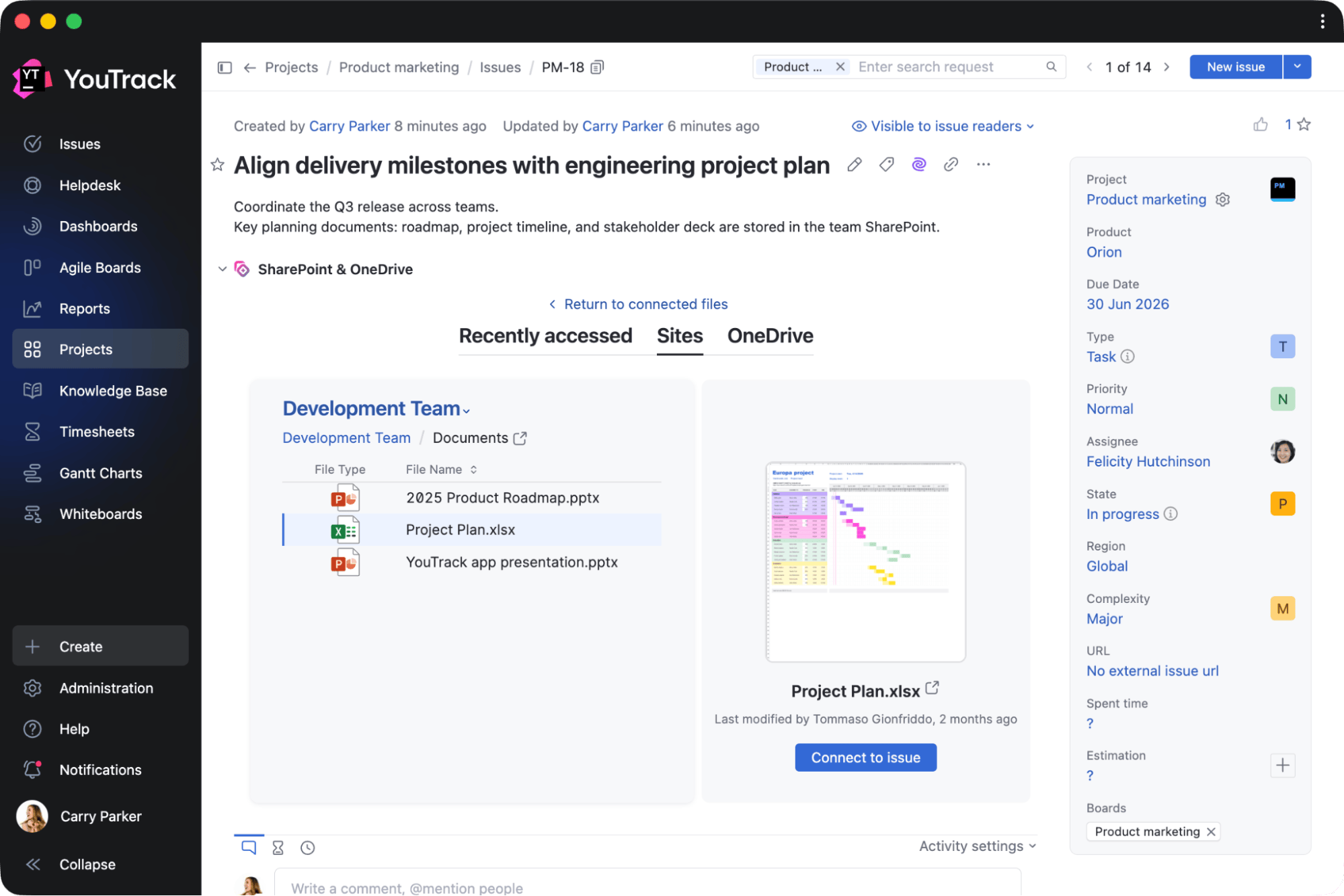
SharePoint and OneDrive Connector by Adeptask
Connect Microsoft 365 documents with YouTrack projects, making it easier to access and preview relevant files from tasks, tickets, and articles.
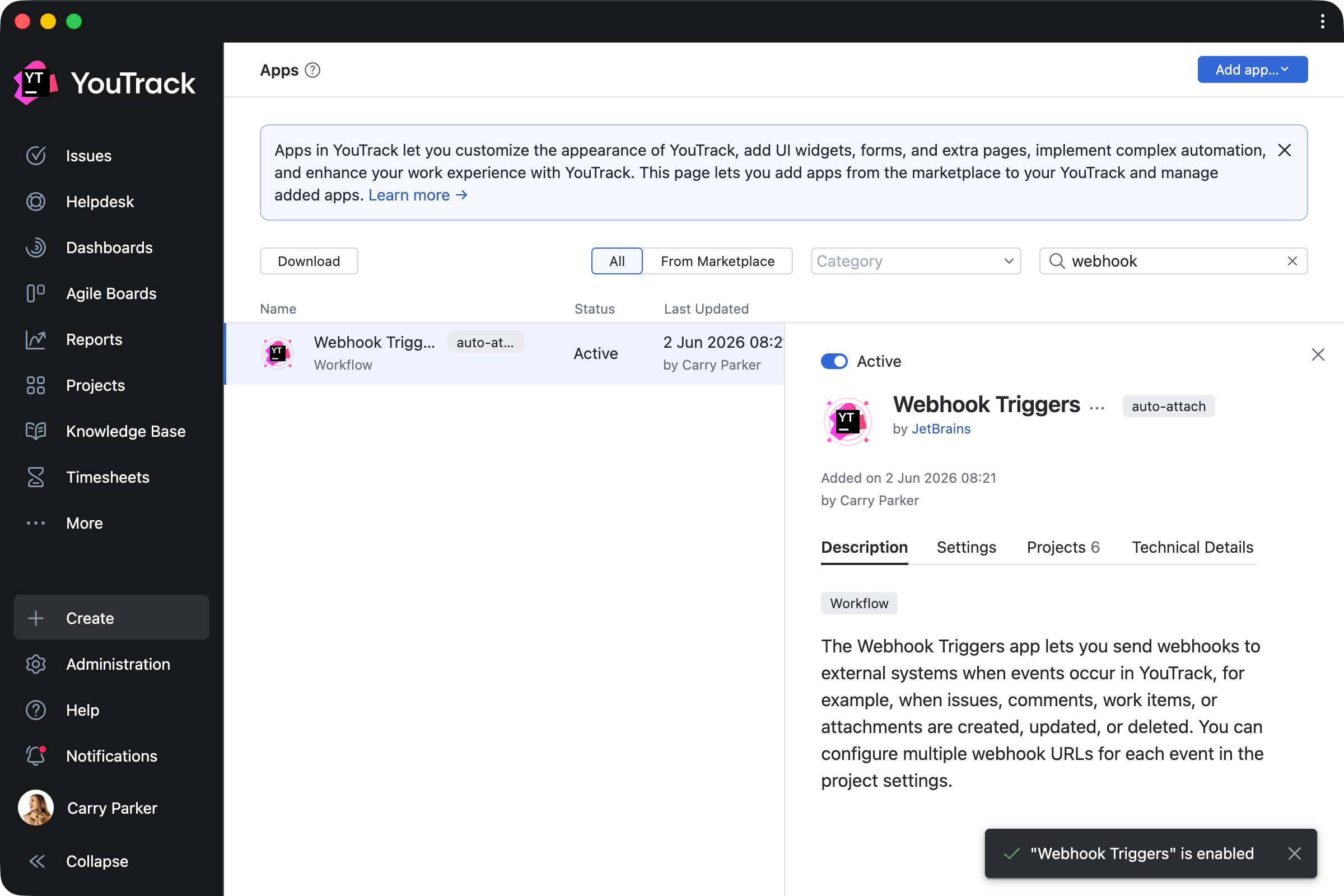
Webhook Triggers by JetBrains
Connect YouTrack project activity to external systems. Project administrators can configure webhook URLs for events involving issues, comments, work items, and attachments, with event-specific endpoints and token-based authentication.
Other enhancements
This release also includes smaller updates that improve the overall YouTrack experience. We've improved the notification center's performance, enhanced the onboarding experience for administrators and users, introduced GitHub App authentication for GitHub VCS integrations, and more.