YouTrack Introduces a Remote MCP Server and New Apps
YouTrack now provides an MCP (Model Context Protocol) server, making it easy to connect to AI-powered tools. This lets you bring YouTrack context into your LLM, IDE, or agent platform and perform predefined actions related to projects, tasks, and users.
Many new YouTrack apps are available for planning, release management, and more.
We’ve also added a number of new features, including a more relevant search and AI-powered text completion that helps you write at lightning speed.
Remote MCP server
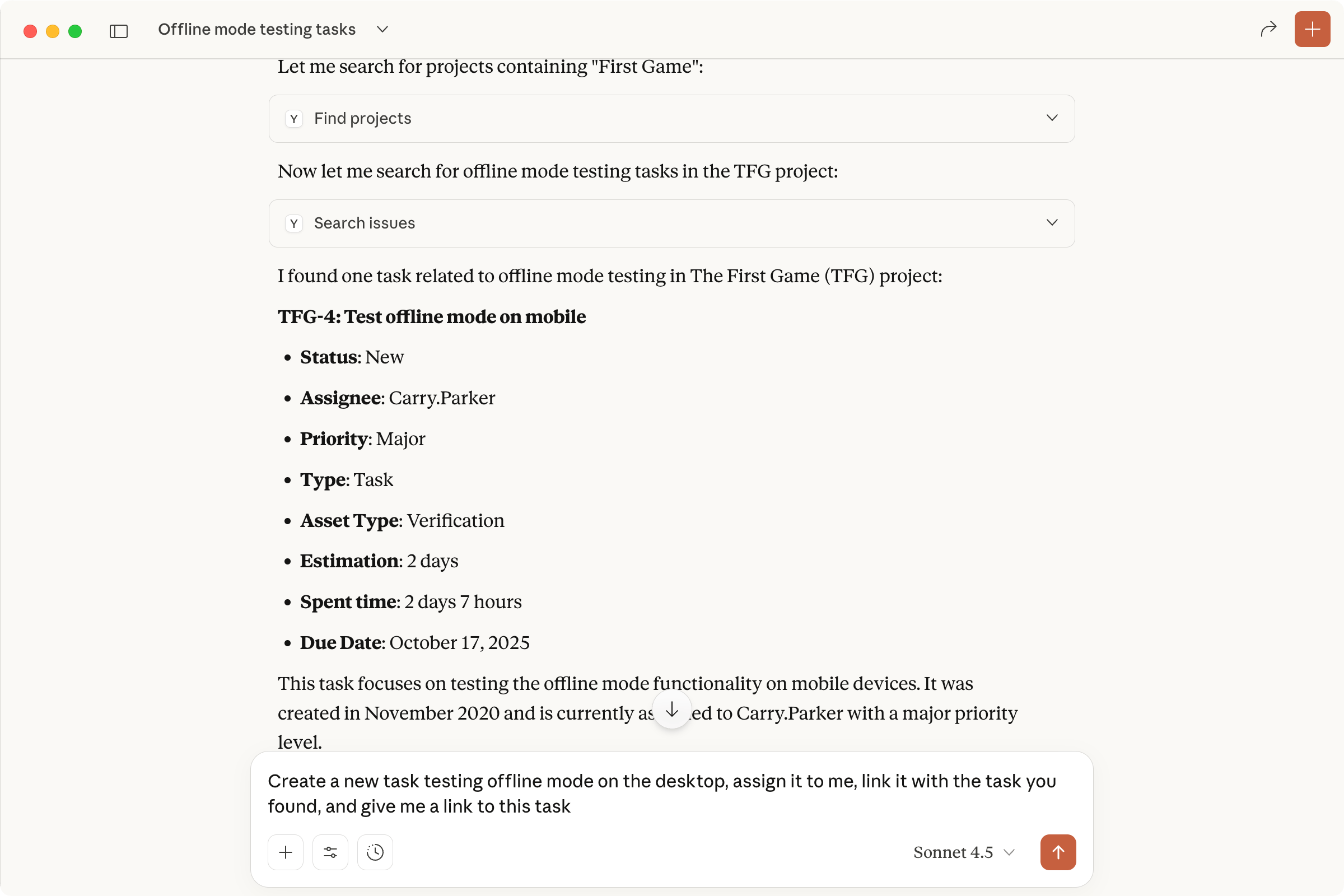
You can now securely connect AI-powered tools to your YouTrack using a remote MCP (Model Context Protocol) server. This allows you to work on projects without leaving your favorite LLM, IDE, or agent platform by performing predefined actions. For example, you can use a Claude agent to create or update tasks, log time spent on work, or retrieve information from YouTrack based on your prompts.
You can also expand the built-in functionality of YouTrack’s MCP server by using apps and workflows. For app developers, the MCP server enables the creation of custom apps for AI tools tailored to specific team needs.
AI-powered text completion
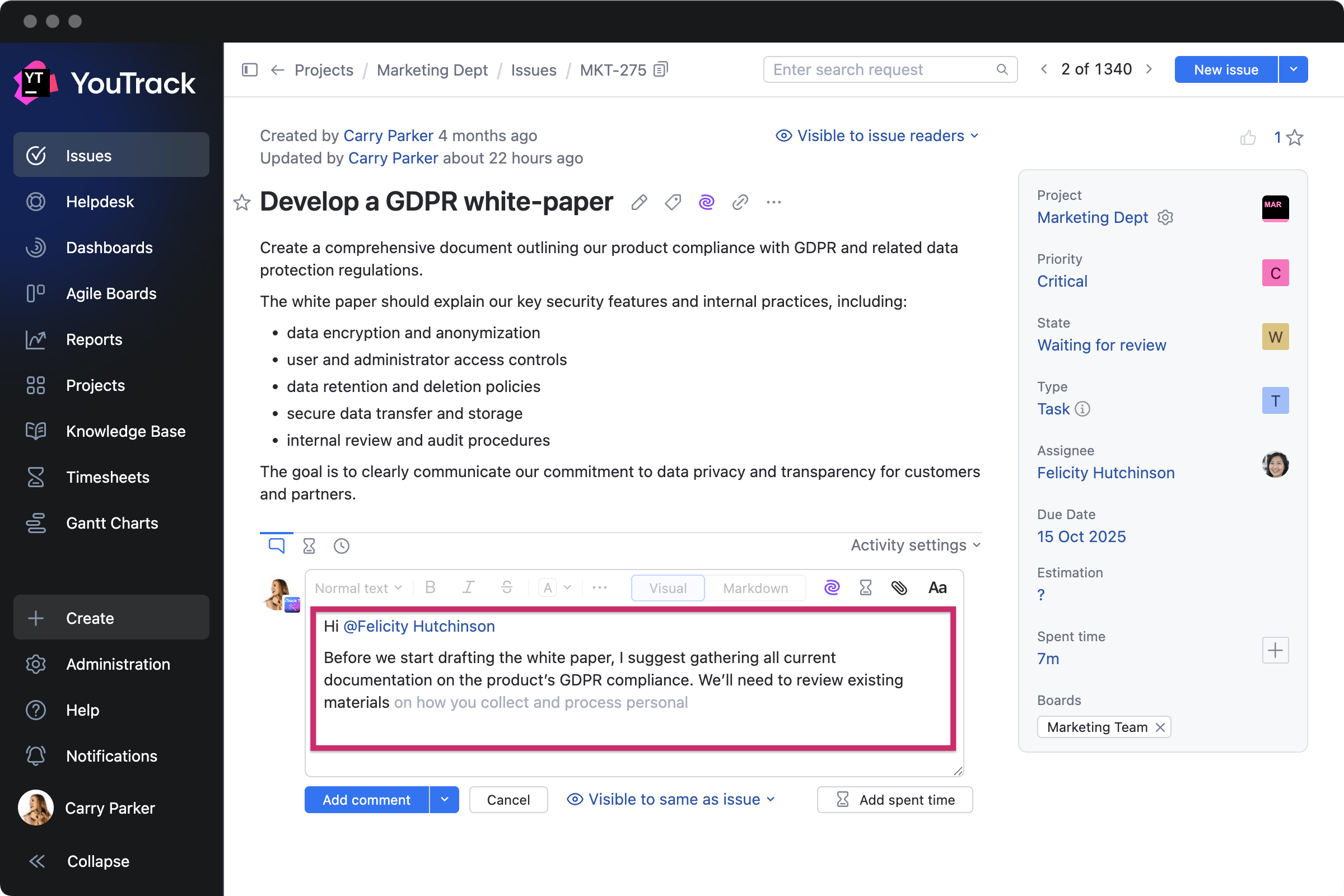
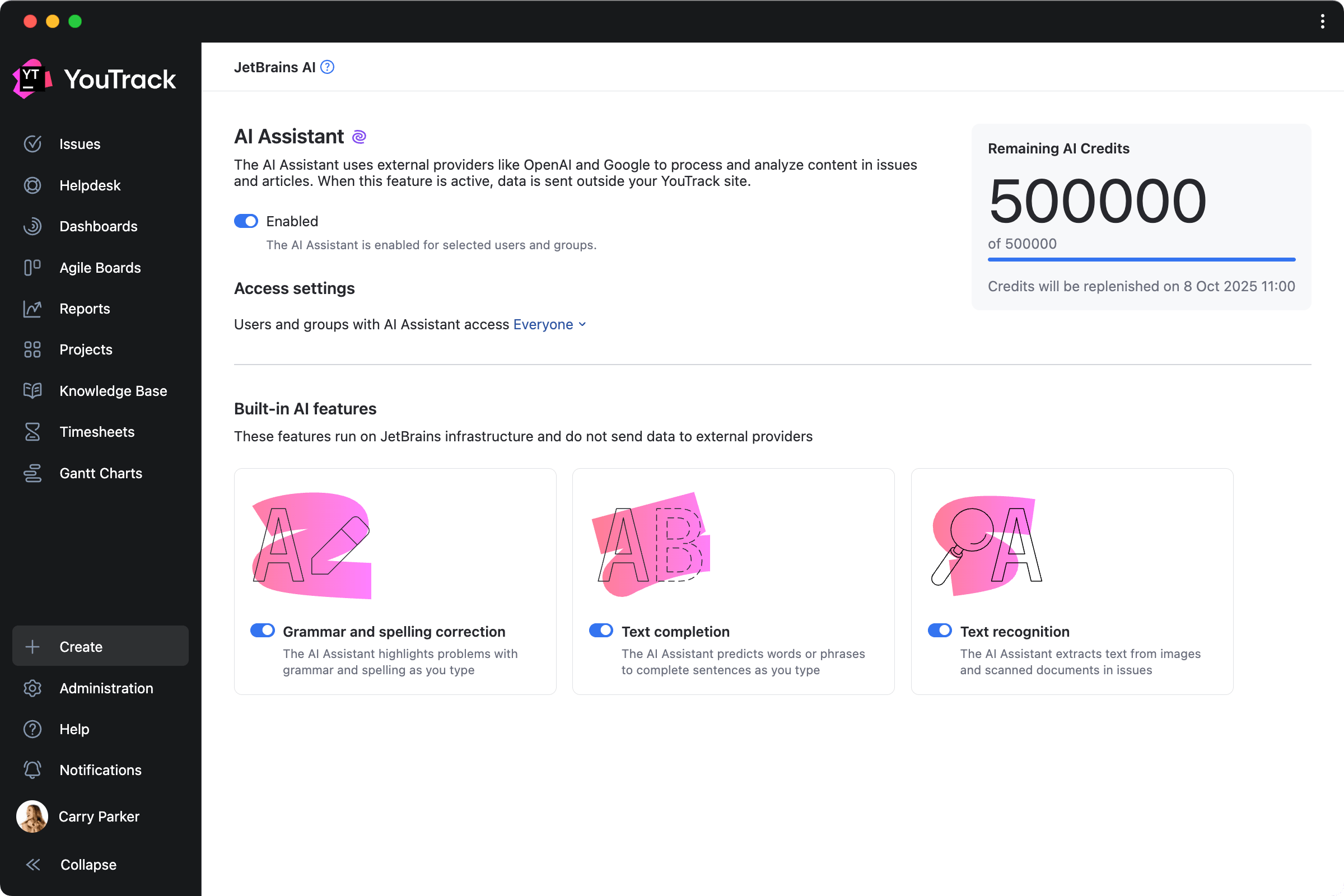
YouTrack’s writing assistance, powered by JetBrains AI for free, now suggests words and phrases as you type, helping you write task descriptions, comments, or whole articles faster than ever before. English and German are currently supported.
Smarter search
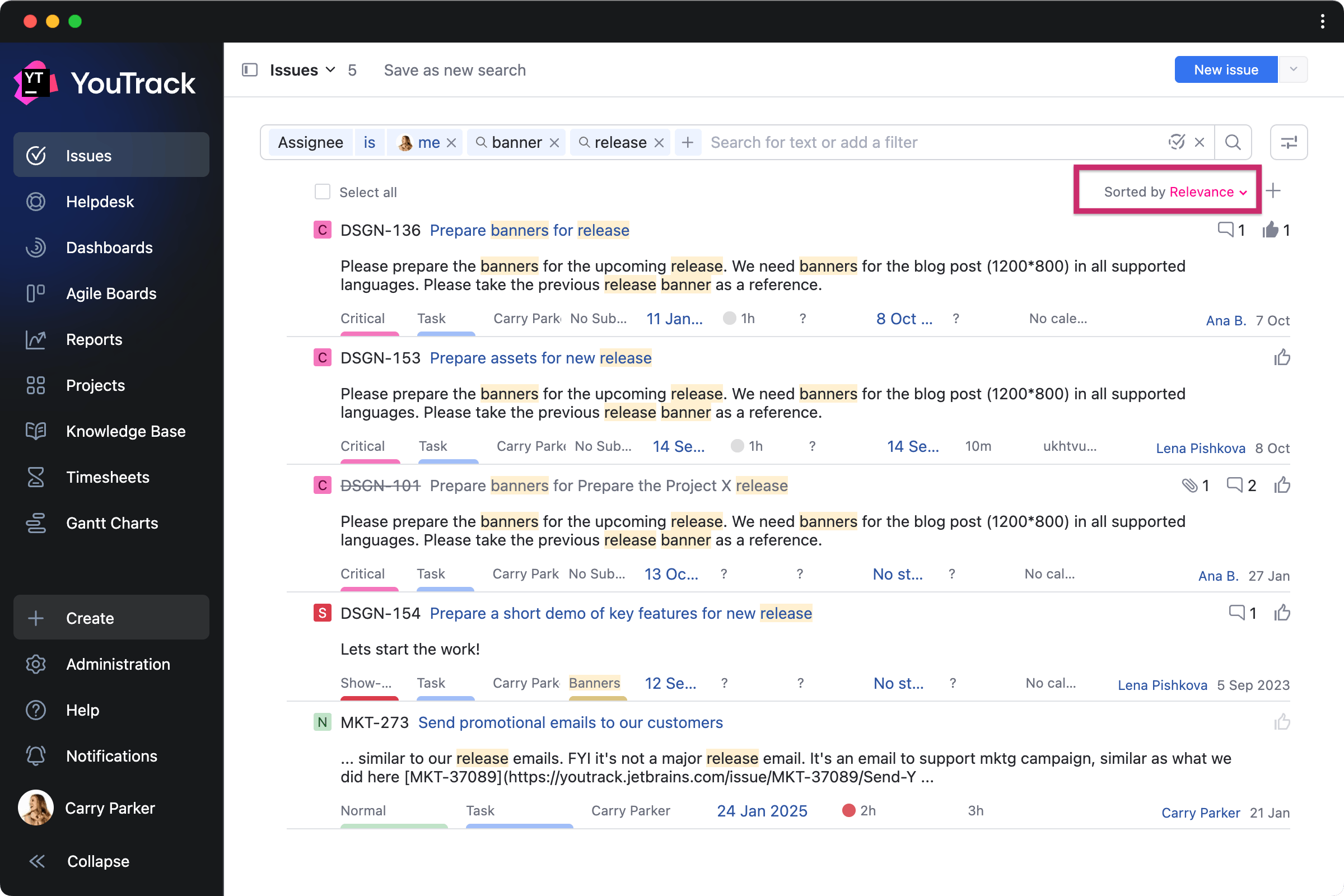
When searching on the Issues page, you now get more accurate results thanks to machine learning improvements. The most important tasks are highlighted based on attributes such as recency, user interactions, and personal relevance.
Full-page notification view
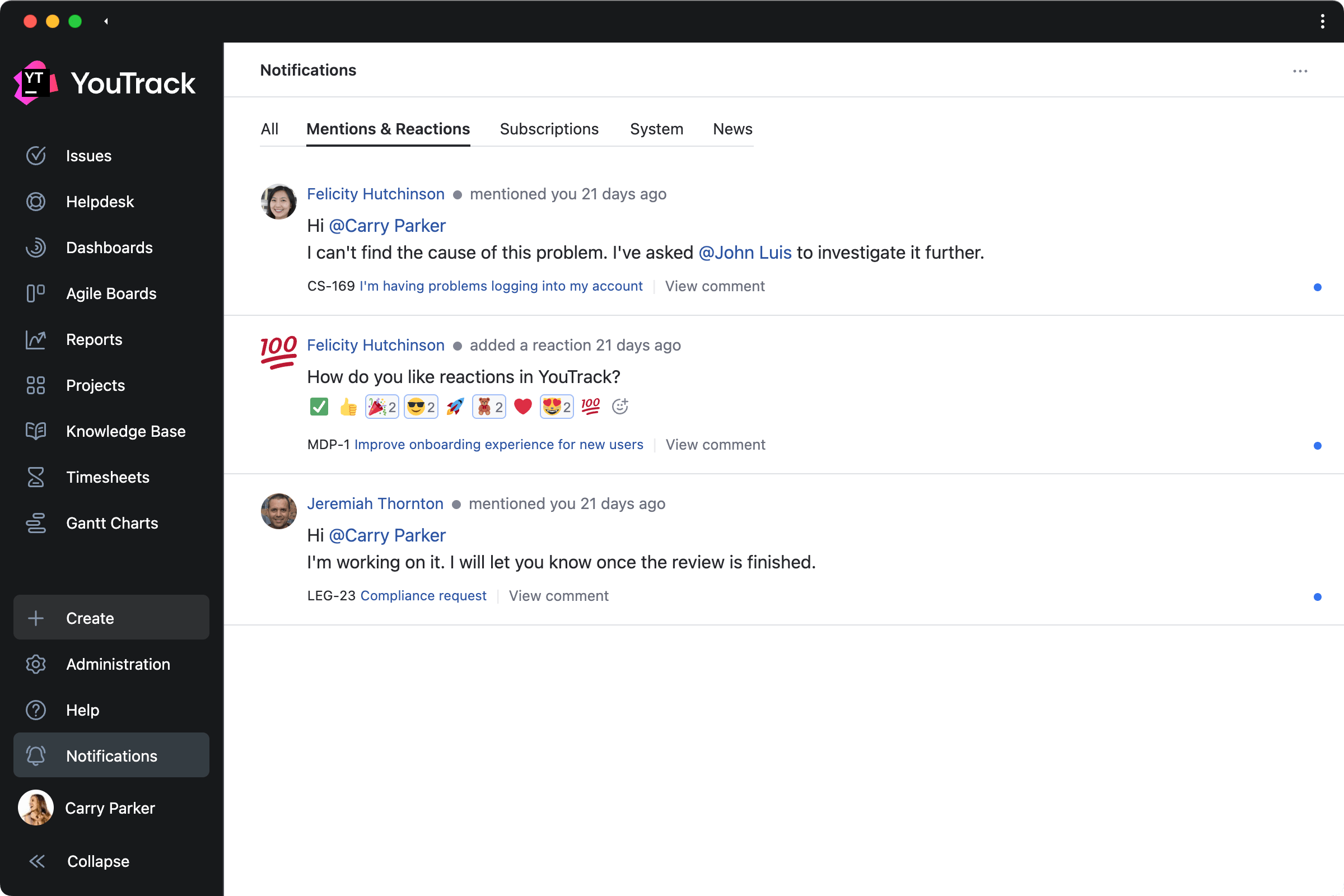
The Notification Center view can now be expanded into a dedicated page, making it easier to scan messages and stay organized without distractions.
New YouTrack apps
Even more free apps are now available on JetBrains Marketplace to help enhance your YouTrack experience. Here are a few highlights.
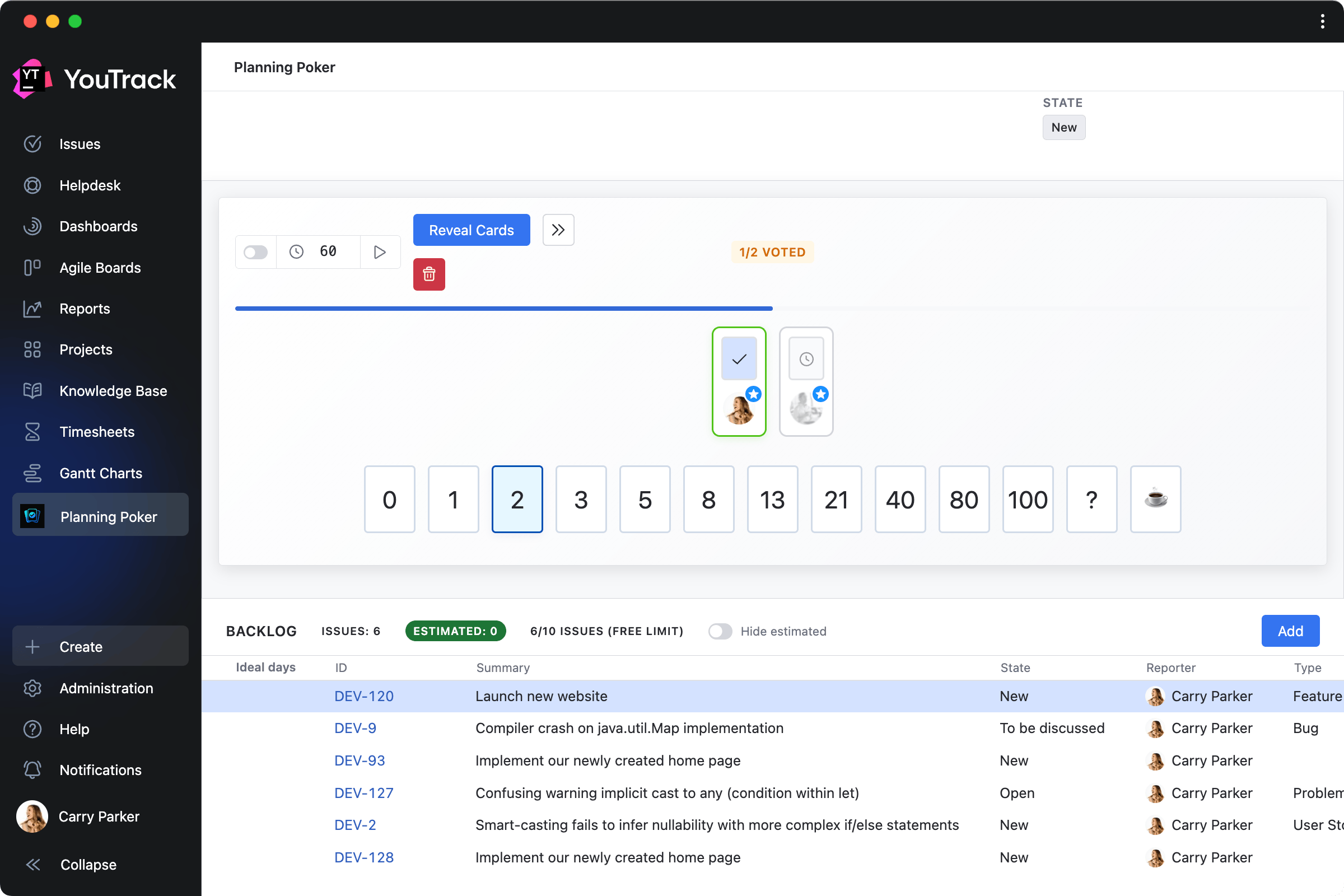
Planning Poker Estimation by Appfero Menu section
This is a collaborative tool that brings agile estimation sessions directly into YouTrack. Teams can create planning sessions, select tasks from their backlog, vote privately using digital “poker cards”, reveal estimates simultaneously, and then save in tasks.
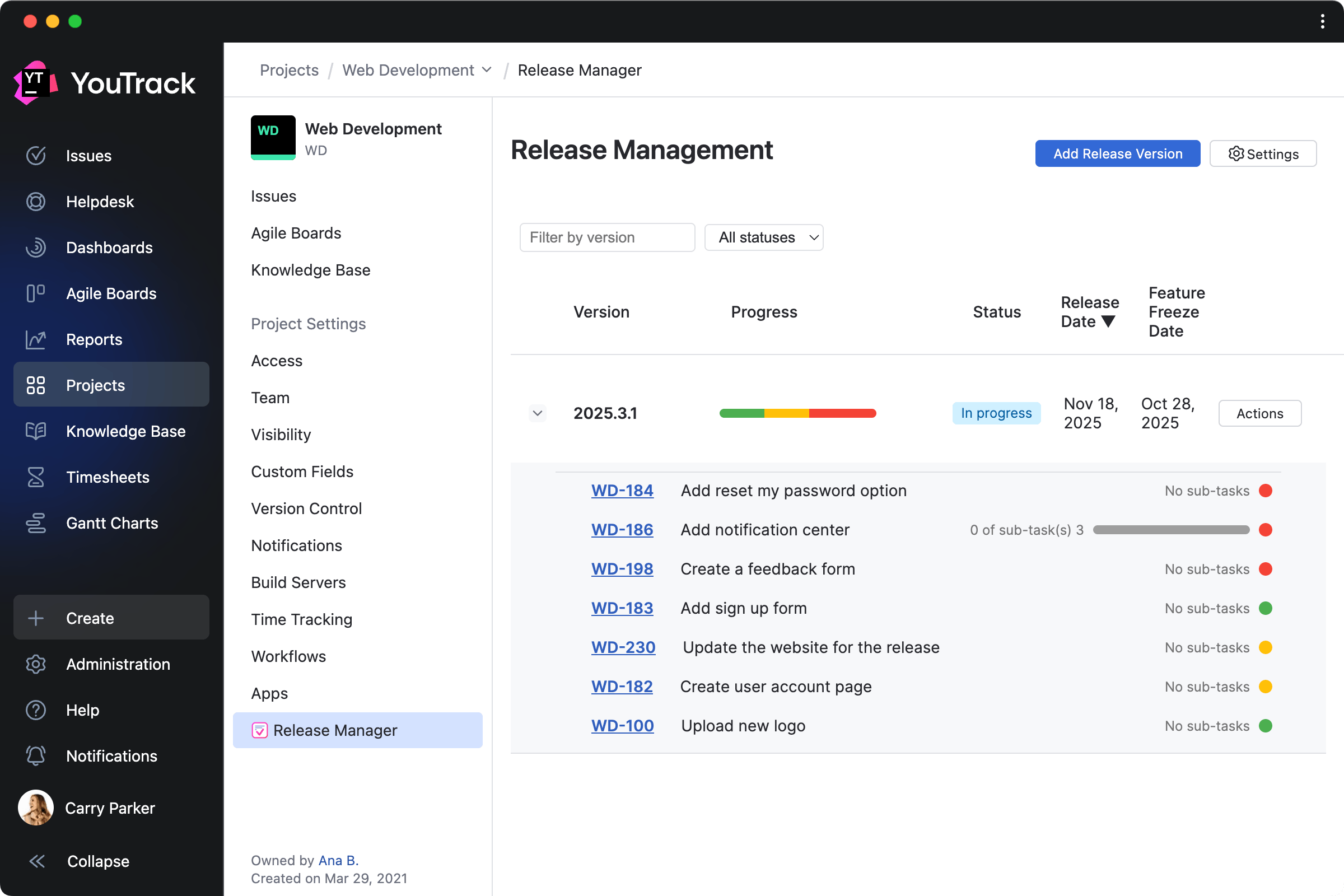
Release Manager by Evgenii Venediktov Project settings
This app helps teams plan, track, and communicate product releases more effectively. It adds tools for managing versions, tracking progress, and automatically generating release notes from the project overview page.
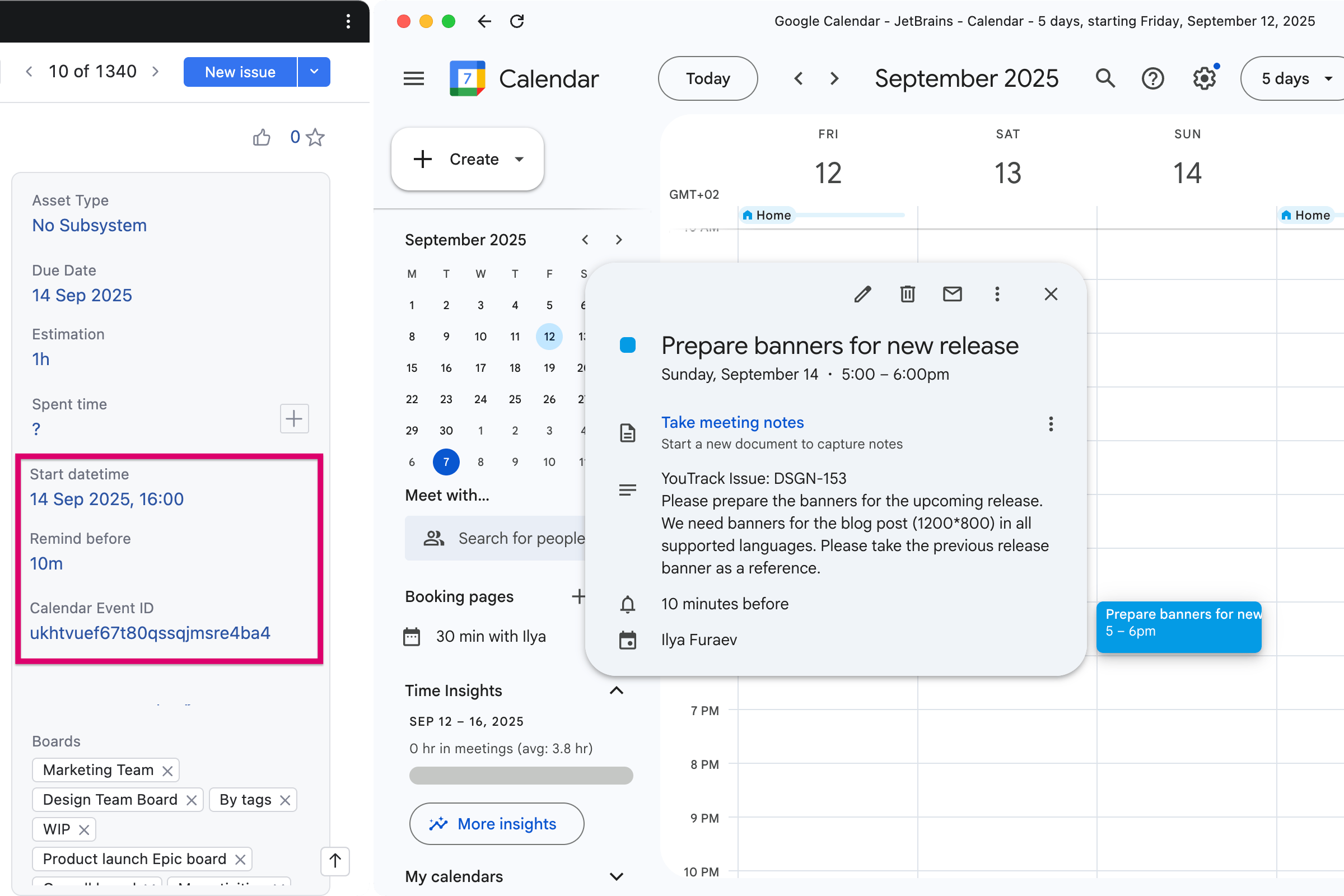
Google Calendar Sync by Dmitry Zotikov Integration
Google Calendar Sync lets you automatically map tasks to calendar events, keeping your tasks and schedule aligned. Each user can connect their own Google Calendar so that tasks assigned to them appear as events with the correct start time, duration, and reminders.
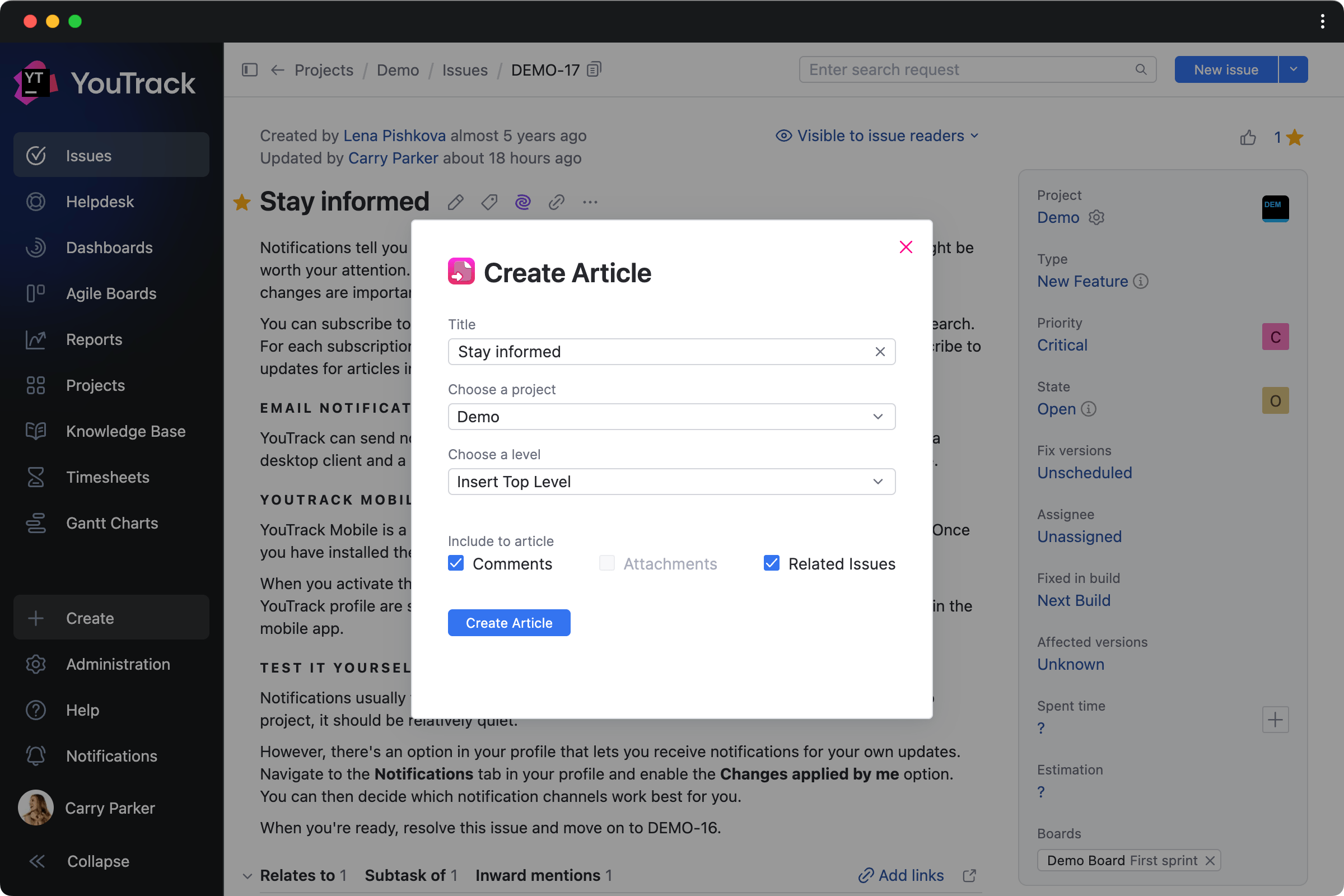
Issue to Article by twenty20 Task action
With this app, you can select a task and instantly generate a Knowledge Base article draft from its content. This helps teams reuse existing content as documentation, FAQs, or internal guides, ensuring that valuable information is easily accessible in an article.
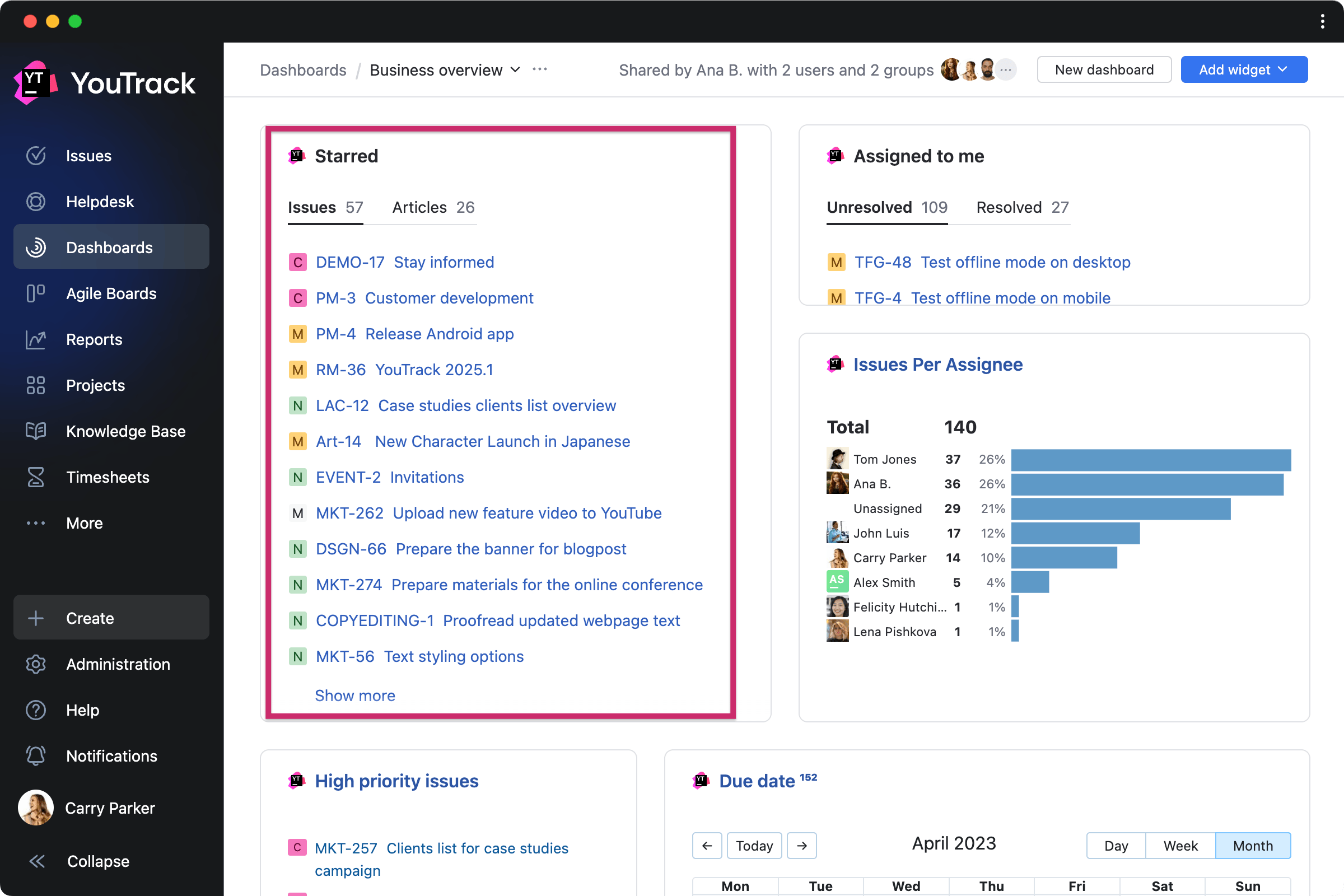
Document List Widget by JetBrains Dashboard widget
This app lets you add customized lists of tasks and articles directly to your dashboards and project overview pages to keep key information visible to your team members.
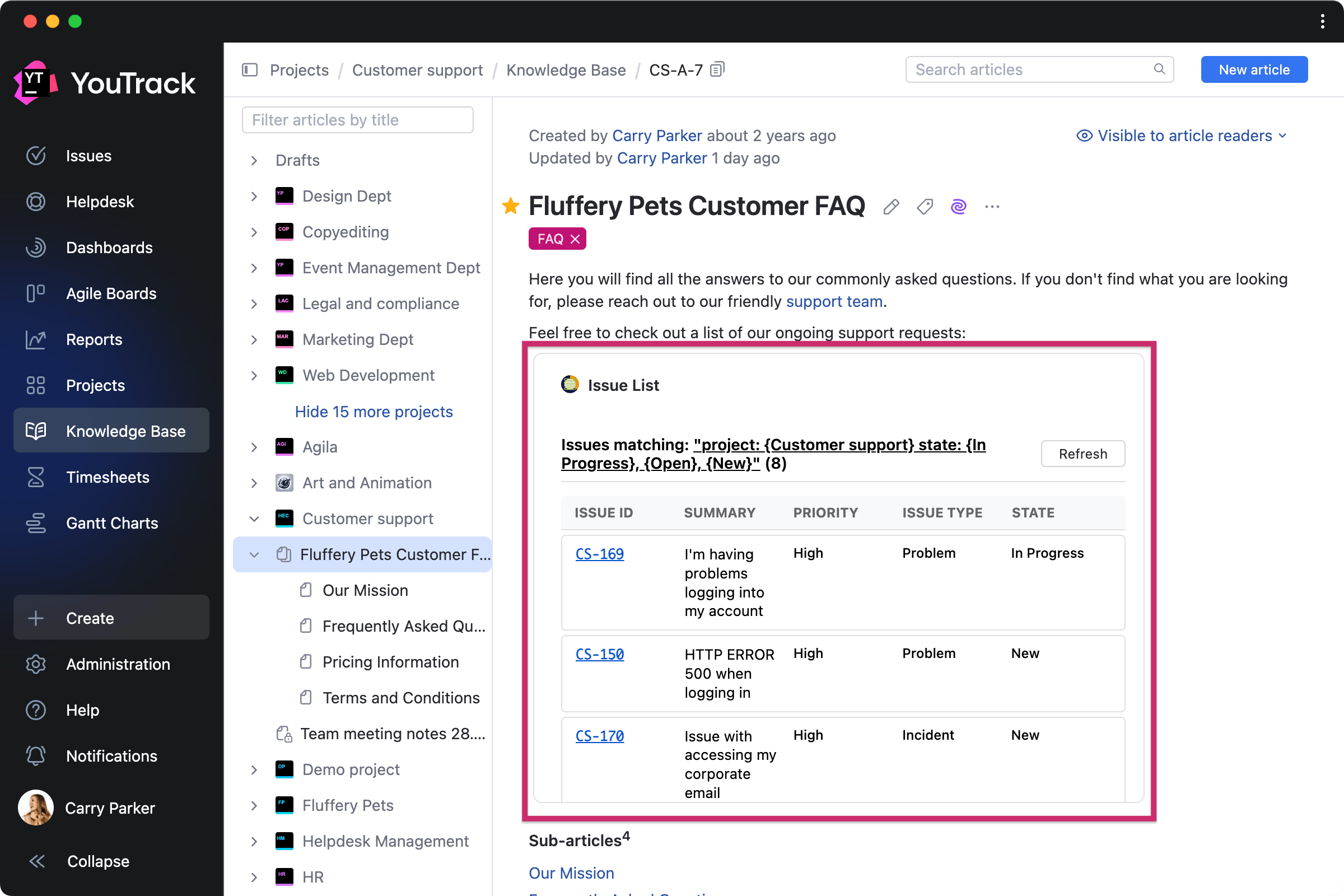
Issue List for Articles by MSP Article widget
Use this app to create articles that always reflect the current state of your backlog or project work. The issue list will display matching tasks directly in the article, updating itself in real time.
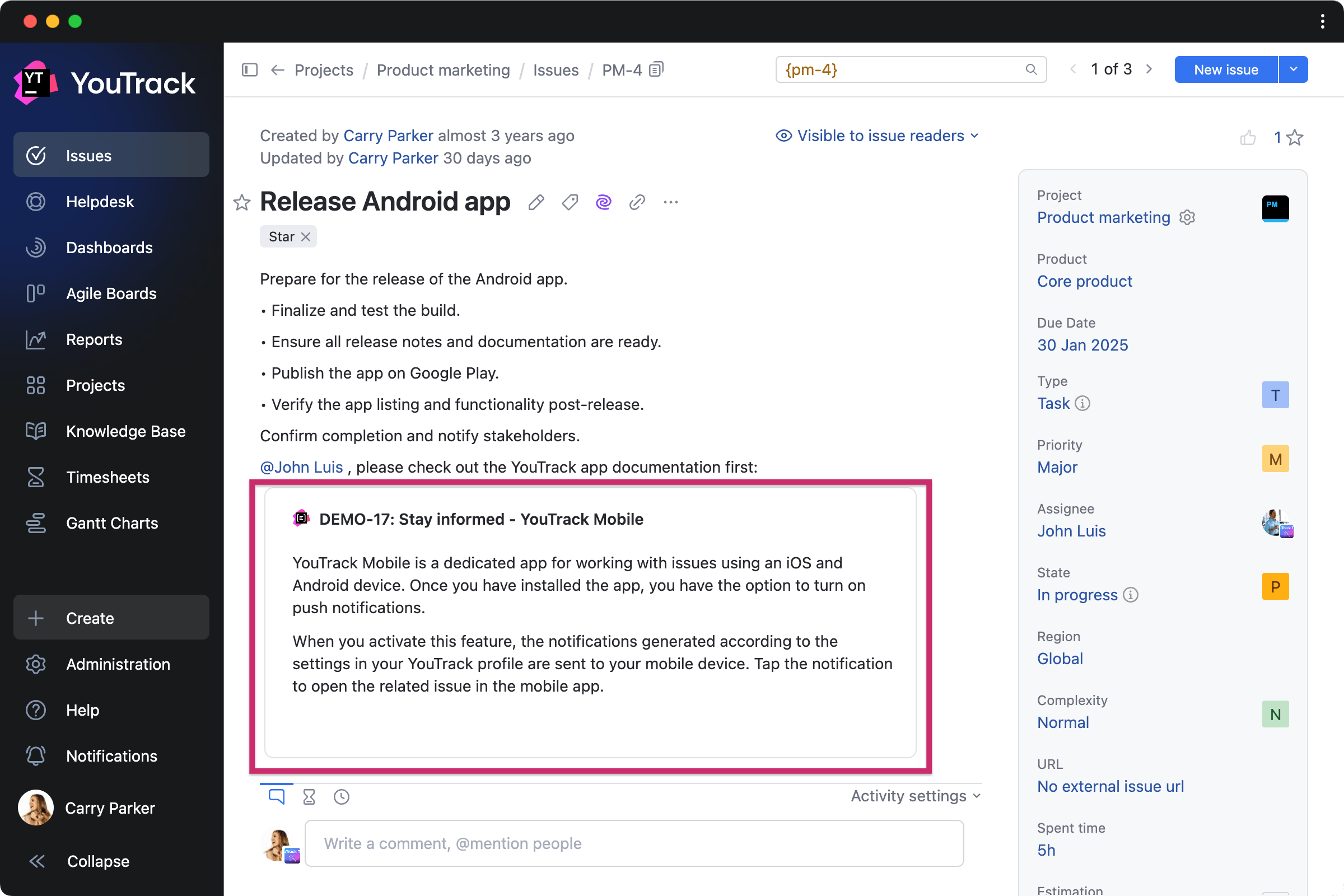
Markdown Snippet widget by Damir Yusipov Task widget
This app lets you add custom Markdown blocks directly to your tasks or articles. You can use it to display content from other tasks, articles, or workflows, enriching tasks and articles with quick references.
Other enhancements
Conditions for widget visibility
We’ve added customizable conditions for widgets that allow app developers to ensure they appear only when relevant. This means users can now see different widgets depending on whether a task or article is in a draft or published state, or based on the selected issue field value and other conditions.
Invite new users to projects from tasks
Administrators can now invite new users directly when assigning tasks, making it even easier to bring teams together. For example, when selecting a user in the Assignee field, you can now choose people from outside the project, and they’ll be automatically added to the project team.
Updated settings for AI features
We've updated the AI Assistant settings page to give administrators more control over which features are active for your YouTrack. We also added a dedicated tab to the profile settings so each user can choose which features they want access to.
Other enhancements
We’ve also enhanced the onboarding experience for new users, improved the Hub authentication module features, and made other small improvements.