What’s New in WebStorm 2026.1
Modern frontend applications are becoming larger, more modular, and increasingly TypeScript-heavy. WebStorm 2026.1 focuses on helping you stay productive in these environments by strengthening the IDE’s TypeScript foundation, expanding support for the evolving frontend ecosystem, and further optimizing the IDE for large-scale React and TypeScript projects.
Highlights of this release include:
AI-powered development
- Junie, Claude Agent, and Codex available directly in the AI chat
- ACP Registry for discovering and installing more agents
- Next edit suggestions
A more reliable TypeScript experience
- Service-powered TypeScript engine enabled by default
- Alignment with TypeScript 6
-
String-literal
import/exportsupport
Framework and ecosystem updates
AI
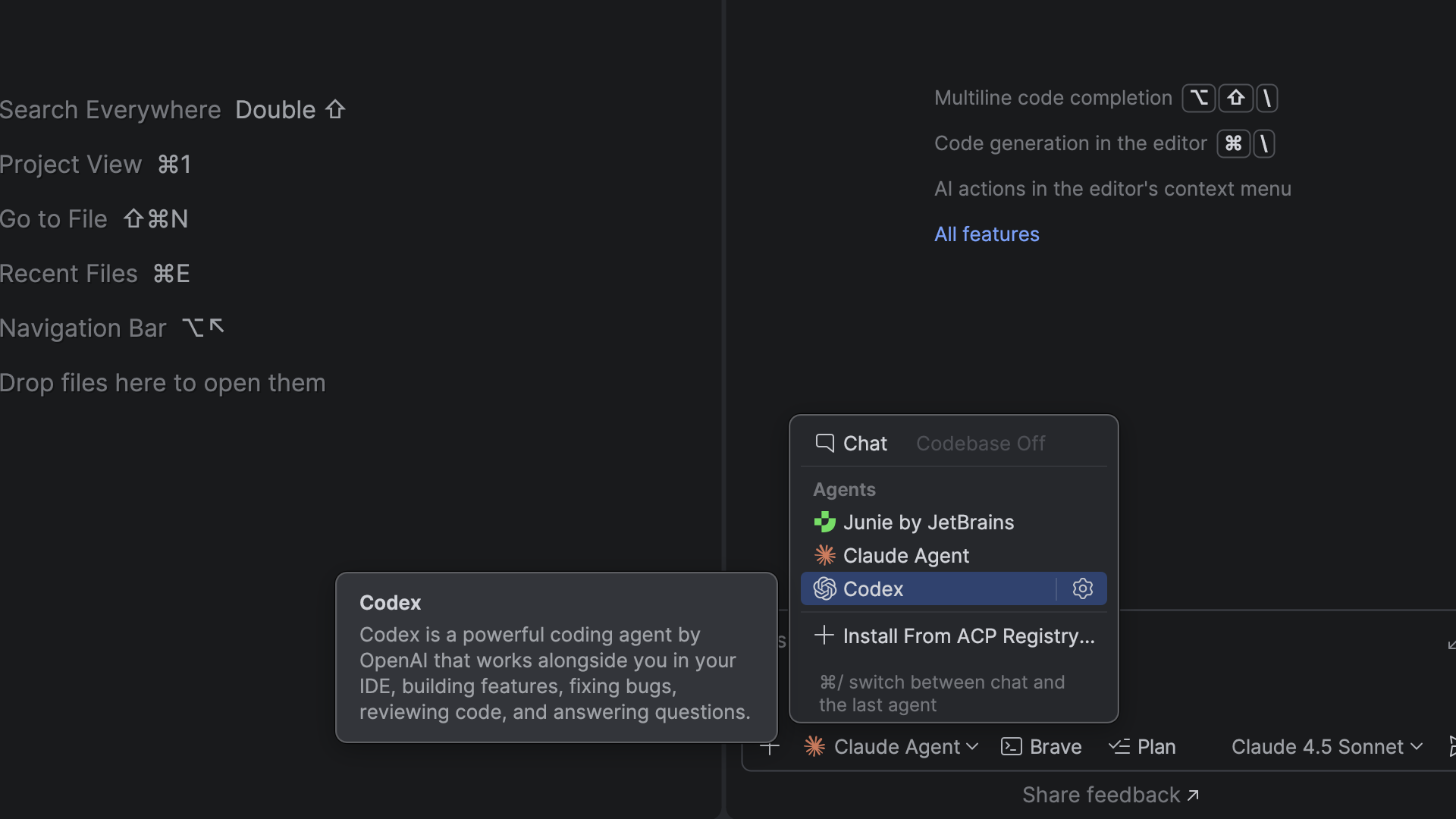
Junie, Claude Agent, and Codex available directly in the AI chat
In addition to Junie, Claude Agent, and most recently Codex, WebStorm now lets you work with more AI agents directly in the AI chat.
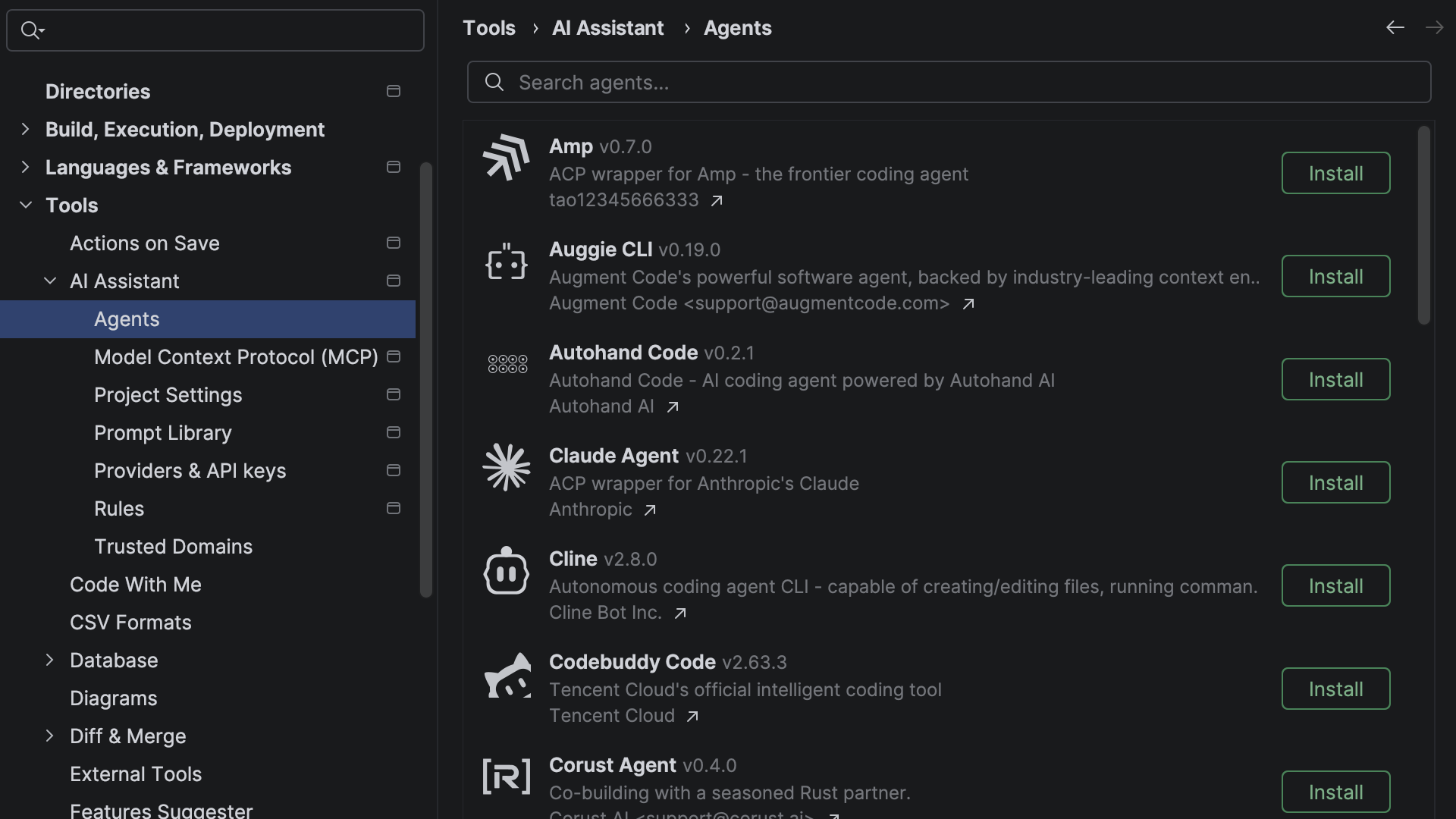
ACP Registry
You can also choose from agents such as GitHub Copilot, Cursor, and many others supported through the Agent Client Protocol (ACP). The new ACP Registry makes discovering and installing these agents straightforward. Instead of having to manually configure integrations, you can browse available agents and install them in just one click.
Next edit suggestions
Next edit suggestions are now available without consuming the AI quota of your JetBrains AI Pro, Ultimate, and Enterprise subscriptions. These suggestions go beyond traditional code completion for JavaScript, TypeScript, HTML, and CSS. Instead of updating only what’s at your cursor, they intelligently apply related changes throughout the file, helping you keep your code consistent and up to date with minimal effort.
This natural evolution of code completion delivers a seamless Tab Tab experience that keeps you in the flow.
TypeScript and JavaScript
A more reliable TypeScript experience
As TypeScript projects grow, keeping an in-IDE type engine both accurate and performant becomes increasingly difficult. WebStorm now uses its service-powered TypeScript engine by default, relying more directly on the official TypeScript language service for code insight.
For developers working in large projects, this means:
- More accurate type inference.
- Faster code analysis thanks to more efficient CPU usage.
- Better consistency between the IDE and the TypeScript compiler.
The result is a smoother editing experience and fewer mismatches between what the IDE reports and what your build actually produces.
Alignment with TypeScript 6
Recent TypeScript releases introduced several changes to compiler defaults that can easily lead to subtle differences between build behavior and the IDE’s code insight.
In WebStorm 2026.1, project configuration aligns with these changes. For example:
-
The IDE now follows the updated default behavior for the
typesoption, avoiding the automatic inclusion of all packages fromnode_modules/@types. -
Project structure assumptions now match TypeScript’s updated
rootDirdefault. -
The IDE's approach to сonfiguration reflects the ecosystem’s shift away from
baseUrltoward explicitpathsmappings.
These updates help ensure that what you see in the editor matches how TypeScript actually resolves types in your project.
String-literal import/export support
WebStorm now offers support for string-literal import and export specifiers, enabling custom export names with full code insight and refactoring support.
                                    export { a as "a-b" };
                                    import { "a-b" as a } from "./file.js";
Framework and ecosystem updates
Highlighting for new React directives
React projects benefit from improved highlighting of the new use memo and use no memo directives.
These directives are now treated consistently alongside existing ones, such as use client and use server, making it easier to understand component behavior at a glance.
Angular 21 template updates
Angular templates have become more powerful in recent versions, allowing more complex expressions directly inside template code.
WebStorm now supports several additions introduced in the Angular 21.x releases, including arrow functions, instanceof checks, regular expressions, and spread syntax inside template expressions. These capabilities make templates more flexible while preserving full IDE support for navigation, inspections, and code insight.
Vue
WebStorm 2026.1 integrates the updated @vue/typescript-plugin, improving TypeScript support and code insight inside .vue components. This keeps WebStorm aligned with the evolving Vue tooling ecosystem and ensures smoother TypeScript interoperability.
Astro
Astro projects now support a JSON configuration field that allows you to pass settings directly to the Astro language server. This provides better control over how the language server analyzes your project and aligns WebStorm with Astro’s growing ecosystem.
Svelte
WebStorm 2026.1 adds support for the generics attribute in <script> tags, enabling navigation, the use of the Rename refactoring, and usage search for generic type parameters. The IDE also introduces support for the @attach directive and updates the bundled Svelte language tooling.
CSS
WebStorm now understands the modern color() CSS function and recognizes values across predefined color spaces.
This enables accurate color previews, validation, and improved support for advanced color workflows beyond the traditional sRGB.
Stay tuned
This version also includes numerous improvements to performance, framework integrations, and overall IDE reliability. For the complete list of changes, see the full release notes. Update to WebStorm 2026.1 today to explore the latest improvements, and be sure to share your feedback.