What’s New in MPS 2025.3
MPS 2025.3 introduces a major overhaul of the JavaDoc language, significant changes to generator plans, and a major update to the reflective editor. It also enables keyboard actions in the Logical view and allows TextIcon to offer visually distinct variants for light and dark themes.
Explore the full list of changes below.
JavaDoc language overhaul
The JavaDoc language has been completely migrated to use the
jetbrains.mps.lang.text language for text representation and editing.
This change is expected to have minimal impact on the overall user experience.
However, it fixes numerous problems:
-
The editing experience is now consistent with other MPS languages that use
jetbrains.mps.lang.text, such as BaseLanguage comments or structure language documentation. For more information on editing text, refer to the documentation facet page. -
Text can be copied and pasted between JavaDoc, BaseLanguage comments, language
documentation comments, and other places where
jetbrains.mps.lang.textis used. You can also copy and paste plain text. - Text can now include styling, such as bold or italics. This styling is generated as HTML tags in the resulting Java source files.
Along the way, several problems associated with the JavaDoc language have been resolved:
-
The description for block tags was changed to use
jetbrains.mps.lang.textinstead of string properties, so the same edit/copy/paste/style functionality is available inside block tags. - Block tags now support multiple lines of description.
- Both block tags and inline tags are now correctly parsed from Java sources.
-
A new
{@literal ...}inline tag was added as mandated by the Java language specification. -
Code inside
CodeSnippetcorrectly resolves local variables. -
NodeWrappercorrectly textgens the contained nodes.
Paste as JavaDoc action available in BaseLanguage
In addition to the existing Paste as Java Statement and
Paste as Class Content actions, the redesigned JavaDoc language supports a
new action that enables easy pasting of textual JavaDoc code into BaseLanguage.
Most importantly, this new action ensures that your JavaDoc code is
properly parsed into JavaDoc text lines, block tags, and inline tags,
including potential reference resolutions (e.g. for the @param or
{@link } tags).
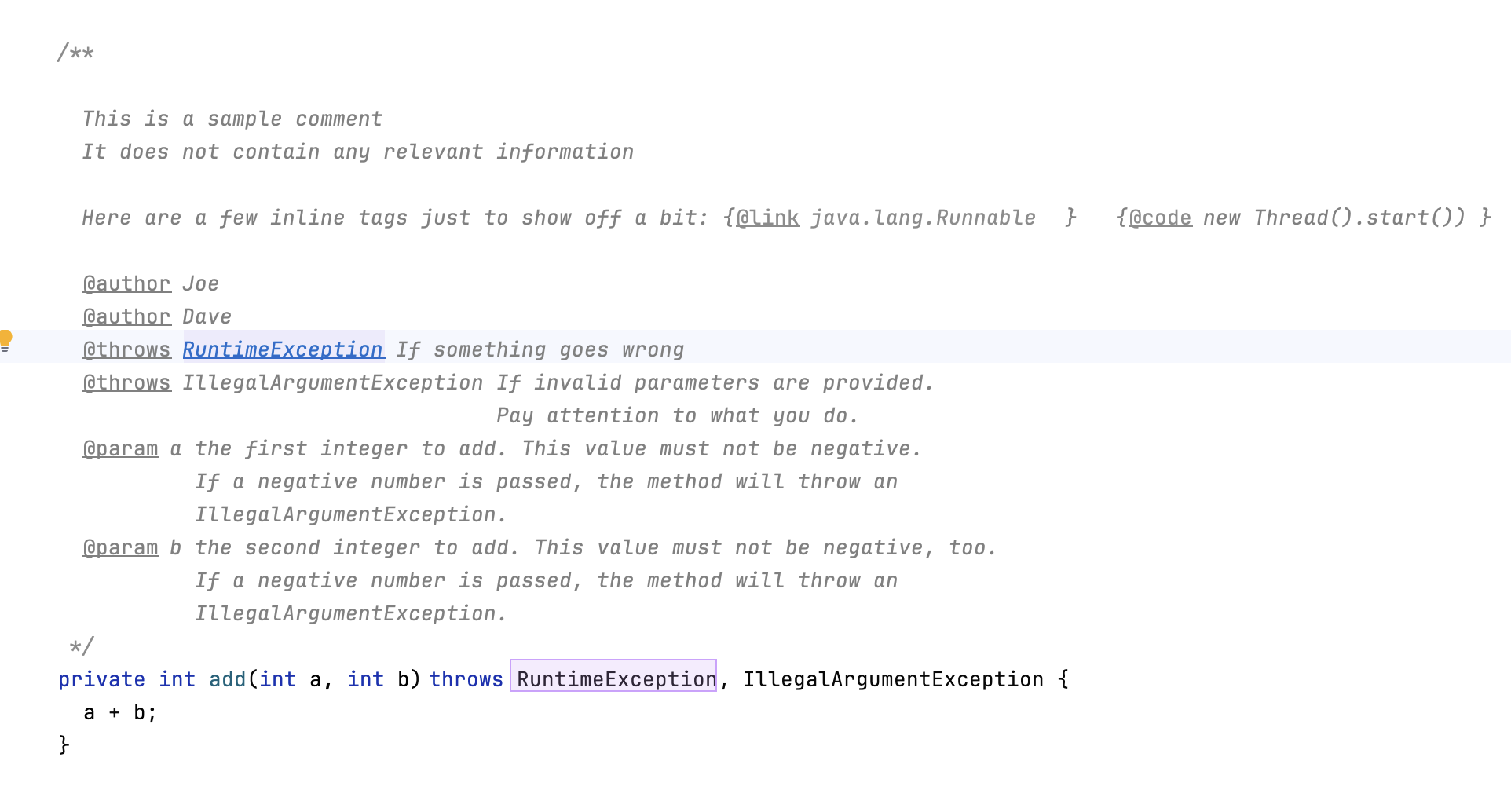
This new Paste as JavaDoc action parses the text from the clipboard and pastes it into a JavaDoc comment at the current position of the cursor. If the cursor is not positioned within an existing JavaDoc comment, the action attaches the parsed JavaDoc elements to the following field/method/class definition’s JavaDoc, creating a new JavaDoc file for them, if needed.
Contributions to generator plans

We’ve made some major improvements to generator plans, enhancing the user’s experience
with complex model transformations. A new notion of PlanContribution
supersedes and completely replaces the experimental fork as functionality
that we introduced back in 2024.1.
In addition, we’ve also added a mechanism to denote a model of a branch (for any
branch originating from a plan or plan contribution) with additional model attributes.
A potential use case for this might be when the language/plan designer wants to add
custom model attributes to identify the
outcome of a particular branch for further processing. One of the attributes employed
by MPS itself is targetFacet (see
jetbrains.mps.generator.extensions.common model), which tells
<mps.make> which GenerationTargetFacet/ModuleFacet
to consult when determining an appropriate output location for a model.
Conditional forks with generator plans

Both the fork step and a PlanContribution in a generator
plan support conditional activation. It’s now possible to activate certain branches
of a plan only when certain criteria are met. At the moment, MPS comes with a
conditional statement that checks the values of specified plan parameters.
We intend to eventually extend statements to support logical operations
(and/or), as well as other potential operations, while
maintaining a strict interpretation of generator plans (i.e. no BaseLanguage code
in plans).
A language designer can provide custom ParameterDeclaration classes.
Values for these parameters can be contributed using a
PlanParameterContributor extension point. MPS comes with a few predefined
parameters that are usable straight out of the box – see the
jetbrains.mps.generator.extensions.common model for full details of these.
Light and dark TextIcon options
TextIcon’s layers can now be configured to apply to the light and dark, or both color themes. Additionally, the color literals in TextIcon’s definition can provide different values for the light and dark color themes.
Reflective editor overhaul
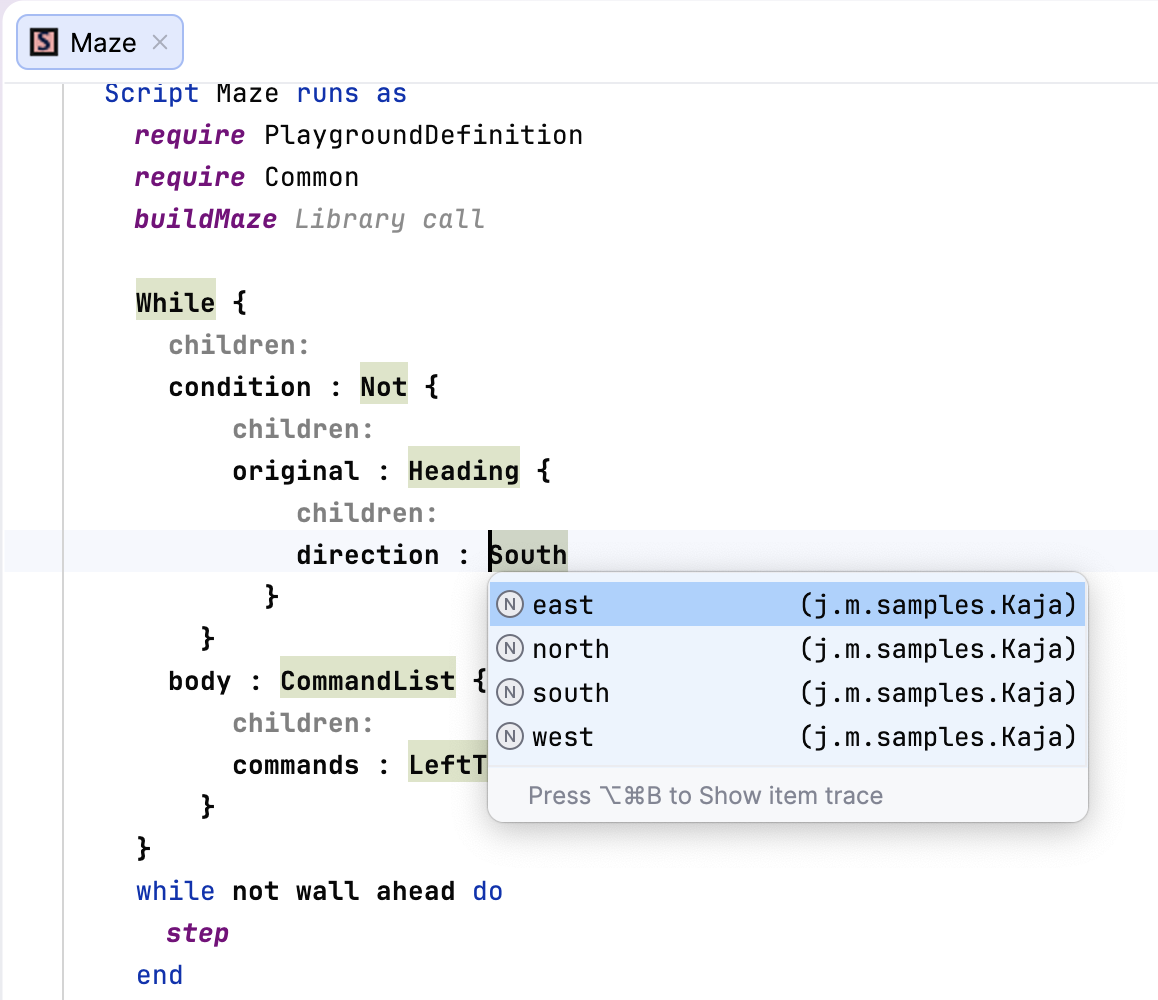
The reflective (default) editor has a new look and feel. The read-only default editor has been merged with the reflective editor, so there’s no longer confusion between the two.
Using keyboard shortcuts in the Project view
The process of creating new elements in the Logical pane of the Project view using keyboard shortcuts has been significantly improved. New modules, models, and nodes can now be introduced without the use of a mouse.
Highlighting of invisible usages
Usage highlighting of the node at the caret is now restricted to only references that are actually visible in the editor. Usages in nodes that are not actually displayed by the node’s editor are not highlighted.
Numerous bug fixes
MPS 2025.3 includes a wide range of bug fixes. The complete list of resolved issues can be found here.
Platform updates
Islands theme by default
The new Islands themes are bundled in MPS 2025.3, and they are switched on by default.
Migration guide
For every major release, we prepare instructions on how to migrate from older MPS versions to ensure everything goes smoothly. Please review them carefully in the updated migration guide.