License Details
The License Details tab on the Global Settings page provides detailed information about your current YouTrack Server license. This information is based on the license key that has been issued for your installation.
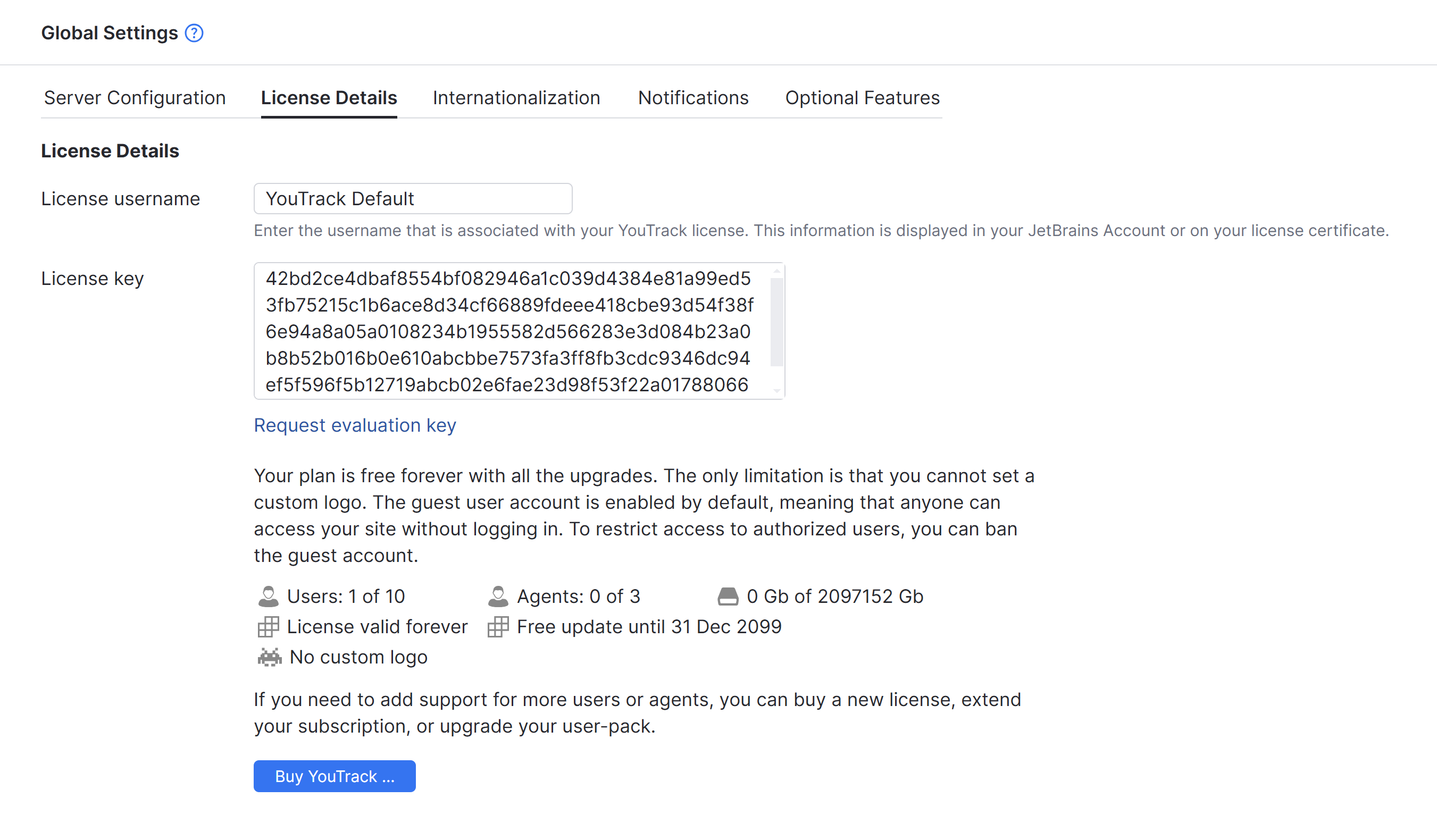
Commercial YouTrack Server licenses are either perpetual licenses or annual subscription-based licenses. Customers who purchased YouTrack Server before June 23, 2026 can continue to use their existing perpetual licenses under the current terms. For details, see Managing Your YouTrack Server License.
The following settings are available in this section of the page:
Setting | Description |
|---|---|
License username | The name of the user that is associated with your YouTrack license. This is usually the first and last name that are stored in the JetBrains Account of the user who registered the license for your installation. |
License key | The key that is associated with your YouTrack license. |
Users and agents | The number of active users and helpdesk agents that are currently using the installation compared to the limits stored in your license key. |
License valid until | The date when a time-limited commercial license must be renewed. Perpetual licenses are shown as valid forever. |
Free update until | The date when the free update period ends for a perpetual license. This setting is not shown for subscription-based commercial licenses. |
Upgrading a YouTrack License
The license key stores the parameters that determine the limitations for your current license. Any time you modify the parameters of your license or subscription, you are issued a license key. This includes when you buy a new license, renew an annual subscription, extend an existing subscription plan, or purchase a user pack subscription for additional users or agents.
Subscription-based YouTrack Server licenses are issued for annual terms. If the subscription is not renewed by the date shown as License valid until, the installation remains available for a seven-day grace period. After the grace period ends, access is restricted until an administrator applies a renewed license key or switches the installation to the free plan.
To access available upgrade options, click the Buy YouTrack button.
To apply the updated license to your installation, paste the new key into the License key field and save your changes.
If you have a paid subscription, you can switch to the free plan without leaving YouTrack. Clicking the switch to our Free Plan link updates the values that are stored as the License username and License key. To apply these changes, click the Save button.