Extension Points for Widgets
YouTrack offers a collection of extension points where an app developer can embed a widget in the UI. These widgets support specific interactions that are not available to users unless they install and activate the app. On this page, you can find information about these extension points.
Here is the overview of all possible extension points with their scopes. To learn about widget scopes, see Scope.
Extension Point | Scope | Description |
|---|---|---|
Global | A page that has its own item in the administration menu. | |
Article | The area in an article above the activity stream. | |
Article | The area in an article below the title. | |
Article | An item in the article toolbar that invokes the widget. | |
Global | The dashboard. | |
Project | An extra channel for tickets. This extension point is only available for helpdesk projects. | |
Issue | The area in an issue above the activity stream. | |
Issue | The area in an issue below the issue summary. | |
Issue | The area in an issue above the custom field panel. | |
Issue | The area in an issue below the custom field panel. | |
Issue | An item in the issue toolbar that invokes the widget. | |
Global | A separate application page that is accessible from the main navigation menu. | |
Global | The area in a Markdown-formatted text. | |
Project | A separate tab in the project settings. | |
Project | A separate tab on the project page. | |
User | The area in the user card that you see when you hover over the username in an issue or article. | |
User | A separate tab in the user profile. |
Register a Widget with the Host API
If you want your widget to send HTTP requests to YouTrack or communicate with it using any of the YouTrack APIs, add a script that registers the widget in YouTrack in the HTML code of the widget.
You need to register your app in YouTrack, for example, when sending alerts to YouTrack from the widget. Once you've registered the app, you can use the Host API to send alerts in YouTrack or invoke functions implemented as custom HTTP handlers.
Here you can see an example of the registration script:
For more details about the Host API, see Host API.
Administration Menu Item
Name | Description | Scope |
|---|---|---|
| This extension point lets you create a page that has its own item in the administration menu. | Global |
This extension point supports widget guards. If the guard returns false, the item is hidden from the administration menu. For details, see Global Full-Page Widgets.
By default, YouTrack shows the page header above widgets that use this extension point. To hide the header, set the widget's showHeader field to false in the app manifest.


Article above Activity Stream
Name | Description | Scope |
|---|---|---|
| This extension point lets you add a custom widget to the area in an article above the activity stream. | Article |
This extension point supports widget guards. If the guard returns false, the widget is hidden in the article. For details, see Article.

Article Below Title
Name | Description | Scope |
|---|---|---|
| This extension point lets you add a custom widget to the area in an article below the title. | Article |
This extension point supports widget guards. If the guard returns false, the widget is hidden in the article. For details, see Article.

Article Options Menu Item
Name | Description | Scope |
|---|---|---|
| This extension point lets you add an item to the option menu in an article. When a user selects this option, the custom widget is displayed. | Article |
This extension point supports widget guards. If the guard returns false, the item is hidden from the article option menu. For details, see Article.

Dashboard Widget
Name | Description | Scope |
|---|---|---|
| A widget that can be displayed on a dashboard. Apps that use this extension point generate a special embedding component each time its widgets are displayed on a dashboard. This component is supported by a more extensive | Global |

Helpdesk Channel
Name | Description | Scope |
|---|---|---|
| This extension point lets you create an extra channel for creating helpdesk tickets. It is only available for helpdesk projects. | Project |
This extension point supports widget guards. If the guard returns false, the channel is hidden in the project. For details, see Project.

Issue above Activity Stream
Name | Description | Scope |
|---|---|---|
| This extension point lets you add a custom widget to the area in an issue above the activity stream. | Issue |
This extension point supports widget guards. If the guard returns false, the widget is hidden in the issue. For details, see Issue.

Issue below Summary
Name | Description | Scope |
|---|---|---|
| This extension point lets you add a custom widget to the area in an issue below the issue summary. | Issue |
This extension point supports widget guards. If the guard returns false, the widget is hidden in the issue. For details, see Issue.

Issue Field Panel First
Name | Description | Scope |
|---|---|---|
| This extension point lets you add a custom widget to the area in an issue above the custom field panel. | Issue |
This extension point supports widget guards. If the guard returns false, the widget is hidden in the issue. For details, see Issue.

Issue Field Panel Last
Name | Description | Scope |
|---|---|---|
| This extension point lets you add a custom widget to the area in an issue below the custom field panel. | Issue |
This extension point supports widget guards. If the guard returns false, the widget is hidden in the issue. For details, see Issue.

Issue Options Menu Item
Name | Description | Scope |
|---|---|---|
| This extension point lets you add an item to the option menu in an issue. When a user selects this option, the custom widget is displayed. | Issue |
This extension point supports widget guards. If the guard returns false, the item is hidden from the issue option menu. For details, see Issue.

Main Menu Item
Name | Description | Scope |
|---|---|---|
| This extension point lets you add a dedicated page to YouTrack that is accessible from the main menu. | Global |
This extension point supports widget guards. If the guard returns false, the item is hidden from the main menu. For details, see Global Full-Page Widgets.
By default, YouTrack shows the page header above widgets that use this extension point. To hide the header, set the widget's showHeader field to false in the app manifest.


Markdown
Name | Description | Scope |
|---|---|---|
| A custom widget that can be used to embed content in areas that support rich text. These widgets can be embedded in issue descriptions, knowledge base articles, and comments in issues, tickets, and articles. Despite the name of this extension point, this widget can embed content when editing in Visual mode as well as Markdown. Apps that use this extension point generate a special embedding component each time its widgets are inserted into a text field. This component is supported by a more extensive | Global |
This extension point supports widget guards. If the guard returns false, the widget is hidden in Markdown-formatted text and isn't available for embedding. For details, see Markdown Widgets.

Project Settings
Name | Description | Scope |
|---|---|---|
| This extension point lets you create a separate tab in the project settings. | Project |
This extension point supports widget guards. If the guard returns false, the tab is hidden from the project settings. For details, see Project.

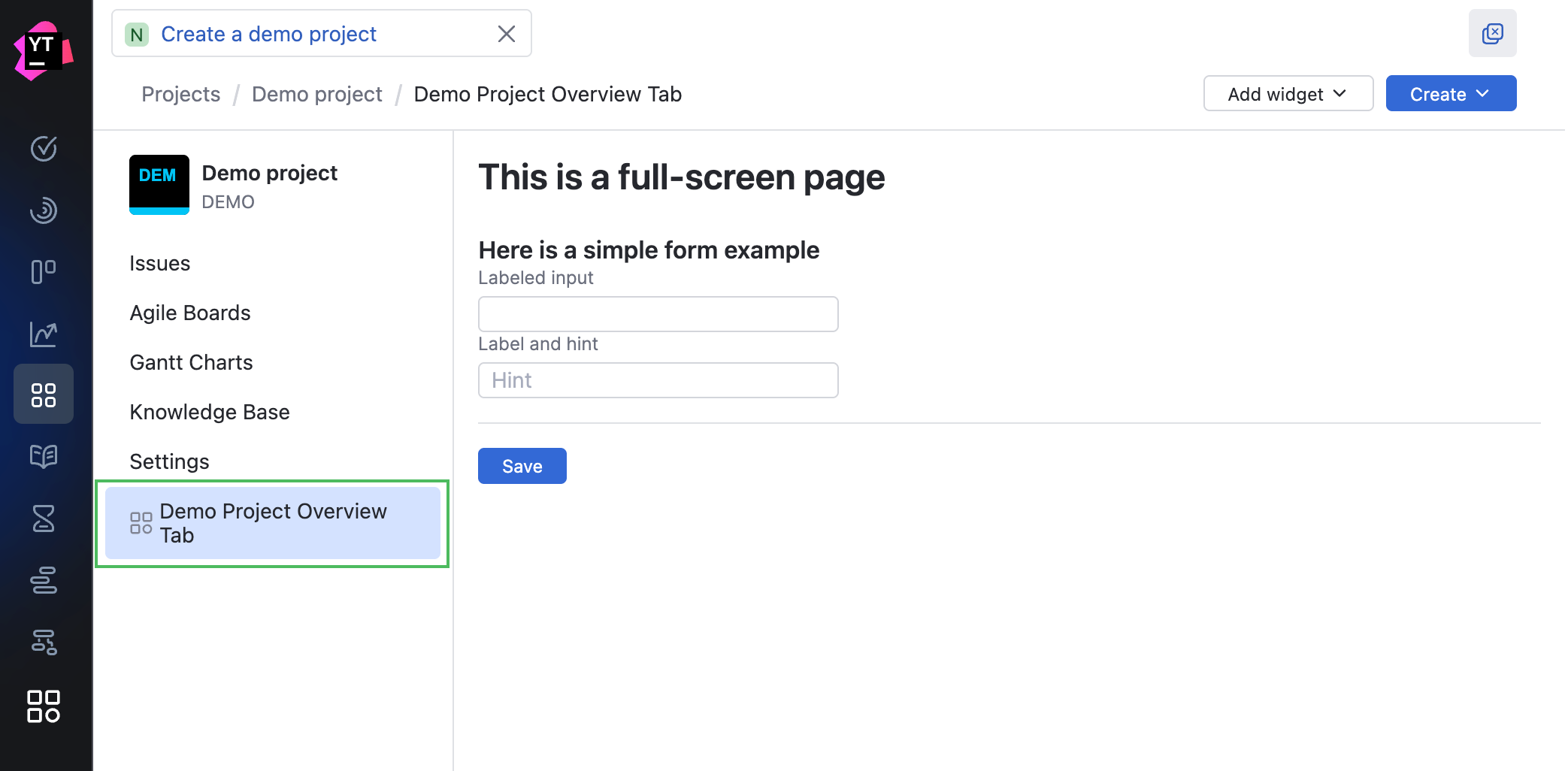
Project Tab
Name | Description | Scope |
|---|---|---|
| This extension point lets you create a separate tab on the project page. | Project |
This extension point adds an item to the project sidebar. Users can open the widget from a project where the app is attached and the widget is active.
This extension point supports widget guards. If the guard returns false, the item is hidden from the project sidebar. For details, see Project.
User Card
Name | Description | Scope |
|---|---|---|
| This extension point lets you customize the area in the user card that you see when you hover over a username in an issue, ticket, or article. | User |
This extension point supports widget guards. If the guard returns false, the widget is hidden in the user card. For details, see User.

User Profile Settings
Name | Description | Scope |
|---|---|---|
| This extension point lets you create a separate tab in the user profile. | User |
Use this extension point when your app needs to show a dedicated view for a user, for example, app-specific profile settings or profile data managed by the app.
A widget that uses this extension point has the user entity as its context. After registering the widget with the Host API, you can use YTApp.entity to read the user profile from frontend code. To call a user-scoped HTTP handler for this user, call host.fetchApp() with scope: true. The handler receives this user as ctx.user.
Here is an example of a widget declaration for this extension point:
Here is an example of the frontend code that reads the user profile and calls a scoped HTTP handler:
The scoped HTTP handler receives the same user as ctx.user. This handler can read or update app-owned values stored in user extension properties. This example assumes that the app declares a User extension property named profilePreferences:
This extension point supports widget guards. If the guard returns false, the tab is hidden from the user profile. For details, see User.
