Delete an Import
If you no longer want to synchronize data with an external service, you can delete the import configuration.
To delete an import:
From the main navigation menu, select
 .
.Select the import that you want to delete.
Click the
 Delete button.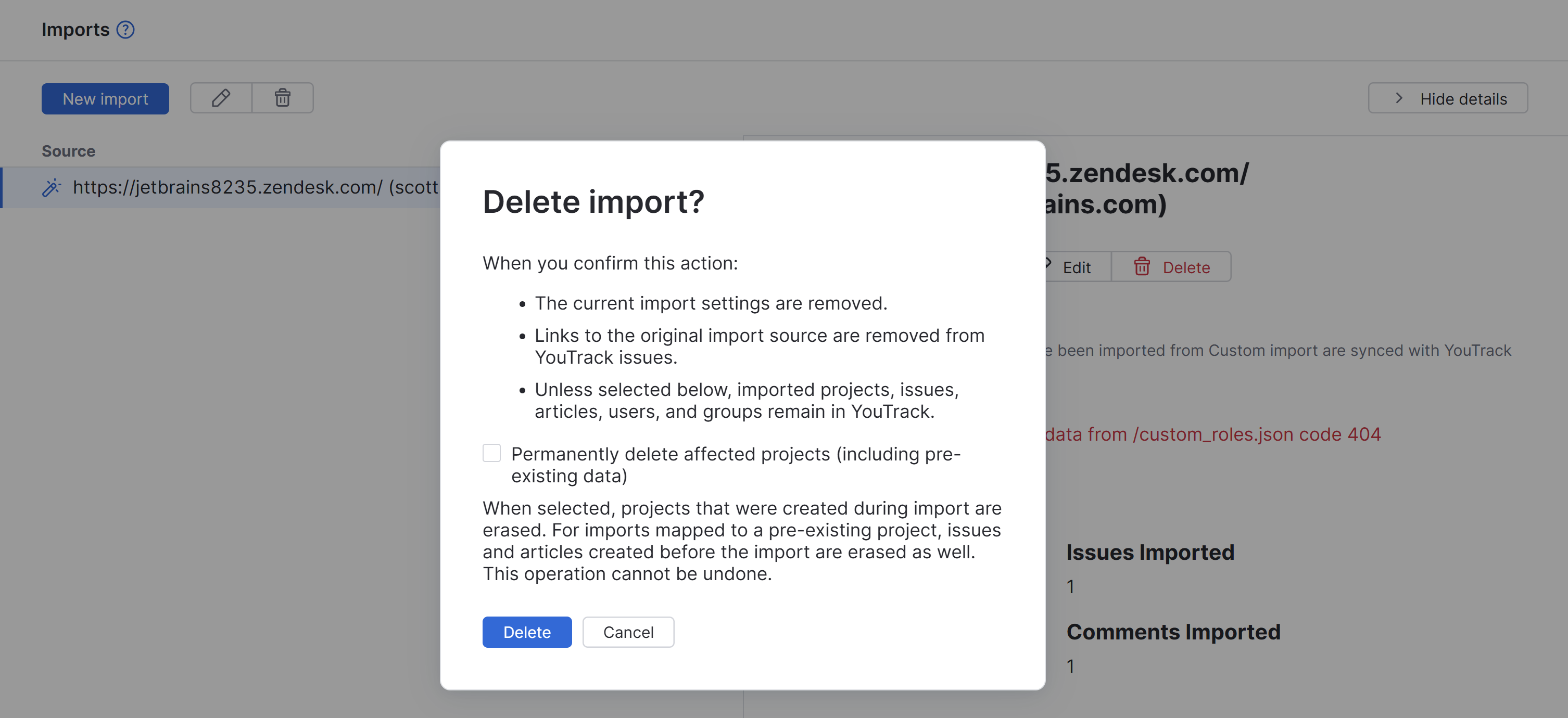
In the confirmation dialog, choose what happens to the affected projects:
Leave the Permanently delete affected projects (including pre-existing data) option cleared to keep the imported projects and their content in YouTrack.
Select this option to permanently delete the projects that were created during the import. For imports mapped to pre-existing projects, issues and articles that existed before the import are also erased.
Click Delete.
When you confirm the action, YouTrack removes the import settings and links to the original import source. If you configure another import from the same source, items are imported again with new IDs.