Notifications
To receive email notifications about new Pipeline events, navigate to the required Pipeline and hit Subscribe in the top right corner. You can choose from the following two options.
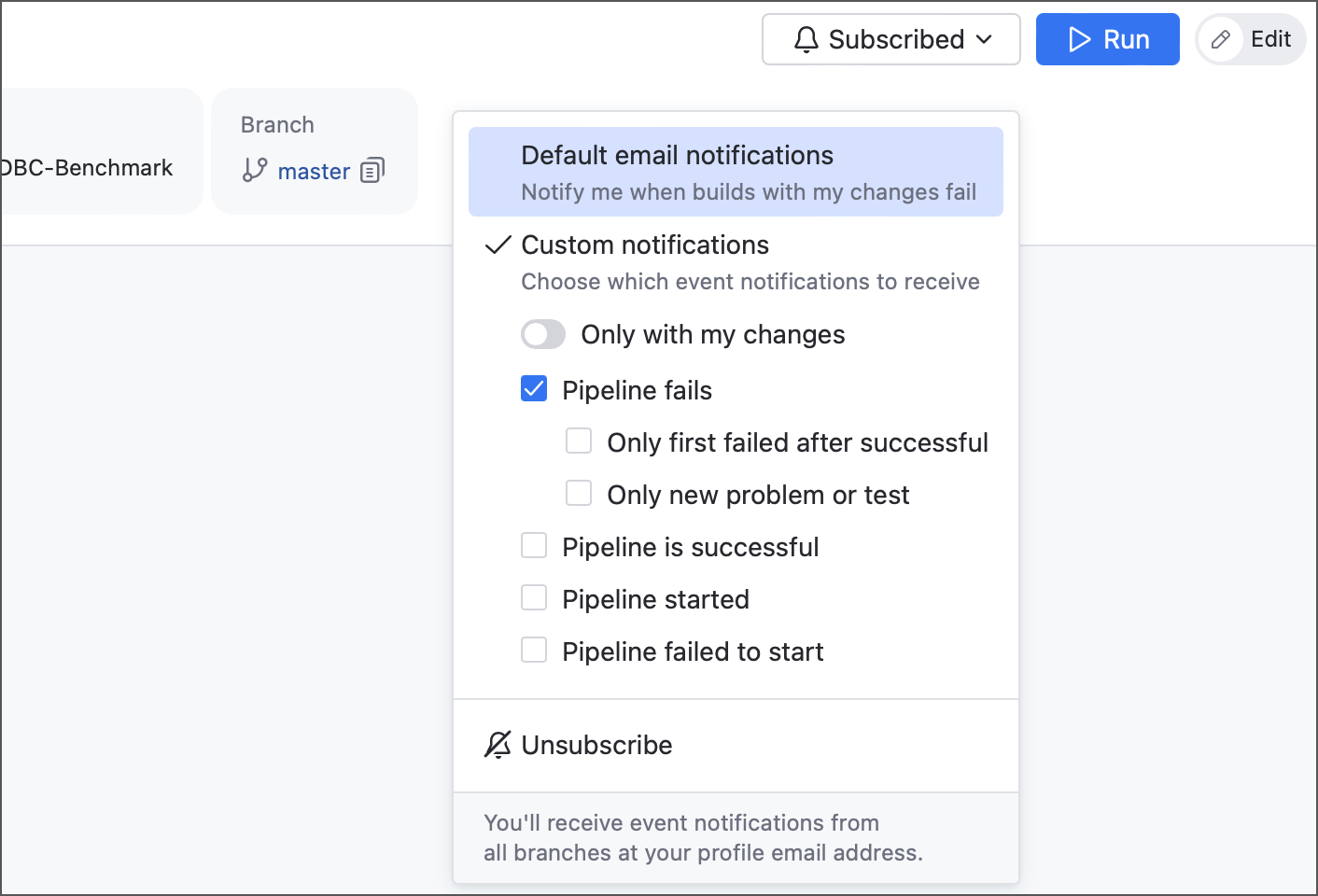
- Default email notifications
TeamCity will send you a notification only for builds that process your changes, and only on the following core events:
Pipeline failed
Pipeline successfully finished
Pipeline failed to start
- Custom notifications
This option allows you to choose events that you want to track:
Pipeline started
Pipeline failed
Any pipeline fail
Only new build problems or failed tests
Only first failure after previously successful finishes
Pipeline finished successfully
Pipeline failed to start
Additionally, you can choose whether TeamCity tracks these events for all processed changes or only those authored by you.
All notifications are sent to an email address configured in General section of your user profile. The profile's Personal Notifications tab provides a centralized access, allowing you to view and edit active subscriptions, as well as subscribe to events from other Pipelines you have access to.