View JIT and native disassembly
JetBrains Rider allows you to study disassembly of C# methods generated by JIT, ReadyToRun, and NativeAOT compilers.
Install the .NET Disassembler plugin
This functionality relies on the .NET Disassembler plugin, which you need to install and enable.
Press Ctrl+Alt+S to open settings and then select .
Open the Marketplace tab, find the .NET Disassembler plugin, and click Install (restart the IDE if prompted).
View disassembly for C# code
Open the ASM window: either click the corresponding button on the right toolbar or choose from the menu.
Place the caret on a method, property, constructor, or type declaration. The disassembly will appear in the ASM window.
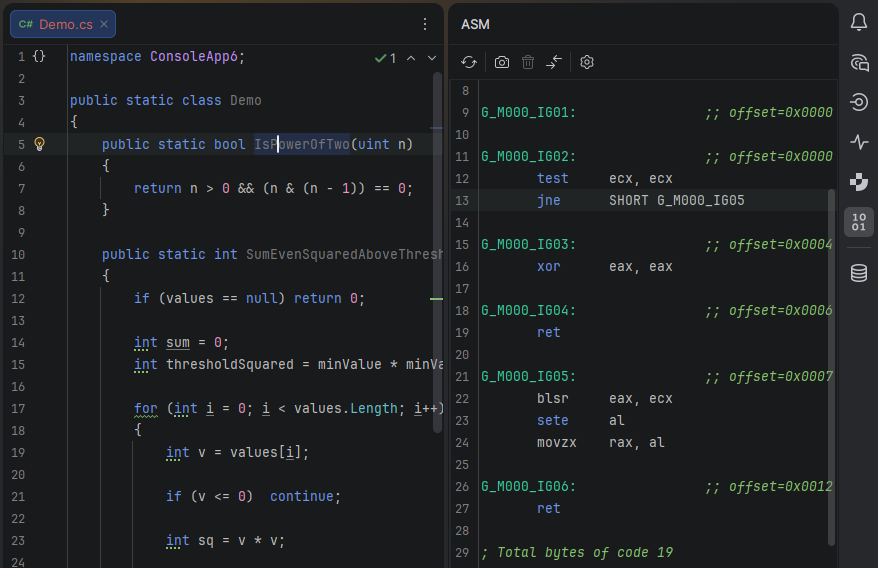
You can use the ASM Viewer to see how source code changes affect the disassembled output, helping you fine-tune low-level execution and performance.
Compare disassembly output
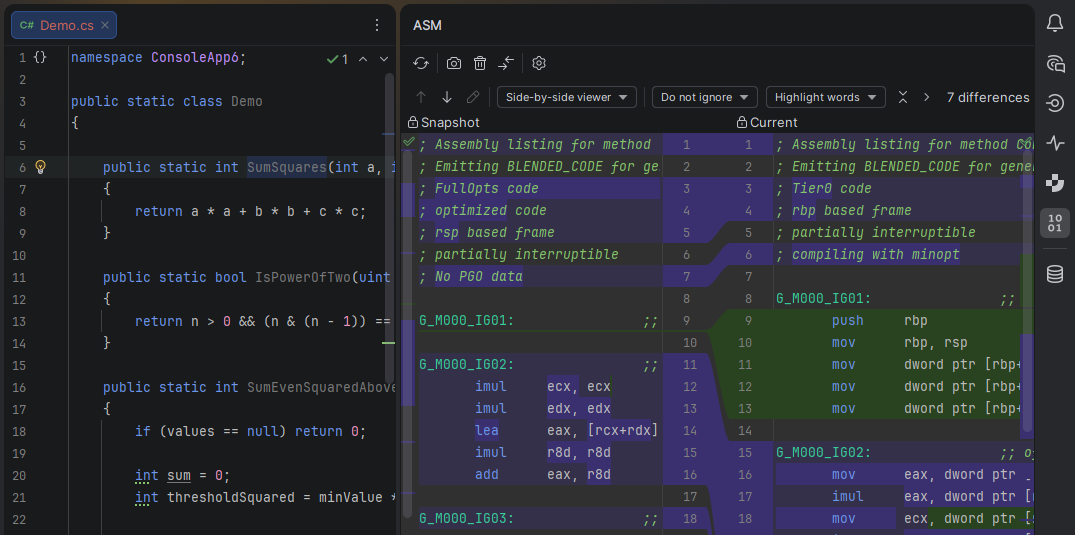
When the first version of your code is open in the editor, set the caret at the necessary symbol (class, method, property) wait for the disassembly view to render, and click Create Snapshot
 on the toolbar.
A snapshot will be created and the diff view will be enabled. Initially, both sides of the diff are the same.
Make the necessary changes to your code and check how the newly disassembled code differs from the original. If necessary, click Force Recompile on the ASM Viewer toolbar.
To finish the comparison session, click Delete Snapshot on the ASM Viewer toolbar. This will delete the original snapshot and restore the normal disassembly view for the current state of your source code.
ASM Viewer settings
To configure the ASM viewer settings, click  Settings on the toolbar.
The table below details all available settings. Note that ASM viewer settings are saved individually for each solution you open.
Output
Show Comments | Enables JIT compiler annotations, such as optimization flags, CPU target, PGO statistics, and prolog size. |
|---|---|
Diff-Friendly Output | Formats the disassembly to be more stable across runs, making it easier to compare diffs (for example, reducing address noise). |
Compilation
Use Tiered Compilation | Enables tiered JIT compilation, in which methods are initially compiled for fast startup and later recompiled with higher optimization levels once they are frequently executed. |
|---|---|
Use PGO (Profile-Guided Optimization) | Enables profile-guided optimizations, allowing the JIT to use runtime execution data to generate more optimized native code. |
Code Generator | Selects the JIT code generator implementation used to produce disassembled code. |
Build
dotnet build | Builds the project using |
|---|---|
Skip Package Restore | Skips NuGet package restore during the build step. Available only for the dotnet build mode. |
dotnet publish | Publishes the project using |
Target Framework | Specifies the target .NET Framework used for the build and JIT disassembly. The format must be in the TFM standard. For example, |
Runtime
Run Project | Executes the project so that JIT compilation occurs at runtime before collecting disassembly. Can increase the time to produce disassembly. |
|---|---|
Timeout (seconds) | The maximum time allowed for build and/or execution before producing disassembly is aborted. Set to |