Use the selector to choose how inlay hints for type conversions should be displayed in the editor: choose Default to apply the general visibility preference from the Editor | Inlay Hints | General page of JetBrains Rider settings , choose Show Always or Never Show to always show or hide hints, or choose Push-to-Hint to hide the hints by default but show them when you press and hold Ctrl.
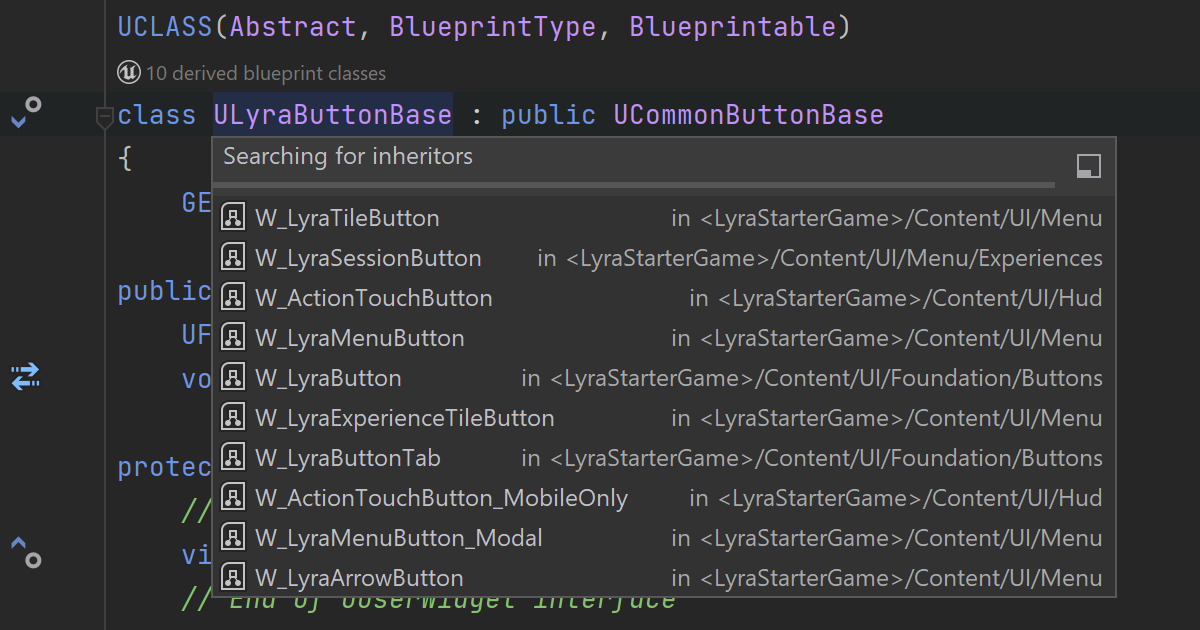
Blueprint classes
If your game has derived Blueprint classes from BlueprintCallable or BlueprintPure functions, you can see the corresponding hint right in the code editor. To get the list of all inheritors, right-click the hint and select the derived classes option from the context menu or invoke Find Usages on a C++ class.
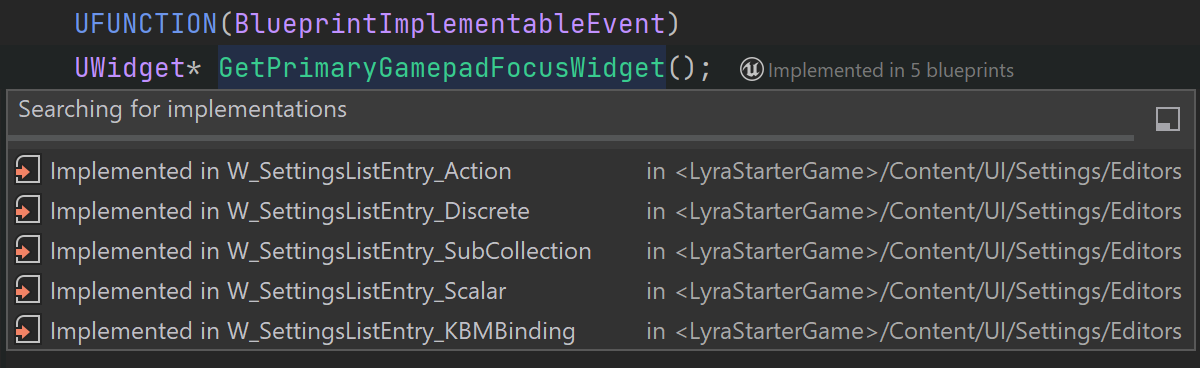
Blueprint functions
You can get the details about UFunctions implemented in Blueprints from the hint’s context menu. Since 2026.1, Code Vision also shows implementations of BlueprintNativeEvent and BlueprintImplementableEvent functions in Blueprint assets.
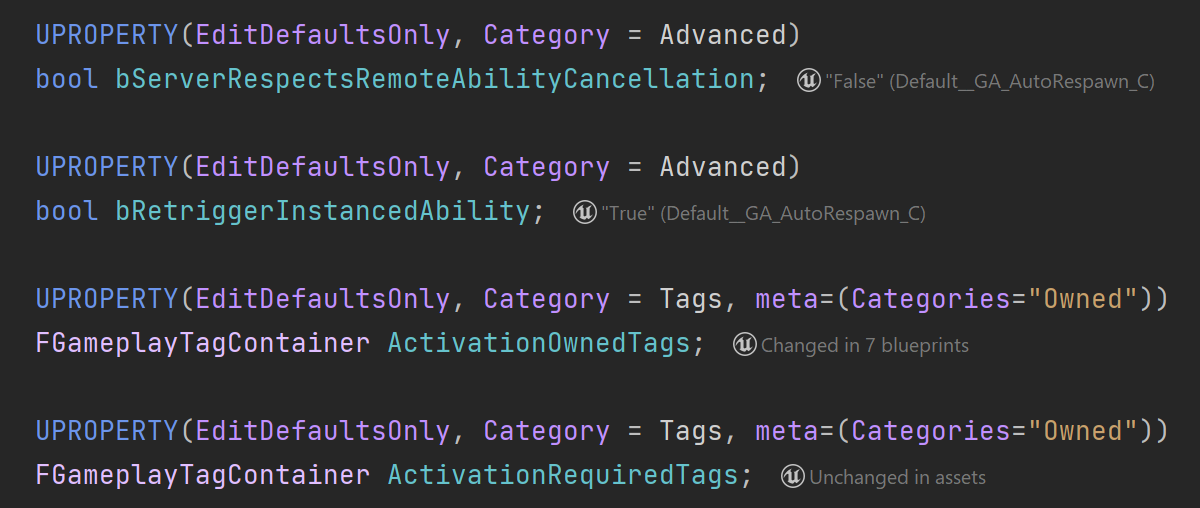
Blueprint properties
You can quickly check the state of a UProperty, including whether it has been overridden, and what value is set in the Blueprint file, and Find usages to discover Blueprint-side bindings for BlueprintAssignable delegate properties.