Keyboard shortcuts: keymaps comparison (Windows)
Among all the predefined keymaps, you will most probably choose one of the following:
Visual Studio 2022 — this keymap is recommended for Windows users who have experience with plain Visual Studio without ReSharper.
IntelliJ/IntelliJ (macOS) — this keymap is recommended for users who have experience with IntelliJ IDEA or some of the JetBrains IntelliJ-platform-based IDEs and who preferred to use the IntelliJ/macOS keymap there.
Visual Studio/Visual Studio (macOS) — this keymap is recommended for users who:
have no experience with other IDEs;
have experience with Visual Studio + ReSharper and who preferred the 'Visual Studio' keyboard scheme in ReSharper.
VS Code/VS Code (macOS) — this keymap is recommended for users who have experience with Visual Studio Code.
ReSharper/ReSharper (macOS) — this keymap is recommended for users who have experience with Visual Studio + ReSharper and who preferred the 'ReSharper 2.x/IntelliJ IDEA' keyboard scheme in ReSharper.
To switch between keymaps, open the Keymap settings page Ctrl+Alt+S, pick the desired keymap in the selector at the top of the page, and click Save.
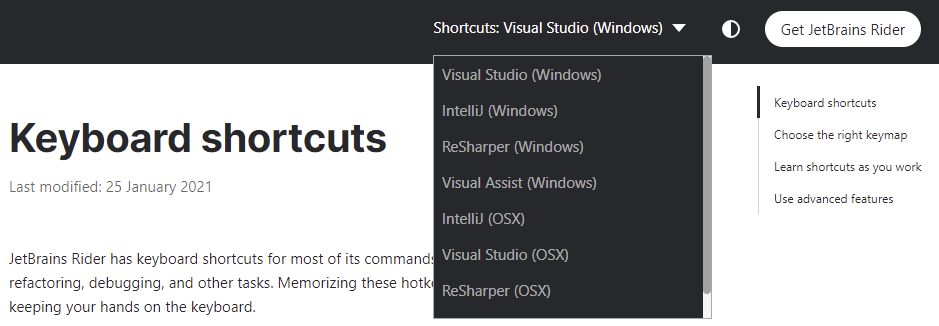
When consulting this page and other pages in JetBrains Rider documentation, you can see keyboard shortcuts for the keymap that you use in the IDE — choose it using the selector at the top of a page.
JetBrains Rider's top keyboard shortcuts
Command | Visual Studio 2022 | VS Code | IntelliJ |
|---|---|---|---|
Double Shift | Double Shift | Double Shift | |
Find Action... | Ctrl+Q | Ctrl+Shift+P | Ctrl+Shift+A |
Open Solution or Project... | Ctrl+Shift+O | Ctrl+K, Ctrl+O | Ctrl+Shift+O |
Ctrl+O | Ctrl+O | N/A | |
Ctrl+Shift+A | Ctrl+Alt+Insert | Ctrl+Alt+Insert | |
Show Solution window | Ctrl+Alt+L | Ctrl+Shift+E | Alt+1 |
NuGet Quick List | Alt+Shift+N | N/A | N/A |
Build Solution | Ctrl+Shift+B | Ctrl+Shift+B | Ctrl+F9 |
Show Intention Actions | Alt+Enter | Ctrl+. | Alt+Enter |
Navigate To... | Alt+` | Ctrl+Alt+Shift+N | Ctrl+Shift+G |
N/A | Ctrl+E | Ctrl+E | |
Find Usages | Shift+F12 | Alt+Shift+F12 | Alt+F7 |
Alt+F1 | Alt+F1 | Alt+F1 | |
Settings... | Ctrl+Alt+S | Ctrl+, | Ctrl+Alt+S |
Generate... | Alt+Insert | Alt+Insert | Alt+Insert |
Debug... | Alt+Shift+F9 | Alt+Shift+F9 | Alt+Shift+F9 |
View Breakpoints... | Ctrl+Alt+B | Ctrl+Shift+F8 | Ctrl+Shift+F8 |
Attach to Process... | Ctrl+Alt+P | Ctrl+Alt+F5 | Ctrl+Alt+F5 |
VCS Operations Popup... | N/A | Alt+` | Alt+` |
Refactor This... | Ctrl+Shift+R | Ctrl+Shift+R | Ctrl+Alt+Shift+T |
Inspect This... | Ctrl+Alt+Shift+A | Ctrl+Alt+Shift+A | Ctrl+Alt+Shift+A |
Ctrl+Alt+Enter | Alt+Shift+F | Ctrl+Alt+L | |
Code Cleanup... | Ctrl+E, C | N/A | N/A |
Manage projects and solutions
Command | Visual Studio 2022 | VS Code | IntelliJ |
|---|---|---|---|
Open Solution or Project... | Ctrl+Shift+O | Ctrl+K, Ctrl+O | Ctrl+Shift+O |
Ctrl+O | Ctrl+O | N/A | |
Ctrl+Shift+A | Ctrl+Alt+Insert | Ctrl+Alt+Insert | |
NuGet Quick List | Alt+Shift+N | N/A | N/A |
Show NuGet window | Alt+7 | Alt+Shift+7 | Alt+Shift+7 |
Build Solution | Ctrl+Shift+B | Ctrl+Shift+B | Ctrl+F9 |
Build Current Project | Ctrl+B | N/A | N/A |
Cancel Build | Ctrl+F9 | Ctrl+F9 | Ctrl+F9 |
Basic editing
Command | Visual Studio 2022 | VS Code | IntelliJ |
|---|---|---|---|
Cut | Ctrl+X | Ctrl+X | Ctrl+X |
Copy | Ctrl+C | Ctrl+C | Ctrl+C |
Paste | Ctrl+V | Ctrl+V | Ctrl+V |
Paste as Plain Text | Ctrl+Alt+Shift+V | Ctrl+Alt+Shift+V | Ctrl+Alt+Shift+V |
Paste from History... | Ctrl+Shift+V | Ctrl+Shift+Insert | Ctrl+Shift+V |
Copy Paths | Ctrl+Shift+C | Alt+Shift+C | Ctrl+Shift+C |
Copy Reference | Ctrl+Alt+Shift+C | Ctrl+Alt+Shift+C | Ctrl+Alt+Shift+C |
Save All | Ctrl+Shift+S | Ctrl+K, S | Ctrl+S |
Undo | Ctrl+Z | Ctrl+Z | Ctrl+Z |
Redo | Ctrl+Y | Ctrl+Y | Ctrl+Shift+Z |
Indent Selection | Tab | Tab | Tab |
Unindent Line or Selection | Shift+Tab | Ctrl+[ | Shift+Tab |
Auto-Indent Lines | N/A | Ctrl+Alt+I | Ctrl+Alt+I |
Start New Line | Ctrl+Shift+Enter | Ctrl+Enter | Shift+Enter |
Start New Line Before Current | Ctrl+Enter | Ctrl+Shift+Enter | Ctrl+Alt+Enter |
Ctrl+L | Ctrl+Shift+K | Ctrl+Y | |
Ctrl+Shift+J | Ctrl+Shift+J | Ctrl+Shift+J | |
Duplicate Line or Selection | Ctrl+D | N/A | Ctrl+D |
Toggle Case | Ctrl+Shift+U | N/A | Ctrl+Shift+U |
Scratch File | Ctrl+Alt+Shift+Insert | Ctrl+Alt+Shift+Insert | Ctrl+Alt+Shift+Insert |
Open Source in New Window | Shift+F4 | Ctrl+K, O | Shift+F4 |
Show Whitespaces | Ctrl+R, W | N/A | N/A |
Soft-Wrap | Ctrl+E, W | Alt+Z | N/A |
Ctrl+Shift+. | Alt+Shift+. | Alt+Shift+. | |
Ctrl+Shift+, | Alt+Shift+, | Alt+Shift+, |
Caret navigation
Command | Visual Studio 2022 | VS Code | IntelliJ |
|---|---|---|---|
Move Caret to Previous Word | Ctrl+Left | Ctrl+Left | Ctrl+Left |
Move Caret to Next Word | Ctrl+Right | Ctrl+Right | Ctrl+Right |
Move Caret to Line Start | Home | Home | Home |
Move Caret to Line End | End | End | End |
Containing Declaration | Ctrl+[ | Alt+Shift+[ | Alt+Shift+[ |
Move Caret to Matching Brace | Ctrl+] | Ctrl+Shift+\ | Ctrl+Shift+M |
Move Caret to Code Block Start | Alt+Shift+[ | N/A | Ctrl+[ |
Move Caret to Code Block End | N/A | N/A | Ctrl+] |
Next Method | N/A | N/A | Alt+Down |
Previous Method | N/A | N/A | Alt+Up |
Move Caret to Page Top | Ctrl+Page Up | N/A | Ctrl+Page Up |
Move Caret to Page Bottom | Ctrl+Page Down | N/A | Ctrl+Page Down |
Page Up | Page Up | Page Up | Page Up |
Page Down | Page Down | Page Down | Page Down |
Move Caret to Text Start | Ctrl+Home | Ctrl+Home | Ctrl+Home |
Move Caret to Text End | Ctrl+End | Ctrl+End | Ctrl+End |
Select text
Command | Visual Studio 2022 | VS Code | IntelliJ |
|---|---|---|---|
Select All | Ctrl+A | Ctrl+A | Ctrl+A |
Left with Selection | Shift+Left | Shift+Left | Shift+Left |
Right with Selection | Shift+Right | Shift+Right | Shift+Right |
Move Caret to Previous Word with Selection | Ctrl+Shift+Left | Ctrl+Shift+Left | Ctrl+Shift+Left |
Move Caret to Next Word with Selection | Ctrl+Shift+Right | Ctrl+Shift+Right | Ctrl+Shift+Right |
Move Caret to Line Start with Selection | Shift+Home | Shift+Home | Shift+Home |
Move Caret to Line End with Selection | Shift+End | Shift+End | Shift+End |
Up with Selection | Shift+Up | Shift+Up | Shift+Up |
Down with Selection | Shift+Down | Shift+Down | Shift+Down |
Select Containing Declaration | Alt+Shift+] | Ctrl+Alt+Shift+[ | Ctrl+Alt+Shift+[ |
Move Caret to Code Block Start with Selection | Ctrl+Alt+Shift+[ | N/A | Ctrl+Shift+[ |
Move Caret to Code Block End with Selection | Ctrl+Alt+Shift+] | N/A | Ctrl+Shift+] |
Move Caret to Page Top with Selection | Ctrl+Shift+Page Up | Ctrl+Shift+Page Up | Ctrl+Shift+Page Up |
Move Caret to Page Bottom with Selection | Ctrl+Shift+Page Down | Ctrl+Shift+Page Down | Ctrl+Shift+Page Down |
Page Up with Selection | Shift+Page Up | Shift+Page Up | Shift+Page Up |
Page Down with Selection | Shift+Page Down | Shift+Page Down | Shift+Page Down |
Move Caret to Text Start with Selection | Ctrl+Shift+Home | Ctrl+Shift+Home | Ctrl+Shift+Home |
Move Caret to Text End with Selection | Ctrl+Shift+End | Ctrl+Shift+End | Ctrl+Shift+End |
Extend Selection | Alt+Shift+= | Alt+Shift+Right | Ctrl+W |
Shrink Selection | Alt+Shift+Minus | Ctrl+Shift+W | Ctrl+Shift+W |
Code folding
Command | Visual Studio 2022 | VS Code | IntelliJ |
|---|---|---|---|
Expand | Ctrl+M, E | Ctrl+Shift+] | Ctrl+NumPad Plus |
Collapse | Ctrl+M, S | Ctrl+Shift+[ | Ctrl+NumPad Minus |
Expand Recursively | Ctrl+Alt+NumPad Plus | Ctrl+K, Ctrl+] | Ctrl+Alt+NumPad Plus |
Collapse Recursively | Ctrl+Alt+NumPad Minus | Ctrl+K, Ctrl+[ | Ctrl+Alt+NumPad Minus |
Expand All | Ctrl+M, X | Ctrl+K, Ctrl+J | Ctrl+Shift+NumPad Plus |
Collapse All | Ctrl+M, A | Ctrl+K, Ctrl+0 | Ctrl+Shift+NumPad Minus |
Collapse to Definitions | Ctrl+M, O | N/A | N/A |
Fold Selection | Ctrl+M, H | N/A | Ctrl+. |
Multiple carets and selection ranges
Command | Visual Studio 2022 | VS Code | IntelliJ |
|---|---|---|---|
Ctrl+Alt+Click | Alt+Click | Alt+Shift+Click | |
Alt+Shift+Insert | Alt+Shift+Insert | Alt+Shift+Insert | |
Double Ctrl + Up | Double Ctrl + Up | Double Ctrl + Up | |
Double Ctrl + Down | Double Ctrl + Down | Double Ctrl + Down | |
Alt+Shift+Up | N/A | N/A | |
Alt+Shift+Down | N/A | N/A | |
Alt+Shift+G | Alt+Shift+I | Alt+Shift+G | |
Alt+Shift+. | Ctrl+D | Alt+J | |
Alt+Shift+; | Ctrl+Shift+L | Ctrl+Alt+Shift+J | |
Alt+Shift+, | Ctrl+U | Alt+Shift+J | |
Alt+Shift+Click | Alt+Shift+Click | Alt+Shift+Middle-Click | |
Alt+Click | Middle-Click | Alt+Click | |
Ctrl+Alt+Shift+Click | Ctrl+Alt+Shift+Click | Ctrl+Alt+Shift+Click |
Coding assistance
Command | Visual Studio 2022 | VS Code | IntelliJ |
|---|---|---|---|
Show Intention Actions | Alt+Enter | Ctrl+. | Alt+Enter |
Ctrl+Space | Ctrl+I | Ctrl+Space | |
Type-Matching Completion | Ctrl+Alt+Space | N/A | Ctrl+Shift+Space |
Second Basic Completion | Alt+Shift+Space | Ctrl+Alt+Space | Ctrl+Alt+Space |
Complete Current Statement | Ctrl+Shift+Enter | N/A | Ctrl+Shift+Enter |
Ctrl+Alt+Enter | Alt+Shift+F | Ctrl+Alt+L | |
Parameter Info | Ctrl+Shift+Space | Ctrl+Shift+Space | Ctrl+P |
Quick Documentation | Ctrl+K, I | Ctrl+K, Ctrl+I | Ctrl+Q |
Move Statement Up | Ctrl+Alt+Shift+Up | N/A | Ctrl+Shift+Up |
Move Statement Down | Ctrl+Alt+Shift+Down | N/A | Ctrl+Shift+Down |
Move Element Left | Ctrl+Alt+Shift+Left | Ctrl+Alt+Shift+Left | Ctrl+Alt+Shift+Left |
Move Statement Right | Ctrl+Alt+Shift+Right | Ctrl+Alt+Shift+Right | Ctrl+Alt+Shift+Right |
Move Line Up | Alt+Up | Alt+Up | Alt+Shift+Up |
Move Line Down | Alt+Down | Alt+Down | Alt+Shift+Down |
Comment with Line Comment | Ctrl+Alt+/ | Ctrl+K, Ctrl+C | Ctrl+/ |
Comment with Block Comment | Ctrl+Shift+/ | Alt+Shift+A | Ctrl+Shift+/ |
Surround With... | N/A | Ctrl+Alt+T | Ctrl+Alt+T |
Generate... | Alt+Insert | Alt+Insert | Alt+Insert |
Code Cleanup... | Ctrl+E, C | N/A | N/A |
Ctrl+E, F | N/A | N/A |
Context navigation
Command | Visual Studio 2022 | VS Code | IntelliJ |
|---|---|---|---|
Next Method | N/A | N/A | Alt+Down |
Previous Method | N/A | N/A | Alt+Up |
Go to Line/Column... | Ctrl+G | Ctrl+G | Ctrl+G |
Ctrl+Tab | Ctrl+Tab | Ctrl+Tab | |
Alt+F1 | Alt+F1 | Alt+F1 | |
Alt+Shift+L | N/A | N/A | |
N/A | Ctrl+E | Ctrl+E | |
N/A | N/A | N/A | |
N/A | N/A | Alt+Shift+C | |
Last Edit Location | Ctrl+Shift+Backspace | Ctrl+K, Ctrl+Q | Ctrl+Shift+Backspace |
Ctrl+Minus | Alt+Left | Ctrl+Alt+Left | |
Ctrl+Shift+Minus | Alt+Right | Ctrl+Alt+Right | |
Ctrl+Alt+Page Down | Ctrl+Page Down | Alt+Right | |
Ctrl+Alt+Page Up | Ctrl+Page Up | Alt+Left | |
Ctrl+K, K | N/A | F11 | |
Ctrl+Shift+[digit] | Ctrl+Shift+[digit] | Ctrl+Shift+[digit] | |
Ctrl+F11 | Ctrl+F11 | Ctrl+F11 | |
N/A | N/A | Shift+F11 | |
Ctrl+[digit] | Ctrl+[digit] | Ctrl+[digit] | |
N/A | N/A | Ctrl+Shift+F11 | |
Ctrl+K, N | N/A | N/A | |
Ctrl+K, P | N/A | N/A | |
Show Bookmarks window | Alt+2 | Alt+2 | Alt+2 |
Show Structure window | Ctrl+Alt+T | Alt+7 | Alt+7 |
Show Find window | Alt+3 | Alt+3 | Alt+3 |
Next Occurrence | F8 | N/A | Ctrl+Alt+Down |
Previous Occurrence | Shift+F8 | N/A | Ctrl+Alt+Up |
Find everything
Command | Visual Studio 2022 | VS Code | IntelliJ |
|---|---|---|---|
Double Shift | Double Shift | Double Shift | |
Ctrl+F | Ctrl+F | Ctrl+F | |
F3 | F3 | F3 | |
Shift+F3 | Shift+F3 | Shift+F3 | |
Ctrl+H | Ctrl+H | Ctrl+R | |
Ctrl+Shift+F | Ctrl+Shift+F | Ctrl+Shift+F | |
Ctrl+Shift+H | Ctrl+Shift+H | Ctrl+Shift+R | |
Next Occurrence of the Word at Caret | Ctrl+F3 | N/A | Ctrl+F3 |
Go to File... | Ctrl+Shift+T | Ctrl+P | Ctrl+Shift+N |
File Member | Alt+\ | Ctrl+Shift+O | Ctrl+F12 |
Go to Symbol... | Ctrl+Alt+Shift+T | Ctrl+T | Ctrl+Alt+Shift+N |
Find Action... | Ctrl+Q | Ctrl+Shift+P | Ctrl+Shift+A |
Navigate from symbols
Command | Visual Studio 2022 | VS Code | IntelliJ |
|---|---|---|---|
Navigate To... | Alt+` | Ctrl+Alt+Shift+N | Ctrl+Shift+G |
Find Usages | Shift+F12 | Alt+Shift+F12 | Alt+F7 |
Go to Declaration or Usages | F12 | F12 | Ctrl+B |
Go to Type Declaration | Ctrl+Shift+F11 | Ctrl+Shift+Click | Ctrl+Shift+B |
Show Usages | Alt+Shift+F12 | Shift+F12 | Ctrl+Alt+F7 |
Go to Super Method | Alt+Home | N/A | Ctrl+U |
Go to Implementation(s) | Ctrl+F12 | N/A | N/A |
Go to Derived Symbols | Alt+End | Ctrl+F12 | Ctrl+Alt+B |
Highlight Usages in File | N/A | Ctrl+Shift+F7 | Ctrl+Shift+F7 |
Code analysis
Command | Visual Studio 2022 | VS Code | IntelliJ |
|---|---|---|---|
Show Intention Actions | Alt+Enter | Ctrl+. | Alt+Enter |
N/A | Ctrl+F1 | Ctrl+F1 | |
Alt+Page Down | Alt+F8 | F2 | |
Alt+Page Up | Alt+Shift+F8 | Shift+F2 | |
Alt+Shift+Page Down | Alt+F2 | Alt+F2 | |
Alt+Shift+F2 | Alt+Shift+F2 | Alt+Shift+F2 | |
Toggle Code Inspection | Ctrl+Alt+Shift+8 | Ctrl+Alt+Shift+8 | Ctrl+Alt+Shift+8 |
Ctrl+Alt+Shift+I | Ctrl+Alt+Shift+I | Ctrl+Alt+Shift+I | |
Inspect This... | Ctrl+Alt+Shift+A | Ctrl+Alt+Shift+A | Ctrl+Alt+Shift+A |
Show Problems window | Alt+6 | Ctrl+Shift+M | Alt+6 |
Run and debug
Command | Visual Studio 2022 | VS Code | IntelliJ |
|---|---|---|---|
Run context configuration | Ctrl+F5 | Ctrl+F5 | Shift+F10 |
Run... | Ctrl+Alt+Shift+R | Ctrl+;, A | Alt+Shift+F10 |
Debug context configuration | Alt+F5 | F5 | Shift+F9 |
Debug... | Alt+Shift+F9 | Alt+Shift+F9 | Alt+Shift+F9 |
Attach to Process... | Ctrl+Alt+P | Ctrl+Alt+F5 | Ctrl+Alt+F5 |
Alt+Shift+P | Ctrl+Alt+Shift+F5 | Ctrl+Alt+Shift+F5 | |
Shift+F5 | Shift+F5 | Ctrl+F2 | |
Pause | Ctrl+Alt+Break | F6 | N/A |
F5 | F5 | F9 | |
Apply Hot Reload Changes | Alt+F10 | N/A | N/A |
Stop Background Processes... | Ctrl+Shift+F2 | Ctrl+Shift+F2 | Ctrl+Shift+F2 |
Step Over | F10 | F10 | F8 |
Force Step Over | Alt+Shift+F8 | N/A | Alt+Shift+F8 |
Step Into | F11 | F11 | F7 |
Smart Step Into | Alt+Shift+F11 | Shift+F7 | Shift+F7 |
Force Step Into | N/A | Alt+Shift+F7 | Alt+Shift+F7 |
Step Out | Shift+F11 | Shift+F11 | Shift+F8 |
Run To Cursor | Ctrl+F10 | Alt+F9 | Alt+F9 |
Force Run To Cursor | Ctrl+Alt+F9 | Ctrl+Alt+F9 | Ctrl+Alt+F9 |
Skip to Cursor | Ctrl+Shift+F10 | Ctrl+Alt+Shift+F9 | Ctrl+Alt+Shift+F9 |
Show Execution Point | Alt+NumPad * | Alt+F10 | Alt+F10 |
Evaluate Expression... | Ctrl+Alt+Q | N/A | Alt+F8 |
Quick Evaluate Expression | Ctrl+Alt+F8 | Ctrl+Alt+F8 | Ctrl+Alt+F8 |
Toggle Line Breakpoint | F9 | F9 | Ctrl+F8 |
Toggle Temporary Line Breakpoint | Ctrl+Alt+Shift+F8 | Ctrl+Alt+Shift+F8 | Ctrl+Alt+Shift+F8 |
Toggle Breakpoint Enabled | Ctrl+F9 | N/A | N/A |
View Breakpoints... | Ctrl+Alt+B | Ctrl+Shift+F8 | Ctrl+Shift+F8 |
Edit Breakpoint | Alt+F9 | Ctrl+Shift+F8 | Ctrl+Shift+F8 |
Show Run window | Alt+4 | Ctrl+Shift+U | Alt+4 |
Show Debug window | Alt+5 | Ctrl+Shift+Y | Alt+5 |
Show Services window | N/A | Alt+8 | Alt+8 |
Analyze Stack Trace or Thread Dump... | Ctrl+E, Ctrl+T | N/A | N/A |
Refactorings
Command | Visual Studio 2022 | VS Code | IntelliJ |
|---|---|---|---|
Refactor This... | Ctrl+Shift+R | Ctrl+Shift+R | Ctrl+Alt+Shift+T |
Rename... | Ctrl+R, R | F2 | Shift+F6 |
Change Signature... | Ctrl+R, V | Ctrl+F6 | Ctrl+F6 |
Inline... | N/A | Ctrl+Alt+N | Ctrl+Alt+N |
Move... | N/A | N/A | F6 |
Extract Method... | Ctrl+R, M | Ctrl+Alt+M | Ctrl+Alt+M |
Introduce Field... | Ctrl+R, F | Ctrl+Alt+F | Ctrl+Alt+F |
Introduce Parameter... | Ctrl+R, P | Ctrl+Alt+P | Ctrl+Alt+P |
Introduce Variable... | N/A | Ctrl+Alt+V | Ctrl+Alt+V |
Safe Delete... | Ctrl+R, D | Alt+Delete | Alt+Delete |
Global VCS actions
Command | Visual Studio 2022 | VS Code | IntelliJ |
|---|---|---|---|
VCS Operations Popup... | N/A | Alt+` | Alt+` |
Commit... | N/A | N/A | Ctrl+K |
Update Project | Ctrl+Alt+W | N/A | Ctrl+T |
Rollback | Ctrl+Alt+Z | Ctrl+Alt+Z | Ctrl+Alt+Z |
Push... | Ctrl+Shift+K | N/A | Ctrl+Shift+K |
Next Change | Ctrl+Alt+Shift+N | Alt+F5 | Ctrl+Alt+Shift+Down |
Previous Change | Ctrl+Alt+Shift+P | Alt+Shift+F5 | Ctrl+Alt+Shift+Up |
Show Version Control window | Alt+9 | Ctrl+Shift+G | Alt+9 |
Show Commit window | Ctrl+0, G | Alt+0 | Alt+0 |
Diff Viewer
Command | Visual Studio 2022 | VS Code | IntelliJ |
|---|---|---|---|
Show Diff | Ctrl+D | N/A | Ctrl+D |
Compare Files | Ctrl+D | N/A | Ctrl+D |
Next Difference | F8 | F7 | F7 |
Previous Difference | Shift+F8 | Shift+F7 | Shift+F7 |
Accept Left Side | Ctrl+Alt+R | Ctrl+Alt+R | Ctrl+Alt+R |
Accept Right Side | Ctrl+Alt+A | Ctrl+Alt+A | Ctrl+Alt+A |
Select Opposite Diff Pane | Ctrl+\, Ctrl+Tab | Ctrl+Shift+Tab | Ctrl+Shift+Tab |
Show Diff Settings Popup... | Ctrl+Shift+D | N/A | Ctrl+Shift+D |
Unit testing
Command | Visual Studio 2022 | VS Code | IntelliJ |
|---|---|---|---|
Unit Testing Quick List... | Alt+Shift+U | Alt+Shift+U | Alt+Shift+U |
Run Unit Tests | Ctrl+U, R | Ctrl+;, R | Ctrl+;, R |
Debug Unit Tests | Ctrl+U, D | Ctrl+;, D | Ctrl+;, D |
Stop Execution | Ctrl+U, S | Ctrl+;, S | Ctrl+;, S |
Create Unit Test | Ctrl+U, C | N/A | N/A |
Go to Test/Tested Class | Ctrl+U, G | N/A | N/A |
Repeat Previous Run | Ctrl+U, U | Ctrl+;, T | Ctrl+;, T |
Rerun Failed Tests | Ctrl+U, F | Ctrl+;, F | Ctrl+;, F |
Run Tests Until Failure | Ctrl+U, W | Ctrl+;, W | Ctrl+;, W |
Run All Tests from Solution | Ctrl+U, L | Ctrl+;, L | Ctrl+;, L |
Create New Session | Ctrl+U, N | Ctrl+;, N | Ctrl+;, N |
Append Tests to Session | Ctrl+U, A | Ctrl+;, A | Ctrl+;, A |
Run Current Session | Ctrl+U, Y | Ctrl+;, Y | Ctrl+;, Y |
Run Unit Tests under dotMemory Unit | Ctrl+U, M | Ctrl+;, M | Ctrl+;, M |
Run Selected Tests | Shift+Enter | Shift+Enter | Shift+Enter |
Debug Selected Tests | Ctrl+D | Ctrl+D | Ctrl+D |
Run Current Session (Tool Window) | Ctrl+Y | Ctrl+Y | Ctrl+Y |
Create New Session (Tool Window) | Alt+Shift+Insert | Alt+Shift+Insert | Alt+Shift+Insert |
Append Tests to Session (Tool Window) | Ctrl+Alt+Insert | Ctrl+Alt+Insert | Ctrl+Alt+Insert |
Remove Selected Tests (Tool Window) | Delete | Delete | Delete |
Run All Tests from Solution (Tool Window) | Ctrl+L | Ctrl+L | Ctrl+L |
Show Unit Tests window | Alt+8 | Alt+Shift+8 | Alt+Shift+8 |
Tool windows
Command | Visual Studio 2022 | VS Code | IntelliJ |
|---|---|---|---|
Hide Active Tool Window | Shift+Escape | Ctrl+J | Shift+Escape |
Hide All Tool Windows | N/A | N/A | Ctrl+Shift+F12 |
Jump to Last Tool Window | Ctrl+Alt+Backspace | N/A | F12 |
Stretch to Left | Ctrl+Alt+Shift+Left | Ctrl+Alt+Shift+Left | Ctrl+Alt+Shift+Left |
Stretch to Right | Ctrl+Alt+Shift+Right | Ctrl+Alt+Shift+Right | Ctrl+Alt+Shift+Right |
Stretch to Top | Ctrl+Alt+Shift+Up | Ctrl+Alt+Shift+Up | Ctrl+Alt+Shift+Up |
Stretch to Bottom | Ctrl+Alt+Shift+Down | Ctrl+Alt+Shift+Down | Ctrl+Alt+Shift+Down |
Show Solution window | Ctrl+Alt+L | Ctrl+Shift+E | Alt+1 |
Show Bookmarks window | Alt+2 | Alt+2 | Alt+2 |
Show Find window | Alt+3 | Alt+3 | Alt+3 |
Show Run window | Alt+4 | Ctrl+Shift+U | Alt+4 |
Show Debug window | Alt+5 | Ctrl+Shift+Y | Alt+5 |
Show Problems window | Alt+6 | Ctrl+Shift+M | Alt+6 |
Show Structure window | Ctrl+Alt+T | Alt+7 | Alt+7 |
Show Services window | N/A | Alt+8 | Alt+8 |
Show Version Control window | Alt+9 | Ctrl+Shift+G | Alt+9 |
Show Commit window | Ctrl+0, G | Alt+0 | Alt+0 |
Show Build window | Alt+0 | N/A | N/A |
Show NuGet window | Alt+7 | Alt+Shift+7 | Alt+Shift+7 |
Show Unit Tests window | Alt+8 | Alt+Shift+8 | Alt+Shift+8 |
Show Terminal window | Ctrl+` | Ctrl+` | Alt+F12 |
Show Database window | Ctrl+\, S | N/A | N/A |