Convert to Global Using refactoring
This refactoring allows you to convert one or more local using directives into global using directives and move them to a new or existing file.
In the example below, we apply this refactoring to using System.Collections; in file One.cs. JetBrains Rider analyzes all files in the current project, finds the same using in Two.cs, and moves both of them to GlobalUsings.cs.
Convert to a global using
Place the caret at a
usingdirective or select multiple directives.Do one of the following:
Press Ctrl+Alt+Shift+T and then choose Convert to Global Using.
Choose from the main menu.
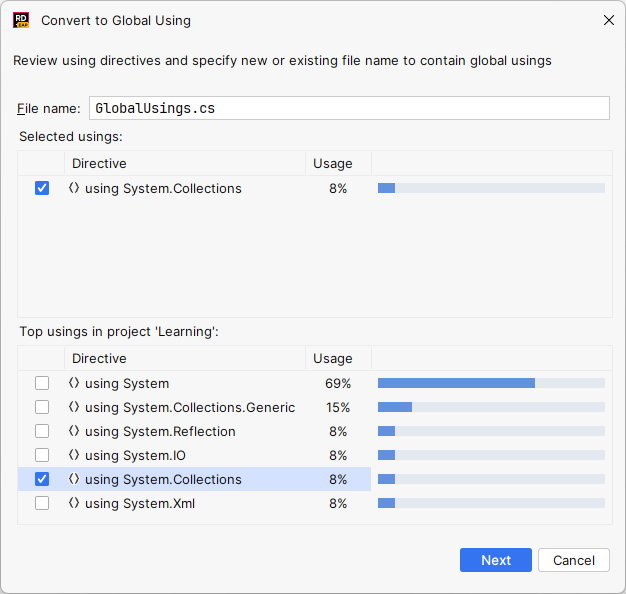
The Convert to Global Using dialog will open.
Specify where the global using should be moved — this could be any existing .cs file in the current project or a new .cs file.
Optionally, select other frequently used
usingdirectives in the current project to convert them to global usings as well.To apply the refactoring, click Next.
JetBrains Rider will remove the
usingdirectives for the selected namespaces from all files in the project (because a local using becomes redundant as soon as a global using appears for the same namespace) and add these directives asglobal usingdirectives to the specified file.