ReSharper 2025.3 Help

Predefined Live Templates for C#

This topic lists all predefined live templates for C# in ReSharper 2025.3. For more information about live templates, refer to Create source code using live templates.

Template

Details

esample

Unity Profiler End Sample

Scope C# 2.0+ statements, Unity C# file

Body

UnityEngine.Profiling.Profiler.EndSample();

    assetmenu

    Unity CreateAssetMenu attribute

    Scope C# 2.0+ types and namespaces, Unity C# file

    Body

    [UnityEngine.CreateAssetMenu(fileName = $FILENAME$, menuName = $MENUNAME$, order = $ORDER$)]

    Parameters

    • FILENAME - Shows basic code completion list at the point where the variable is evaluated

    • MENUNAME - Shows basic code completion list at the point where the variable is evaluated

    • ORDER - Shows basic code completion list at the point where the variable is evaluated

    logwarn

    Unity log warning

    Scope C# 2.0+ statements, Unity C# file

    Body

    UnityEngine.Debug.LogWarning($VAR$);

    Parameters

    • VAR - Shows basic code completion list at the point where the variable is evaluated

    baker

    DOTS Baker

    Scope C# 2.0+ type members, C# 2.0+ types and namespaces, Unity C# file, Unity DOTS projects

    Body

    private class $BAKERNAME$ : Unity.Entities.Baker<$AUTHORINGTYPE$> { public override void Bake($AUTHORINGTYPE$ authoring) { } }

    Parameters

    • AUTHORINGTYPE - Current parent Unity type name

    • BAKERNAME - Generate Baker name based on parent Unity type name

    logex

    Unity log exception

    Scope C# 2.0+ statements, Unity C# file

    Body

    UnityEngine.Debug.LogException($VAR$);

    Parameters

    • VAR - Shows basic code completion list at the point where the variable is evaluated

    componentdata

    DOTS IComponentData

    Scope C# 2.0+ type members, C# 2.0+ types and namespaces, Unity DOTS projects

    Body

    public struct $COMPONENTNAME$ : Unity.Entities.IComponentData { $END$ }

    Parameters

    • COMPONENTNAME - no macro

    • END - The caret position after the template is applied.

    menuitem

    Unity menu item handler

    Scope C# 2.0+ type members, Unity C# file

    Body

    [UnityEditor.MenuItem($MENUNAME$)] public static void $NAME$() { $END$ }

    Parameters

    • MENUNAME - Shows basic code completion list at the point where the variable is evaluated

    • NAME - Shows basic code completion list at the point where the variable is evaluated

    • END - The caret position after the template is applied.

    sfield

    Unity serialized field

    Scope C# 2.0+ type members, Unity serializable type members

    Body

    [UnityEngine.SerializeField] private $TYPE$ $NAME$;$END$

    Parameters

    • TYPE - no macro

    • NAME - When executed in a variable declaration (where variable name should stand), suggests a name for the variable

    • END - The caret position after the template is applied.

    logerr

    Unity log error

    Scope C# 2.0+ statements, Unity C# file

    Body

    UnityEngine.Debug.LogError($VAR$);

    Parameters

    • VAR - Shows basic code completion list at the point where the variable is evaluated

    log

    Unity log object/message

    Scope C# 2.0+ statements, Unity C# file

    Body

    UnityEngine.Debug.Log($VAR$);

    Parameters

    • VAR - Shows basic code completion list at the point where the variable is evaluated

    reqcomp

    Unity RequireComponent attribute

    Scope C# 2.0+ types and namespaces, Unity C# file

    Body

    [UnityEngine.RequireComponent(typeof($TYPE$))]

    Parameters

    • TYPE - Shows basic code completion list at the point where the variable is evaluated

    sprop

    Unity property with serialized backing field

    Scope C# 2.0+ type members, Unity serializable type members

    Body

    [UnityEngine.SerializeField] private $type$ $fieldName$; public $type$ $propertyName$ { get { return this.$fieldName$; } }$END$

    Parameters

    • type - no macro

    • propertyName - When executed in a variable declaration (where variable name should stand), suggests a name for the variable

    • fieldName - Decapitalizes string value (i.e. changes the case of the first letter to lowercase)

    • END - The caret position after the template is applied.

    jobentity

    DOTS IJob Entity

    Scope C# 2.0+ type members, C# 2.0+ types and namespaces, Unity DOTS projects

    Body

    [Unity.Burst.BurstCompile] public partial struct $JOBNAME$Job : Unity.Entities.IJobEntity { public void Execute($END$) { } }

    Parameters

    • JOBNAME - Evaluates to the current file name without extension and with all non-alphanumeric characters replaced with underscores

    • END - The caret position after the template is applied.

    bsample

    Unity Profiler Begin Sample

    Scope C# 2.0+ statements, Unity C# file

    Body

    UnityEngine.Profiling.Profiler.BeginSample("$VAR$");

    Parameters

    • VAR - Shows basic code completion list at the point where the variable is evaluated

    cor

    Unity coroutine method

    Scope C# 2.0+ type members, Unity C# file

    Body

    private System.Collections.IEnumerator $NAME$() { $END$yield break; }

    Parameters

    • NAME - no macro

    • END - The caret position after the template is applied.

    logvar

    Unity log variable

    Scope C# 2.0+ statements, Unity C# file

    Body

    UnityEngine.Debug.Log("$VAR$ = " + $VAR$);

    Parameters

    • VAR - Shows basic code completion list at the point where the variable is evaluated

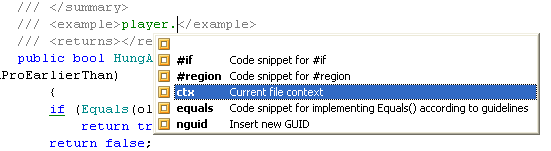
    ctx

    Current file context

    Scope Everywhere

    Body

    $CTX$

    Parameters

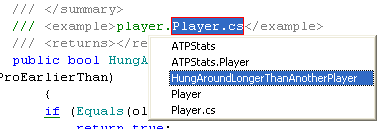
    • CTX - Provides a list of items describing current context. This includes file name, containing type name, namespace name, etc.

    This template could be useful:

    • In string literals that contain references to the current context, that is Logger.LogError("Cannot find action ActionNameDerivedFromContext");

    • As an alternative to code completion where code completion doesn't work, for example, in comments when documenting a member with a long name.

    Before expansion

    ReSharper: Live templates

    Expansion options

    ReSharper: Live templates

    nguid

    Insert new GUID

    Scope Everywhere

    Body

    $GUID$

    Parameters

    • GUID - Generates a new Globally Unique Identifier (GUID)

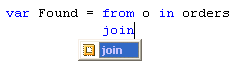
    join

    Join clause in language integrated query

    Scope C# 2.0+ queries

    Body

    join $NAME$ in $COL$ on $EXPR1$ equals $EXPR2$ $END$

    Parameters

    • COL - Shows basic code completion list at the point where the variable is evaluated

    • NAME - When executed in a variable declaration (where variable name should stand), suggests a name for the variable

    • EXPR1 - no macro

    • EXPR2 - no macro

    • END - The caret position after the template is applied.

    Before expansion

    ReSharper: Live templates

    After expansion

    ReSharper: Live templates

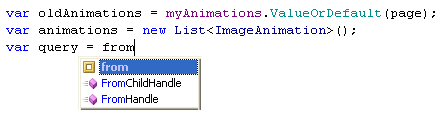
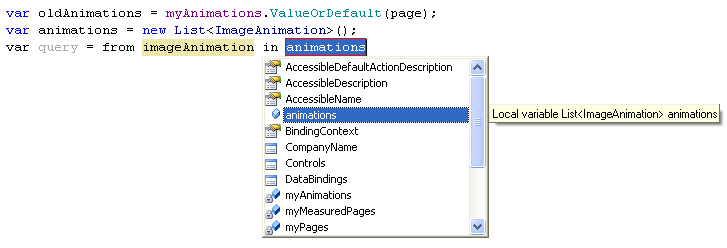
    from

    Language-Integrated Query

    Scope C# 3.0+ expressions, C# 3.0+ queries

    Body

    from $VAR$ in $COLLECTION$ $END$

    Parameters

    • COLLECTION - Shows basic code completion list at the point where the variable is evaluated

    • VAR - When executed in a variable declaration (where variable name should stand), suggests a name for the variable

    • END - The caret position after the template is applied.

    Before expansion

    ReSharper: Live templates

    After expansion

    ReSharper: Live templates

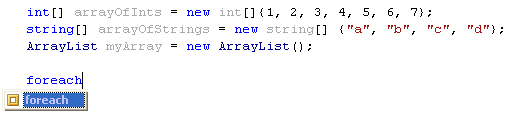
    foreach

    foreach block

    Scope C# 2.0+ statements

    Body

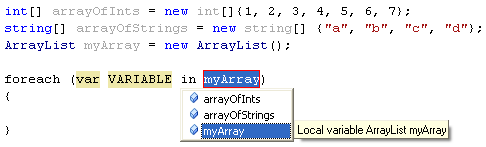
    foreach ($TYPE$ $VARIABLE$ in $COLLECTION$) { $SELECTION$$END$ }

    Parameters

    • COLLECTION - Shows basic code completion list at the point where the variable is evaluated

    • TYPE - Suggests a type for a new variable declared in the template

    • VARIABLE - When executed in a variable declaration (where variable name should stand), suggests a name for the variable

    • SELECTION - The text selected by the user before invoking the template.

    • END - The caret position after the template is applied.

    Before expansion

    ReSharper: Live templates

    After expansion

    ReSharper: Live templates

    After you specify the parameters, the caret is positioned so that you can continue coding the loop body.

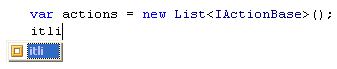
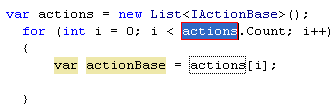
    itli

    Iterate a IList<T>

    Scope C# 2.0+ statements

    Body

    for (int $INDEX$ = 0; $INDEX$ < $LIST$.Count; $INDEX$++) { $TYPE$ $ITEM$ = $LIST$[$INDEX$]; $END$ }

    Parameters

    • INDEX - Suggests a unique name for an index variable at the evaluation point

    • LIST - Shows basic code completion list at the point where the variable is evaluated

    • TYPE - Suggests a type for a new variable declared in the template

    • ITEM - When executed in a variable declaration (where variable name should stand), suggests a name for the variable

    • END - The caret position after the template is applied.

    Before expansion

    ReSharper: Live templates

    After expansion

    ReSharper: Live templates

    The template generates a for loop which iterates over an instance of System.Collections.IList. Includes a customizable statement in the loop body with a variable holding container elements.

    After you specify the parameters, the caret is positioned so that you can continue coding the loop body.

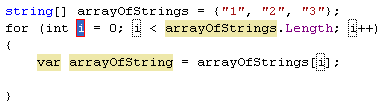
    itar

    Iterate an array

    Scope C# 2.0+ statements

    Body

    for (int $INDEX$ = 0; $INDEX$ < $ARRAY$.Length; $INDEX$++) { $TYPE$ $VAR$ = $ARRAY$[$INDEX$]; $END$ }

    Parameters

    • INDEX - Suggests a unique name for an index variable at the evaluation point

    • ARRAY - Suggests a variable whose type is an array type

    • TYPE - Suggests a type for a new variable declared in the template

    • VAR - When executed in a variable declaration (where variable name should stand), suggests a name for the variable

    • END - The caret position after the template is applied.

    Before expansion

    ReSharper: Live templates

    After expansion

    ReSharper: Live templates

    After you specify the parameters, the caret is positioned so that you can continue coding the loop body.

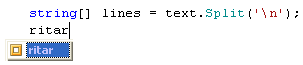
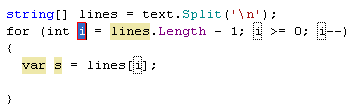
    ritar

    Iterate an array in inverse order

    Scope C# 2.0+ statements

    Body

    for (int $INDEX$ = $ARRAY$.Length - 1; $INDEX$ >= 0; $INDEX$--) { $TYPE$ $VAR$ = $ARRAY$[$INDEX$]; $END$ }

    Parameters

    • INDEX - Suggests a unique name for an index variable at the evaluation point

    • ARRAY - Suggests a variable whose type is an array type

    • TYPE - Suggests a type for a new variable declared in the template

    • VAR - When executed in a variable declaration (where variable name should stand), suggests a name for the variable

    • END - The caret position after the template is applied.

    Before expansion

    ReSharper: Live templates

    After expansion

    ReSharper: Live templates

    The template generates a for loop for iterating over an array in reverse order. Includes a customizable statement in the loop body with a variable holding container elements.

    After you specify the parameters, the caret is positioned so that you can continue coding the loop body.

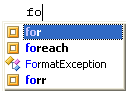
    for

    Simple "for" loop

    Scope C# 2.0+ statements

    Body

    for (int $INDEX$ = 0; $INDEX$ < $UPPER$; $INDEX$++) { $SELECTION$$END$ }

    Parameters

    • INDEX - Suggests a unique name for an index variable at the evaluation point

    • UPPER - no macro

    • SELECTION - The text selected by the user before invoking the template.

    • END - The caret position after the template is applied.

    Before expansion

    ReSharper: Live templates

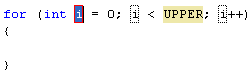
    After expansion

    ReSharper: Live templates

    After you specify the parameters, the caret is positioned so that you can continue coding the loop body.

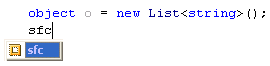
    sfc

    Safely cast variable

    Scope C# 2.0+ statements

    Body

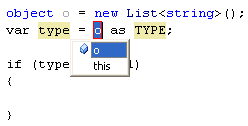
    $VARTYPE$ $VAR$ = $VAR1$ as $TYPE$; if ($VAR$ != null) { $END$ }

    Parameters

    • VAR1 - Shows basic code completion list at the point where the variable is evaluated

    • TYPE - no macro

    • VARTYPE - Suggests a type for a new variable declared in the template

    • VAR - When executed in a variable declaration (where variable name should stand), suggests a name for the variable

    • END - The caret position after the template is applied.

    Before expansion

    ReSharper: Live templates

    After expansion

    ReSharper: Live templates

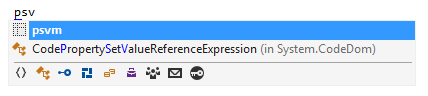
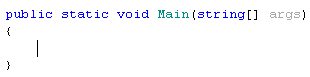
    psvm

    The "Main" method declaration

    Scope C# 2.0+ type members

    Body

    public static void Main( string[] args ) { $END$ }

    Parameters

    • END - The caret position after the template is applied.

    Before expansion

    ReSharper: Live templates

    After expansion

    ReSharper: Live templates

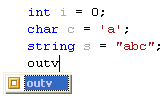
    outv

    Print value of a variable

    Scope C# 2.0+ statements

    Body

    System.Console.Out.WriteLine("$EXPR$ = {0}", $EXPR$);

    Parameters

    • EXPR - Shows basic code completion list at the point where the variable is evaluated

    Before expansion

    ReSharper: Live templates

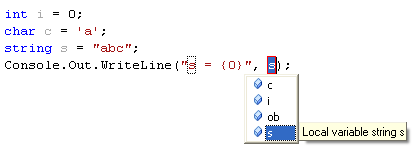
    After expansion

    ReSharper: Live templates

    ReSharper automatically suggests a list of all variables in the current scope and selects the most recently declared one. The descriptive text string (s = in the example above) is automatically synchronized with the name of the selected variable.

    out

    Print a string

    Scope C# 2.0+ statements

    Body

    System.Console.Out.WriteLine("$END$");

    Parameters

    • END - The caret position after the template is applied.

    Before expansion

    ReSharper: Live templates

    After expansion

    ReSharper: Live templates

    asrt

    Make an assertion

    Scope C# 2.0+ statements

    Body

    System.Diagnostics.Debug.Assert($END$);

    Parameters

    • END - The caret position after the template is applied.

    Before expansion

    ReSharper: Live templates

    After expansion

    ReSharper: Live templates

    This template calls the Debug.Assert method. After the template expanded, the caret moves between the parentheses so that you can specify a condition.

    asrtn

    Assert expression not null

    Scope C# 2.0+ statements

    Body

    System.Diagnostics.Debug.Assert($EXPR$ != null, "$MESSAGE$");

    Parameters

    • EXPR - no macro

    • MESSAGE - no macro

    Before expansion

    ReSharper: Live templates

    After expansion

    ReSharper: Live templates

    The template inserts the Debug.Assert method, which checks a condition and displays a message if the condition is false.

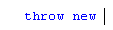
    thr

    throw new

    Scope C# 2.0+ statements

    Body

    throw new

      Before expansion

      ReSharper: Live templates

      After expansion

      ReSharper: Live templates

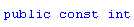
      pci

      public const int

      Scope C# 2.0+ type members

      Body

      public const int

        Before expansion

        ReSharper: Live templates

        After expansion

        ReSharper: Live templates

        pcs

        public const string

        Scope C# 2.0+ type members

        Body

        public const string

          Before expansion

          ReSharper: Live templates

          After expansion

          ReSharper: Live templates

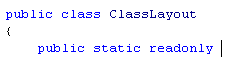
          psr

          public static readonly

          Scope C# 2.0+ type members

          Body

          public static readonly

            Before expansion
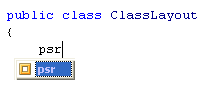
            ReSharper: Live templates

            After expansion

            ReSharper: Live templates

            prop

            Property

            Scope C# 2.0+ type members

            Body

            public $TYPE$ $NAME$ { get; set; }

            Parameters

            • TYPE - no macro

            • NAME - When executed in a variable declaration (where variable name should stand), suggests a name for the variable

            Before expansion

            ReSharper: Live templates

            After expansion

            ReSharper: Live templates

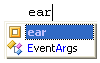
            ear

            Create an empty array

            Scope C# 2.0+ statements

            Body

            $TYPE$[] $NAME$ = new $TYPE$[] {};

            Parameters

            • TYPE - no macro

            • NAME - When executed in a variable declaration (where variable name should stand), suggests a name for the variable

            Before expansion

            ReSharper: Live templates

            After expansion

            ReSharper: Live templates

            #if

            Scope C# 2.0+ except strings, At line start

            Body

            #if $expression$ $SELECTION$$END$ #endif

            Parameters

            • expression - Evaluates to the specified constant value

            • SELECTION - The text selected by the user before invoking the template.

            • END - The caret position after the template is applied.

            #region

            Scope C# 2.0+ except strings, At line start

            Body

            #region $name$ $SELECTION$$END$ #endregion

            Parameters

            • name - Evaluates to the specified constant value

            • SELECTION - The text selected by the user before invoking the template.

            • END - The caret position after the template is applied.

            enum

            Scope C# 2.0+ type members, C# 2.0+ types and namespaces

            Body

            enum $name$ { $END$ }

            Parameters

            • name - Evaluates to the specified constant value

            • END - The caret position after the template is applied.

            else

            else statement

            Scope C# 2.0+ statements

            Body

            else { $END$ }

            Parameters

            • END - The caret position after the template is applied.

            ~

            Destructor

            Scope C# 2.0+ type members

            Body

            ~$classname$() { $END$ }

            Parameters

            • classname - Evaluates to the short name of the most inner containing type

            • END - The caret position after the template is applied.

            ctor

            Constructor

            Scope C# 2.0+ type members

            Body

            public $classname$ () { $END$ }

            Parameters

            • classname - Evaluates to the short name of the most inner containing type

            • END - The caret position after the template is applied.

            cw

            Console.WriteLine

            Scope C# 2.0+ statements

            Body

            System.Console.WriteLine($END$);

            Parameters

            • END - The caret position after the template is applied.

            class

            Scope C# 2.0+ type members, C# 2.0+ types and namespaces

            Body

            class $name$ { $END$ }

            Parameters

            • name - Evaluates to the specified constant value

            • END - The caret position after the template is applied.

            Exception

            Scope C# 2.0+ type members, C# 2.0+ types and namespaces

            Body

            public class $newException$Exception : System.Exception { public $newException$Exception() { } public $newException$Exception( string message ) : base( message ) { } public $newException$Exception( string message, System.Exception inner ) : base( message, inner ) { } }

            Parameters

            • newException - Evaluates to the specified constant value

            struct

            Scope C# 2.0+ type members, C# 2.0+ types and namespaces

            Body

            struct $name$ { $END$ }

            Parameters

            • name - Evaluates to the specified constant value

            • END - The caret position after the template is applied.

            forr

            Reverse 'for' loop

            Scope C# 2.0+ statements

            Body

            for (int $index$ = $max$ - 1; $index$ >= 0 ; $index$--) { $END$ }

            Parameters

            • index - Evaluates to the specified constant value

            • max - Evaluates to the specified constant value

            • END - The caret position after the template is applied.

            namespace

            Scope C# 2.0+ types and namespaces

            Body

            namespace $name$ { $END$$SELECTION$ }

            Parameters

            • name - Evaluates to the specified constant value

            • SELECTION - The text selected by the user before invoking the template.

            • END - The caret position after the template is applied.

            interface

            Scope C# 2.0+ type members, C# 2.0+ types and namespaces

            Body

            interface I$name$ { $END$ }

            Parameters

            • name - Evaluates to the specified constant value

            • END - The caret position after the template is applied.

            sim

            'int Main' method

            Scope C# 2.0+ type members

            Body

            static int Main(string[] args) { $END$ return 0; }

            Parameters

            • END - The caret position after the template is applied.

            indexer

            Scope C# 2.0+ type members

            Body

            $access$ $type$ this[$indextype$ index] { get {$END$ /* return the specified index here */ } set { /* set the specified index to value here */ } }

            Parameters

            • access - Evaluates to the specified constant value

            • type - Evaluates to the specified constant value

            • indextype - Evaluates to the specified constant value

            • END - The caret position after the template is applied.

            svm

            'void Main' method

            Scope C# 2.0+ type members

            Body

            static void Main(string[] args) { $END$ }

            Parameters

            • END - The caret position after the template is applied.

            unsafe

            unsafe statement

            Scope C# 2.0+ statements

            Body

            unsafe { $END$ }

            Parameters

            • END - The caret position after the template is applied.

            unchecked

            unchecked block

            Scope C# 2.0+ statements

            Body

            unchecked { $END$ }

            Parameters

            • END - The caret position after the template is applied.

            tryf

            try finally

            Scope C# 2.0+ statements

            Body

            try { $SELECTION$ } finally { $END$ }

            Parameters

            • SELECTION - The text selected by the user before invoking the template.

            • END - The caret position after the template is applied.

            try

            try catch

            Scope C# 2.0+ statements

            Body

            try { $SELECTION$ } catch ($EXCEPTION$ $EX_NAME$) { $SELSTART$System.Console.WriteLine($EX_NAME$); throw;$SELEND$ }

            Parameters

            • EXCEPTION - Evaluates to the specified constant value

            • EX_NAME - When executed in a variable declaration (where variable name should stand), suggests a name for the variable

            • SELECTION - The text selected by the user before invoking the template.

            switch

            switch statement

            Scope C# 2.0+ statements

            Body

            switch ($expression$) { $END$ }

            Parameters

            • expression - Shows basic code completion list at the point where the variable is evaluated

            • END - The caret position after the template is applied.

            while

            while loop

            Scope C# 2.0+ statements

            Body

            while ($expression$) { $SELECTION$$END$ }

            Parameters

            • expression - Shows basic code completion list at the point where the variable is evaluated

            • SELECTION - The text selected by the user before invoking the template.

            • END - The caret position after the template is applied.

            iterator

            simple iterator

            Scope C# 2.0+ type members

            Body

            public $SystemCollectionsGenericIEnumeratorG$<$type$> GetEnumerator() { $SELSTART$throw new System.NotImplementedException(); yield return default($type$); $SELEND$ }

            Parameters

            • type - Evaluates to the specified constant value

            • SystemCollectionsGenericIEnumeratorG - Evaluates to the specified constant value

            propg

            Property with a 'get' accessor and a private 'set' accessor

            Scope C# 2.0+ type members

            Body

            public $type$ $property$ { get; private set; }

            Parameters

            • type - Evaluates to the specified constant value

            • property - When executed in a variable declaration (where variable name should stand), suggests a name for the variable

            Attribute

            Attribute using recommended pattern

            Scope C# 2.0+ type members, C# 2.0+ types and namespaces

            Body

            [System.AttributeUsage(System.AttributeTargets.$target$, Inherited = $inherited$, AllowMultiple = $allowmultiple$)] sealed class $name$Attribute : System.Attribute { // See the attribute guidelines at // http://go.microsoft.com/fwlink/?LinkId=85236 public $name$Attribute () { $SELSTART$// TODO: Implement code here throw new System.NotImplementedException();$SELEND$ } }

            Parameters

            • name - Evaluates to the specified constant value

            • target - Evaluates to the specified constant value

            • inherited - Evaluates to the specified constant value

            • allowmultiple - Evaluates to the specified constant value

            do

            do...while loop

            Scope C# 2.0+ statements

            Body

            do { $SELECTION$$END$ } while ($expression$);

            Parameters

            • expression - Shows basic code completion list at the point where the variable is evaluated

            • SELECTION - The text selected by the user before invoking the template.

            • END - The caret position after the template is applied.

            checked

            checked block

            Scope C# 2.0+ statements

            Body

            checked { $END$ }

            Parameters

            • END - The caret position after the template is applied.

            if

            if statement

            Scope C# 2.0+ statements

            Body

            if ($expr$) { $SELECTION$$END$ }

            Parameters

            • expr - Shows basic code completion list at the point where the variable is evaluated

            • SELECTION - The text selected by the user before invoking the template.

            • END - The caret position after the template is applied.

            lock

            lock statement

            Scope C# 2.0+ statements

            Body

            lock ($expression$) { $SELECTION$$END$ }

            Parameters

            • expression - Shows basic code completion list at the point where the variable is evaluated

            • SELECTION - The text selected by the user before invoking the template.

            • END - The caret position after the template is applied.

            mbox

            MessageBox.Show

            Scope C# 2.0+ statements

            Body

            System.Windows.Forms.MessageBox.Show("$string$");

            Parameters

            • string - Evaluates to the specified constant value

            using

            using statement

            Scope C# 2.0+ statements

            Body

            using($resource$) { $SELECTION$$END$ }

            Parameters

            • resource - Shows basic code completion list at the point where the variable is evaluated

            • SELECTION - The text selected by the user before invoking the template.

            • END - The caret position after the template is applied.

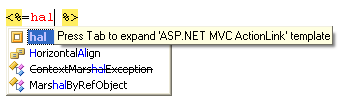
            hal

            ASP.NET MVC Html.ActionLink

            Scope C# 2.0+ expressions

            Body

            Html.ActionLink("$TEXT$", "$ACTION$", "$CONTROLLER$")

            Parameters

            • CONTROLLER - Shows completion list with available ASP.NET MVC Controllers at the point where the variable is evaluated

            • ACTION - Shows completion list with available ASP.NET MVC Actions at the point where the variable is evaluated

            • TEXT - no macro

            Before expansion

            ReSharper: Live templates

            After expansion

            ReSharper: Live templates

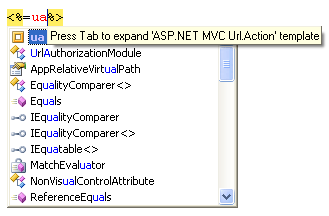
            ua

            ASP.NET MVC Url.Action

            Scope C# 2.0+ expressions

            Body

            Url.Action("$ACTION$", "$CONTROLLER$")

            Parameters

            • CONTROLLER - Shows completion list with available ASP.NET MVC Controllers at the point where the variable is evaluated

            • ACTION - Shows completion list with available ASP.NET MVC Actions at the point where the variable is evaluated

            Before expansion

            ReSharper: Live templates

            After expansion

            ReSharper: Live templates

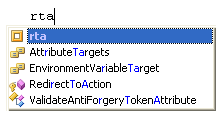
            rta

            ASP.NET Controller RedirectToAction

            Scope C# 2.0+ expressions

            Body

            RedirectToAction("$ACTION$", "$CONTROLLER$")

            Parameters

            • CONTROLLER - Shows completion list with available ASP.NET MVC Controllers at the point where the variable is evaluated

            • ACTION - Shows completion list with available ASP.NET MVC Actions at the point where the variable is evaluated

            Before expansion

            ReSharper: Live templates

            After expansion

            ReSharper: Live templates

            attachedProperty

            Attached property

            Scope C# 2.0+ type members

            Body

            public static readonly $dependencyProperty$ $propertyName$Property = $dependencyProperty$.RegisterAttached( "$propertyName$", typeof($propertyType$), typeof($containingType$), new PropertyMetadata(default($propertyType$))); public static void Set$propertyName$(DependencyObject $element$, $propertyType$ value) { $element$.SetValue($propertyName$Property, value); } public static $propertyType$ Get$propertyName$(DependencyObject $element$) { return ($propertyType$) $element$.GetValue($propertyName$Property); }

            Parameters

            • propertyType - no macro

            • propertyName - When executed in a variable declaration (where variable name should stand), suggests a name for the variable

            • containingType - Evaluates to the short name of the most inner containing type

            • element - no macro

            • dependencyProperty - Evaluates to dependency property type specific to the current framework

            The template creates an attached property with required get and set procedures.

            dependencyProperty

            Dependency property

            Scope C# 2.0+ type members

            Body

            public static readonly $dependencyProperty$ $propertyName$Property = $dependencyProperty$.Register( $nameofProperty$, typeof($propertyType$), typeof($containingType$), new PropertyMetadata(default($propertyType$))); public $propertyType$ $propertyName$ { get { return ($propertyType$) GetValue($propertyName$Property); } set { SetValue($propertyName$Property, value); } }

            Parameters

            • propertyType - no macro

            • propertyName - When executed in a variable declaration (where variable name should stand), suggests a name for the variable

            • containingType - Evaluates to the short name of the most inner containing type

            • dependencyProperty - Evaluates to dependency property type specific to the current framework

            • nameofProperty - Evaluates to 'nameof(entity)' if possible or 'entity' otherwise

            test

            Scope C# 2.0+ type members, MSTest Test Project

            Body

            [Microsoft.VisualStudio.TestTools.UnitTesting.TestMethod] public void $METHOD$() {$END$}

            Parameters

            • METHOD - no macro

            • END - The caret position after the template is applied.

            10 November 2025