Extract/Introduce variable
If you come across an expression that is hard to understand, or it is duplicated in several places throughout your code, the Extract Variable refactoring Ctrl+Alt+V can help you deal with those problems by placing the result of such expression or its part into a separate variable that is less complex and easier to understand. Plus, it reduces the code duplication.
In the editor, select an expression or its part that you want to extract . You can also place the caret within the expression, in this case PhpStorm offers you a list of potential code selections.
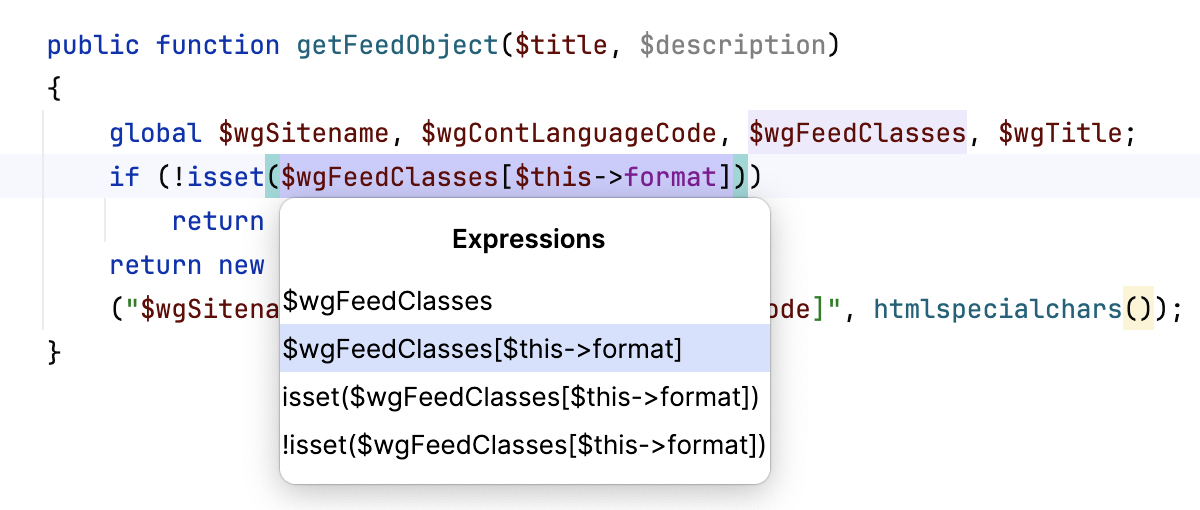
Press Ctrl+Alt+V or go to in the main menu.
Alternatively, on the toolbar that appears, click Extract and select Variable.
If PhpStorm finds more than one occurrence, it lets you specify a scope and extract just a part of the found occurrences and not just all of them.
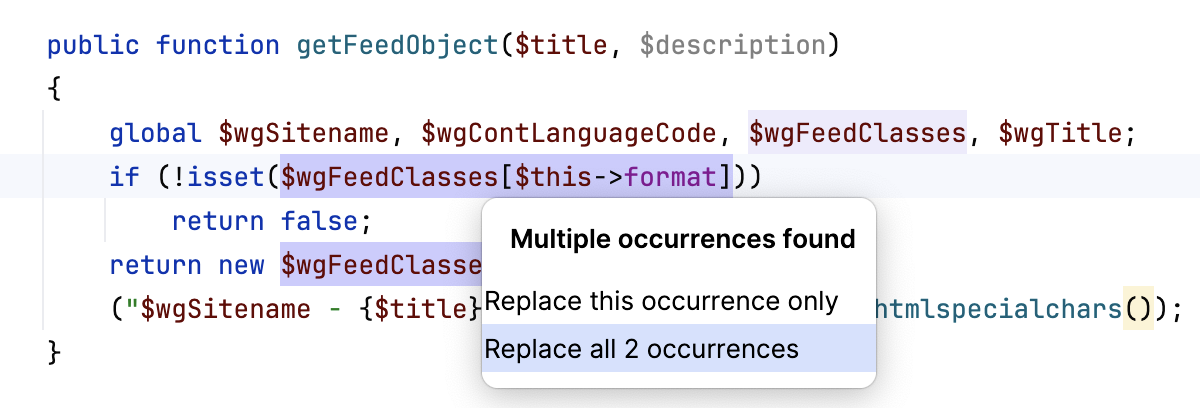
Select a name suggested in the popup or type your own and press Enter.
By default, this extract refactoring will be applied in the editor via in-line controls. To change your settings to apply the refactoring via a modal, open the Settings dialog (Ctrl+Alt+S) , go to Editor | Code Editing, and in the Refactorings area select In modal dialogs.