Use CocoaPods in your project
In this tutorial, we'll elaborate the iOSConferences application (see Create a SwiftUI application in AppCode) by making it load the up-to-date list of conferences from the remote YAML file used for the cocoaconferences.com website.
To parse the YAML file, we'll use the Yams library which will be added to the project by means of the CocoaPods dependency manager.
Step 1. Install CocoaPods
Download the iOSConferences project and open it in AppCode.
Select from the main menu. Alternatively, in the Preference dialog ⌃ ⌥ S, go to .
In the Preferences dialog, click Add Ruby SDK, and specify the path to the Ruby SDK that will be used with CocoaPods, by default, /usr/bin/ruby:

Click the Install CocoaPods button.
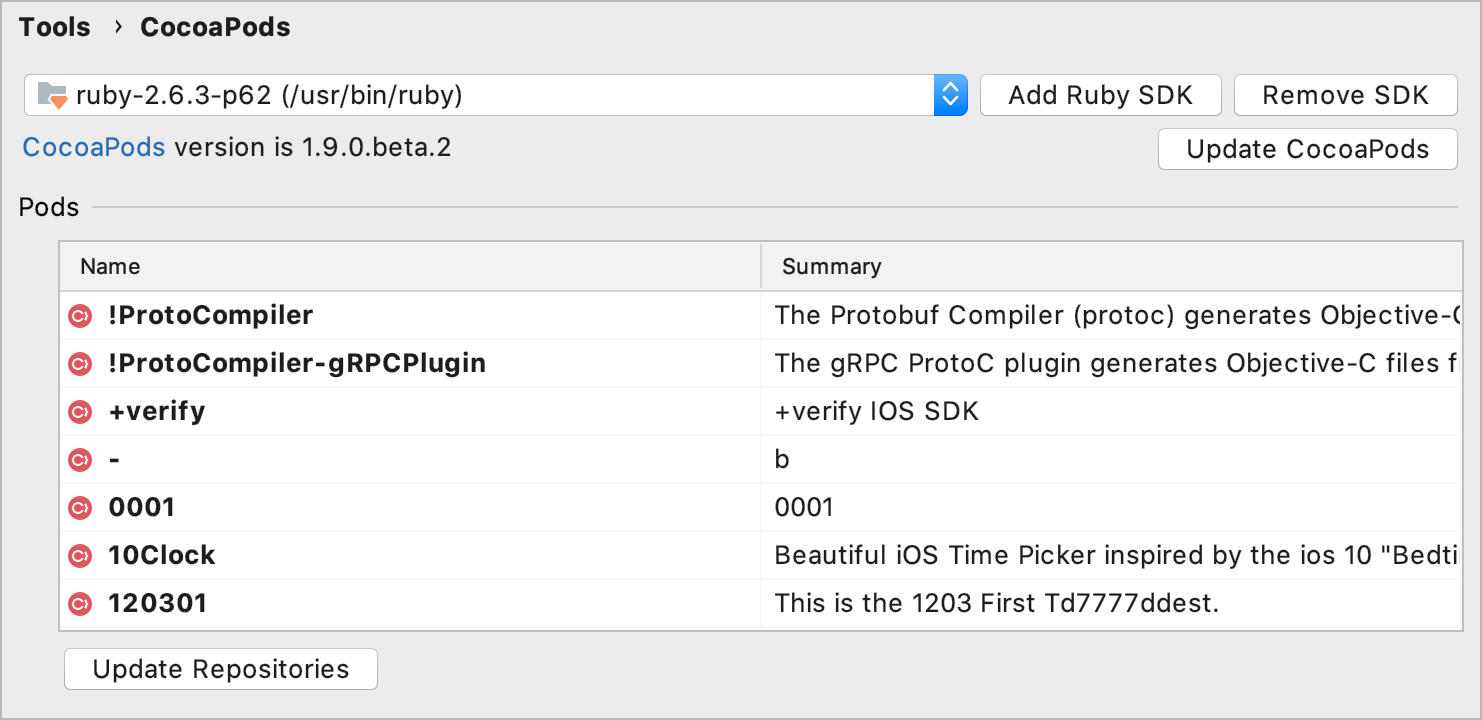
After the CocoaPods gem is installed, the list of pods is displayed on the page of the Preferences dialog:
Step 2. Add the Yams pod to the project
From the main menu, select . The Podfile will be created in the same directory with the .xcodeproj file and opened in the editor.
In the Podfile, add the
Yamspod under theiOSConferencestarget:project 'iOSConferences.xcodeproj' target 'iOSConferences' do use_frameworks! pod 'Yams' endAfter you have added the
pod 'Yams'code line, AppCode notifies you that the Podfile contains pods not installed yet. To install theYamspod, click the Install pods link in the top-right corner of the editor. Alternatively, with the caret placed atpod 'Yams', press ⌥ ⏎, select Install, and press ⏎.
When the library is installed, AppCode automatically reloads the project as a workspace.
Step 3. Load data from the remote YAML
In our application, the conference data model already exists — iOSConferences/Model/Conference.swift. It contains a set of properties corresponding to the data stored in the conferencesData.json file located in iOSConferences/Resources. The remote YAML file contains the same-name attributes, so we don't need to change anything in the current model.
However, we need to update the code for loading and parsing the data. For handling the results of the URL session, we'll use the Combine framework, for parsing the data — a dedicated YAMLDecoder.
You can replace the current code of the Data.swift file with the following:
See the detailed description of the changes below:
1. Create a class for loading the data
In the iOSConferences/Model/Data.swift file, delete unnecessary code: the
loadFile(_:)function and theconferencesDatavariable.Create a new class named
ConferencesLoaderthat conforms toObservableObject. Add theconferencesproperty that will store an array of theConferenceobjects and an emptyloadConferences()method to this class:public class ConferencesLoader: ObservableObject { @Published var conferences = [Conference]() func loadConferences() { }Add an initializer to the class: with the caret placed inside the class block, click ⌘ N, select Initializer, and choose Select None in the dialog that opens:

Call the
loadConferences()method from the initializer:public class ConferencesLoader: ObservableObject { @Published var conferences = [Conference]() public init() { loadConferences() } func loadConferences() { } }
2. Implement a method for loading the data
In the Data.swift file, import the Yams and Combine frameworks:
import Yams import CombineIn the
loadConferences()method, call URLSession.shared.dataTaskPublisher(for:) to create aDataTaskPublisher:func loadConferences() { URLSession.shared.dataTaskPublisher(for: url) }With the caret placed at
url, press ⌥ ⏎ and select Create global variable 'url'. This intention action will let you introduce a global variable directly from its usage.Set the link to the remote YAML file as the variable's value:
let url = URL(string: "https://raw.githubusercontent.com/Lascorbe/CocoaConferences/master/_data/conferences.yml") public class ConferencesLoader: ObservableObject { // ... }The
urlparameter is highlighted in red. Press ⌥ ⏎ to see available quick-fixes. Select Force-unwrap using '!' to abort execution if the optional value contains 'nil'. This will add the!character after theurlvariable:func loadConferences() { URLSession.shared.dataTaskPublisher(for: url!) }Add the code for processing the remote YAML file. See the comments for more details:
func loadConferences(completion: @escaping ([Conference]) -> Void) { URLSession.shared.dataTaskPublisher(for: url!) // Make the DataTaskPublisher output equivalent to the YAMLDecoder input .map {$0.data} // Decode the remote YAML file .decode(type: [Conference].self, decoder: YAMLDecoder()) // Specify a scheduler on which the current publisher will receive elements .receive(on: RunLoop.main) // Erase the publisher's actual type and convert it to AnyPublisher .eraseToAnyPublisher() // Attach a subscriber to the publisher. // receiveCompletion: a close to execute on completion. Use it to handle errors. // receiveValue: a closure to execute when receiving a value. .sink(receiveCompletion: { completion in switch completion { case .finished: break case .failure(let error): print(error.localizedDescription) } }, receiveValue: { conferences in completion(conferences) }) }
3. Save the loaded data to a global variable
Select the content of the
loadConferences()method and press ⌃ ⌥ V to extract it in a variable. In the popup that appears, select the Declare with var and Specify type explicitly checkboxes. In the highlighted area, type the variable name, then press ⇥, specify the variable type—AnyCancellable, and press ⏎:
Move the variable declaration to the class level. With the caret placed at the variable line, press ⌥ ⏎ and select Split into declaration and assignment:

Add
?to theAnyCancellabletype to make it optional and place theresultvariable declaration right below the@Published var conferences = [Conference]()line:public class ConferencesLoader: ObservableObject { @Published var conferences = [Conference]() var result: AnyCancellable? }In the initializer where the
loadConferences()method is called, pass the closure expression as a parameter:public init() { loadConferences(completion: { conferences in self.conferences = conferences }) }You can also simplify the method's call by using the trailing closure syntax. Press ⌥ ⏎ and select Convert to trailing closure:

Step 4. Pass data to the view
Go to iOSConferences/ConferenceList.swift.
Inside the
ConferenceListview, add an@ObservedObjectproperty wrapper with an instance of theConferencesLoaderclass:struct ConferenceList: View { @ObservedObject var conferenceLoader = ConferencesLoader() var body: some View { // ... } }Pass the list of the loaded conferences (
conferenceLoader.conferences) to theListinitializer:struct ConferenceList: View { @ObservedObject var conferenceLoader = ConferencesLoader() var body: some View { NavigationView { List(conferenceLoader.conferences) { // ... } } }Run ⇧ F10 the application by pressing ⇧ F10 or clicking
 on the toolbar. Now the application shows the conferences from the remote YAML file: