Extension support
Extensions provide a possibility to extend certain aspects of a solution or a language, which are not covered by the standard language aspects and the plugin mechanisms. Typically, you may need your language to slightly alter its behavior depending on the distribution model, such as an MPS plugin or a standalone IDE. In such cases you define your extension points as interfaces to which then different implementations will be provided in different distributions.
Support for extensions exists in
languages
plugin solutions
Quick howto
Create an extension point
An extension point must be defined in a plugin aspect of a language or in a plugin solution.
A plugin solution must have the Contributes extensions to MPS option set to yes on theJava tab of the solution properties dialog.
Create one or more extensions
Extensions must be defined in the plugin aspect of a language or in a plugin solution.
A plugin solution must have the Contributes extensions to MPS option set to yes on theJava tab of the solution properties dialog.
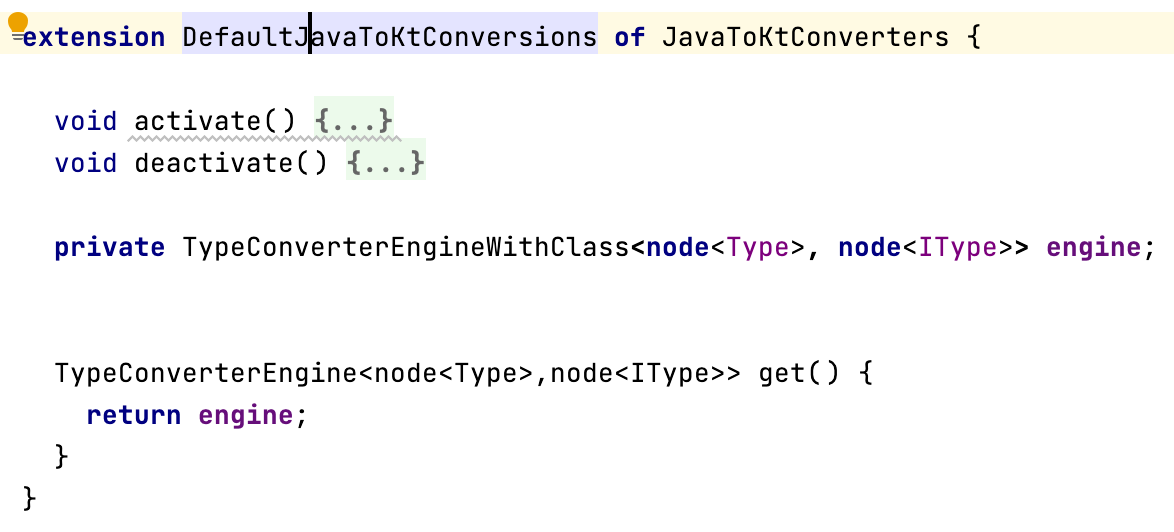
Each extension must provide a get method, returning an object
Each extension may opt in to receive the activate/deactivate notifications
An extension may declare fields, just like classes can
Extension language
The language jetbrains.mps.lang.extension declares concepts necessary for building extensions.
Extension point
The ExtensionPointDeclaration concept represents an extension point. The extension object type must be specified as a parameter.

Extension
The Extension concept is used to create a concrete extension.
Accessing extension point
An extension point can be accessed by reference using extension point expression.

Accessing extension objects
An extension point includes a way to access all objects provided by its extensions.

Java API
Extension points and extensions are managed by the ExtensionRegistry core component.