Action Allowlist
Use the Action Allowlist page to manage the list of actions that Junie runs without user approval. By default, Junie requires user approval for running terminal commands, MCP tools, and other types of actions that are considered to be sensitive by the coding agent.
Add allowed actions
To add a new action or action pattern to the list, click  on the toolbar and select one of the available action rule types. Depending on the rule type, you can specify the exact allowed action, a Regex covering multiple commands, or all actions of a specific type.
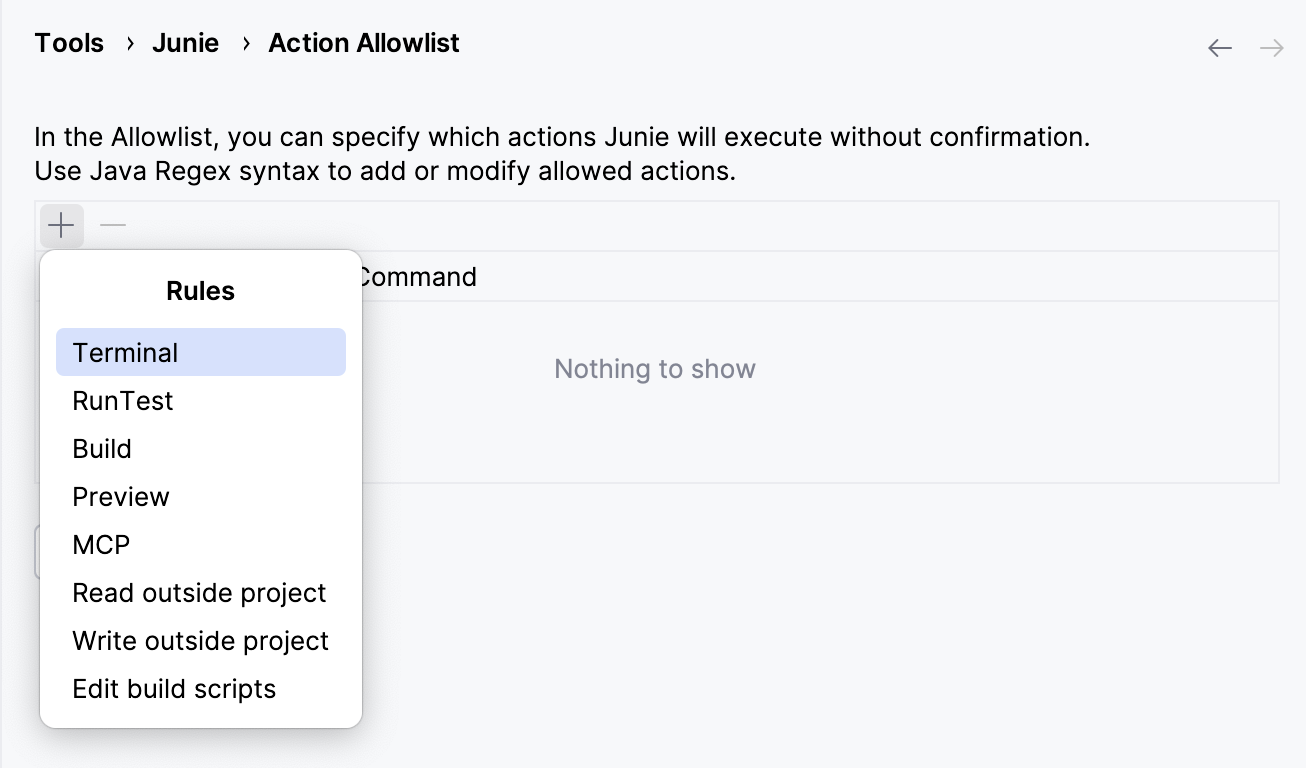
Terminal rule
Terminal rules can be added as:
Exact commands, for example
git status.Java regular expressions (Regex) covering multiple commands at a time, for example
^\Qgit diff \E\S+$.Standard regular expressions (Regex) covering multiple commands at a time, for example
^git diff \S+$.
You can add as many Terminal rules as you need to cover all commands that you want to be executed without confirmation.
Example 1: Allowing commands with a fixed number of arguments (one argument)
To match git show <argument>, use the following Java Regex:
where:
^\Qgit show \Ematchesgit showliterally, including the whitespace at the end.[^\s;&|<>@$]+matches exactly one argument (one or more characters), excluding whitespaces or special characters.Excluding whitespaces ensures that the expression doesn't match spaces between arguments.
Excluding
;,|, and&, ensures that multiple commands cannot be chained together, and excluding<,>,@, and$ensures that dangerous operations (redirects, variable expansion, etc.) cannot be enabled.+indicates that the expression must match at least once, sogit showwithout an argument won't match.
$matches the end of the line.
Example 2: Allowing commands with a fixed number of arguments (two arguments)
To match git cat-file <argument1> <argument2>, use the following Java Regex:
It's similar to the previous example, but with exactly two arguments allowed for git cat-file.
Example 3: Allowing commands with either one or none arguments
To match both git diff and git diff <argument>, use the following Java Regex:
It's similar to the previous two examples, except for the * quantifier instead of + at the end of the expression. This matches either zero or more characters for the argument.
MCP rule
At the moment, adding an item of the MCP Rule type to the Action Allowlist will authorize Junie to run all MCP tools without user confirmation. Defining the specific MCP servers and tools that can be run without confirmation is not possible yet.
Other rule types
With other rule types, adding an item to the Action Allowlist will authorize Junie to run all actions of this type without approval.
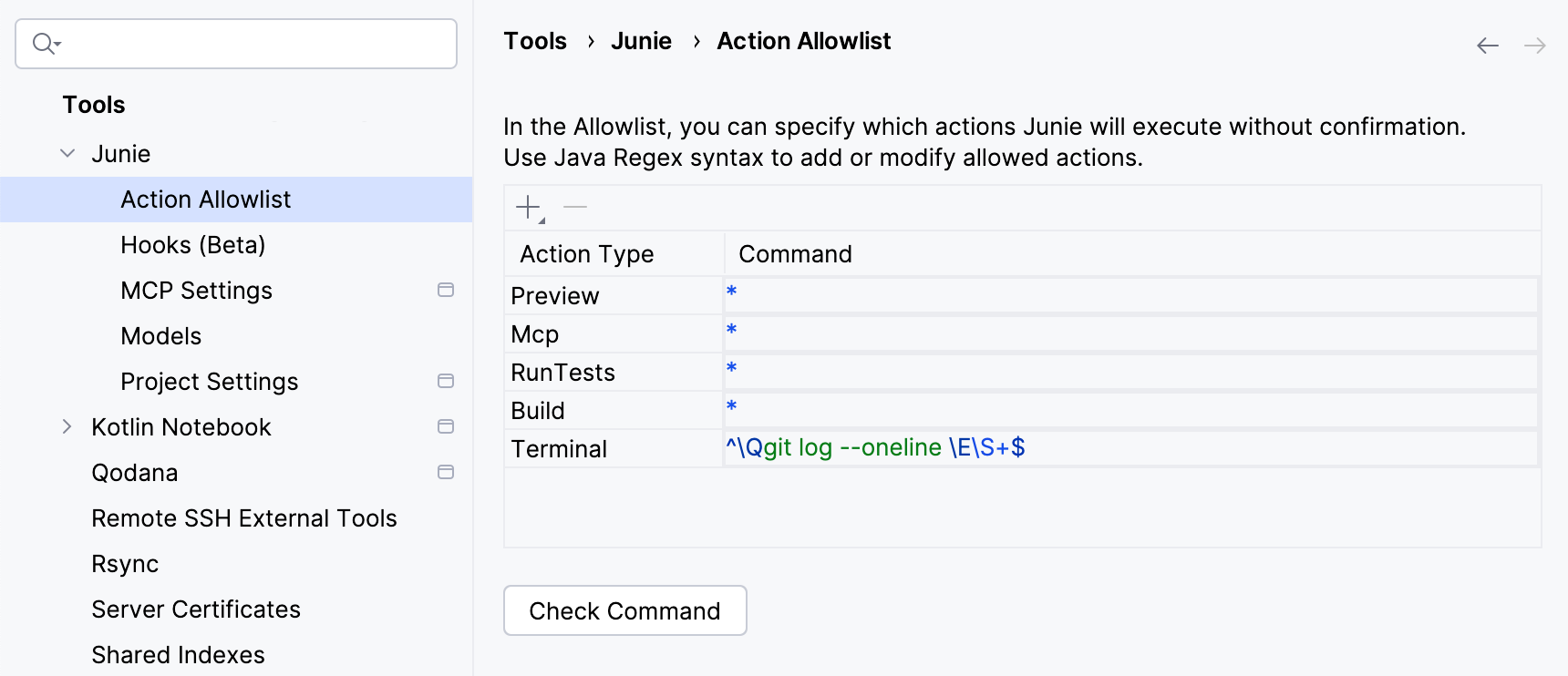
Check allowed commands
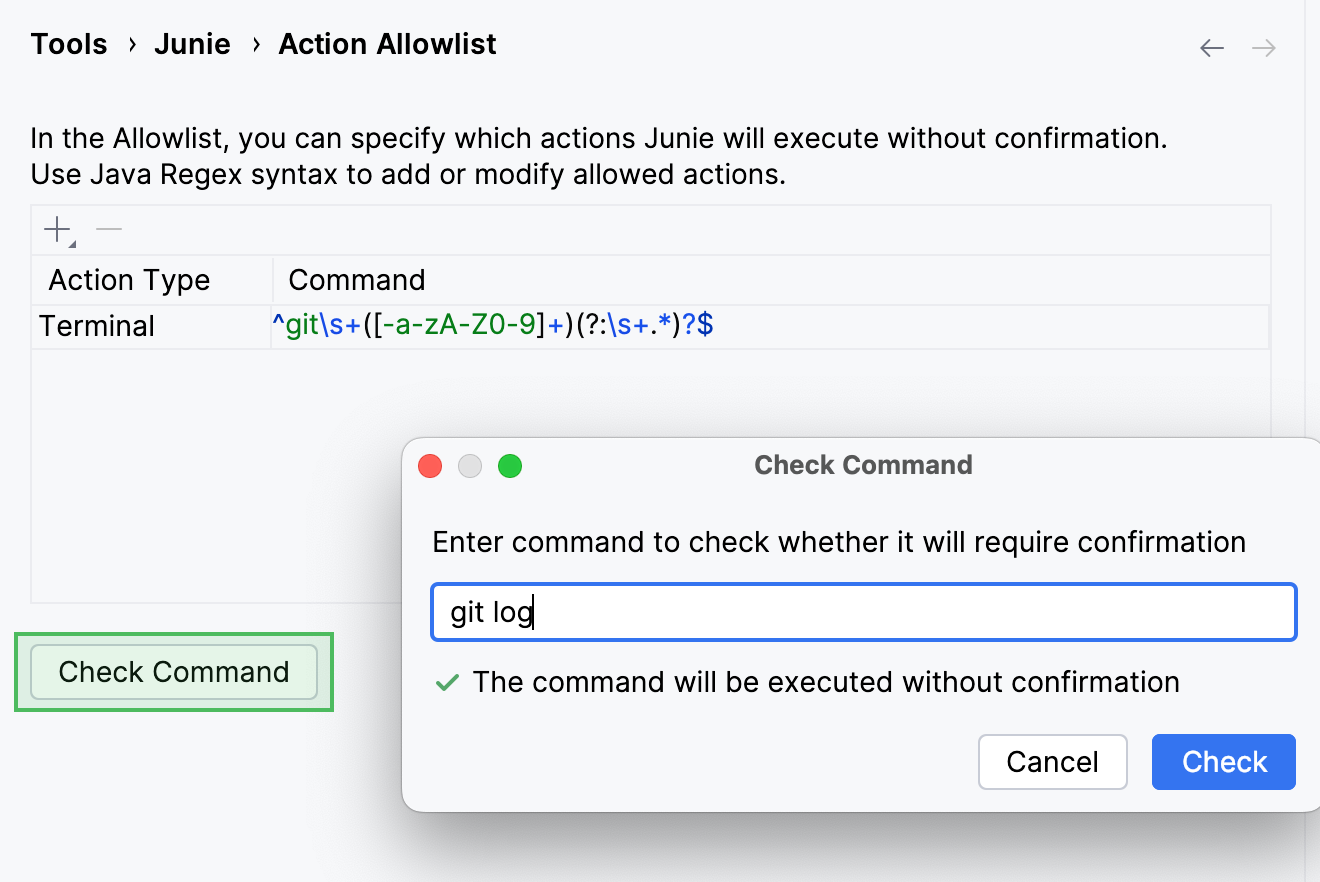
To check if a specific command is covered by the regular expressions on the list, use the Check Command button.