Terragrunt
Terragrunt is a lightweight wrapper for Terraform and OpenTofu that helps you manage complex infrastructure setups by improving their structure and reducing code duplication.
IntelliJ IDEA recognizes Terragrunt and Terragrunt Stack files and provides coding assistance for them, including code completion for root blocks, properties, functions, and attributes, as well as templates for creating new Terragrunt and Terragrunt Stack files.
Specify the Terragrunt executable path
To run Terragrunt commands from the IDE using run configurations, you need to have Terragrunt installed on your machine.
Press Ctrl+Alt+S to open settings and then select .
In most cases, IntelliJ IDEA detects the path to the Terragrunt executable automatically. If the IDE does not detect the version and path to the executable, click Detect and Test.
If Terragrunt is not installed on your machine, click Install.
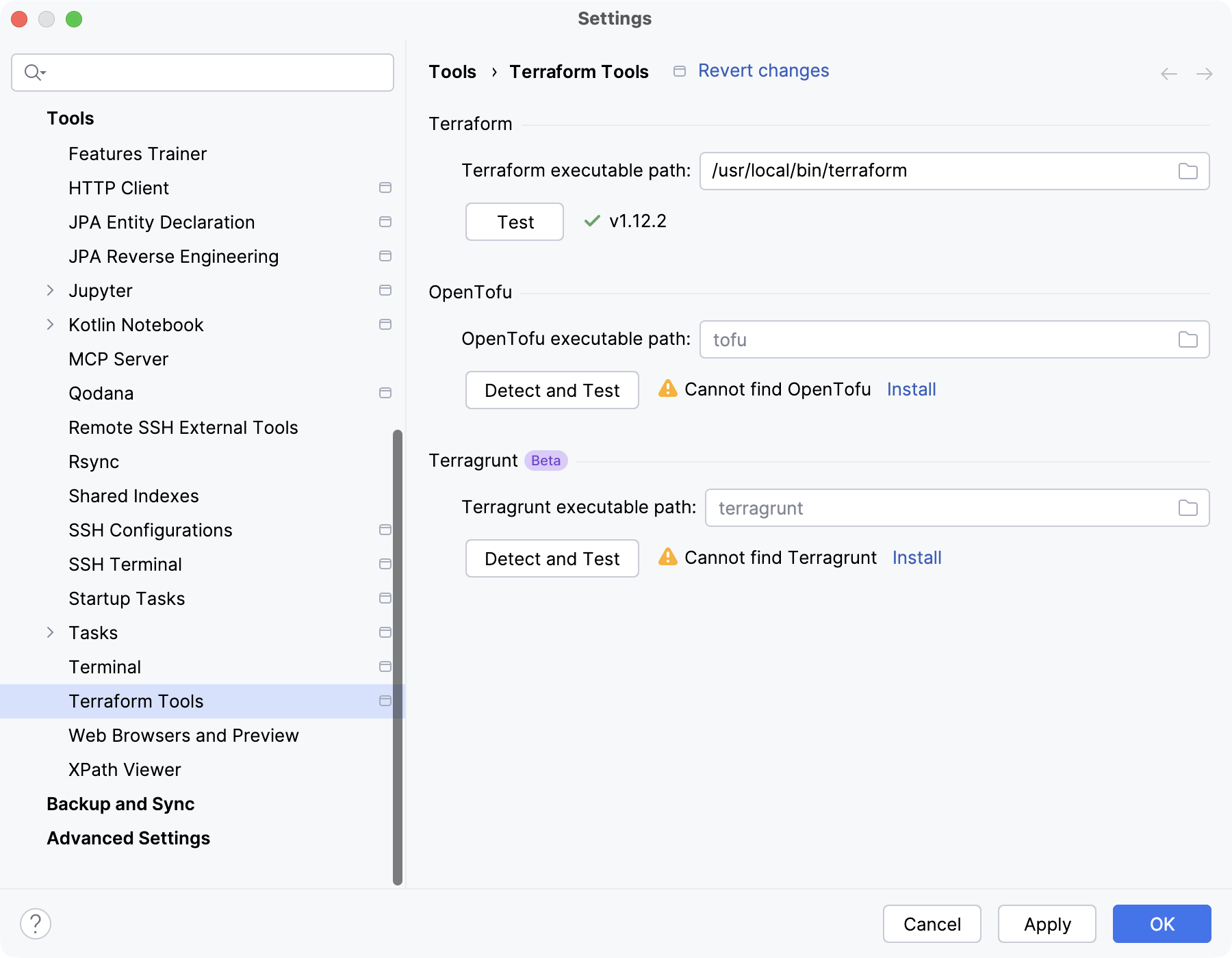
If necessary, you can specify the path to Terragrunt manually in the Terragrunt executable path field.