Set up JRuby integration
JRuby allows you to seamlessly integrate Ruby code with the Java ecosystem by running Ruby on the Java Virtual Machine (JVM). By using JRuby, developers can access Java libraries from Ruby, execute Ruby scripts within Java projects, and build hybrid applications that leverage the strengths of both languages.
Before the integration, make sure that you have done the following:
Add JRuby support to your project
In your project, go to , or press Ctrl+Alt+Shift+S.
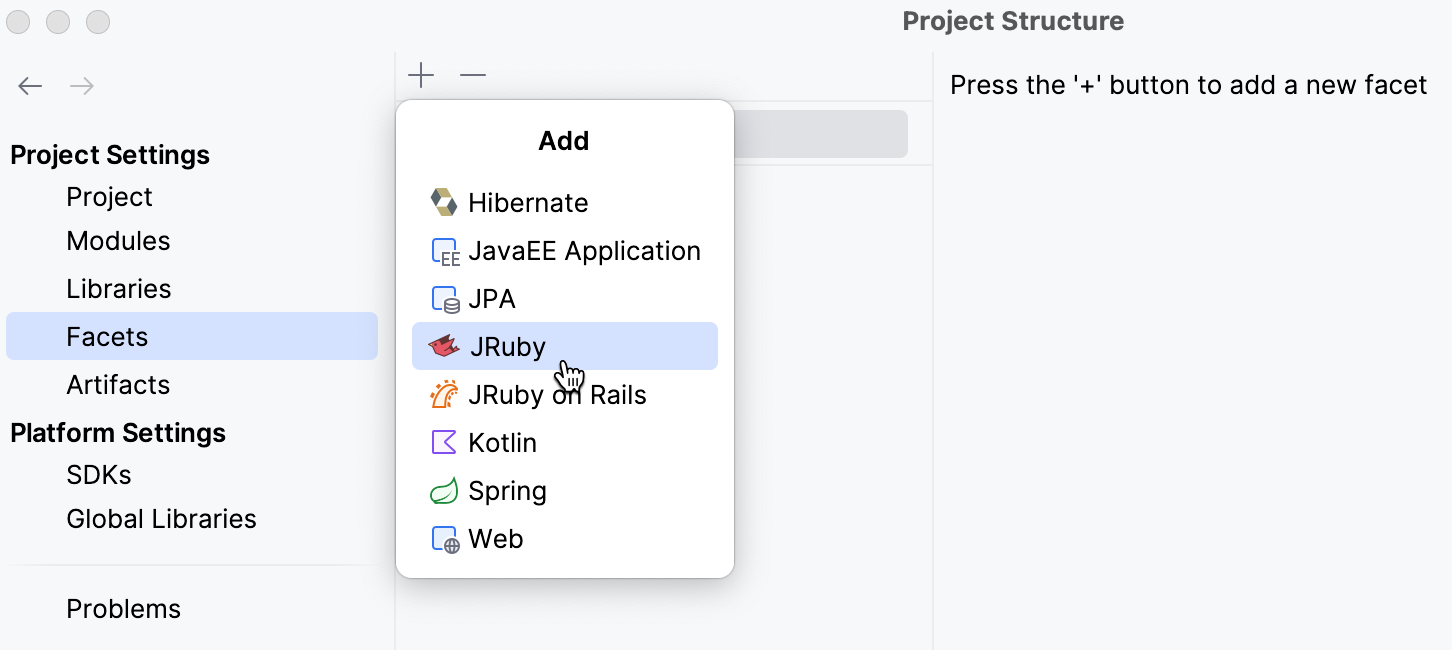
Navigate to Facets and select JRuby from the dropdown.
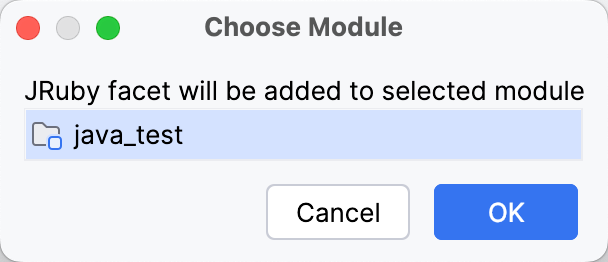
In the Choose Module dialog, select the module where you want to use JRuby and click OK.
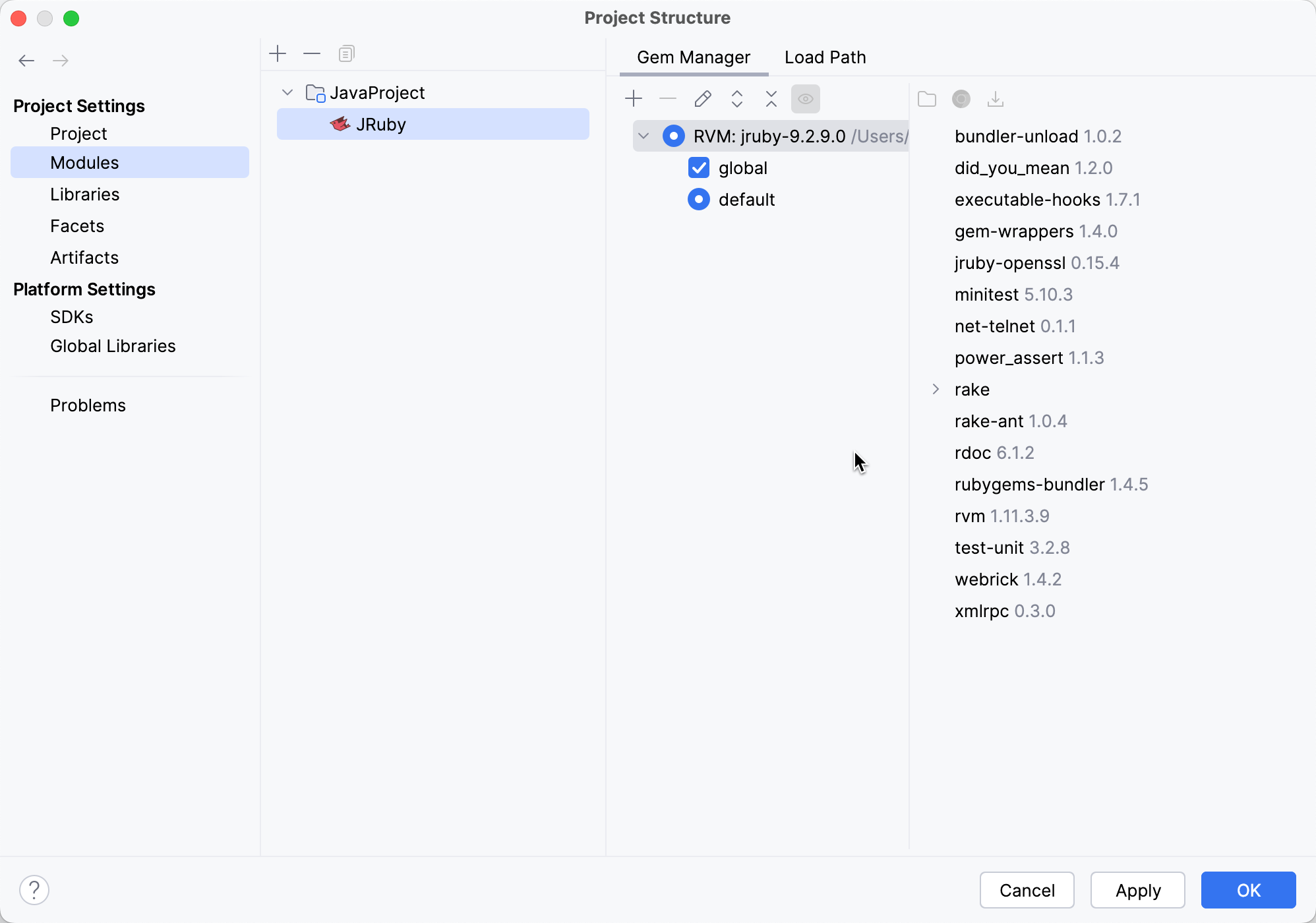
After the JRuby facet is added, you can view it in the selected module. IntelliJ IDEA should detect all JRuby interpreters installed. In this case, make sure the required version is selected on the Gem Manager tab. For the selected Ruby interpreter/gemset, you can see the installed gems on the right.
If there are no interpreters automatically detected, select one manually:
Click the Add icon on the Gem Manager tab toolbar.
Select Interpreter from the dropdown list.
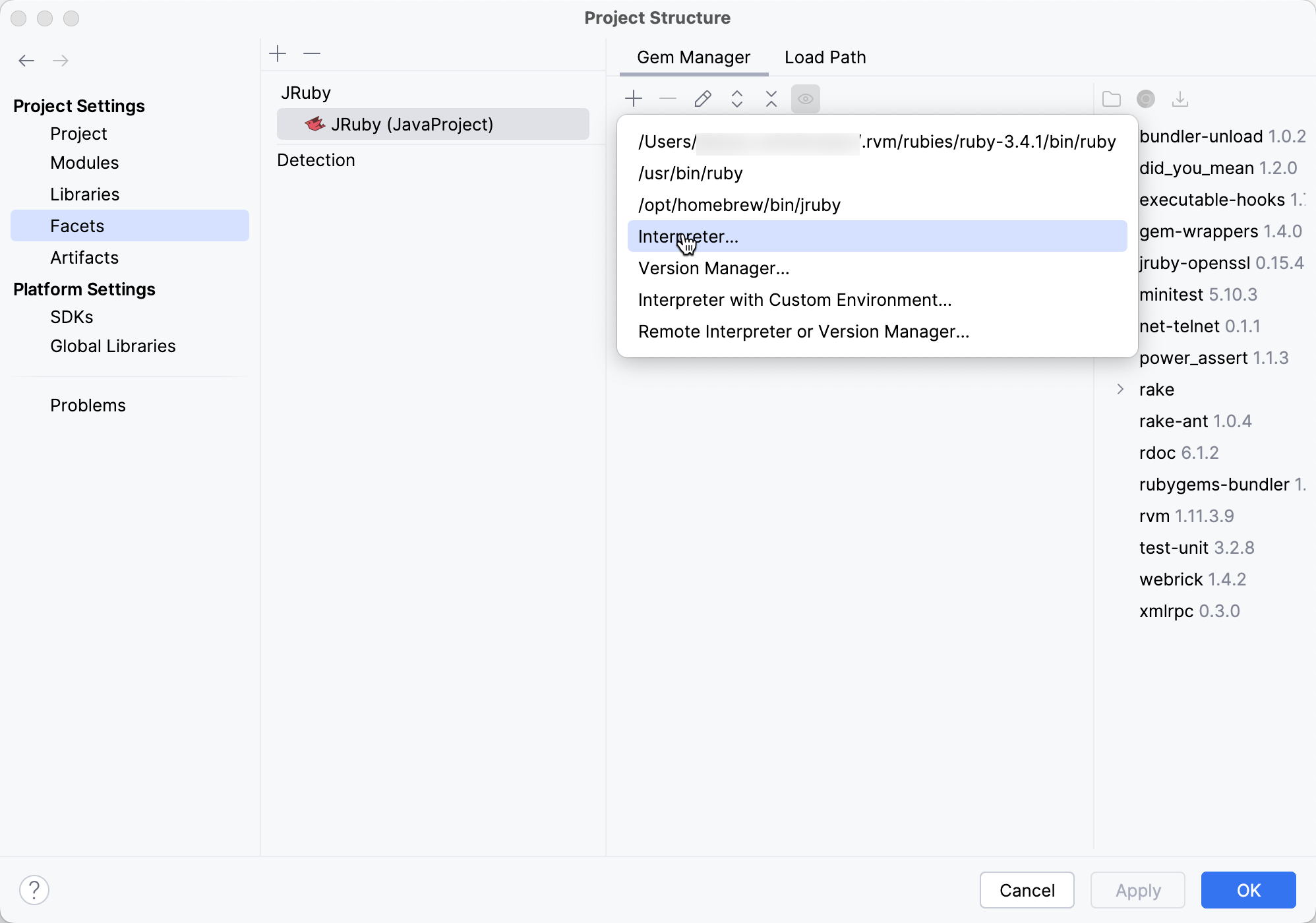
In the file browser window, navigate to the desired JRuby.exe file and select it.