# Save projects as templates
If you have a project that you want to reproduce when creating new projects, you can save it as a custom project template. The IDE recreates the project tree with files and folders, build configurations, libraries, SDKs, and language level settings.
IntelliJ IDEA saves all project settings from the `.idea` folder to the template. So if you want your new projects to have some predefined run/debug configurations, select the Store as project file checkbox in these configurations before you save the template.
Procedure: Save a project as a template
1. In the main menu, go to `File | New Projects Setup | Save Project as Template…` .
2. In the dialog that opens, name the template and configure the options:
* Save: if the project contains more than one module, select whether you want to create a template from the whole project or from one of the modules. Otherwise, this option is not available.
* Description: you can use the `` and ``, and `` and `` tags for formatting.
* Replace parameters with placeholders (recommended): select another base Java package and another application server when creating a new template-based project or module. This option doesn't allow you to add your custom parameters to a project.
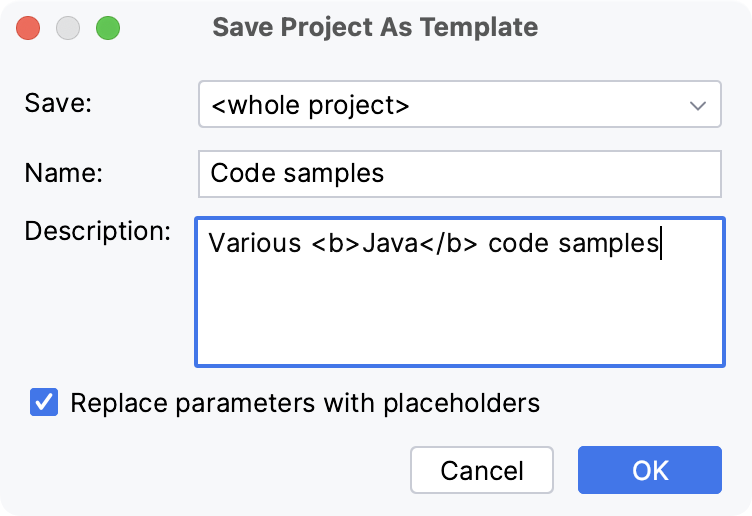
Templates are saved to the `projectTemplates` folder in the IDE [configuration directory](directories-used-by-the-ide-to-store-settings-caches-plugins-and-logs.html#config-directory).
Procedure: Create a project from a template
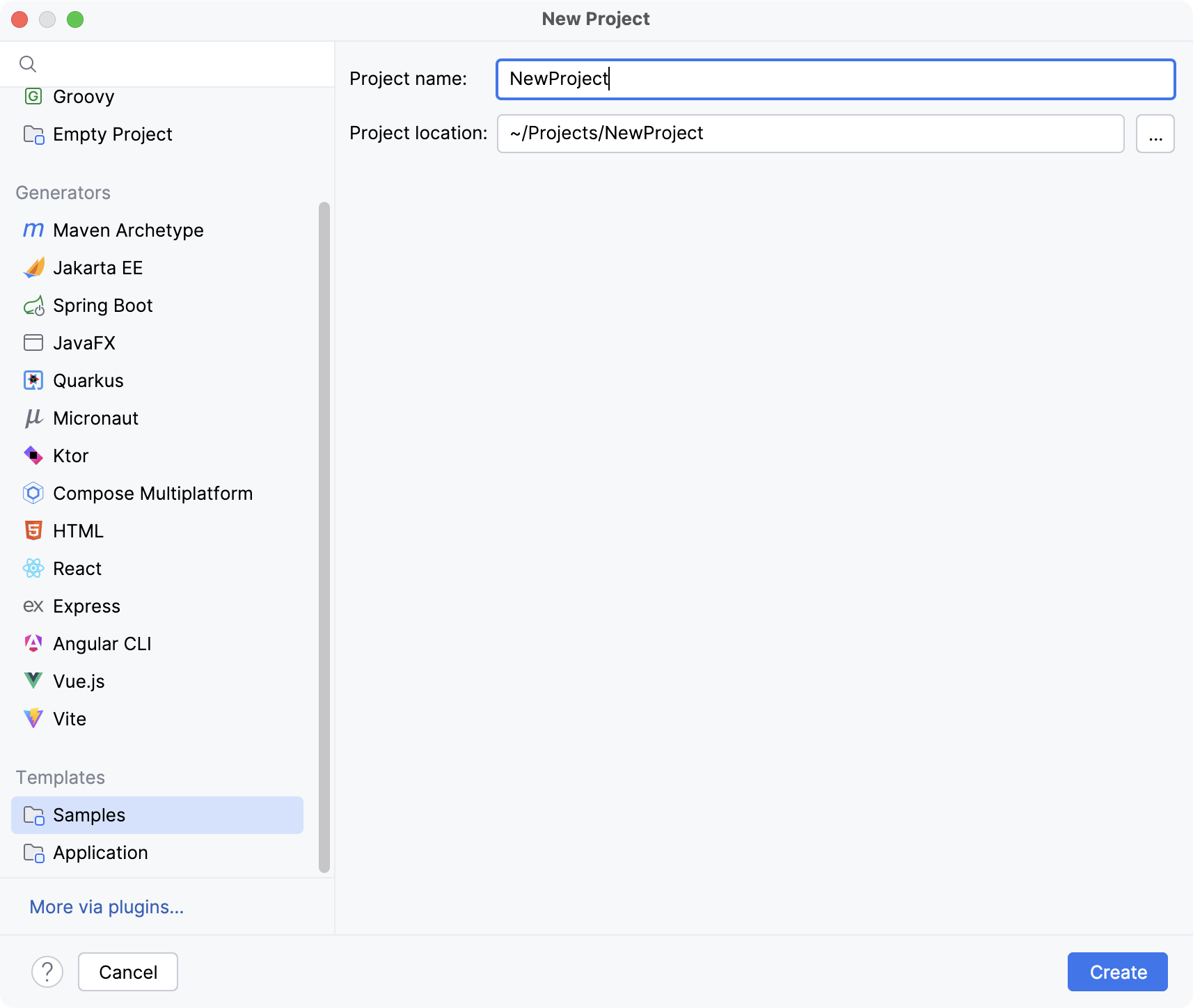
1. Click New Project on the Welcome screen or select `File | New Project` from the main menu.
2. In the dialog that opens, click the required template in the Templates section on the left.
Procedure: Delete project templates
1. In the main menu, go to `File | New Projects Setup | Manage Project Templates…` .
2. Select the template that you want to remove and click  Remove.