Docker run targets
Docker is great for running and debugging your application, because you can replicate any environment in a container. For example, the reporter of an issue may provide you with a specific Docker image where they are able to reproduce the problem. To run or debug your application in a Docker container, you can use Run targets.
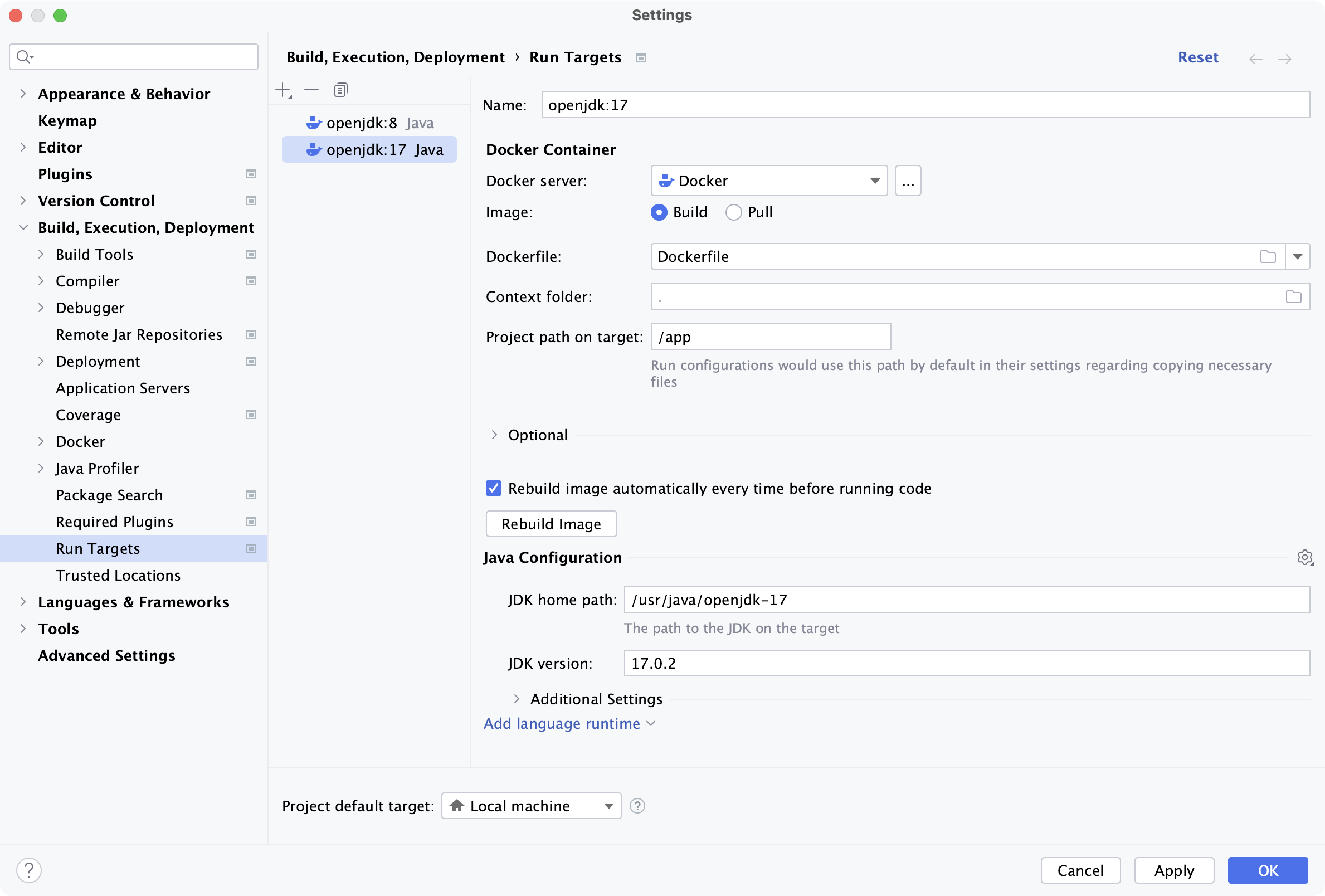
Create a Docker run target
Press Ctrl+Alt+S to open settings and then select .
Click
 and select Docker.
Configure and create the Docker target as described in Run Targets: Docker.
Run or debug your application on a Docker run target
Create a new run or debug configuration for your application or configure an existing one to use the Docker run target.
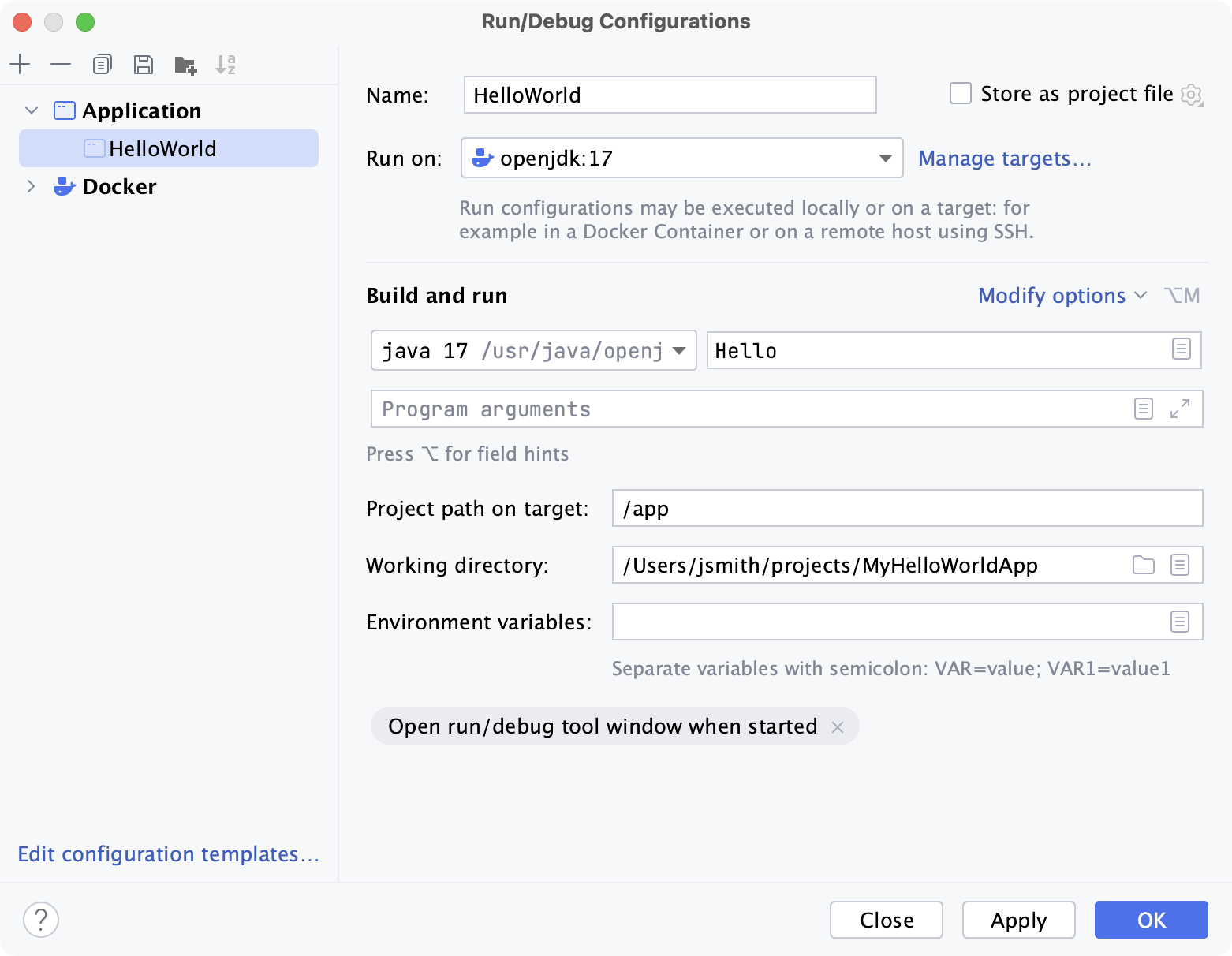
For a specific example, refer to Run and debug a Java application with Docker.
11 October 2024