Create a Python project
Go to or on the Welcome screen, click New Project.
In the New Project dialog, select Python as a project type.
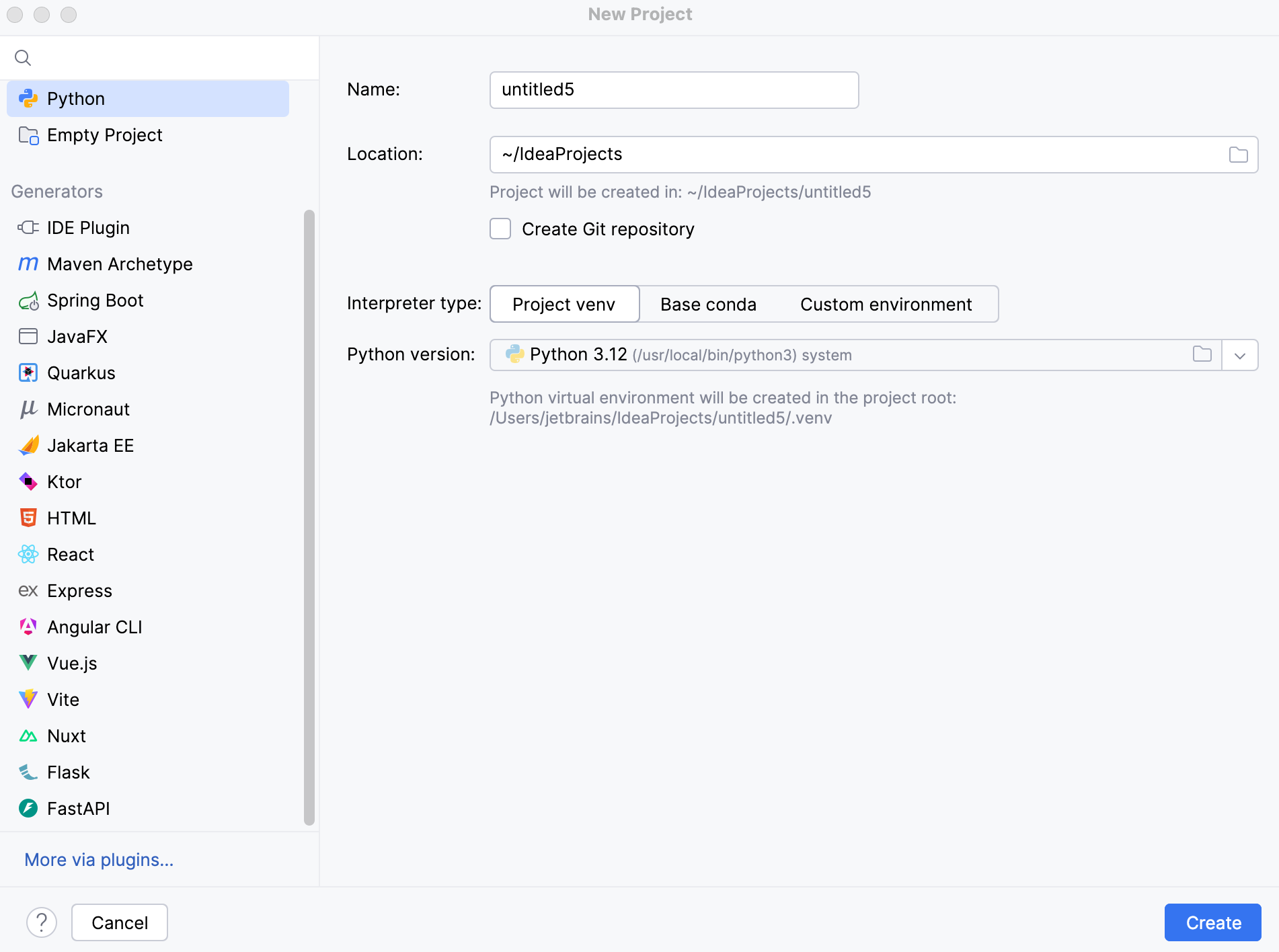
Specify the project location. The project name will be automatically derived from the folder name in the specified path.
If you want to proceed with the Project venv, uv or Base conda interpreter, select the corresponding option and click Create.
- Project venv
Select Project venv to create a virtual environment for the project.

In the Python version field, select the Python interpreter to use for the virtual environment.
The virtual environment is created in the
.venvdirectory in the project root.- uv
Select uv to create uv virtual environment for the project.

In the Python version field, select the Python version to use for the environment.
IntelliJ IDEA detects the uv executable automatically. If it is not detected, specify its location in Path to uv.
In the Location field, specify where to create the virtual environment. By default, IntelliJ IDEA creates the
.venvdirectory in the project root.
- Base conda
Select Base conda to use the base environment of your Conda installation as the project interpreter.

IntelliJ IDEA detects the Conda executable automatically. If it is not detected, specify its location in Path to conda.
To configure an interpreter of another type or to use an existing environment, select Custom environment.
The following steps depend on your choice:
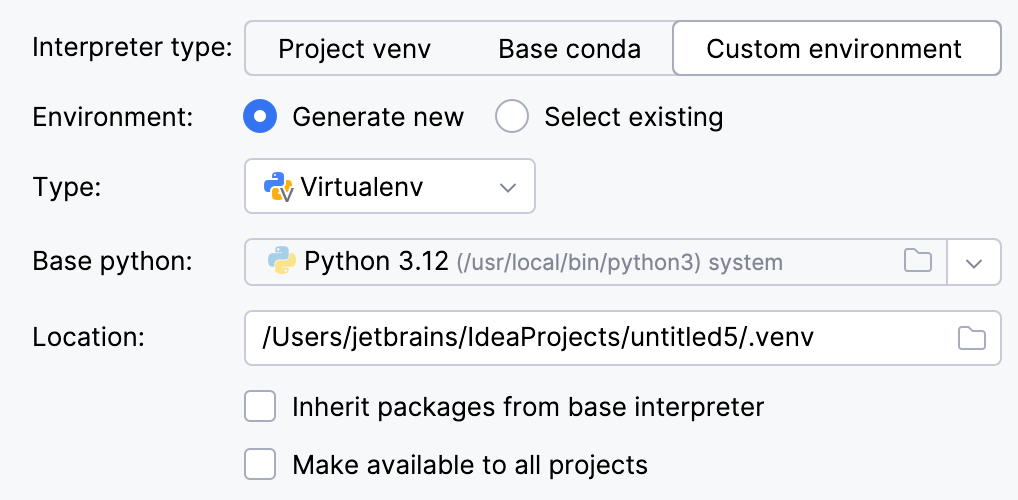
Select Virtualenv from the list of environment types.
Select the base interpreter from the list, or click
 and find the Python executable in your file system.
Specify the location of the new virtual environment in the Location field, or click
and browse for the location in your file system. The directory for the new virtual environment should be empty.Select the Inherit packages from base interpreter checkbox if you want all packages installed in the global Python on your machine to be added to the virtual environment you're going to create. This checkbox corresponds to the
--system-site-packagesoption of the virtualenv tool.Select the Make available to all projects checkbox if you want to reuse this environment when creating Python interpreters in IntelliJ IDEA.
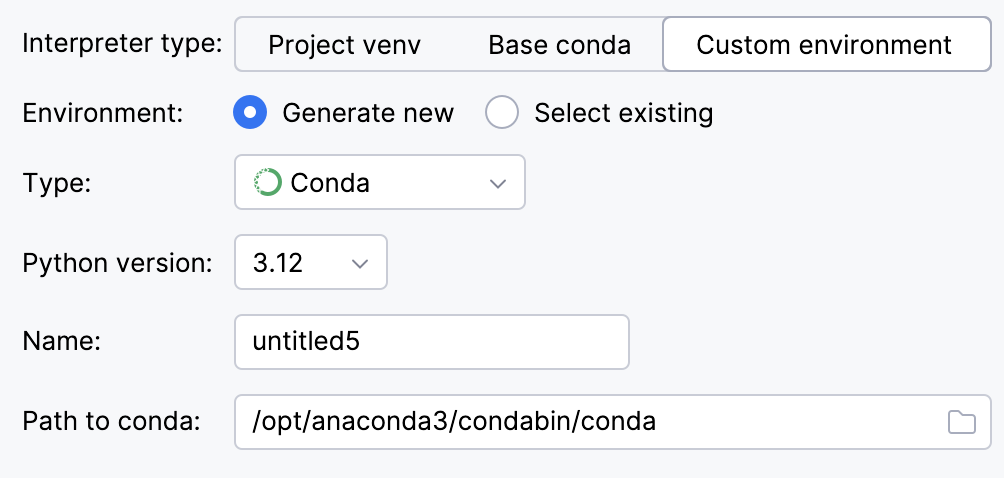
Select Conda from the list of environment types.
Select the Python version from the list.
Specify the environment name.
IntelliJ IDEA will detect a conda installation.
If IntelliJ IDEA did not detect the installation automatically, specify the location of the conda executable, or click
to browse for it.
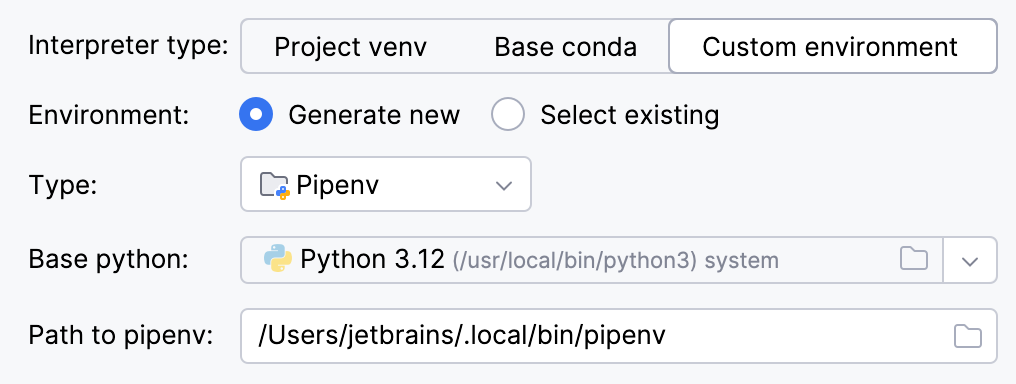
Select Pipenv from the list of environment types.
Select the base interpreter from the list, or click
and find the Python executable in your file system.If you have added the base binary directory to your
PATHenvironmental variable, you do not need to set any additional options: the path to the pipenv executable will be autodetected.If IntelliJ IDEA does not detect the pipenv executable, click Install pipenv via pip to allow IntelliJ IDEA to install it for you automatically.
Alternatively, follow the pipenv installation procedure to discover the executable path and then specify it in the dialog.
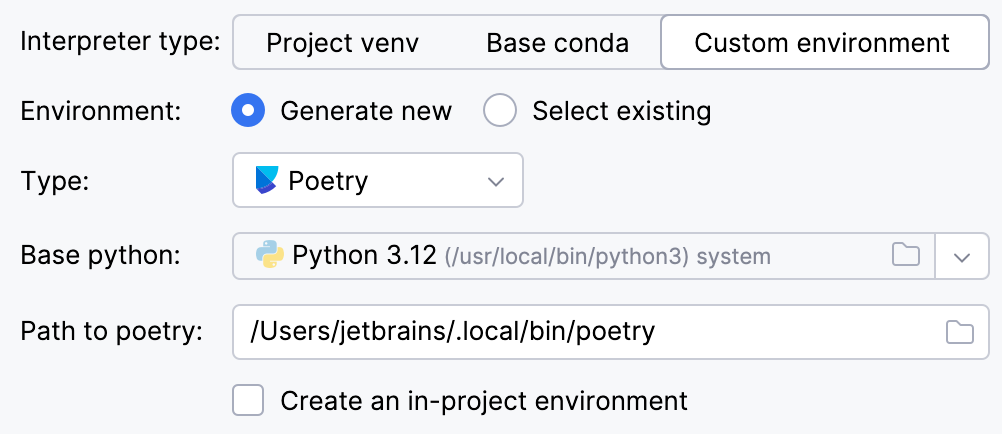
Select Poetry from the list of environment types.
Select the base interpreter from the list or click
and find the Python executable in your file system.If IntelliJ IDEA does not detect the Poetry installation, click Install poetry via pip to allow IntelliJ IDEA to install Poetry for you automatically.
Alternatively, specify the location of the Poetry executable, or click
to browse for it.To create a virtual environment within the project directory, select the Create an in-project environment checkbox.
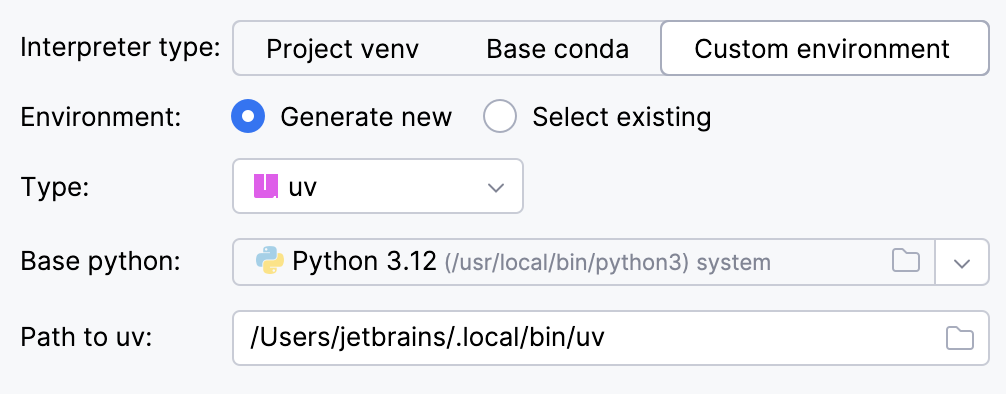
Select uv from the list of environment types.
Select the base interpreter from the list, or click
and find the Python executable in your file system.IntelliJ IDEA will detect a uv installation.
Otherwise, specify the location of the uv executable, or click
to browse for it.
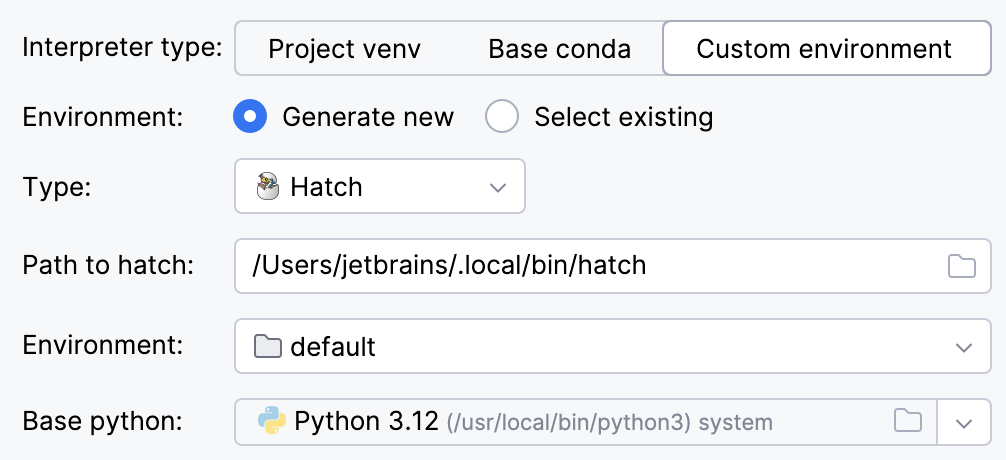
Select Hatch from the list of environment types.
IntelliJ IDEA will detect a Hatch installation.
Otherwise, specify the location of the Hatch executable, or click
to browse for it.Select an environment.
Hatch environments are workspaces designed for various project-specific tasks. If no environment is explicitly selected, Hatch will use the default environment.
Select the base interpreter from the list, or click
and find the Python executable in your file system.
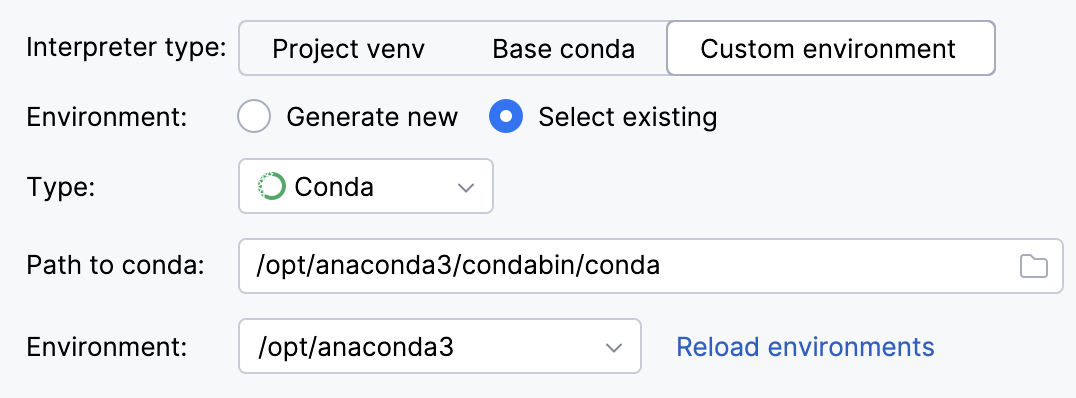
To reuse an existing conda environment:
Switch Type to Conda.
Specify the environment name.
IntelliJ IDEA will detect a conda installation.
If IntelliJ IDEA did not detect the installation automatically, specify the location of the conda executable, or click
to browse for it.Select the environment from the list. If you specified the path to conda manually, you may need to reload environments.
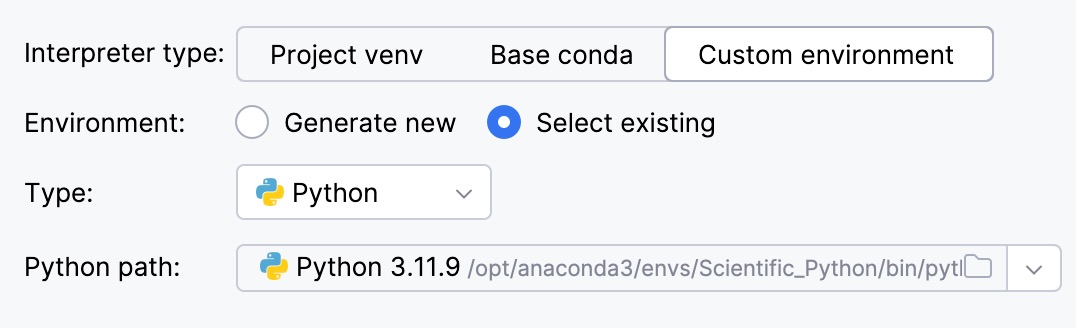
To reuse a different Python environment:
Switch Type to Python.
Select the Python executable from the list or click
to browse for it.
Click Create.