Command completion
Command completion helps you write and transform code by suggesting context-aware IDE actions in the editor. It serves as a universal entry point, reducing the need to memorize shortcuts or search through menus. By providing suggestions that fit the current context, command completion helps you focus on your tasks and maintain a smooth coding flow.
Unlike basic code completion, which suggests identifiers or keywords, command completion focuses on completing ideas. It prompts you to modify your code by applying context-aware actions. Depending on where you are in your code, the completion suggestions may include:
Fixes for issues: intention actions and quick-fixes available directly from the completion popup.
Code transformations: actions for reformatting code, introducing variables, and other structural changes.
Refactoring and navigation: commonly used actions such as renaming or navigating to a declaration, as well as context-specific ones like changing a signature.
Code generation: actions to generate constructors, getters and setters,
toString(), and more.Code insight: actions to display parameter information, build type hierarchies, explain regular expressions, and examine code in other ways.
Documentation: actions to generate documentation comments for declarations and display quick documentation for symbols.
Framework-specific suggestions: when working with frameworks like Spring, IntelliJ IDEA may suggest relevant actions, for example, Spring bean wiring.
AI Assistant features: actions to explain code fragments, write documentation comments, and type custom prompts for AI to answer.
When used on code blocks, command completion can also suggest high-level transformations, such as extracting the block into a method (currently, available for loops and if statements) or wrapping it in a control-flow statement.
Toggle command completion on and off
Press Ctrl+Alt+S to open settings and then select .
Use the Enable command completion option to enable or disable the feature.
Invoke command completion
Start typing your code. Whenever you want to access the list of commands, type two dots (
..).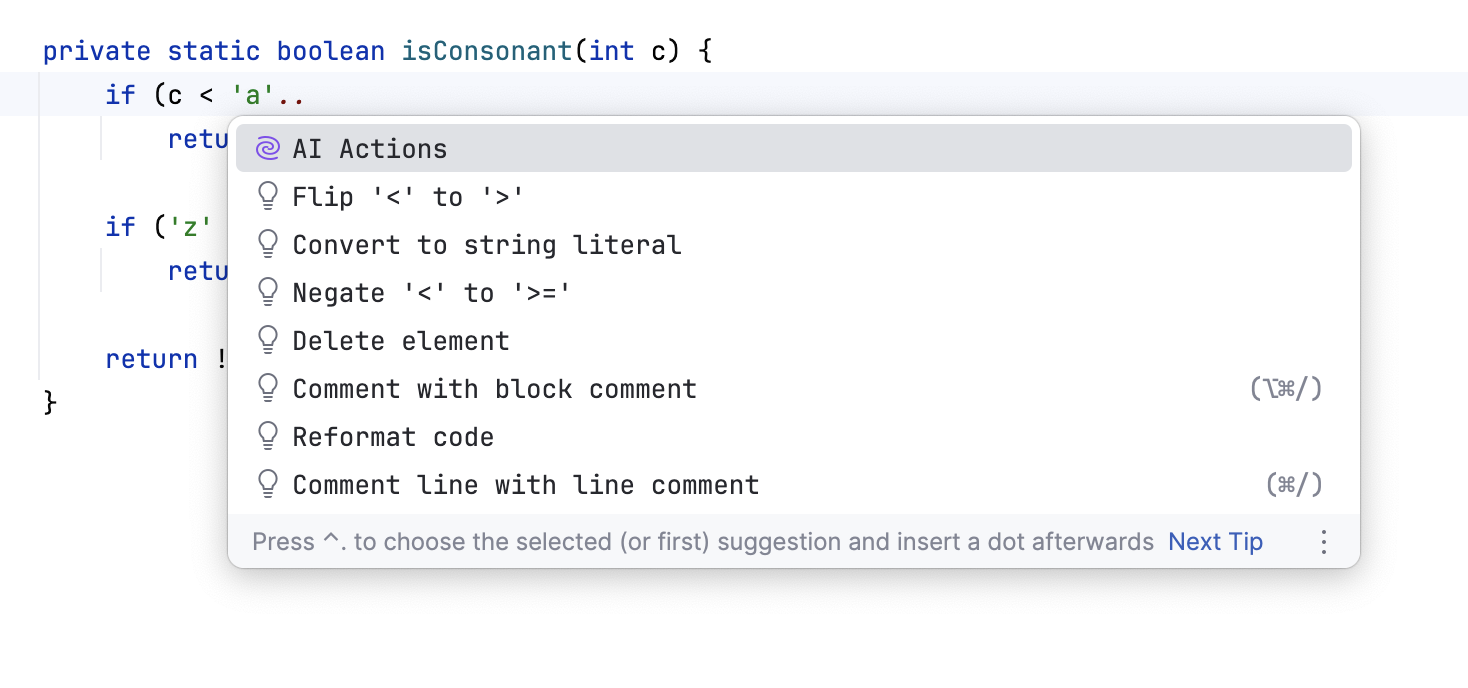
Type one dot (
.) to see command completion options together with the regular completion.
To search through the list of command suggestions, type the option you are looking for. IntelliJ IDEA automatically displays the preview of the change when you select a command in the list.
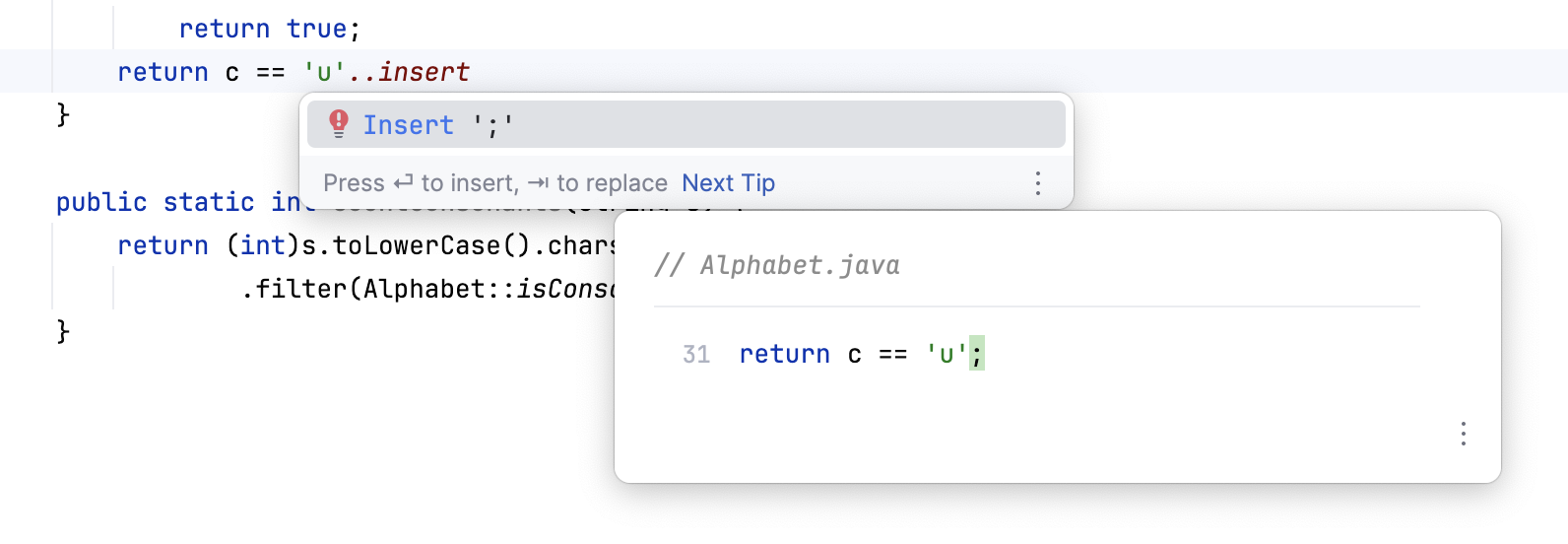
Use command completion in read-only files
In read-only files, such as external library sources, you can use command completion to quickly find actions that help you navigate your codebase, search for usages, or copy references.
Press Ctrl+Alt+S to open settings and then select .
Select the Enable command completion for read-only files option to enable the feature.
Open a read-only file in the editor. Place the caret at the end of a symbol and type one dot (
.) to access the list of available commands.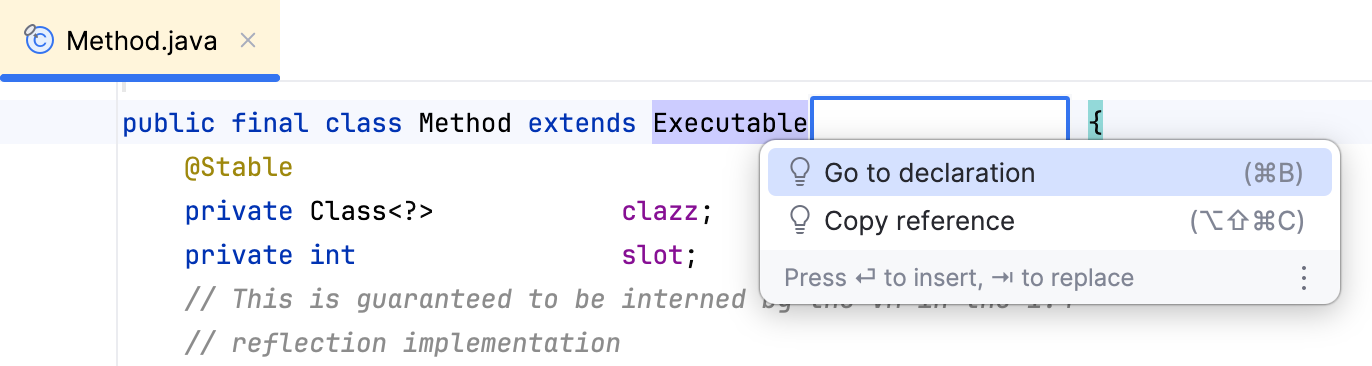
Start typing the name of the action you are looking for, select it from the list, and press Enter to invoke it.