BSP support
The Build Server Protocol (BSP) defines a standard way for the build tool such as sbt or Mill to interact with IDEs, letting you import your project, run compilation and other tasks, get error messages and progress updates directly in the IDE.
The Scala plugin for IntelliJ IDEA supports BSP as a client.
Open an sbt project from the BSP model
On the welcome screen, press Ctrl+Shift+A and search for the Project from Existing Sources action. Alternatively, go to in the main menu.
In the dialog that opens, select a directory that contains your sbt project. On the page that opens, select the BSP option and click Next.
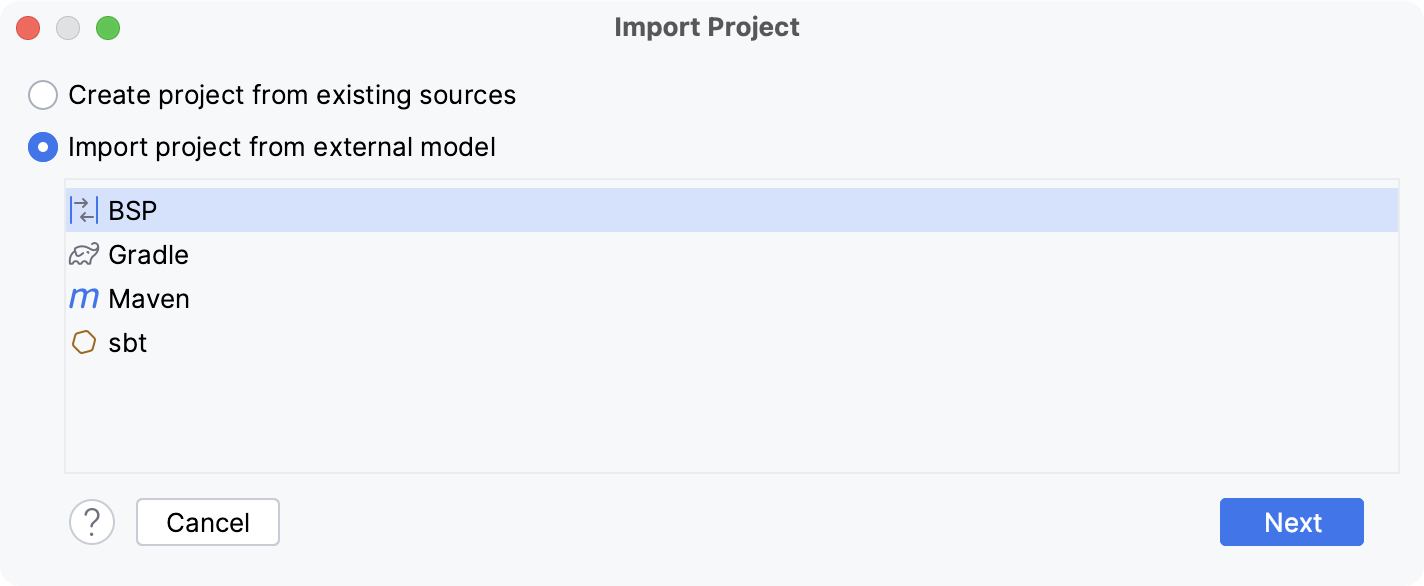
Click Finish. IntelliJ IDEA opens the project, configures the BSP server, and loads all the necessary dependencies. The BSP tool window displays the imported project and its dependencies.
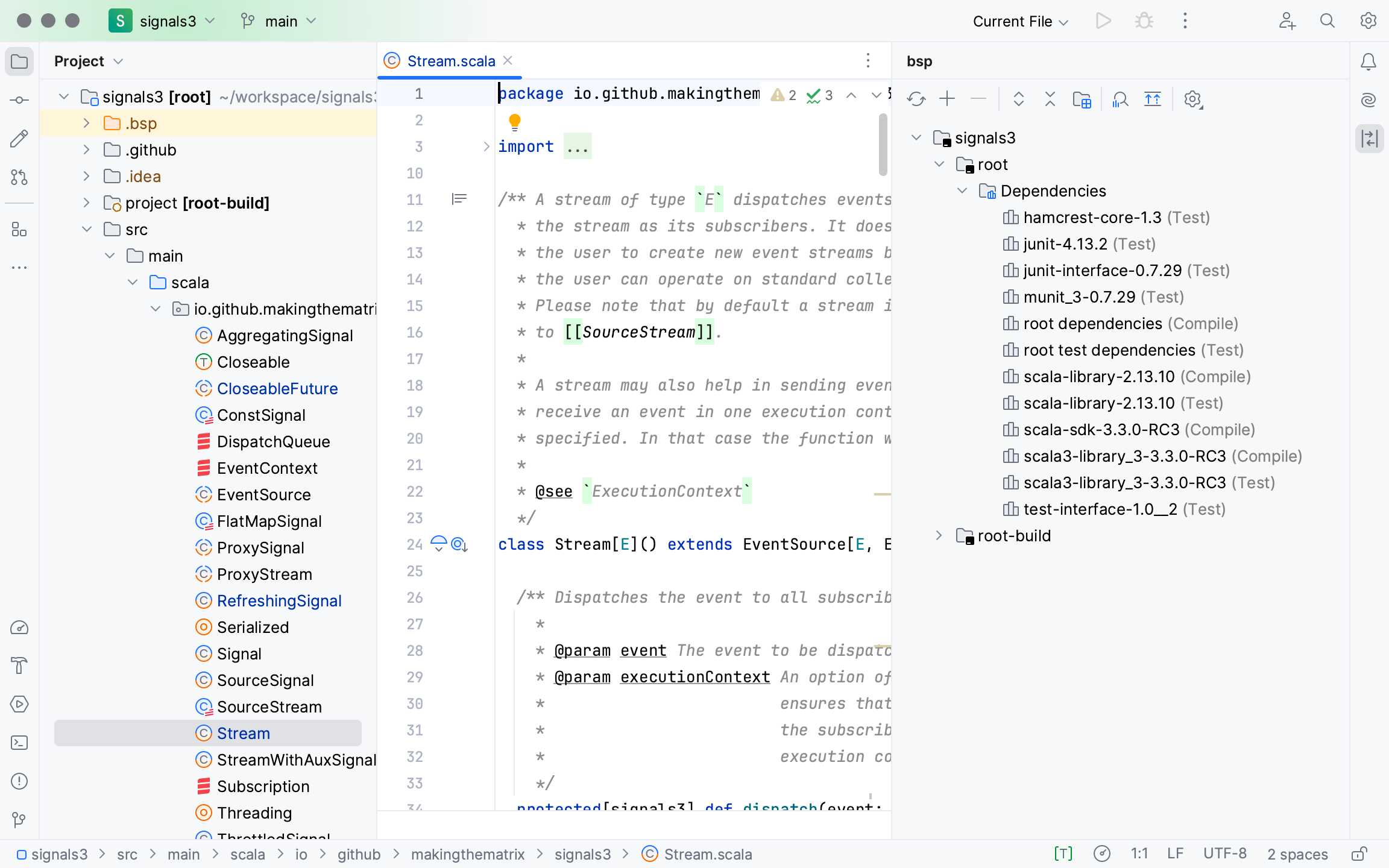
On the status bar there is the BSP Connection icon that you can click and disable the connection either just one project or for all BSP connections.
BSP connection file generation
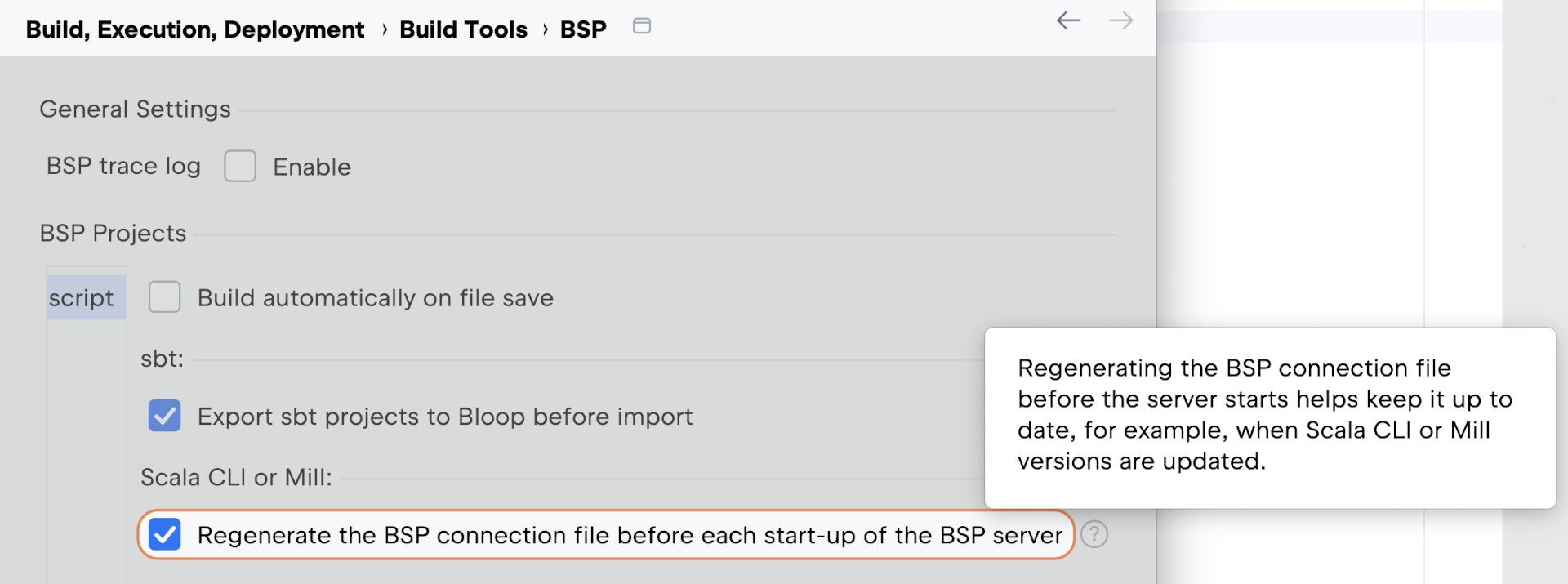
For Scala CLI and Mill, the BSP connection file is regenerated before each BSP server startup. You can disable this in the settings.
When the project is imported, you will see a popup informing you about that the connection file is regenerated. It contains a link to the BSP Settings page. You can also access that page manually at .