Bazel project view
A Bazel project view is a configuration used by IntelliJ IDEA to:
Decide which parts of a Bazel workspace to import/index
Decide which Bazel targets to sync for features, such as code navigation, completion, run configurations, and tests
Apply Bazel flags and other settings to the sync and build actions initiated from IntelliJ IDEA.
Bazel project view prevents pulling the entire Bazel workspace when you only need one or several subtrees. It does not change the way Bazel works, but rather scopes the work Bazel and IntelliJ IDEA do. This improves the performance and makes the project easier to work with.
Project view configuration
The project view is configured in a .bazelproject file. You might have several such files located anywhere in your project. For information on .bazelproject file syntax, refer to the .bazelproject file reference chapter.
Navigate to the current project view
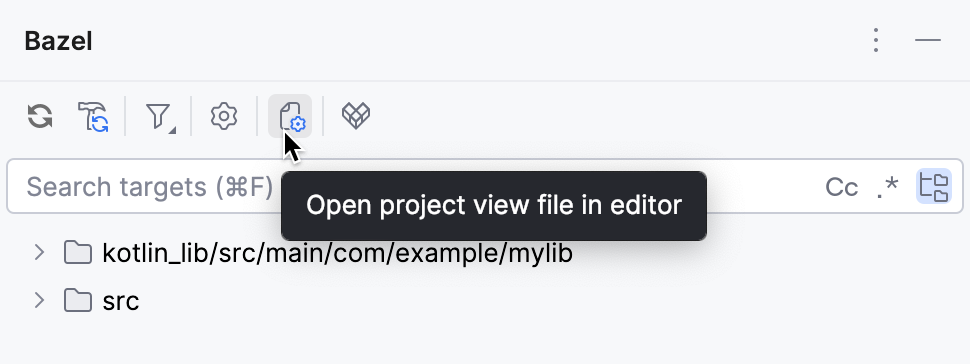
If you are unsure where the currently active project view is configured, the IDE can bring you to the corresponding file.
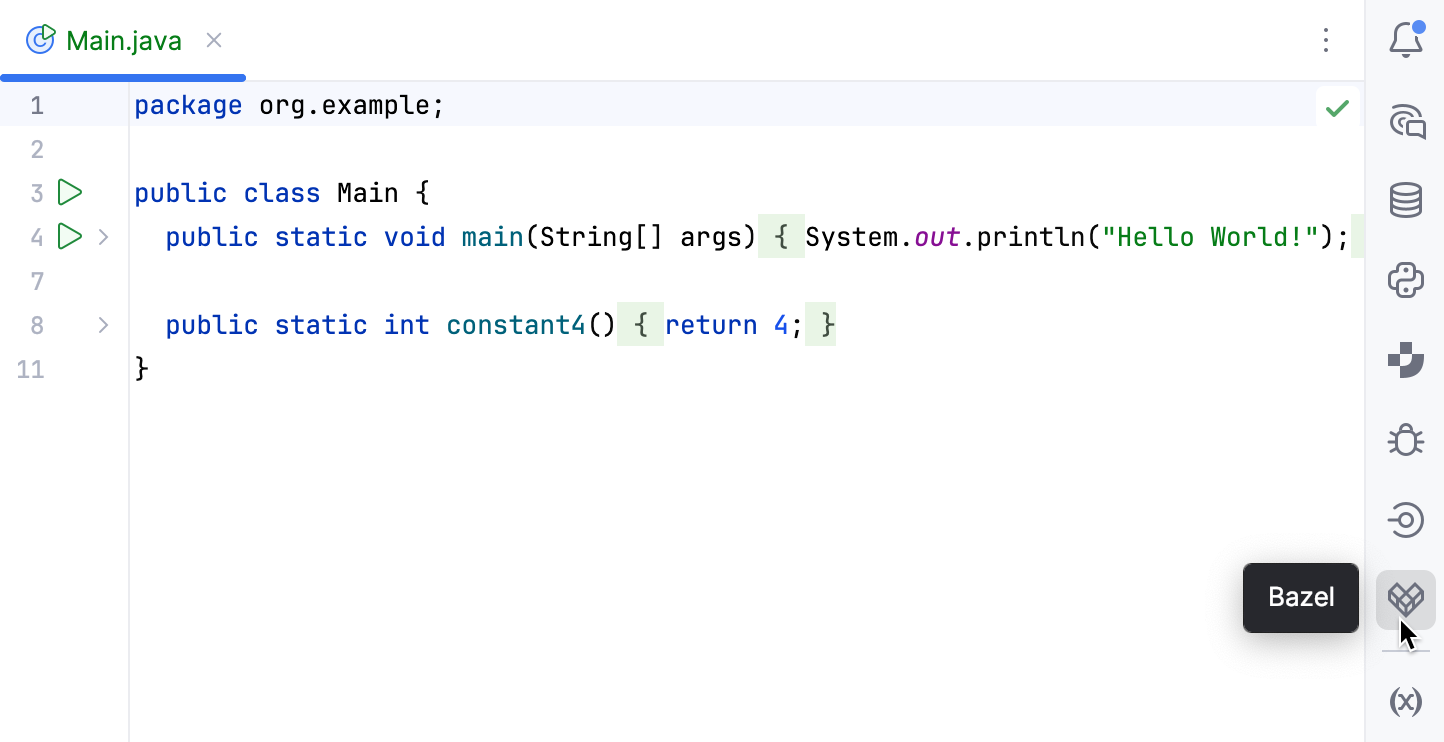
In the right sidebar, click the Bazel icon. Alternatively, select from the main menu.
Click the Open project view file in editor button.
Select a project view
When there are multiple project views in a workspace, you can switch between them.
From the Project tool window: right-click a .bazelproject file and select Load Project View.
From settings Ctrl+Alt+S: go to , then enter the path to the .bazelproject file in the Project View Path field.
.managed.bazelproject
There is a special type of .bazelproject file that is checked into your repo and owned by repo maintainers. To define a central template, place it in tools/intellij/.managed.bazelproject. It is used to provide a default minimal view for scenarios such as large repos and short-lived remote development environments.
Here is a short summary of the differences between the two types of project views:
.managed.bazelproject | .bazelproject | |
|---|---|---|
Purpose | A canonical, centrally maintained project view template for your organization/repo. | The concrete project view that IntelliJ IDEA actually reads when indexing/building. |
Location | Under your repo, typically at tools/intellij/.managed.bazelproject | Generated inside your checkout at .bazelbsp/.bazelproject |
Ownership | Maintained by the repo (code owners, build team). | Per-user, per-working-copy artifact created by the plugin. |
VCS | Committed to VCS. | Usually NOT committed; treated as a generated file. |
Intended edits | You generally do not edit this locally unless you are changing the shared template for everyone . | You can make local tweaks here, but they are not shared with others. |
When you open a new project that has a .managed.bazelproject file, IntelliJ IDEA will generate a .bazelproject file based on it.
The precedence order for project view resolution is:
{project root}/.bazelproject
managed.bazelproject is copied to {project root}/.bazelbsp/.bazelproject – configurable via
default {project root}/bazelbsp/.bazelproject is created with the following settings:
derive_targets_from_directories: true directories: .
.bazelproject file reference
A project view file is split into named sections and uses a Python-like format with two spaces indentation.
File and section syntax
The content after a
#and up to a newline is treated as comment.Section headers start at the beginning of a line and use the
name: bodyorname bodyformat. Both a space or a colon are acceptable after a section name.Section body extends until the next section header.
Section types
All named sections belong to one of the following types:
Single value sections: one value (Boolean, Int, Path, or String), for example:
derive_targets_from_directories: true import_depth 2List sections: multiple values separated with a space or a newline, for example:
build_flags: --config=ci --cxxopt=-O2Excludable list sections: multiple values separated with a space or a newline; entries starting with
-are excluded. For example:targets: //app:all -//app:tests
Repeating sections
Sections can appear multiple times. If that happens, the following resolution rules apply:
Single-value sections: the last occurrence wins.
List sections: the sections are merged in the order of appearance.
Excludable list sections: like with regular list sections, both included and excluded lists are merged in the order of appearance.
Imports
A project view can import other project views using import and try_import.
import path/to/file.bazelprojectRequired import. If the file cannot be found, the project view is not considered valid.
try_import path/to/optional.bazelprojectOptional import. If the file cannot be found, the project view is still valid without importing the other project view.
IntelliJ IDEA parses all import entries first, then all try_import entries in the order they appear in the file. After the imports, the current file's own sections are processed.
You can use multiple imports in a project view. In this case, the imported list sections (for example, targets) are merged and single-value sections (for example, bazel_binary override the previously encountered ones.
Sections reference
Below is the complete list of available sections grouped by type. For the list of section types and their syntax, refer to the Section types chapter.
Excludable list sections
- targets (List<Path>)
A set of Bazel targets to include in the import. Supports the recursive wildcard for packages (
/...). The more targets you have, the slower your IDE experience might be.Example:
targets: //install/src/main/kotlin/org/jetbrains/bazel/install //executioncontext/projectview/... -//executioncontext/projectview/src/main/kotlin/org/jetbrains/bazel/projectview/parser/...- directories (List<Path>)
The directories to be mapped into Bazel targets. Can be used with derive_targets_from_directories to automatically discover the relevant targets by scanning the specified directories.
Example:
directories: install/src/main/kotlin/org/jetbrains/bazel/install executioncontext/projectview/ -executioncontext/projectview/src/main/kotlin/org/jetbrains/bazel/projectview/parser
List sections
- build_flags (List<String>)
A set of Bazel flags that is passed with all Bazel command invocations. By default, no flags are passed.
Example:
build_flags: --define=ij_product=intellij-latest- sync_flags (List<String>)
A set of Bazel flags that is passed with Bazel command invocations during sync. By default, no flags are passed.
Example:
sync_flags: --define=ij_product=intellij-latest- test_flags (List<String>)
To be supported in future releases.
- debug_flags (List<String>)
A set of Bazel flags that is passed to
bazel runin debug mode.Example:
debug_flags: --cxxopt=-g- enabled_rules (List<String>)
Explicitly declares which external Bazel rulesets should be enabled for your project and overrides auto-detection, which can be incomplete for some setups.
Example:
enabled_rules: rules_java rules_kotlin- import_run_configurations (List<Path>)
A list of XML files to import as run configurations during Bazel sync.
Example:
import_run_configurations: tools/intellij/run_application.xml tools/intellij/run_tests.xml- java_source_root_optimization_patterns (List<String>)
Specifies glob patterns indicating source directories eligible for optimized package inference. This section is used together with java_source_root_optimization_enable.
The package of the source files, whose paths match at least one of those patterns, is derived using bulk optimization. The package information for other source files is read from each individual file.
Default patterns:
src/main/java,src/test/java,src/main/kotlin,src/test/kotlin,src/java, andsrc/kotlin.*applies the optimization to all source directories.Example:
java_source_root_optimization_patterns: src/main/kotlin- python_code_generator_rule_names (List<String>)
Specifies which Bazel rule kinds should be treated as Python code generators.
Example:
python_code_generator_rule_names: my_py_codegen_rule another_py_codegen- index_additional_files_in_directories (List<String>)
Specifies filenames or glob patterns for files to be indexed by IntelliJ IDEA, in addition to the sources, resources, and libraries already defined by targets.
For faster indexing, IntelliJ IDEA only indexes files that belong to Bazel targets. This can exclude some files, such as
*.xmlconfigs,package.json, or other non-source files that do not directly appear in the resource sections of a target. This means they will get slower search, and some IntelliJ IDEA's features, including the navigation to definitions and usages, will not work for them.The patterns from this section are combined with a set of built-in defaults that are always indexed:
WORKSPACE/WORKSPACE.bazelfilesBUILD/BUILD.bazelfilesMODULE.bazel
Example:
index_additional_files_in_directories: *.xml package.json
Single-value sections
- bazel_binary (Path)
Path to Bazel, which will be used on the server for operations such as building a project or executing a Bazel query. If not specified, the server will use the binary from the $PATH variable.
Example:
bazel_binary: /usr/local/bin/bazel- derive_targets_from_directories (Boolean)
Specifies if targets should be derived from the directories in the
directoriessection. By default, targets are not derived (false), but the directories are not excluded from the project view.Example:
derive_targets_from_directories: true- import_depth (Int)
Specifies how many levels of Bazel targets' dependencies should be imported as modules. Only the targets that are present in the workspace are imported. You can use a negative value to import all transitive dependencies. The default value is
-1, meaning that all transitive context is included.Example:
import_depth: 1- allow_manual_targets_sync (Boolean)
Allow syncing targets tagged as manual. By default (
false), manual-only targets are skipped.Example:
allow_manual_targets_sync: true- ide_java_home_override (Path)
Override
JAVA_HOMEused by IntelliJ IDEA for Java targets during sync and IDE operations. It overrides the JDK that would otherwise be inferred from Bazel’s Java toolchains/runtime. Bazel itself will still build with its configured toolchain; this override is IDE-only.Example:
ide_java_home_override: /Users/me/Library/Java/JavaVirtualMachines/jbr-21Allows splitting Bazel sync/build into smaller batches, also referred to as shards, instead of executing a single sync/build. This helps avoid Bazel running out of memory and reduce issues like overly long command lines when syncing large sets of targets. The default is
falsebecause of a potential memory leak issue with Bazel.Example:
shard_sync: true- target_shard_size (Int)
Specifies the number of targets to be built in a shard. The default is
1000Example:
target_shard_size: 500Specifies the strategy used to shard the list of original targets. Used in combination with shard_sync. The default is
QUERY_AND_SHARD.The following values are possible:
EXPAND_AND_SHARD: expand wildcard targets to package targets, query single targets, then shard to batchesQUERY_AND_SHARD: query single targets from the given list of targets without expanding, then shard to batchesSHARD_ONLY: split unexpanded wildcard targets into batches
Example:
shard_approach: EXPAND_AND_SHARD- gazelle_target (String)
Specifies whether IntelliJ IDEA should run a Gazelle target automatically at the start of each Bazel sync. This updates or generates BUILD files for the directories included in the project view before IntelliJ IDEA collects targets and indexes sources.
Example:
gazelle_target: //tools/gazelle:gazelle- index_all_files_in_directories (Boolean)
Specifies whether IntelliJ IDEA should index all files under the directories listed in the
directoriessection, regardless of whether the files belong to a Bazel target. This allows for faster search and navigation for non-target sources, docs, or scripts, but indexing itself can be slow and memory-heavy in monorepos or large projects. The default isfalse.Example:
index_all_files_in_directories: true- import_ijars (Boolean)
Specifies whether to prefer interface/header jars (ijars) for JVM libraries instead of full jars during import. Interface/header jars contain only public API class stubs and not the full bytecode. This can reduce the size of the index and improve import performance at the cost of navigation to library implementations and false-positives in some of the IDE warnings. The default is
false.Example:
import_ijars: true- java_source_root_optimization_enable (Boolean)
Enables Java source root optimization.
Without this optimization, IntelliJ IDEA gets package information for Java, Kotlin, or Scala sources by reading the corresponding declarations in each file.
In large monorepos, reading package information for every source file can be slow. With
java_source_root_optimization_enable, IntelliJ IDEA uses patterns specified in java_source_root_optimization_patterns and resolves files' packages in bulk, reducing I/O overhead. The default isfalse.Example:
java_source_root_optimization_enable: true- run_config_run_with_bazel (Boolean)
Controls whether run configurations execute using Bazel (
bazel run/bazel test) or through --script_path.When enabled, Bazel handles the full execution, which allows you to benefit from Bazel's test result caching and remote build execution (RBE). The trade-off is that Bazel acquires a workspace lock during execution, so you cannot run multiple run configurations in parallel.
When disabled, IntelliJ IDEA compiles the target through Bazel but launches the resulting binary directly, bypassing the Bazel lock.
The default is
true.Example:
run_config_run_with_bazel: false- derive_instrumentation_filter_from_targets (Boolean)
Specifies whether to compute and add
--instrumentation_filterthat includes the Bazel packages of all imported targets. Whenfalse, the instrumentation filter is not added, or you can specify it using .bazelrc. For example,coverage --instrumentation_filter="^//". The default istrue.Example:
derive_instrumentation_filter_from_targets: false