Nest a Group under Another Group
Hub lets you nest a group under another group. A nested group inherits all the roles that are granted to the group that it is nested under.
Technically, every group you create in Hub is a nested group, as every group is nested under the All Users group. Each new group inherits all the roles that are assigned to All Users.
Use Case | Description |
|---|---|
Grant progressive levels of access | You want to make sure that when you add permissions to a specific role, all of the users who have broader responsibilities are granted this permission as well. For example, you have code reviewers, developers, and administrators. The reviewers only need read access to the resources, while the developers need edit the content. The administrators need full access rights. You can create separate groups and grant them roles that provide the desired level of access. Then, nest the groups with more permissions under the group that has fewer permissions. Nest the group of developers under the group of reviewers, then nest the group of administrators under the group of developers. This ensures that the developers have access to the same resources that are available to the code reviewers and the administrators have access to all of the resources that are available to the team. If you later decide that the code reviewers need access to additional resources, the developers and administrators inherit this access. |
Before you start nesting groups, create all the groups that you want to work with. For instructions, see Create a Group.
To nest a group under another group:
From the main navigation menu, select Groups.
Select one or more groups in the list.
Click the Nest group under button and select a group from the drop-down list.
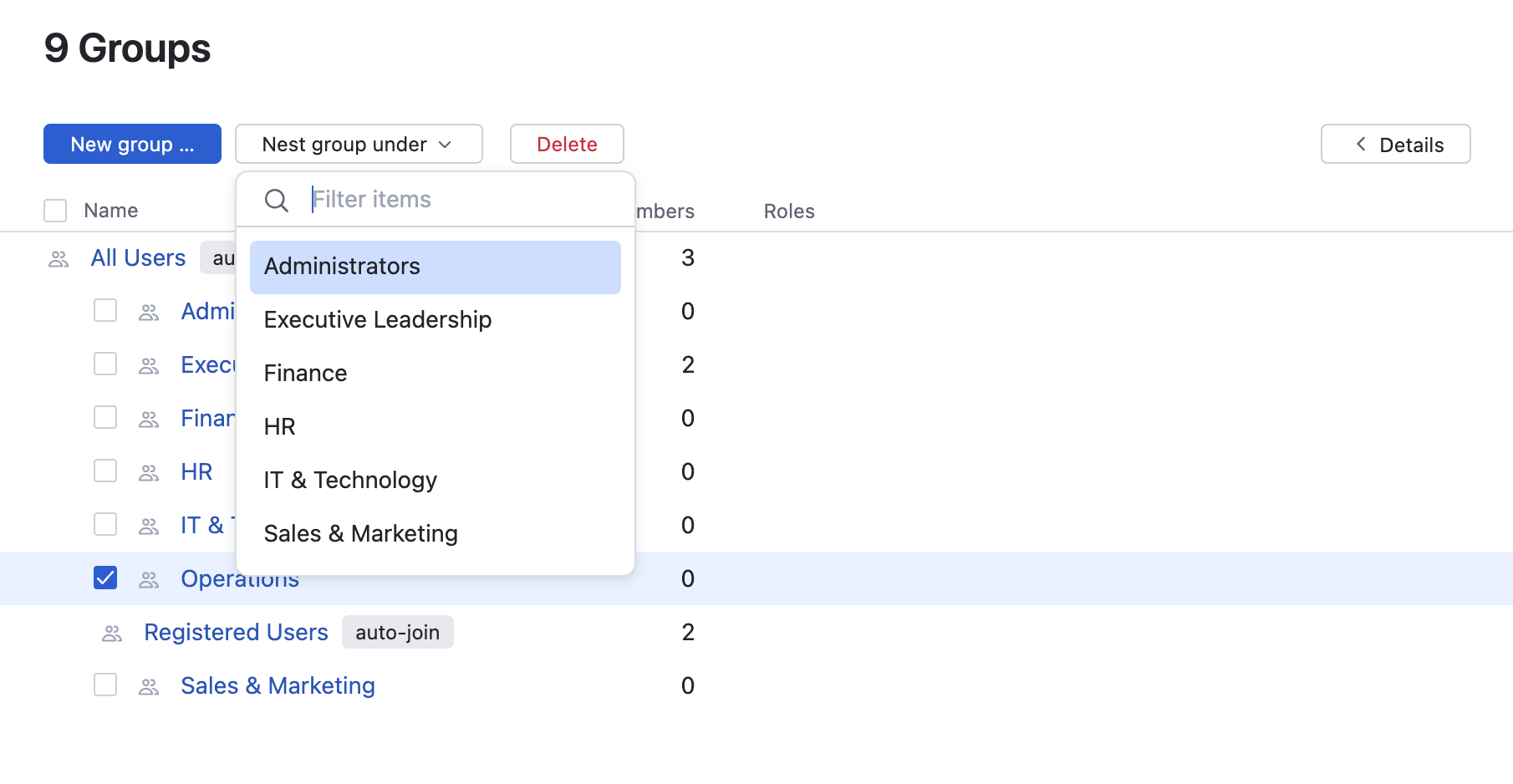
The groups are nested under the group that you selected from the drop-down list.
If you ever want to reverse this operation, just select the nested group in the list and nest it under the All Users group instead.