Using the Testify toolkit
The github.com/stretchr/testify package is a popular Go library used for writing unit tests. It provides a set of tools like assertions, mocks, and suites that make it easier to write tests in Go. With Testify, you can run your suites and methods as regular test functions. For more information about the toolkit, refer to the description of Testify on GitHub.
In a Go module, create main.go with the following function, then generate a test for it:
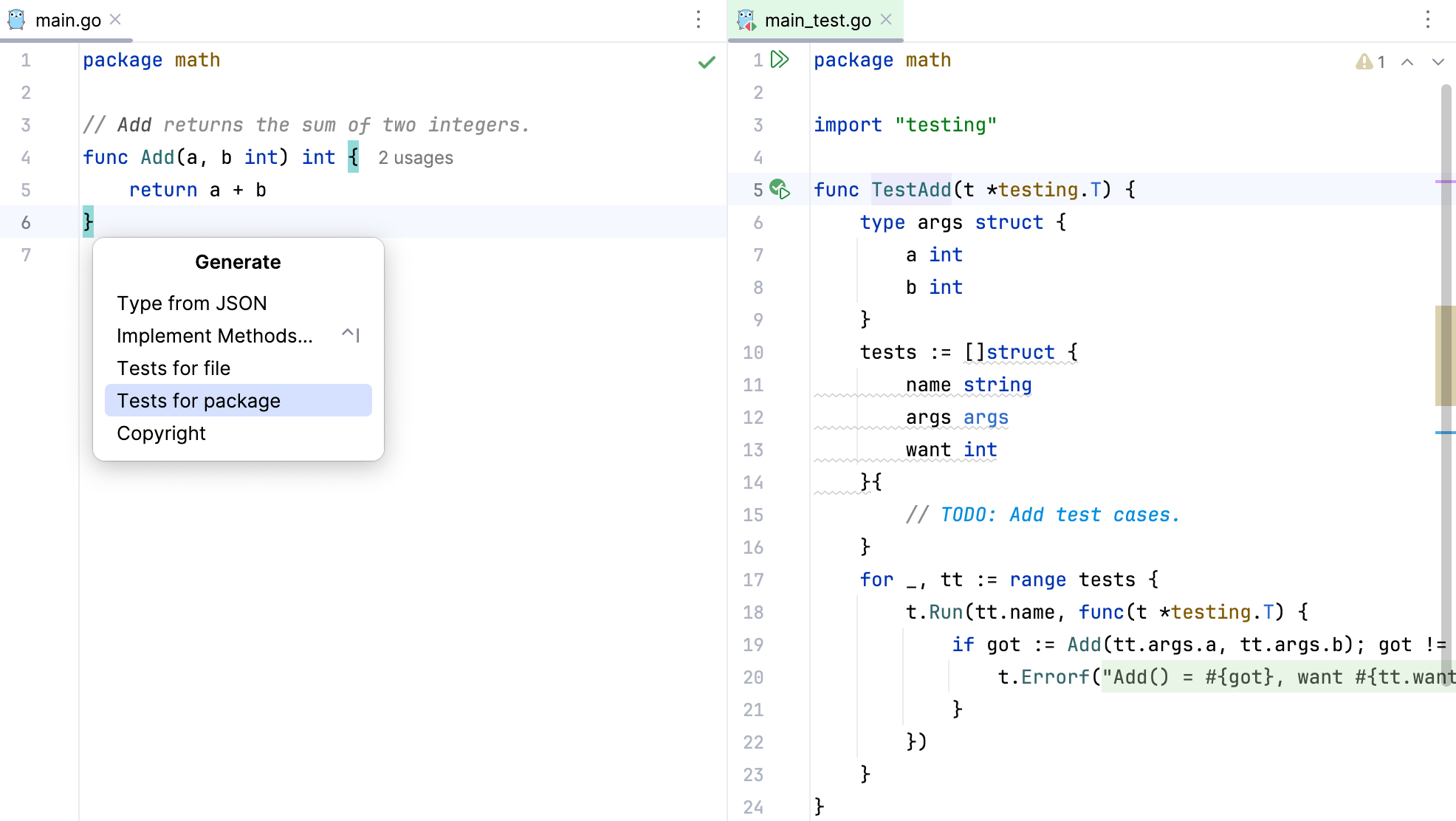
Generate a test for package
Open a Go file for which you want to generate a test.
In the main menu, click .
In the Generate pop-up window, select Tests for package.
GoLand creates main_test.go with a table-driven test template.
Modify the generated test so it uses the testify toolkit. Consider the following code snippet for the test.
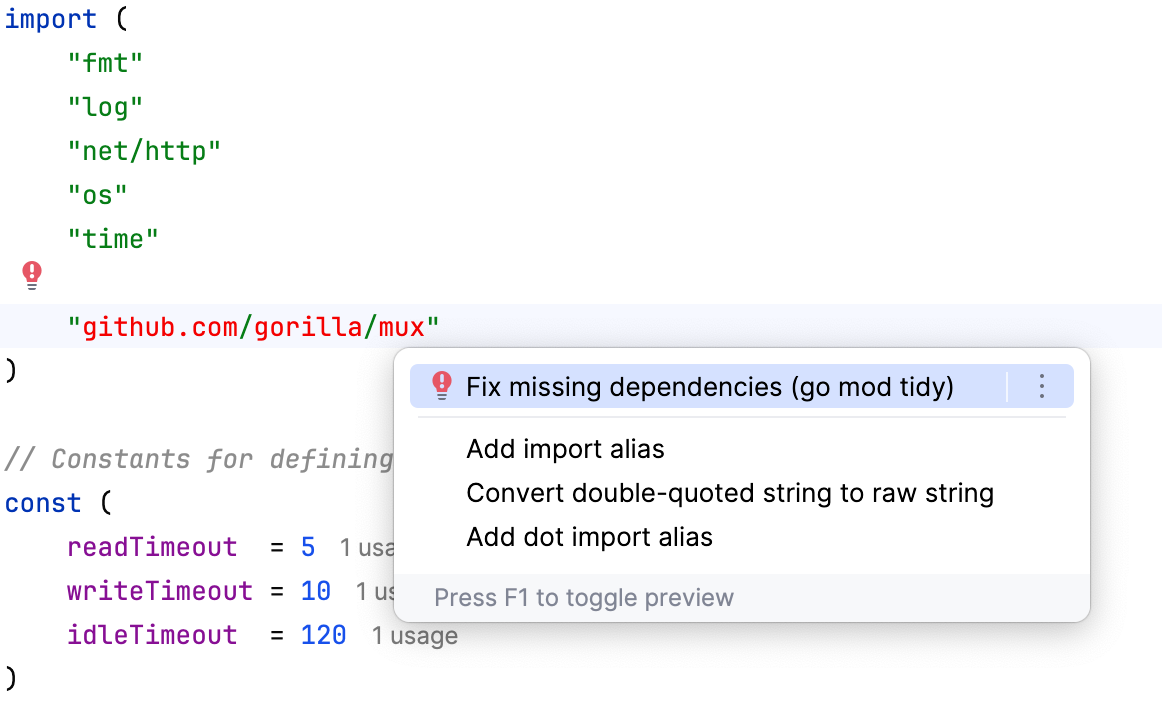
The test imports github.com/stretchr/testify/assert. If your module does not yet include Testify, resolve the missing dependency:
Synchronize missing dependencies
Click the import declaration that is missing.
Press Alt+Enter and select Fix missing dependencies.
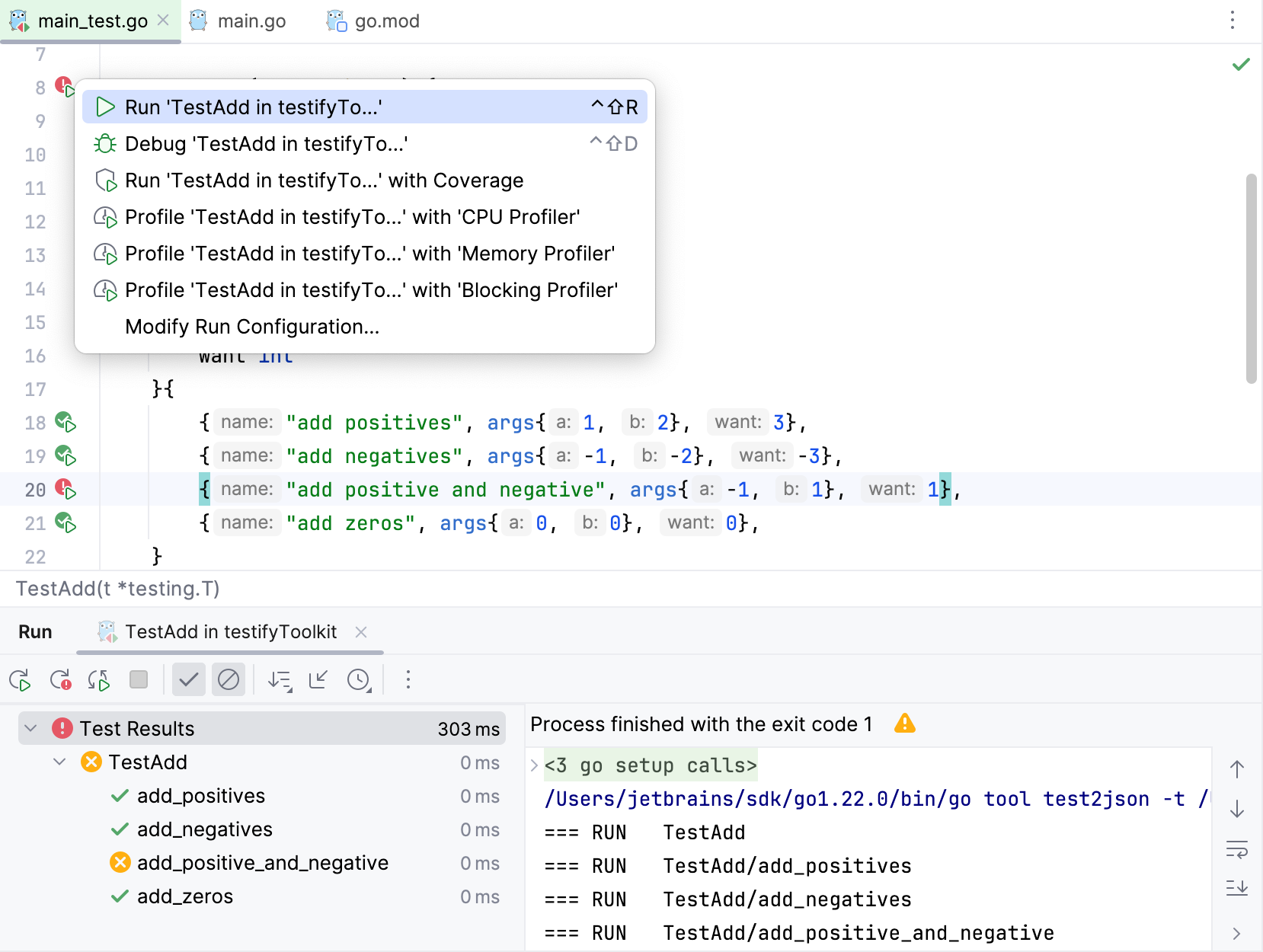
Run tests with testify
Click the Run test icon
 and select Run <configuration>.
You can also run individual table tests if desired.
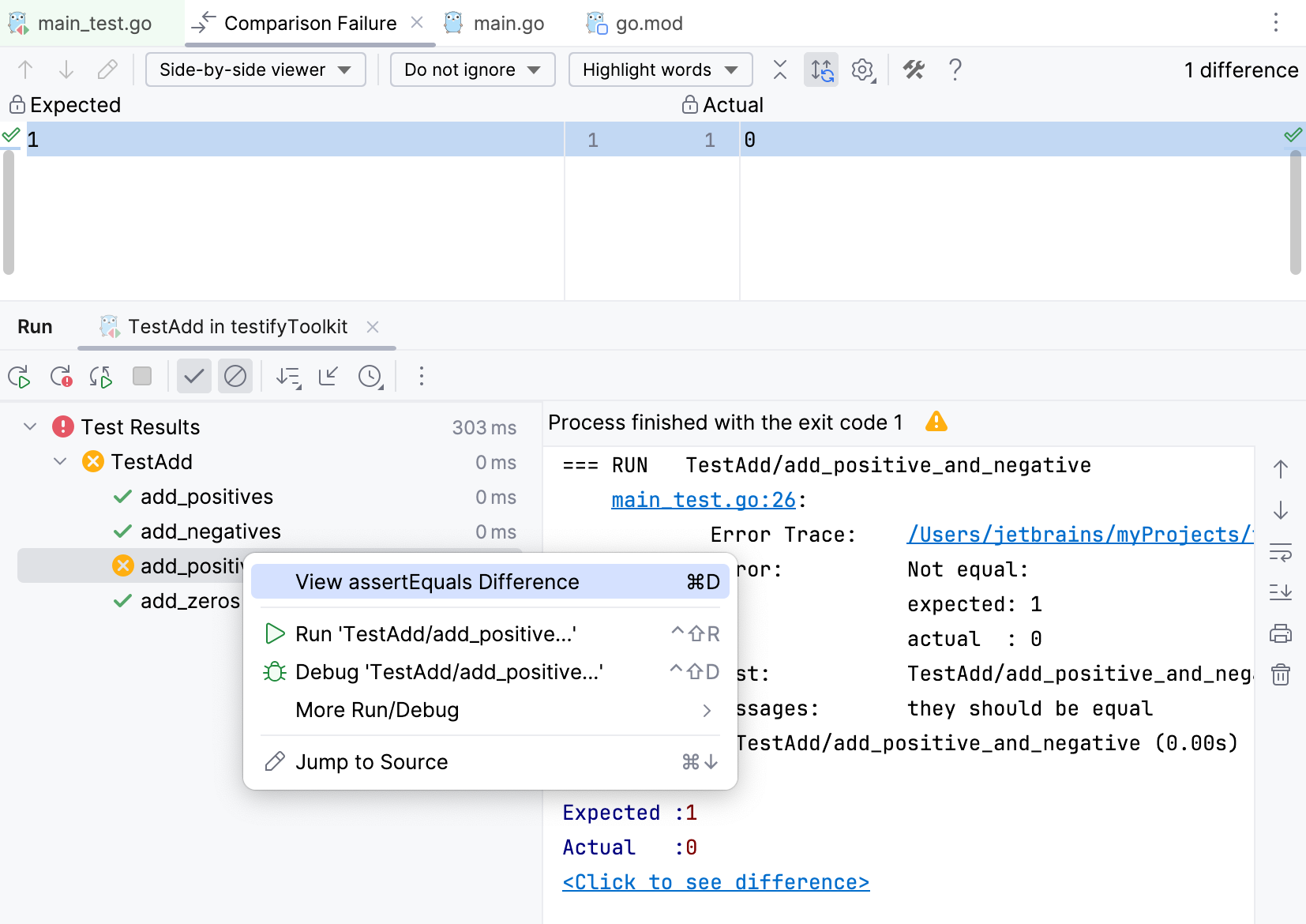
Compare expected and actual values
You can compare expected and actual values for failed assertion tests.
You can compare expected and actual values for failed assertion tests. To see the difference, click the Click to see difference link in the Run pane.
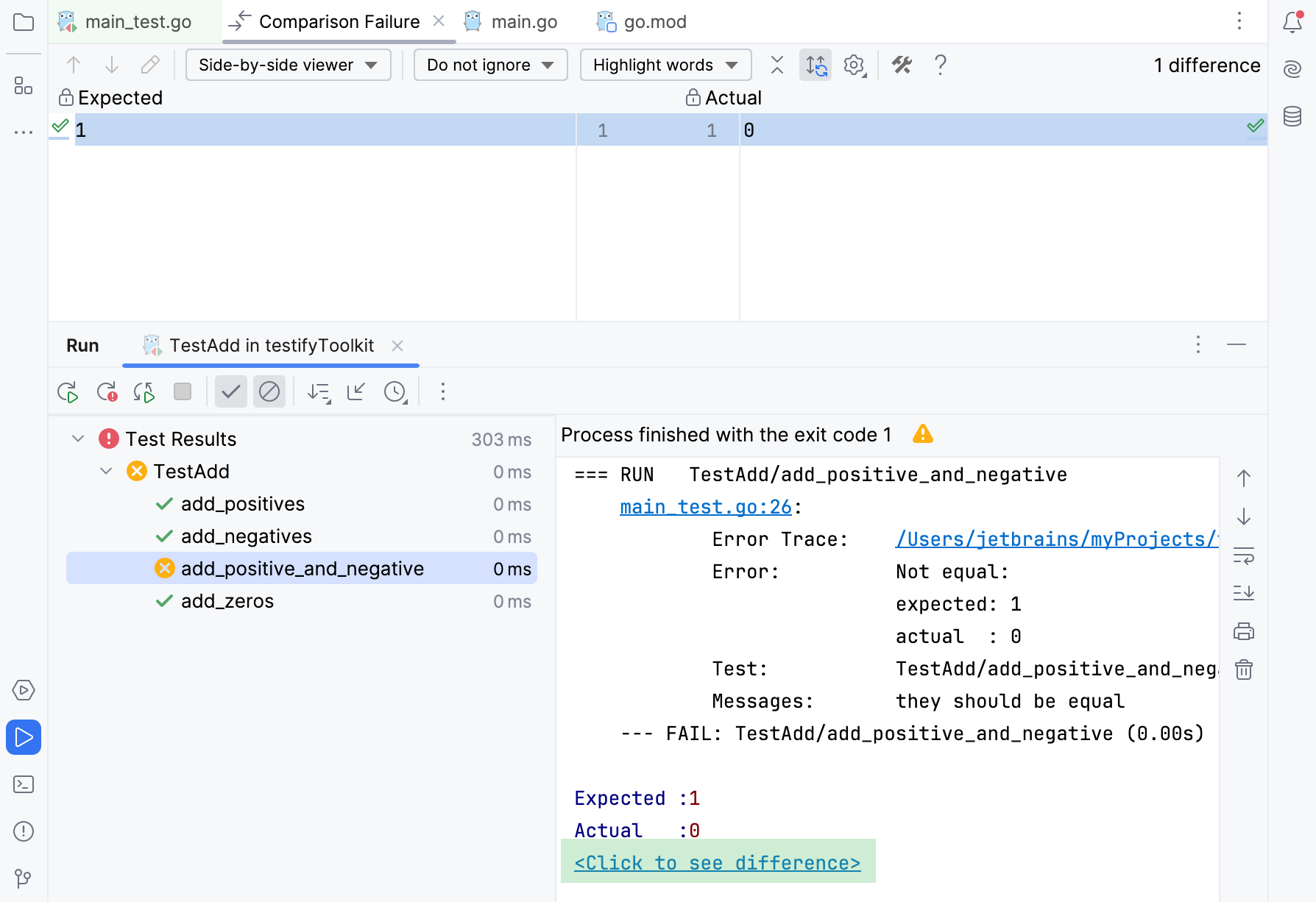
Right-click the failed test and select View Differences. Alternatively, press Ctrl+D.